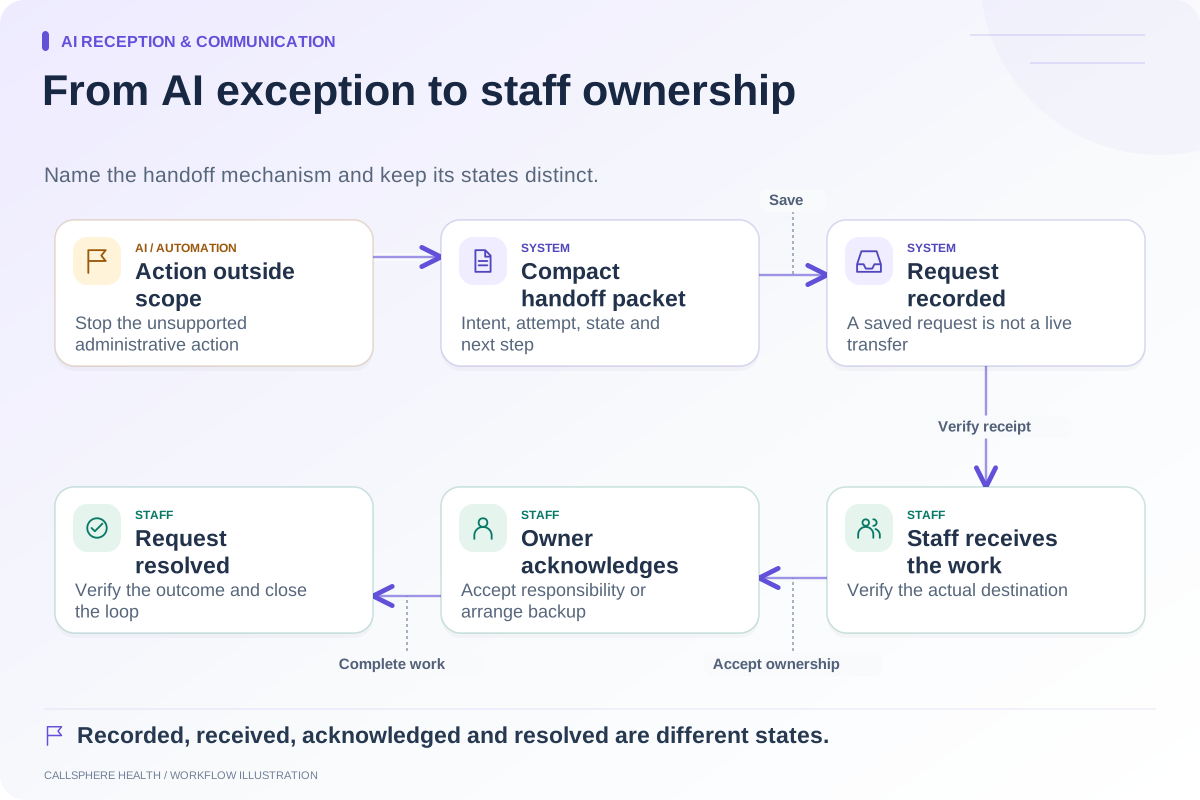
Handle after-hours therapy inquiries with a defined sequence: answer approved administrative questions, complete only supported actions, and place unresolved work in a queue with a named staff owner. Tell the caller or website visitor exactly what happened and when ordinary staff follow-up is expected. Receiving a message overnight is useful only if someone can find and act on it when the practice reopens.
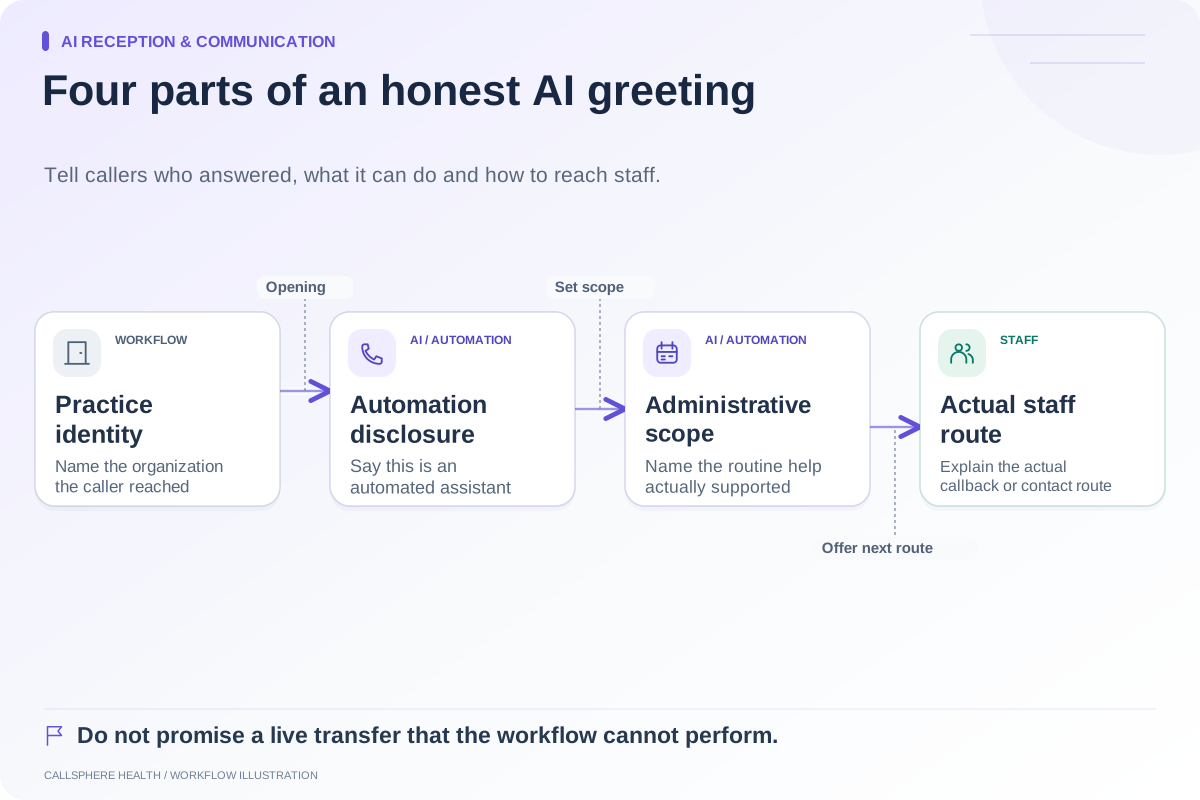
The workflow should reflect your actual staffing. Do not advertise immediate human help unless the practice provides it. Administrative inquiry coverage also should not be presented as clinical advice, therapy, or a crisis response service.
Decide which overnight outcomes you support
Separate routine information, appointment actions, and staff follow-up. The practice may allow an AI tool to answer office-hour questions while requiring staff to review every new-patient request. Another practice may publish specific bookable visit types. The message must match the permitted action.
| Request | Possible administrative outcome | Staff responsibility |
|---|---|---|
| “What are your office hours?” | Answer from approved practice information | Maintain current hours |
| “Do you offer evening visits?” | Explain documented options or check configured availability | Confirm unsupported details |
| “Please call me about starting therapy” | Record a callback request | Review and return the inquiry |
| “Can I change my appointment?” | Supported action after required identity checks | Resolve exceptions |
| Personal clinical question | Explain the administrative boundary and configured contact route | Appropriate clinical follow-up |
The table is a workflow design example, not a promise that every channel or system supports each action.
Write a truthful closing message
A hypothetical website visitor asks for a first appointment at 10 p.m. The system records the request but cannot confirm the required provider settings. A useful response would be: “Your appointment request has been recorded for the practice team. An appointment is not confirmed yet. The office reopens tomorrow at 9 a.m.” Add a response expectation only if the practice has agreed to meet it.
Do not substitute “You're all set” for a pending status. If a supported booking completes, the confirmation should include the date, time zone, visit type, and any remaining administrative steps. If it fails, the closing message should say what remains unresolved.
Give the morning queue a real owner
Assign a primary reviewer and a backup. The opening routine should identify new requests, duplicates, incomplete contact details, and messages already handled elsewhere. Each item needs a next action rather than a vague “reviewed” label.
A practical status set is new, assigned, awaiting response, resolved, and closed without contact. Keep the reason for closure. If a callback is unsuccessful, record the attempt and the practice-approved next step without claiming the issue is resolved.
For privacy-sensitive communication, review message content and contact preferences. HHS advises limiting information disclosed in voicemail messages as a reasonable safeguard; see its reminder and voicemail guidance. Source reviewed September 9, 2026.
Test the overnight-to-morning handoff
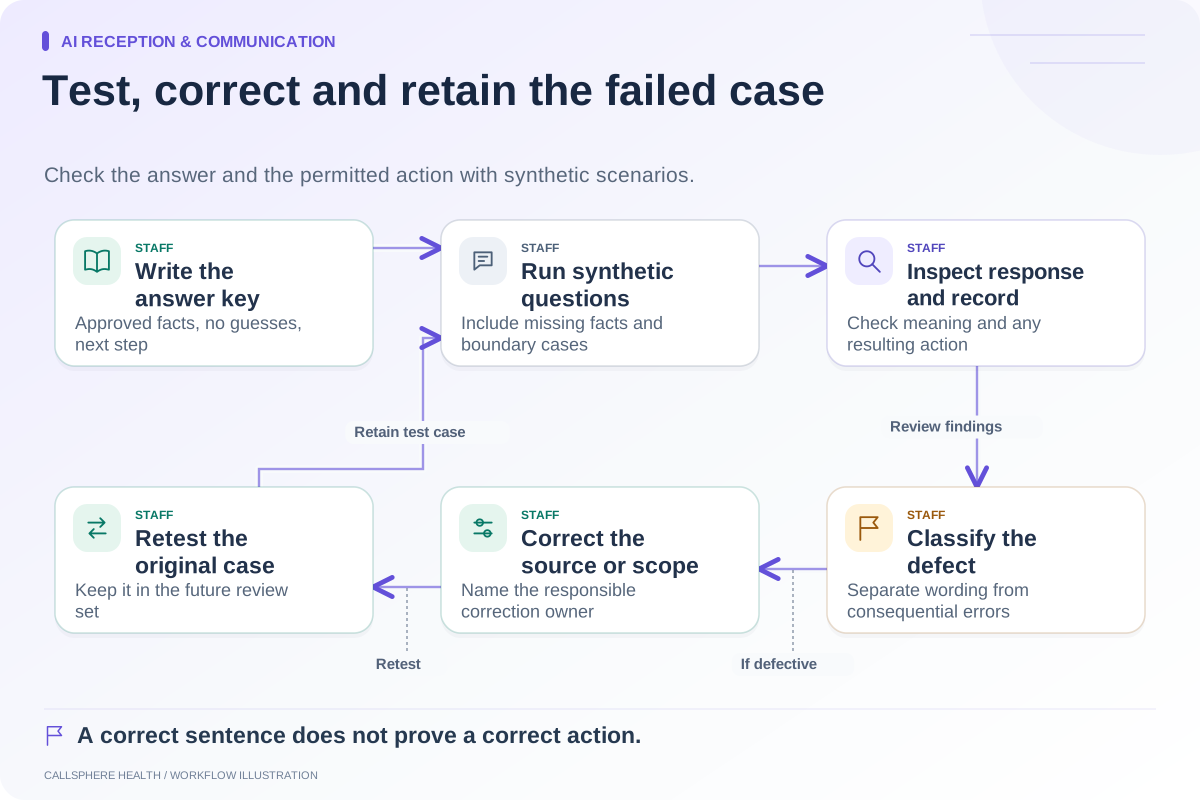
Use a fictional inquiry and a controlled test environment. Submit it through the intended channel, inspect the recorded result, and sign in as the staff role responsible the next morning. Confirm that the person can find it without searching through unrelated clinical content.
Test a weekend or holiday rule as well as an ordinary weekday. Check that the published hours, AI answer, and staff expectation agree. A correct weekday message can become misleading when the practice is closed for several days.
What CallSphere Health can contribute
CallSphere Health's AI front desk supports routine website and phone inquiries when configured. It can answer from a practice knowledge base, check configured availability, perform supported appointment actions, and record callback requests. Channel setup, connected services, and practice rules determine what can complete.
A recorded callback does not prove a staff member has received or acted on a notification. Automatic clinician matching and a completed intake chain after an AI booking should also be demonstrated before reliance. Staff retain clinical decisions and exception handling. Review the AI receptionist page and capability limits.
Start with one limited after-hours workflow, then inspect its unresolved work daily. The human handoff guide can help define what the next staff member needs to know. Expand coverage only when the practice can reliably close the loop.
Browse more guides to AI reception and communication.