Treat a change in practice hours as one coordinated update with several destinations. A new closing time is not complete when the website changes if the phone greeting, AI answer or booking calendar still offers conflicting information. Assign an owner, specify when the change takes effect and test each public route a prospective client might use.
The main distinction is between office access, staff response hours and clinician availability. A therapist may hold an evening telehealth session when the front desk is closed. Your public answers should explain that difference rather than presenting one opening-hours field as the entire schedule.
Write the change as a decision record
Start with a short record: the affected location, current hours, replacement hours, effective date, time zone, temporary or permanent status, approving manager and fallback contact. Include the reason only if it belongs in public communication. Staff do not need to disclose an employee's personal circumstances to explain a new office schedule.
For a temporary closure, record both the start and end. Avoid instructions such as “closed tomorrow” in a document that may remain searchable next month. A full date can be checked and retired deliberately.
Map every place the old answer appears
Use this checklist to assign the update rather than relying on everyone to remember their own channel.
| Destination | Change to verify | Owner should retain |
|---|---|---|
| Website contact page | Public office hours and location | Published page URL |
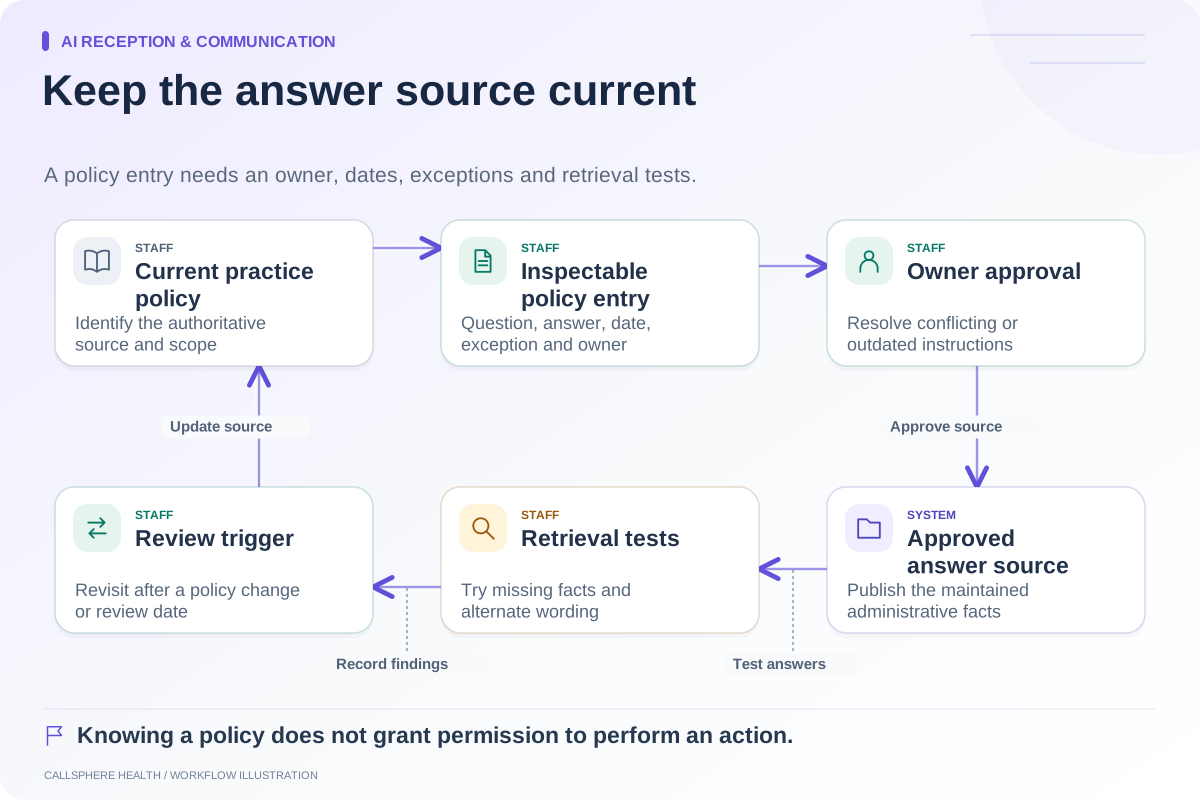
| AI knowledge | Correct effective date and exceptions | Approved policy entry |
| Recorded greeting | Staff response hours | Reviewed wording |
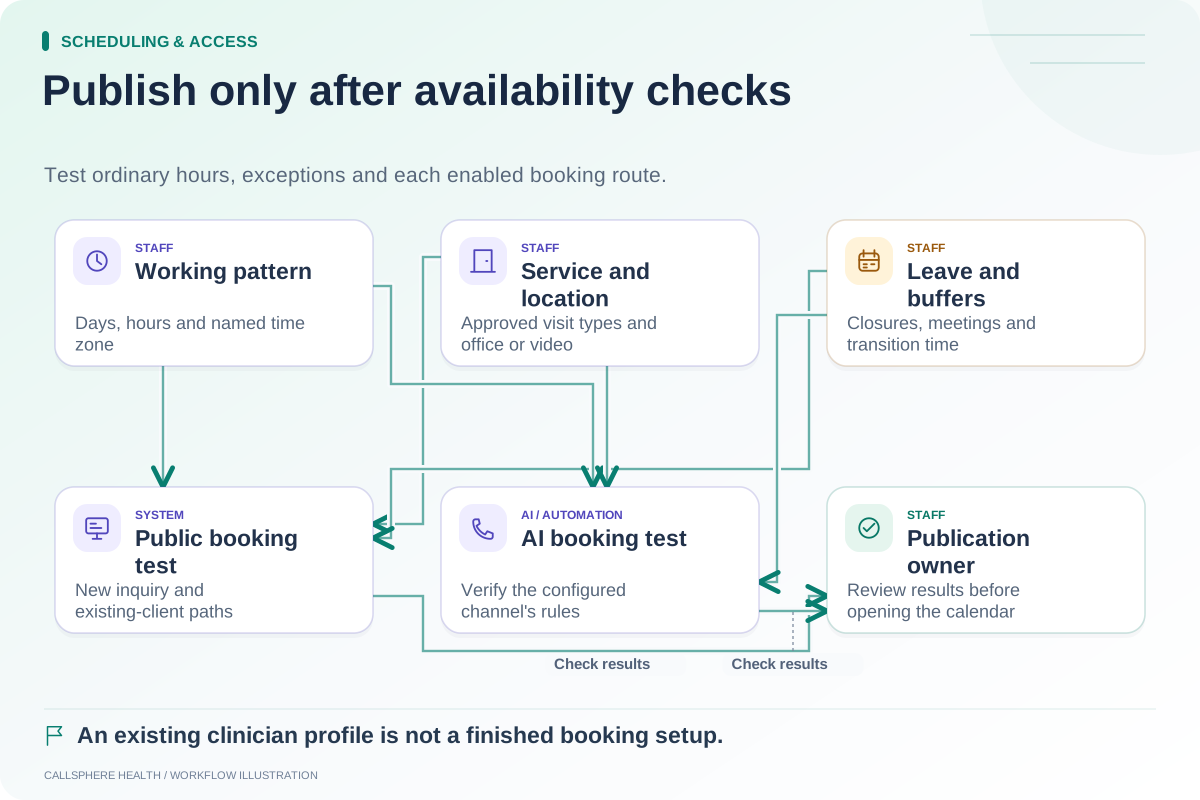
| Booking rules | Actual available appointment slots | Calendar check |
| Patient instructions | Arrival or remote-session directions | Current template |
| Staff reference | Exception and callback handling | Approval record |
The checklist is a suggested operating procedure. Confirm which updates your vendor shares automatically and which require separate edits. Similar-looking fields do not establish a synchronization guarantee.
A hypothetical Friday-hours change
A fictional group practice closes its physical reception desk at 3 p.m. on Fridays beginning October 2, while two clinicians continue remote visits until 6 p.m. The administrator updates the front-desk answer to distinguish these hours. The booking calendar continues to show approved remote appointments, but it does not offer an in-person arrival after reception closes.
A caller asking “Are you open at five?” receives a question about the intended visit or location, or a concise explanation of the difference. The AI should not cancel a scheduled remote visit merely because the office is closed. It also should not suggest that staff will answer a callback request that afternoon.
The administrator checks existing client instructions as well as future bookings. A correct new booking flow does not repair an old confirmation message that still tells someone to arrive at the office.
Run a same-day synthetic check
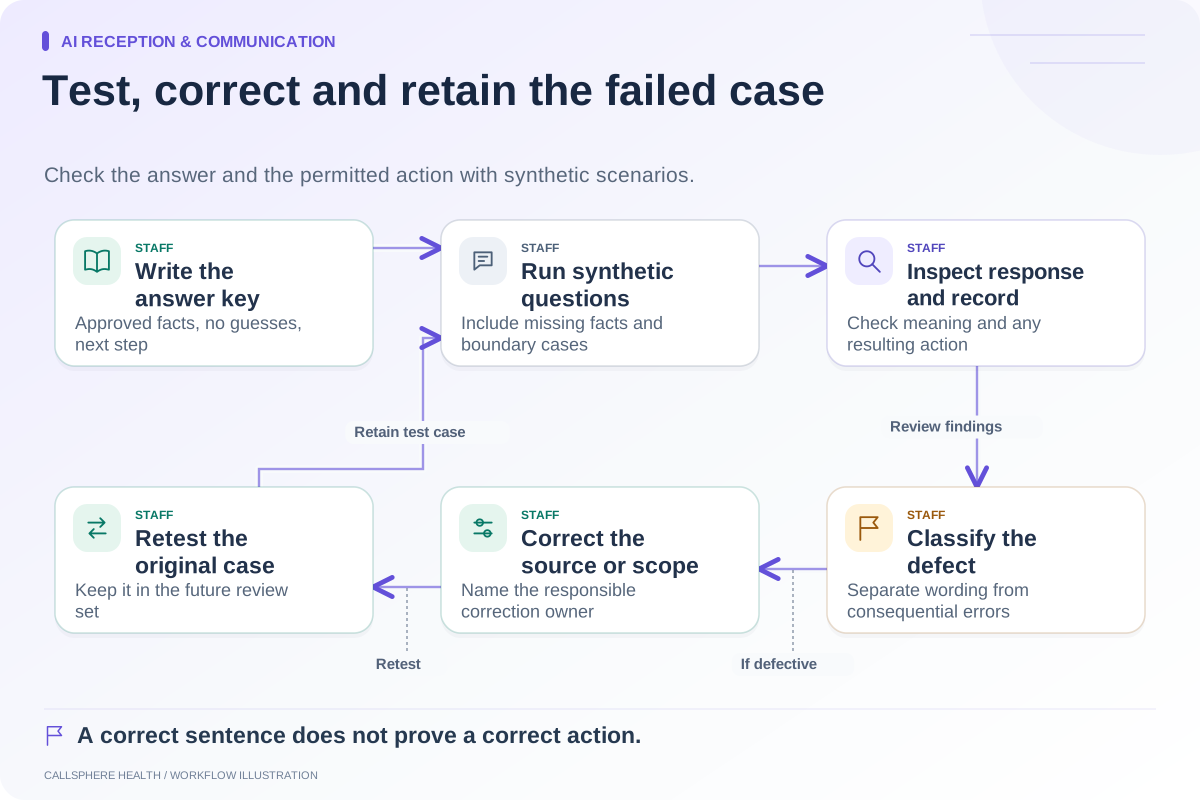
Test before the effective date and again after it. Use invented caller details and prevent real booking or messaging actions. Ask about today's hours, the next Friday, a future exception date and a different location. Save the exact question and expected answer in the change record.
Check the displayed time zone rather than assuming the person testing has the same device settings as the practice. For appointment changes, inspect the actual availability, not only the conversational answer. The clinician availability checklist covers this second layer.
If an answer is stale, identify its source before editing more material. A cached page, an unchanged knowledge entry and an old voicemail greeting need different corrections. Retest the original question after the correction so the same mistake does not remain hidden behind a different phrasing.
Give the next update a trigger
Schedule a review of temporary exceptions when they expire. Keep a named backup for the person who normally manages changes. Record which channels were verified and which remain pending; do not mark the whole task complete because the website looks right.
The NIST AI Risk Management Framework provides general context for managing AI systems over time. Our change checklist applies that maintenance mindset to a specific practice operation; it is not a claim that one framework or checklist guarantees accurate answers.
CallSphere Health's AI receptionist supports answers from configured practice knowledge, while calendar behavior depends on booking settings. Use the knowledge-base worksheet to prepare the source, then ask for a demo of a dated hours change across the channels you intend to use. More examples are in AI reception and communication.
Sources and product scope checked September 9, 2026.