Set a clinician's approved working pattern, appointment types, locations and exceptions before publishing online availability. A profile with a name and a weekly schedule is not enough. The practice must also know which visitors can request which services, whether preparation time is needed and who handles a request that falls outside those rules.
Treat publication as the final step of onboarding. This prevents a partly configured calendar from becoming a public promise while staff are still deciding the clinician's schedule.
Build the availability record
Use this proposed checklist with the clinician and the scheduling administrator. Clinical scope and service eligibility should already be approved through the practice's appropriate process.
| Area | What to confirm |
|---|---|
| Work pattern | Days, start and end times, named time zone |
| Visit types | Approved services and calendar durations |
| Audience | New inquiries, assigned clients or staff-only requests |
| Locations | Which days apply to each office or remote format |
| Exceptions | Leave, meetings, supervision and one-off closures |
| Transition time | Any required gap before or after a visit |
| Booking window | How soon and how far ahead requests may be made |
| Review owner | Person who approves publication and later changes |
Document anything the software does not enforce. A manual room check, for example, should be a visible staff responsibility rather than an unstated assumption.
Check why a seemingly empty slot is unavailable
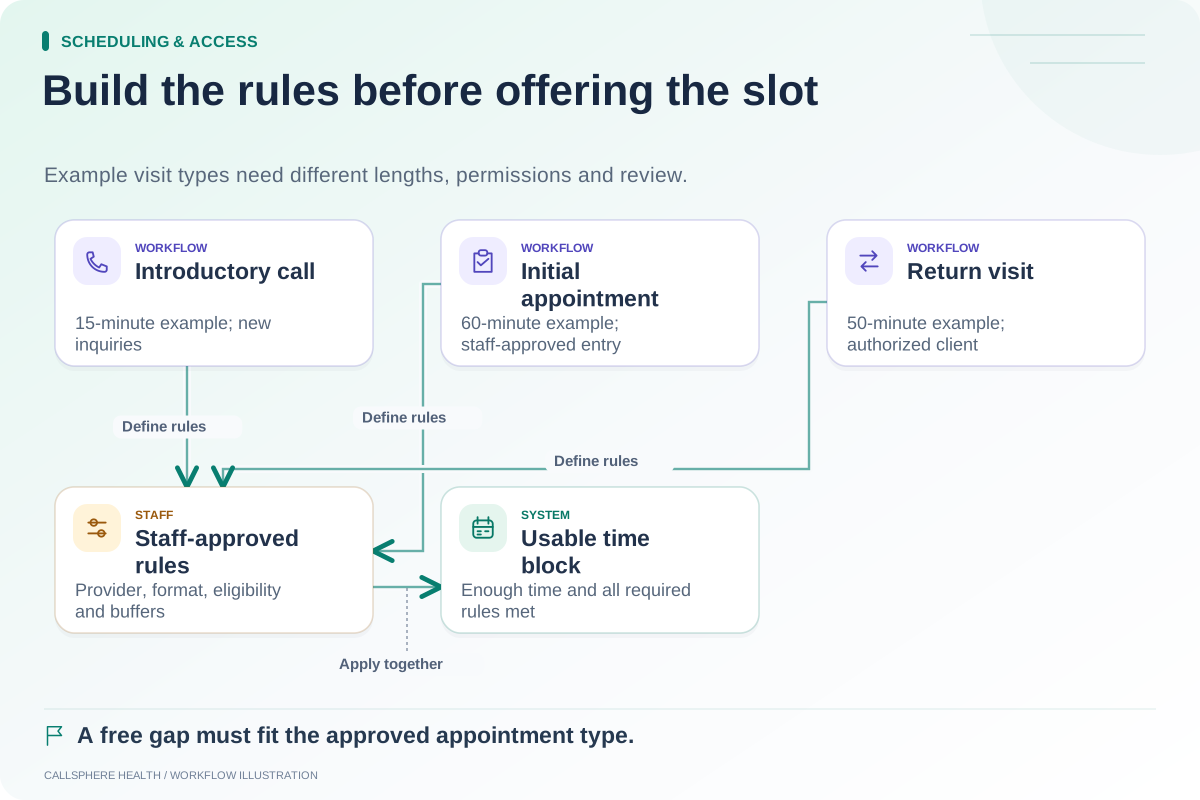
An empty space on a calendar may not fit the selected appointment type or its required transition time. It may also be outside published availability or restricted to an existing-client workflow. These are different causes and should be investigated separately.
SimplePractice's availability troubleshooting guide notes that service duration plus any buffer must fit inside an availability block for an online request slot to appear. That is a useful concrete example of why visual calendar space alone does not establish bookability.
Before changing settings, identify the condition preventing the slot. Removing a buffer simply to make more openings appear can undermine a rule the practice deliberately approved.
A hypothetical new clinician launch
A fictional center hires a clinician who works Mondays in the north office and Wednesdays by telehealth. The administrator enters those separate patterns and restricts an initial appointment type to the approved new-client process.
The clinician has a planned Wednesday absence during the first month. Staff add the exception before opening the calendar. They then test a Monday in-person request, a Wednesday remote request and the leave date. The system should not infer that Monday's office location applies to every appointment.
A synthetic new inquiry and an authorized existing-client test may see different options. Staff verify that this difference matches the practice's rules rather than interpreting all variation as an error.
Test the edges of the day
Inspect the first and last possible appointment, a slot next to lunch and a gap before a staff meeting. Check whether the selected visit length fits without running into an unavailable period. If the system allows staff overrides, establish who can use them and how they are reviewed.
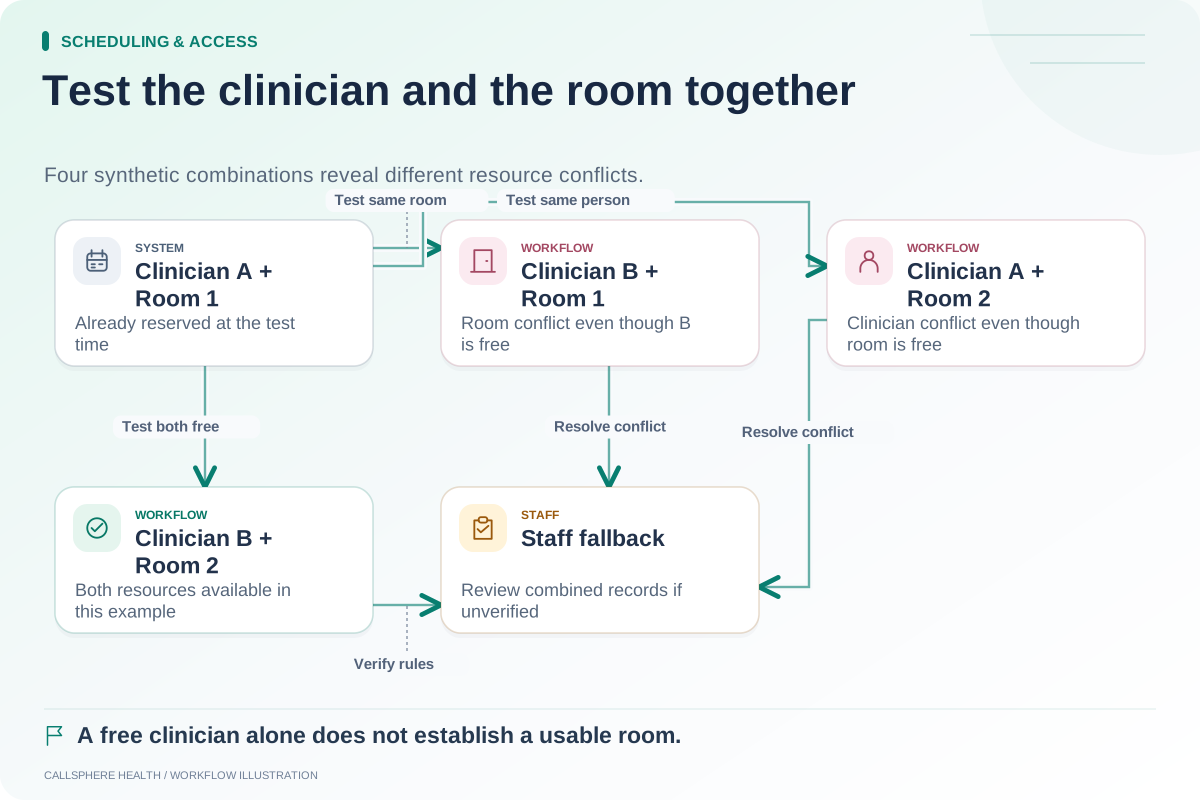
Use the appointment-type worksheet to make durations and eligibility explicit. If visits require a particular room, also run the room-and-provider conflict test.
Do not assume that a corrected public booking page automatically changes the AI channel. Ask the vendor to demonstrate which booking settings are shared and which require separate configuration.
Maintain the calendar after onboarding
Assign an owner for leave changes and changes in new-client availability. Agree on how quickly clinicians should report exceptions and how administrators confirm that public slots were updated. Existing bookings need review separately from future availability; removing a work block does not necessarily cancel or move the appointments already inside it.
Keep a brief publication record with the date, tested routes and unresolved limitations. The record is especially helpful when another administrator later asks why a service is not bookable online.
CallSphere Health's platform includes clinician scheduling and appointment configuration. Its capabilities page describes configuration-dependent AI booking and the limits of verified provider matching. Bring one clinician's proposed schedule and leave exception to a demo, then inspect the public and staff views before deciding it fits.
Find additional setup worksheets in Scheduling and access.
Sources and product scope checked September 9, 2026.