Define appointment types before opening automated scheduling. Each type needs a clear duration, eligible providers, permitted visit formats and a rule for whether staff approval is required. Without those distinctions, an available half hour can be offered for a visit that needs more time or a provider who does not perform that service.
An appointment type is an operational definition, not a clinical recommendation. The practice's authorized clinicians and administrators determine which services are offered and who can receive them. Software should apply those approved rules rather than infer clinical suitability from a short conversation.
Start with a compact rule table
Use the following hypothetical table as a worksheet. The durations are examples, not recommended clinical session lengths or billing-code guidance.
| Type | Example calendar length | Who may request it | Review question |
|---|---|---|---|
| Introductory call | 15 minutes | New inquiries | Is the requested clinician accepting inquiries? |
| Initial appointment | 60 minutes | Staff-approved new clients | Are required administrative steps complete? |
| Return visit | 50 minutes | Authorized existing clients | Is the person requesting their own visit? |
Add provider eligibility, location, remote or in-person format, preparation time and booking cutoff to the actual practice table. Do not treat a billing code as a complete substitute for these scheduling rules.
Keep clinical and administrative decisions separate
A scheduler can apply an approved “existing client only” rule or limit a visit type to a configured calendar. That does not establish that the software can decide which clinician is clinically appropriate. If clinical fit requires professional review, route the inquiry to that review before presenting a confirmed appointment.
Similarly, collecting an insurance preference is different from verifying coverage for a particular visit. Avoid a rule that turns “insurer selected” into a promise about benefits or payment responsibility.
TherapyNotes' scheduling guide illustrates why appointment type matters: it affects available clinicians, note templates and associated service codes. Verify each vendor's own behavior rather than assuming all systems define a type in the same way.
A hypothetical mismatch to catch early
A fictional practice publishes a 30-minute opening on a clinician's calendar. Its initial appointment type requires 60 minutes, while introductory calls require 15. A sound acceptance test checks that the opening is not offered as a complete initial appointment merely because it is visible on the calendar.
Next, test the reverse case: a sufficient gap exists, but the clinician is not eligible for that appointment type. The system should follow the configured restriction or require staff review. It should not silently switch the provider or shorten the visit to make a booking fit.
Finally, test a return-visit request from someone who has not completed the practice's required identity process. Calendar availability and authority to book or change a record are separate requirements.
Test the boundaries of a time block
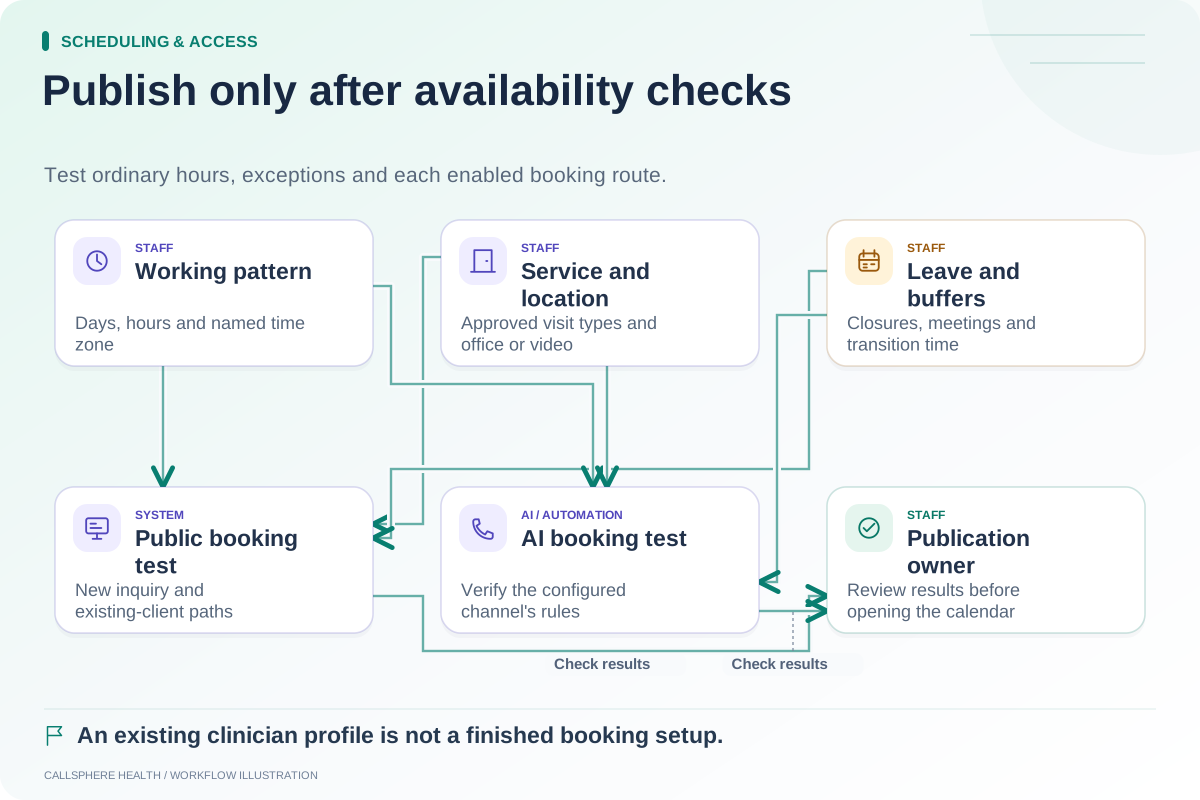
Check the beginning and end of the clinician's working day, adjacent appointments and any preparation or transition time. If the practice uses buffers, inspect whether they are enforced in the staff calendar, public booking page and AI route. A buffer described in a policy document does not prove that every booking path enforces it.
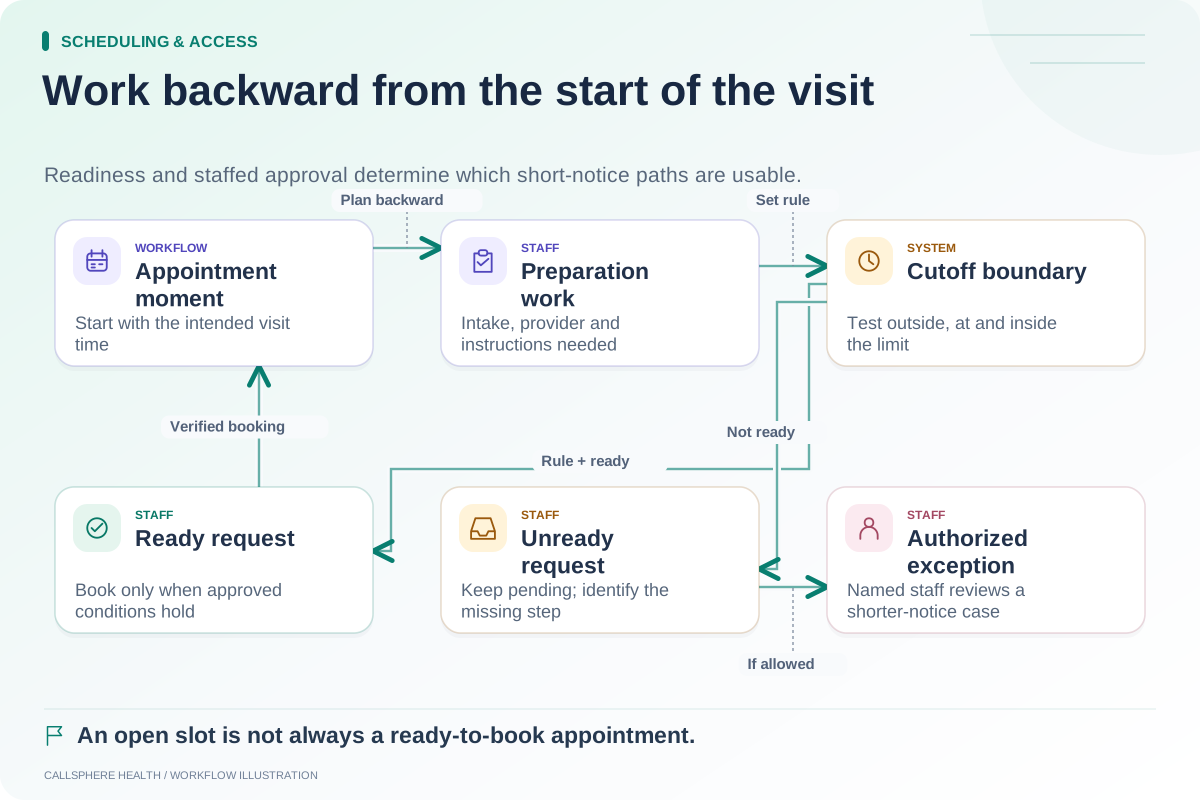
The same-day cutoff worksheet covers preparation constraints that depend on how soon the appointment starts. The availability onboarding checklist covers the clinician's working pattern and exceptions.
Maintain the table when services change
Assign an owner to each type and record when a rule changes. If the practice lengthens an initial appointment, review future availability and existing appointments separately. Changing a default does not establish that previously booked visits have been updated safely.
Keep labels understandable to patients. Internal abbreviations can remain useful to staff, but a prospective client should understand what they are requesting. Explain when the practice will confirm the next step rather than using a button label that overpromises immediate acceptance.
CallSphere Health's platform includes appointment configuration and scheduling. Its AI booking pathway uses configured settings; exact provider matching and every cross-channel rule must be demonstrated before relying on them. Review the capability boundaries, then ask for a demo using your own proposed appointment-type table.
Browse Scheduling and access for related tests to complete before publishing bookable slots.
Sources and product scope checked September 9, 2026.