A reminder reply should enter a defined response workflow, not disappear behind a delivery report. Some people confirm, some ask to cancel, and others include a question or an ambiguous statement. The practice must know which replies its system understands, which actions it can perform and who owns everything else.
Do not assume that sending reminders includes two-way conversation or automatic scheduling changes. Those are separate capabilities with their own configuration, identity and staff-review requirements.
Map reply intent to an allowed action
Use this proposed table to evaluate the actual channel and software you intend to use.
| Reply | Interpretation to verify | Next step |
|---|---|---|
| “Yes” | Confirming attendance for the intended visit | Record only the supported confirmation |
| “Please cancel” | Cancellation request | Verify authority and appointment, then act or assign |
| “Can I come later?” | Rescheduling inquiry | Check availability through the approved route |
| “Where do I go?” | Administrative location question | Give current approved visit information |
| “I need to talk about symptoms” | Content outside administrative handling | Use the practice's clinical contact procedure |
| “No, but next week is fine” | Multiple meanings or visits | Clarify before changing anything |
| Unrecognized input | Intent not established | Assign staff follow-up |
The table is not an instruction for AI to make clinical judgments. Administrative handling should preserve the practice's approved boundary and contact route.
A documented reminder detail to inspect
TherapyNotes' reminder documentation includes configuration for the email address that receives replies to automated email reminders. That is a concrete reminder-response detail to compare. It does not mean every reply automatically updates an appointment.
Ask equivalent questions about SMS and voice in any product: where does the reply arrive, what commands are supported and what happens to text outside those commands? Do not infer identical behavior across channels.
A hypothetical mixed reply
An invented patient receives a reminder for Tuesday and replies, “Yes, but can we make it Wednesday instead?” A simplistic confirmation counter might record “yes” while ignoring the requested change. Staff could then believe Tuesday is confirmed even though the patient expects a different day.
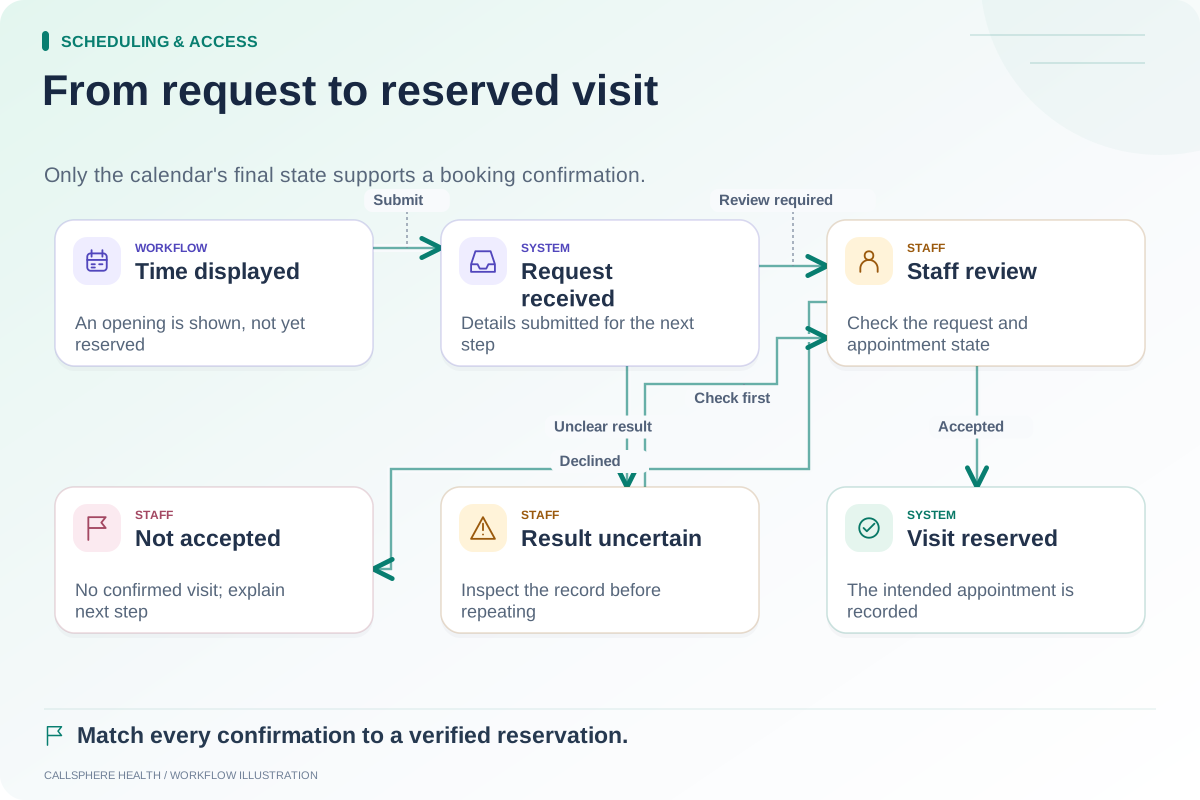
A sound operational process recognizes that the message needs clarification or rescheduling handling. It does not change the visit until the replacement is verified, and it does not label Tuesday attendance as unconditionally confirmed. The responsible person records the actual outcome after the request is resolved.
Test a similar reply that refers to “next week” when the patient has a recurring series. The intended appointment must be identified before any action affects the calendar.
Keep channel preferences and task authority separate
A person may be able to reply from a phone without having completed the identity process required for patient-specific changes. The practice should know what the channel can safely establish and when another verification step is needed.
Opt-out or contact-preference requests also need their own supported handling. Do not translate a request to stop messages into a cancellation of the appointment. Conversely, canceling one visit should not silently withdraw all future communication preferences unless that is what the person requested through the approved process.
Give unhandled replies a visible owner
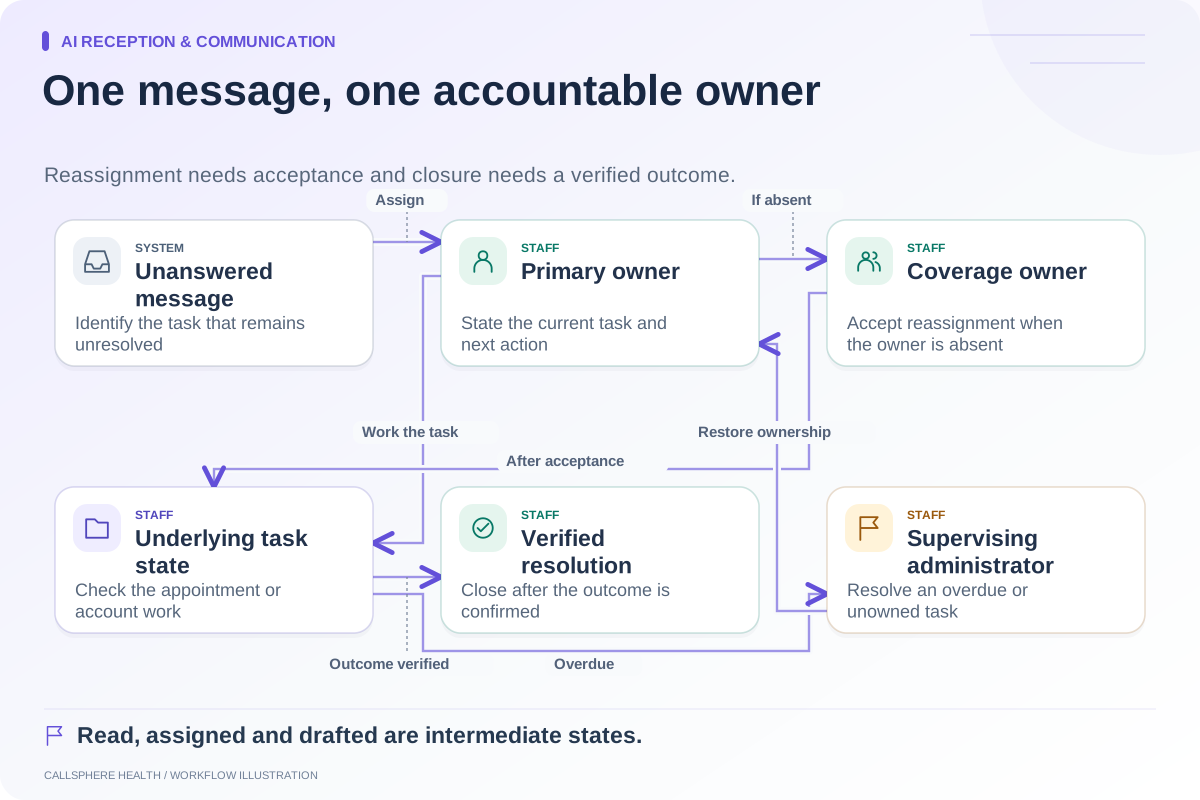
Assign someone to inspect unanswered or unrecognized responses during the practice's stated coverage hours. A queue should identify the next action and the backup person for staff absence. The message ownership guide provides a practical assignment model.
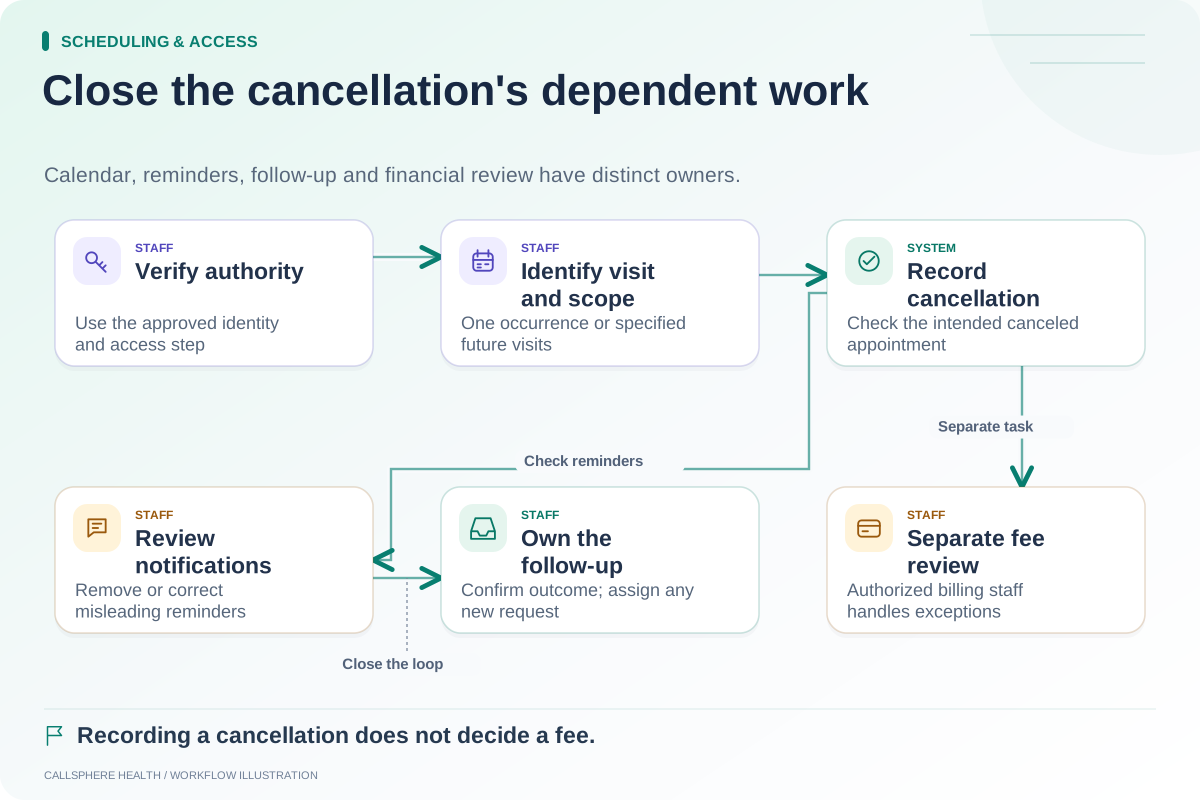
For cancellation requests, use the cancellation checklist to verify the appointment state, reminders and any separate billing review. Do not close the message merely because a staff member typed an acknowledgment.
Demonstrate the full response path
CallSphere Health's platform includes reminders and patient communication, while configured AI workflows support specific administrative tasks. The capabilities page does not establish automatic AI replies to every secure message or universal interpretation of every reminder response.
In a demo, use synthetic contacts and disable real delivery. Submit a clear confirmation, a mixed reply and an unrecognized response, then inspect the actual task and calendar results. Browse Scheduling and access for additional acceptance cases before you rely on the workflow.
Sources and product scope checked September 9, 2026.