An appointment request asks the practice to consider a visit; a confirmed booking means the scheduling system has reserved the intended appointment. The interface, phone answer and follow-up message should make that distinction explicit. A visitor should not need to understand your software to know whether they are expected at a particular time.
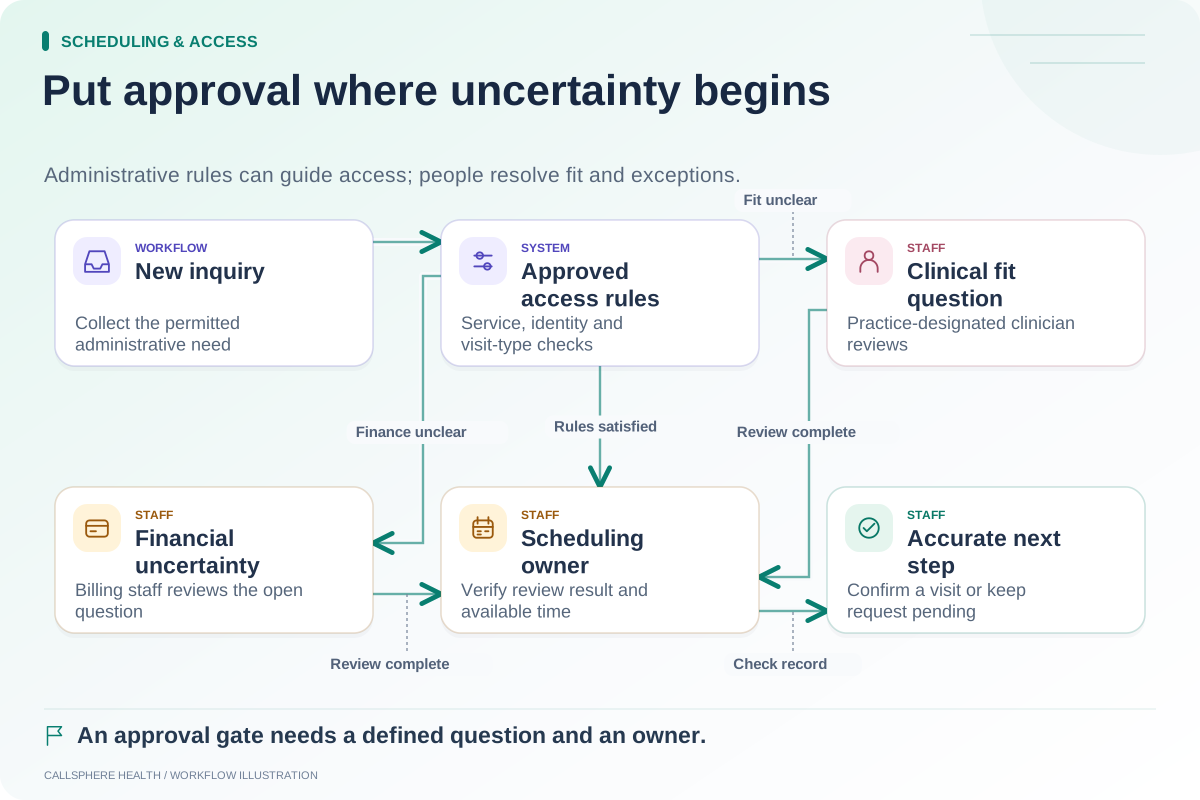
Both models can be appropriate. A practice may confirm straightforward return visits automatically while reviewing new inquiries. The problem is not the presence of approval; it is language that promises a booking before approval or a calendar action has succeeded.
Describe the states in ordinary language
A useful scheduling flow can be described without a technical diagram. The person chooses a time, submits details and either receives a confirmed reservation or waits for an identified review step. A request can also be declined, expire or need more information.
| Actual state | Suggested meaning to communicate |
|---|---|
| Time displayed | This time may be available; nothing reserved yet |
| Request submitted | The practice received a request for review |
| Review pending | Staff still need to make or verify a decision |
| Appointment reserved | The intended visit exists in the calendar |
| Request declined | No appointment was confirmed from this request |
| Result uncertain | Staff must check before promising an outcome |
These are proposed wording principles, not prescribed status names. Ask the vendor which state its “success” screen actually represents.
A real product example of the distinction
SimplePractice's appointment widget documentation says website requests appear in the practice account for acceptance or decline. That is useful functionality, but a request should not be described as an already accepted visit. Plan and configuration details should be checked with the vendor during evaluation.
Do not use this distinction to claim that another product lacks online scheduling. Compare the actual workflow the practice wants: request review, immediate reservation or a combination based on the visit type.
A hypothetical first-visit request
A fictional counseling practice requires staff to review new-client appointment requests. Avery selects Tuesday at 10 a.m. The page says, “Your request was received. The practice will contact you after review.” It does not say, “See you Tuesday,” because no approved reservation has been established.
Staff later confirm the visit. The confirmation identifies the date, time zone, location or visit format and the approved route for questions. If the request is declined, the message explains the next administrative step without implying that the person missed or canceled an appointment.
The new-patient approval guide helps decide which information needs review before that transition.
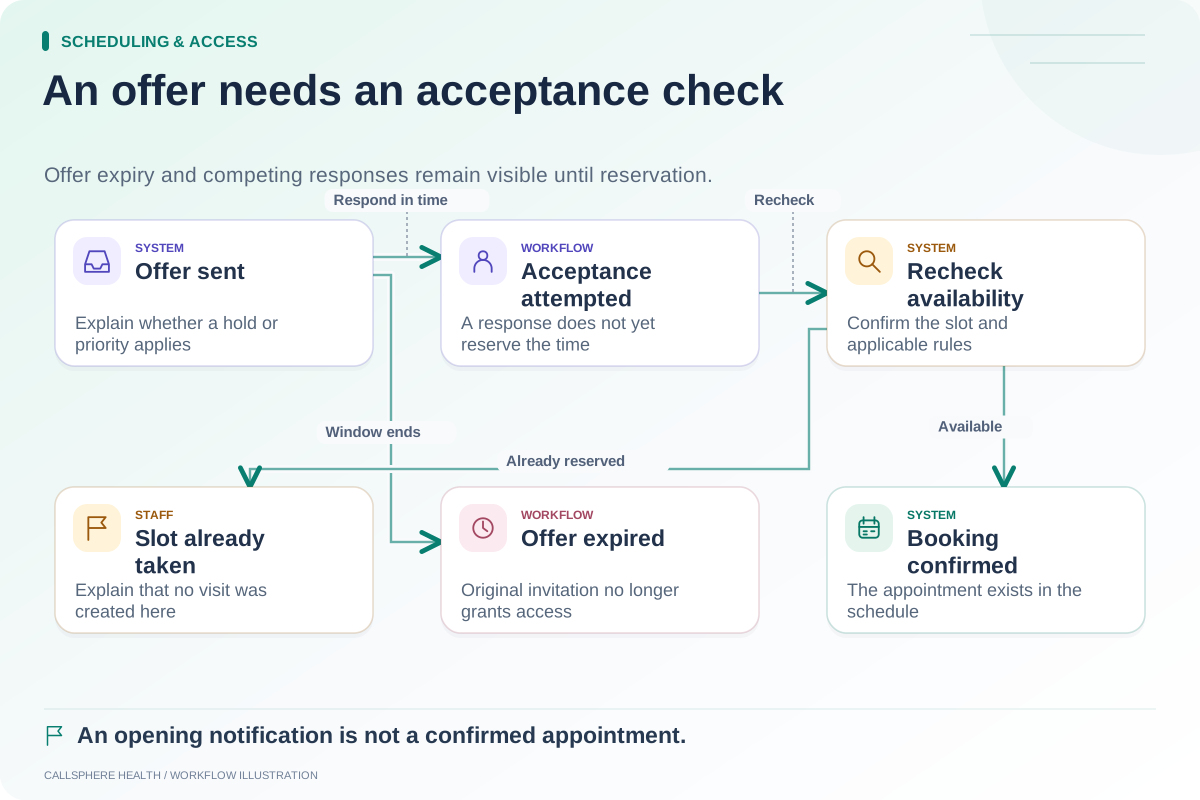
Check what happens when two people choose a time
A displayed slot can become unavailable before a person finishes the flow. Test two synthetic visitors selecting the same opening in a controlled environment. The result should not be two confident confirmations for one constrained appointment slot.
Also test a timeout after submission. A blank response should not lead staff to assume that nothing happened or that the request succeeded. Inspect the authoritative record before repeating the action. A request reference is useful for tracing an inquiry, but it is not itself proof of a reservation.
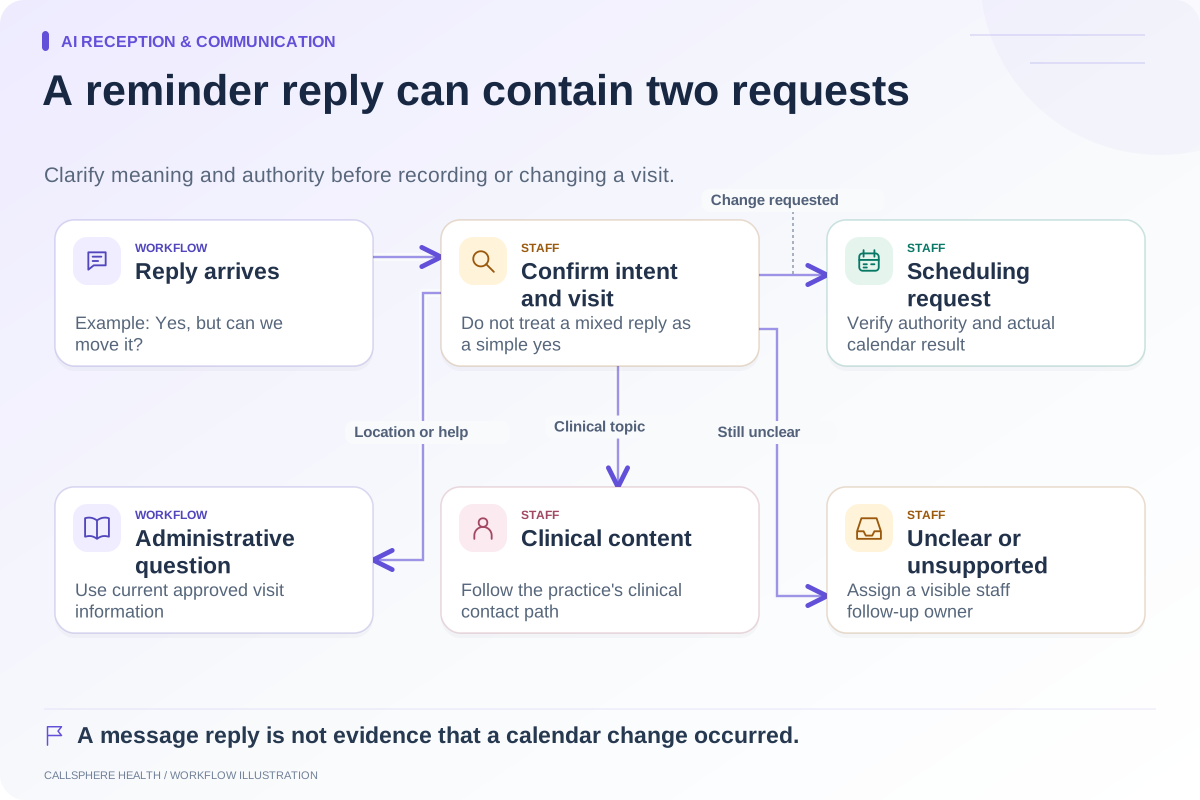
Include the same scenarios in AI receptionist testing. Natural language such as “You're all set” is a confirmation claim even when it appears outside the calendar interface.
Align reminders with the right event
A pending request should not accidentally trigger an appointment reminder that reads like a confirmed visit. Review what initiates intake delivery, calendar invitations and reminder messages. Keep these triggers distinct from merely opening the booking page or starting a conversation.
A waitlist offer introduces another intermediate state. Being notified about a newly available time does not necessarily hold or book it for the recipient.
CallSphere Health's platform includes scheduling workflows, and its configured AI tools can create appointments after the required administrative steps. The capabilities page explains configuration and identity boundaries; do not assume every channel or appointment type uses the same approval rules.
Bring a request, an accepted visit and an uncertain result to a demo. Ask to inspect the calendar and the corresponding public wording for each. Find additional evaluation worksheets in Scheduling and access.
Sources and product scope checked September 9, 2026.