A cancellation is complete when the correct appointment has changed state, the person receives accurate next-step information and the practice has handled dependent work. Removing a calendar block is only part of that job. Reminders, waitlist offers, recurring visits and financial review may all require attention.
Use a checklist with an owner for each step. The practice should not depend on one experienced receptionist remembering every downstream action, especially when a cancellation arrives through website chat, a phone call or an appointment reminder reply.
Use a cancellation completion record
The following worksheet is a proposed staff procedure. Adapt it to the actual capabilities and policies of your practice.
| Step | Evidence of completion | Typical owner |
|---|---|---|
| Verify authority | Approved identity and access process completed | Authorized scheduler |
| Identify visit | Correct client, date, provider and location | Scheduler |
| Confirm scope | One visit or specified future occurrences | Scheduler |
| Update calendar | Intended appointment shows canceled state | Scheduler or configured workflow |
| Review notifications | No misleading future reminder remains | Operations owner |
| Consider follow-up | Waitlist or callback task has an owner | Front desk |
| Review finances | Any fee or exception considered separately | Authorized billing staff |
| Communicate outcome | Accurate cancellation confirmation or next step | Assigned owner |
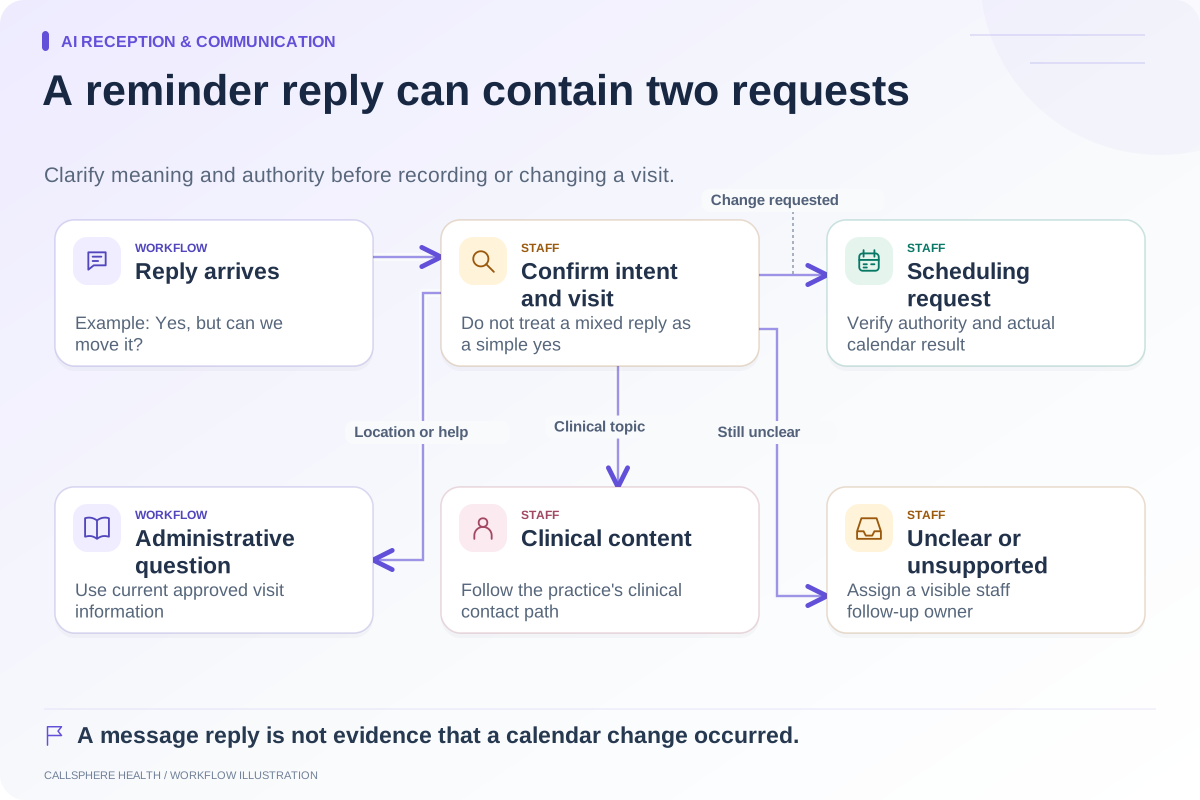
Keep “pending” visible when a step has not been verified. A conversational acknowledgement should not be used as evidence that the calendar update succeeded.
A hypothetical cancellation from a reminder reply
A fictional practice receives the message, “I cannot come tomorrow, but please keep next week's appointment.” Staff first verify the request through the approved route and identify the correct visit. They cancel tomorrow's occurrence only, leaving the following week in place.
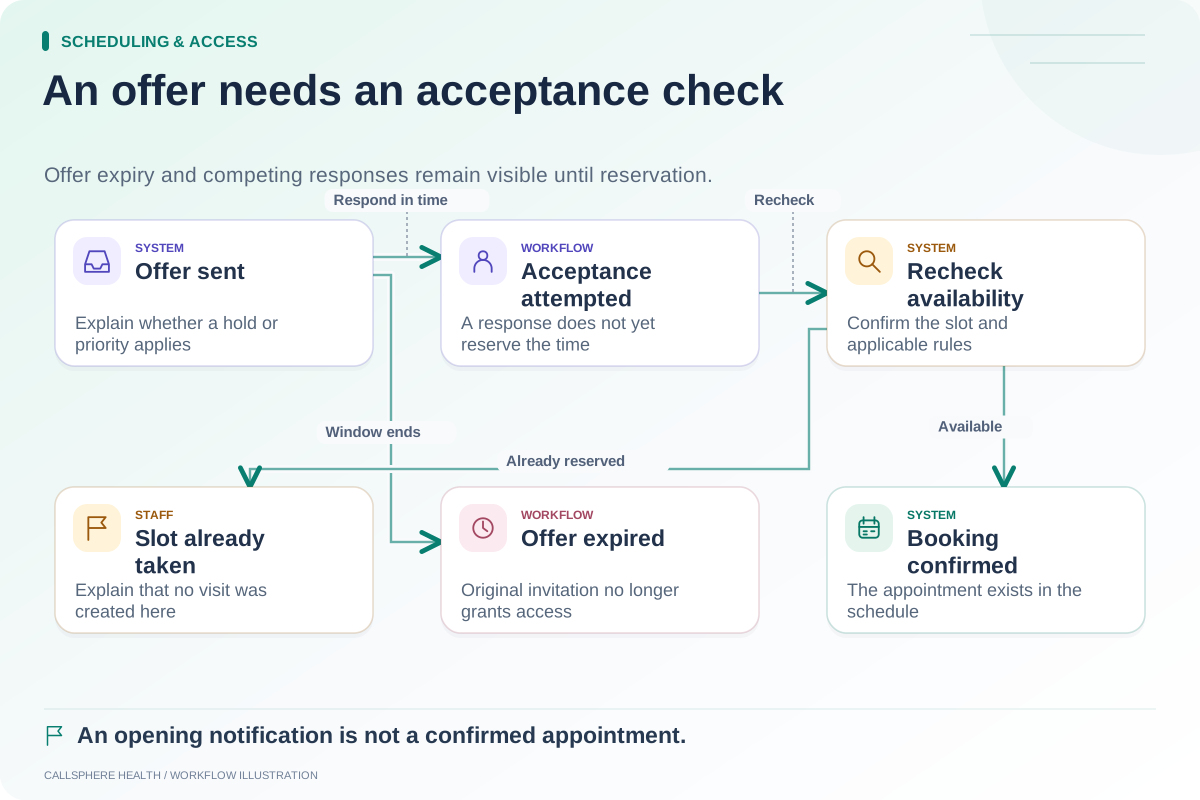
The calendar is then checked for both dates. The assigned owner reviews whether a reminder for tomorrow remains queued and whether the client needs a separate confirmation. If the practice uses a waitlist, the newly available slot is handled according to its offer rules rather than promised to several people at once.
This example is an administrative procedure, not a recommendation about clinical follow-up or whether a cancellation fee should be charged.
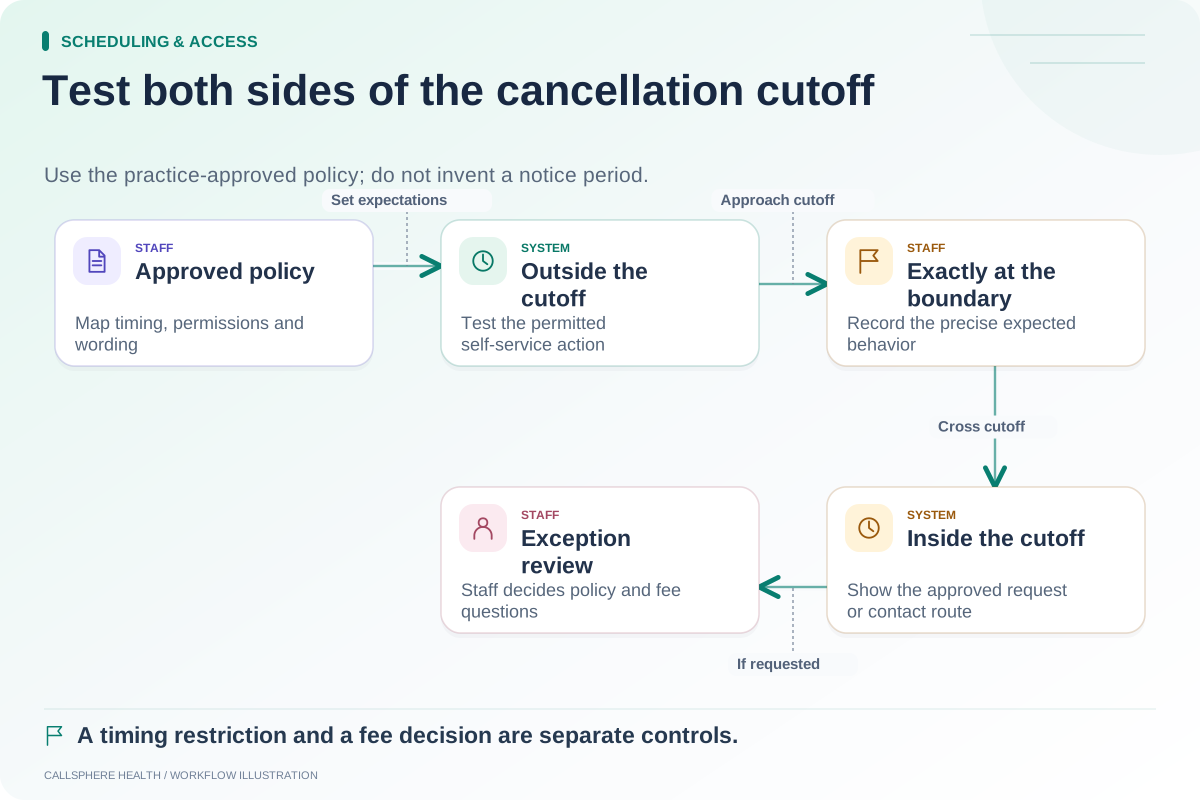
Keep cancellation and fee decisions distinct
A cancellation can be recorded accurately while a fee decision remains unresolved. Do not require the AI receptionist to adjudicate policy exceptions, insurance implications or disputed charges to acknowledge the scheduling request.
Jane's late-cancellation documentation shows that calendar cancellation and associated invoicing have specific administrative behavior. Use such details to ask precise questions of any vendor rather than assuming a cancellation button automatically handles the entire financial workflow.
The policy-to-settings worksheet helps translate the practice's existing approved policy without inventing a new fee rule.
Test the cases that cross boundaries
In an isolated environment, test a single visit in a recurring series, a request inside the cancellation window, an appointment at another location and a failed calendar update. Include a duplicate request submitted through two channels. The second request should not cause an unrelated visit to be canceled simply because the first has already changed state.
Check cancellation messages after a reversal as well. If staff accidentally cancel and then restore an appointment, a delayed notification may no longer describe the current state. Staff need to understand the actual notification behavior and correct the communication where necessary.
Close the follow-up loop deliberately
A canceled slot may be eligible for a waitlist offer, but an offer is not a replacement booking. Record the outcome rather than marking every released slot “filled.” If the practice wants to offer the original patient another time, that is a separate scheduling request with its own result.
CallSphere Health's platform supports scheduling and administrative workflows, and configured AI tools can assist a verified adult with their own cancellation. The capabilities overview explains identity and service dependencies. It does not establish automatic resolution of every fee, reminder or follow-up exception.
Bring this checklist to a demo and ask to inspect the appointment, the client-facing result and the unfinished tasks. More operational guides are available in Scheduling and access.
Sources and product scope checked September 9, 2026.