An appointment voicemail should communicate the next useful administrative step with as little unnecessary detail as possible. Before choosing wording, check the person's documented communication preferences and the practice's approved procedure. A long message that mentions a therapy service, diagnosis or account issue can reveal more than the reminder requires.
HHS guidance on leaving messages advises limiting voicemail information and accommodating reasonable requests for confidential communication. Use that guidance as a starting point for the practice's review; a sample script by itself does not establish compliance for every circumstance.
Decide whether voicemail is the right channel
An available phone number is not a complete communication preference. Check whether the person permits voicemail, whether the number is current and whether the practice has recorded an alternative contact request. Staff should resolve ambiguous or conflicting preferences before enabling automated messages.
Also distinguish a reminder from a marketing call or a detailed clinical discussion. They are different purposes, and a workflow should not silently expand one permission into another. This article addresses appointment reminder wording, not a determination of every rule that may apply to a calling program.
Three hypothetical message variants
These examples use a fictional practice and are drafting aids for review, not ready-to-send instructions for all patients.
Callback only: “Hello, this is River Lane Practice. Please call our office at the number you have on file. Thank you.” This leaves little appointment detail, but the practice should confirm that its name and the callback route are appropriate for the person's preferences.
Appointment reference when approved: “Hello, this is River Lane Practice with a reminder about your upcoming appointment. Please contact our office if you need scheduling help.” The message avoids a diagnosis, clinician specialty, treatment description or payment information.
Date and time when appropriate and approved: “Hello, this is River Lane Practice confirming your appointment on October 6 at 2 p.m. Eastern Time. Please use our usual contact route if you need assistance.” Include these details only when the practice has determined they fit the intended recipient's communication preferences and procedure.
Do not describe any variant as universally safe. A shared phone, an outdated number or a requested communication restriction changes the operational decision.
Use a preference and content checklist
Before activating a reminder template, answer the following questions.
| Check | Decision needed |
|---|---|
| Recipient | Is the contact route current and appropriate? |
| Preference | Is voicemail allowed, and with what detail? |
| Content | Which details are necessary for this reminder? |
| Identity | Could the greeting be heard by someone else? |
| Callback | Is the response route staffed or clearly described? |
| Time zone | Are any stated appointment times unambiguous? |
| Failure | Who reviews an unsuccessful or uncertain delivery? |
Keep approved wording in one maintained template rather than letting every employee improvise a different message. If an automated voice uses generated wording, verify that it preserves the same limits instead of elaborating with information from other sources.
Do not confuse delivery with completion
A transport result may show that a call connected or that a message was left. It does not prove the intended person heard it, understood the appointment time or plans to attend. Staff should interpret delivery information according to what the system actually measures.
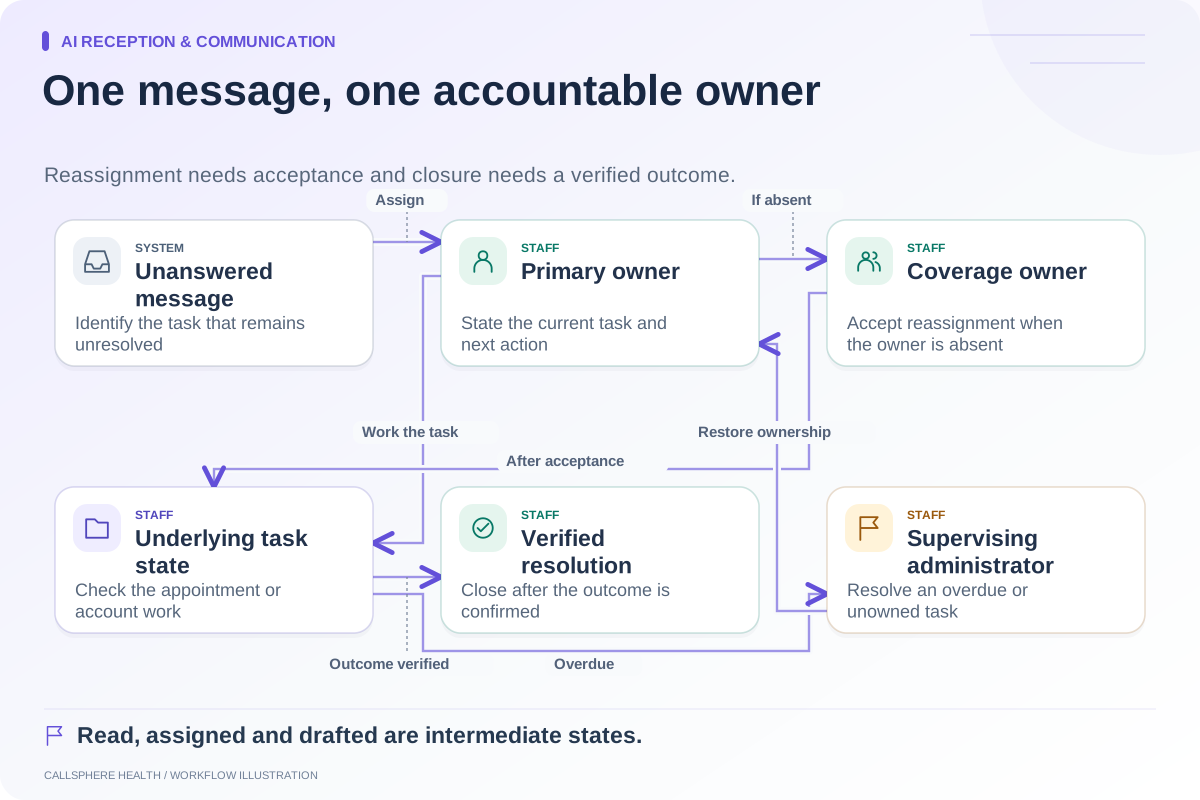
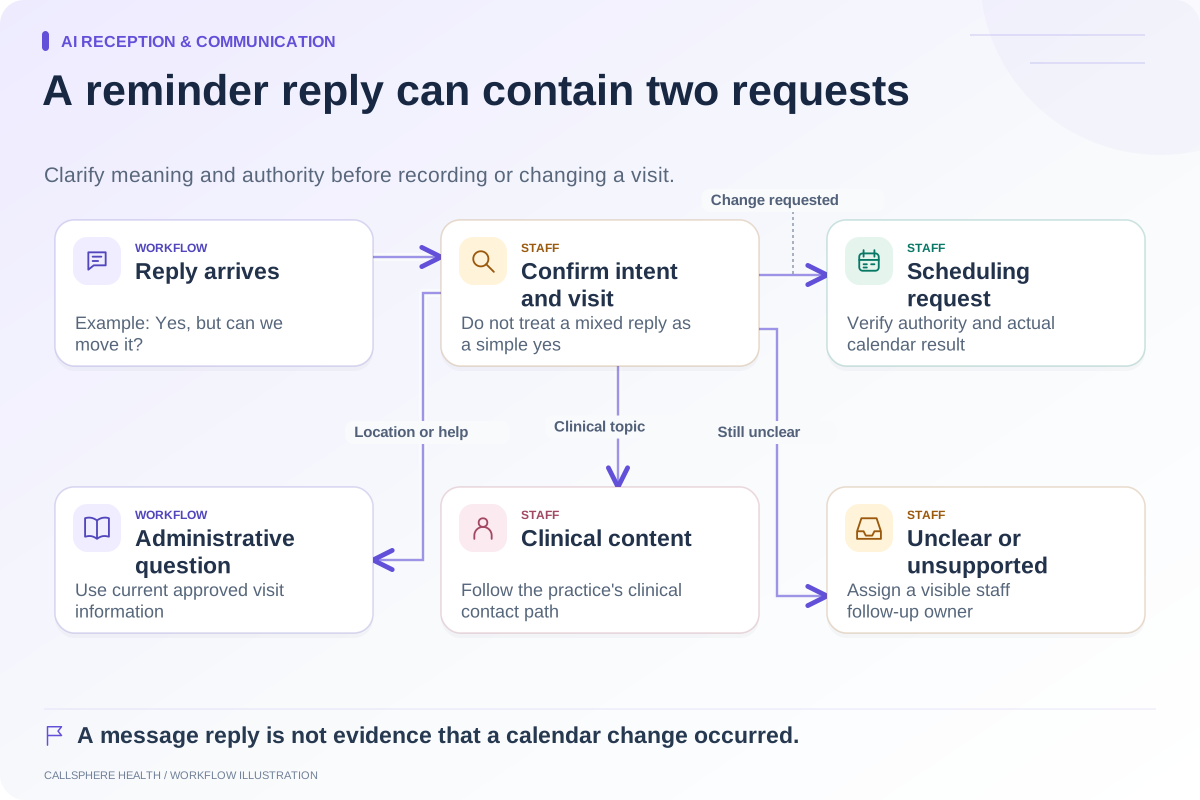
A callback also creates a new workflow. If the person asks to cancel, that request must reach an authorized process and the calendar state must be checked. The reminder reply guide explains how to separate confirmation, cancellation, questions and unclear responses.
Evaluate the entire reminder path
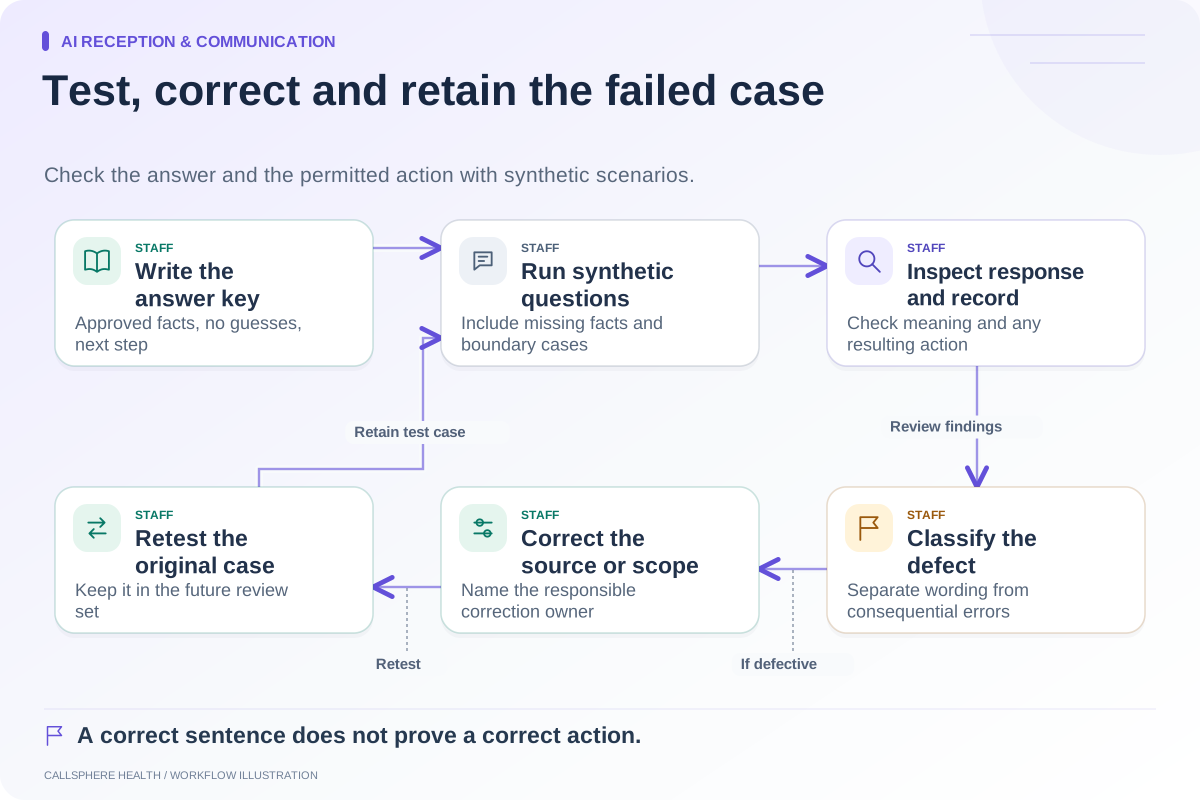
Test with synthetic contacts in a controlled environment and prevent messages from reaching real recipients. Review the voicemail wording, the caller's displayed identity where applicable, the response route and the record staff can inspect. Include an unavailable recipient and an incorrect contact preference in the test plan.
CallSphere Health connects reminders and communication workflows in its platform. Configured outbound AI voice capability should not be interpreted as proof that every reminder campaign, delivery path or patient preference has been verified. Review capabilities and ask for a demonstration of the exact reminder process you intend to use.
Assign unanswered responses using the message ownership worksheet, and browse AI reception and communication for connected procedures. A useful demo should show the preference check and staff follow-up, as well as the voice.
Sources and product scope checked September 9, 2026.