An AI note draft should enter a clinician-owned review process before it becomes a signed clinical record. The useful operational question is whether the practice can distinguish an unfinished draft, a reviewed correction and a signed note throughout the workflow.
CallSphere's AI scribe prepares SOAP or DAP drafts, with consent and clinical permission requirements. Its draft does not substitute for a clinician's assessment or signature. See the current product capabilities and limitations. This guide describes an administrative review design, not instructions for diagnosing or treating a client.
Give each note state one meaning
Labels become unreliable when different staff use them differently. Define a short state dictionary before measuring completion:
| State | What it means | Who owns the next action |
|---|---|---|
| Capture not started | No draft preparation has begun | Authorized clinician |
| Draft available | A draft exists but has not passed review | Reviewing clinician |
| Correction needed | The clinician identified an issue | Authorized editor under practice policy |
| Ready to sign | Required review has been completed | Authorized signer |
| Signed | The record has passed the signing action | Follow the practice's amendment procedure for later changes |
A draft-generation success message should not advance a note directly to “signed.” Likewise, an administrator checking whether work is outstanding should not need to read the clinical narrative to understand the state.
Separate the software checks from the clinical review
The operations team can verify that a draft belongs to the correct synthetic encounter, that an authorized reviewer can open it and that the signing action is separate. It can test whether an interrupted generation leaves an understandable state and whether a second attempt creates a confusing duplicate.
Clinical review belongs to the clinician. They determine whether the content accurately represents the encounter and meets their professional responsibilities. A software checklist cannot replace that judgment, and a generated draft should never be presented as independently verified clinical documentation.
For background on organizing EHR adoption and ongoing workflow work, see the ASTP/ONC EHR playbook, reviewed September 9, 2026. The state dictionary here is an original proposed practice workflow, not a federal requirement.
Rehearse an imperfect draft
Hypothetical example: During a synthetic demonstration, a practice creates a draft associated with a training encounter. The reviewer finds an incorrect administrative detail and an omitted item. They correct the draft using the available editing workflow, then perform the separate signing action only after review.
The owner records whether the original draft was visibly unfinished, whether access matched the intended role and whether staff could distinguish correction from signing. If the demonstration only shows a polished final document, request the intermediate states. That is where ownership and error recovery become visible.
Decide what happens when the usual reviewer is away
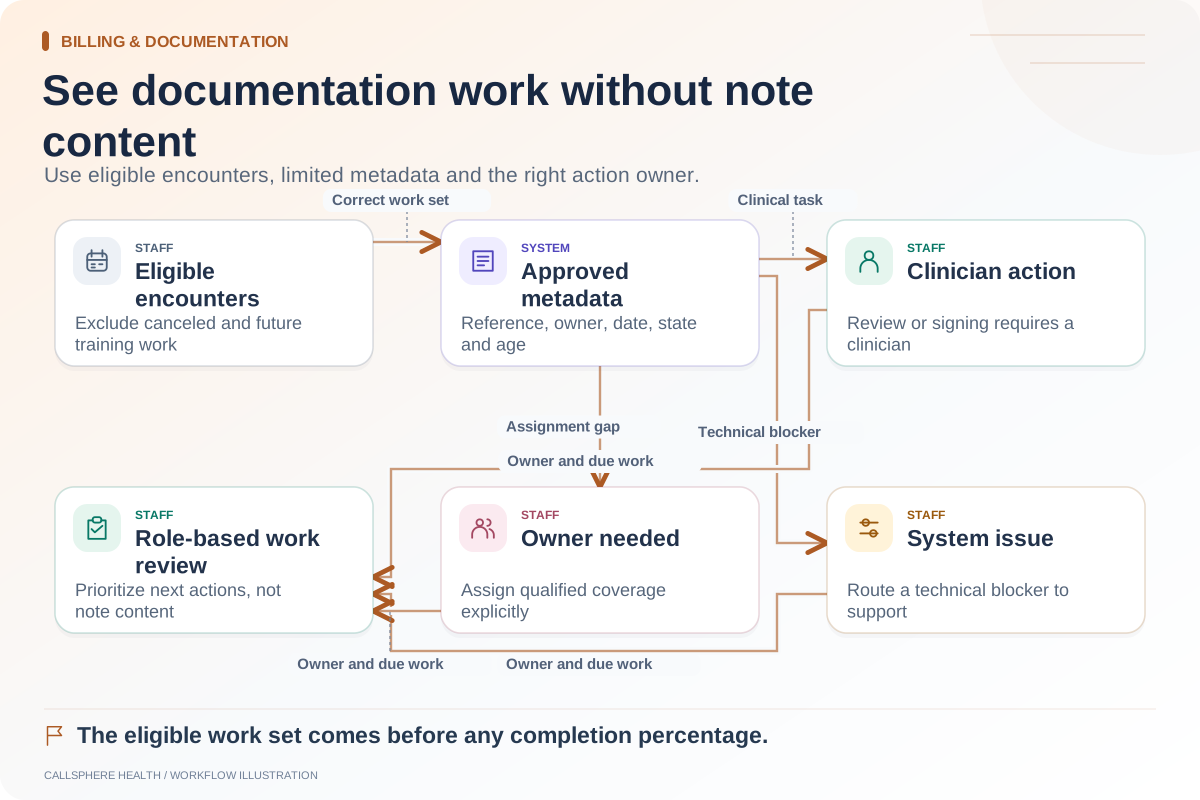
A note should not disappear from attention because its author is unavailable. Define who monitors outstanding work, who can reassign an operational task and who is qualified and authorized to review or sign. Those may be different people.
Do not grant broad clinical access to an office manager solely to make a backlog report convenient. A count, assigned owner, encounter date and status may provide the necessary operational visibility. The practice should review which metadata is appropriate for each role.
Measure process reliability without claiming clinical outcomes
For an initial pilot, count drafts awaiting review, age of open review tasks, failed generation attempts and correction requests. Explain what each measure includes. A shorter backlog does not establish better clinical outcomes, and an AI-generated note count does not show that clinicians accepted the drafts unchanged.
CallSphere provides the EHR platform and draft assistance; confirm the selected add-on and the exact review permissions in a synthetic demo. Keep the automation focused on preparation while people remain responsible for review and care.
Continue with making a documentation backlog visible and separating clinical from administrative notes, or browse billing and documentation guides.