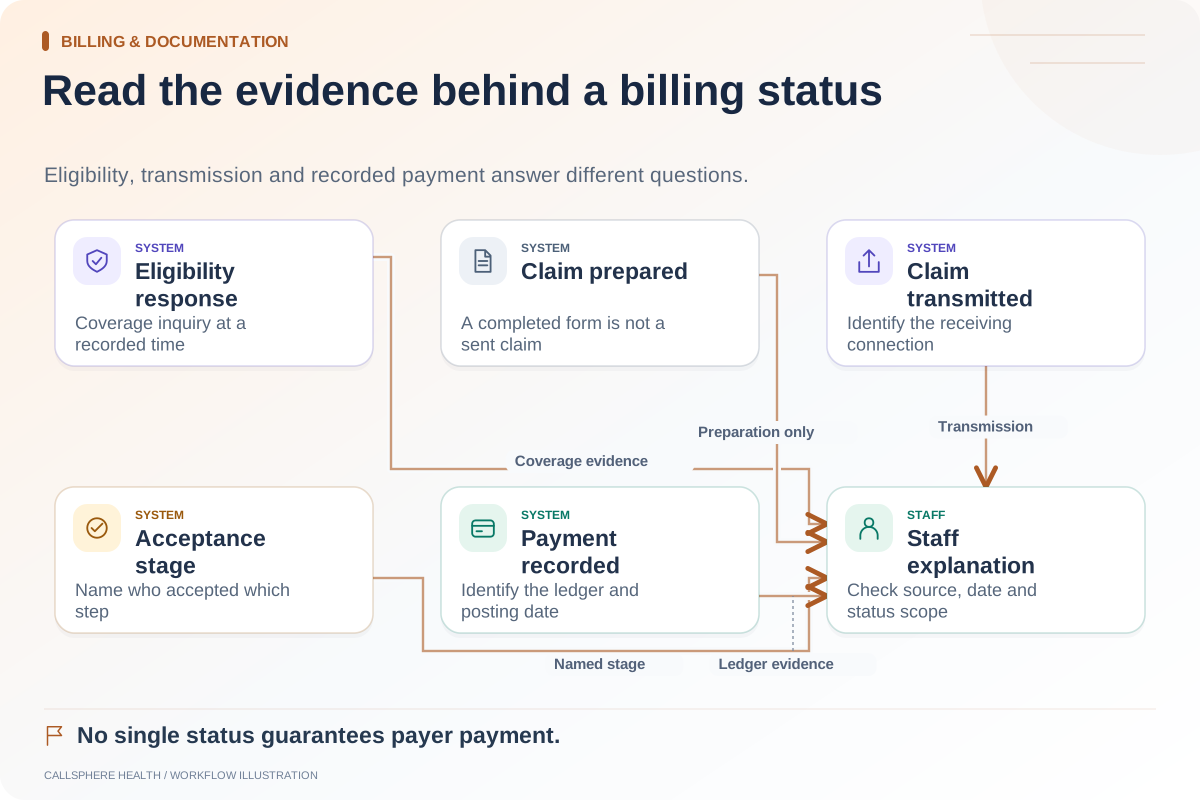
Before relying on an EHR’s claim submission, verify the connected account, required provider setup, staff review step, transmission evidence and response handling. A prepared claim or a successful screen action does not establish that a payer received it.
The evaluation should include failures as well as a normal path. Use a vendor-approved synthetic environment or mocked provider responses; do not send fabricated claims to real payers as a demonstration.
Establish what the feature actually includes
Ask which clearinghouse or submission connection is supported, which setup belongs to the practice and which payer-specific requirements must be completed. Clarify transaction fees and support responsibilities through the current quote and agreement.
CMS describes health care claim transactions as payment requests with accompanying information. A feature that generates a document may help preparation without providing the full electronic submission and follow-up workflow.
Use a demonstration script
| Scenario | Ask the demonstrator to show | Evidence to retain |
|---|---|---|
| Missing setup | Attempt the supported test path without a required connection | Clear unavailable state, with no false submitted label |
| Staff review | Prepare a synthetic claim for approval | Reviewer role and the exact action that initiates submission |
| Accepted test response | Process an approved simulated acknowledgment | Reference, timestamp and defined meaning of acceptance |
| Rejected test response | Return a simulated validation problem | Reason visible and correction assigned |
| Unknown outcome | Simulate timeout after an attempted send | Uncertainty preserved and retry procedure explained |
| Follow-up | Retrieve a supported test status | Updated state tied to the same claim reference |
Keep the worksheet specific to the tested configuration. A sandbox response proves the application’s handling of that response, not real payer processing speed or reimbursement.
Pay attention to the unknown outcome
A timeout is different from a definitive rejection. The application may not know whether the receiving system accepted the request. Ask how staff resolves that uncertainty and prevents an uninformed duplicate submission.
In a hypothetical test, the EHR sends a request but does not receive a usable response. The correct result is an unresolved state with a documented next step. A celebratory “sent” toast would be misleading if no transmission outcome can be established.
Likewise, a rejection should identify the part of the workflow that rejected the item. A local missing-field check, clearinghouse response and payer adjudication are different events requiring different actions.
Inspect the review boundary
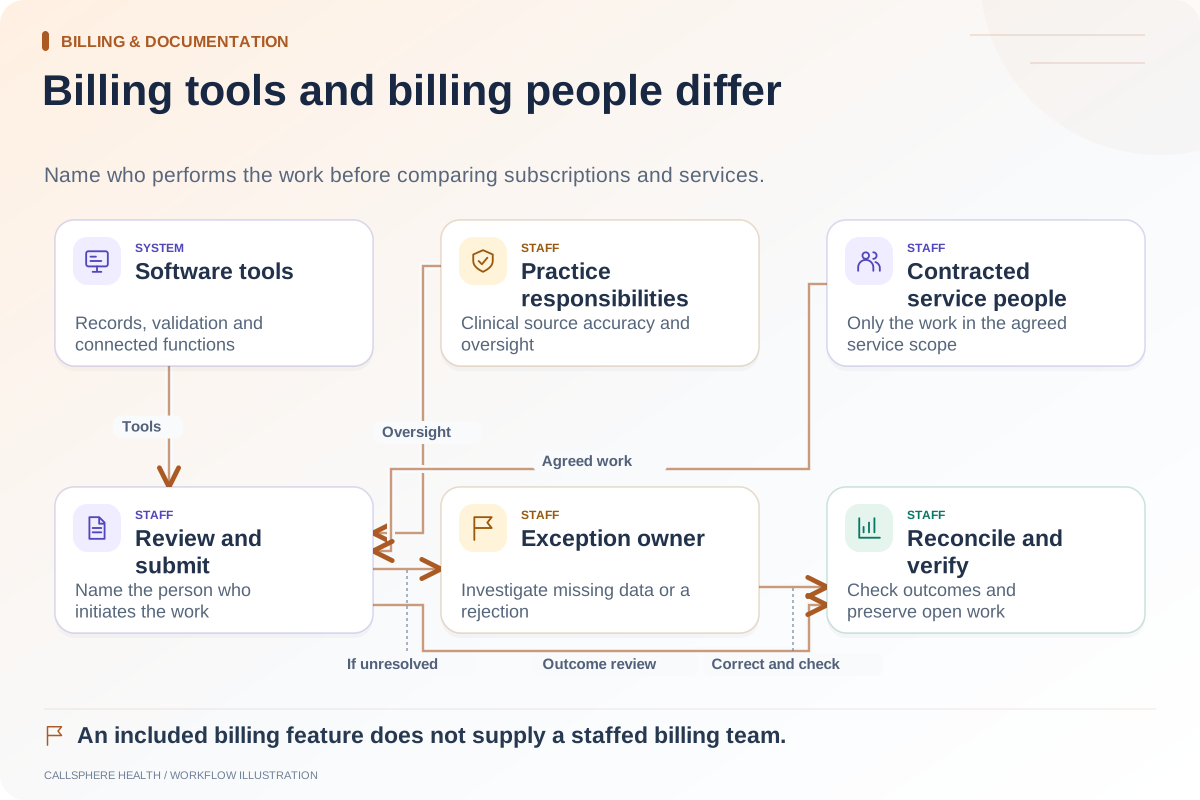
Who can change the prepared information, approve it and submit it? Ask whether a draft created from another workflow can skip review. Clinical codes and documentation must remain under appropriate professional responsibility; an AI-generated suggestion is not an authoritative billing decision.
Check what the audit history records about the action. Use individual test staff accounts so attribution is clear. Do not grant broad production access simply to make a demonstration easier.
Verify ongoing visibility
CMS provides information about claim-status requests and responses. Ask your vendor which status functions are supported and whether they need separate configuration.
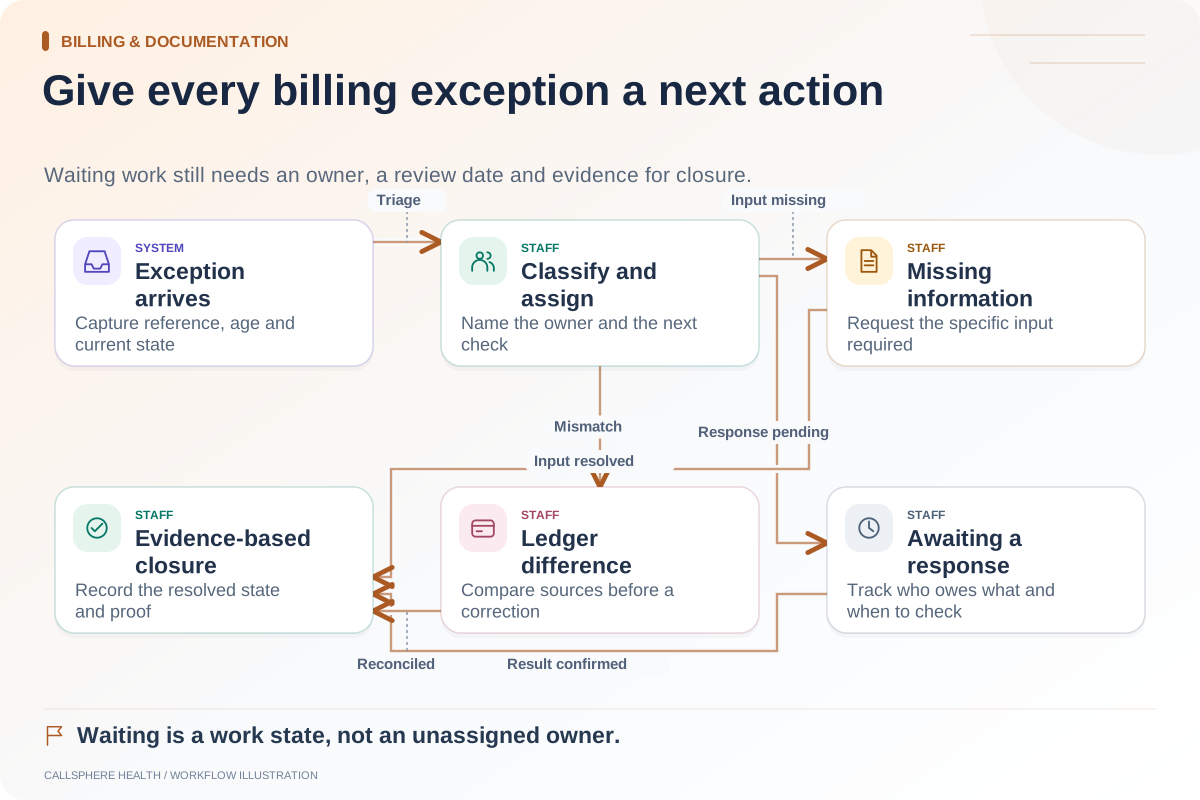
Then inspect the exception queue. A status report is useful only if unresolved work has an owner. Ask how the practice finds an old submission with no final disposition and how a corrected item returns to the workflow.
Apply the script to CallSphere Health
CallSphere has reviewed claim-preparation and submission workflows through a configured clearinghouse connection. The capability overview distinguishes that support from autonomous claims management. Missing connections and service failures must remain visible; neither a software demo nor an AI receptionist implies guaranteed payer payment.
Bring this script to a platform evaluation and identify which cases were demonstrated, not configured or left untested. Approve the workflow based on that evidence and the assigned staff process. Do not use a successful test response as a measured production result.
Continue the workflow
Explore billing & documentation: Billing software or a billing service: understand the boundary · Payment status, eligibility, and coverage are different checks · Create an owner-based queue for billing exceptions.
Research reviewed September 9, 2026. Organizational authorship: CallSphere Health. Examples are hypothetical; this is operational guidance, not individualized clinical, legal or billing advice.