Billing software provides tools; a billing service supplies people performing an agreed scope of work. A practice still needs to identify who prepares, reviews, submits, corrects and reconciles each item. Buying an EHR feature called “billing” does not establish that someone else will manage the queue.
The choice is about responsibilities as much as functionality. A practice with experienced billing staff may need better visibility and fewer duplicate entries. Another may need contracted operational capacity. Some need both, with explicit boundaries between the software vendor, external biller and practice.
Build the ownership matrix first
| Task | Software may support | A service agreement should identify | Practice retains |
|---|---|---|---|
| Prepare billing work | Records, fields and document generation | Who assembles missing information | Accuracy of clinical source documentation |
| Review and submit | Validation and connected submission | Who reviews and initiates submission | Appropriate oversight and unresolved decisions |
| Correct rejection | Status detail and editing workflow | Who investigates and follows up | Clinical or policy decisions outside delegated scope |
| Reconcile payment | Remittance and ledger tools | Who applies and checks entries | Financial oversight |
| Explain client balance | Account view and communication tools | Who handles permitted inquiries | Approved policies and escalation responsibility |
This is a proposed contracting worksheet, not a universal allocation of legal responsibility. Have qualified advisers review the actual agreement and the work your practice intends to delegate.
Ask what the word “included” covers
An included claims feature might mean access to a submission screen. It may still require a clearinghouse account, payer enrollment, transaction charges or staff review. A billing service may charge separately for appeals, old accounts or work outside a defined period.
Use a line-item quote with your workload assumptions. The Health IT Playbook includes contract and pricing resources for EHR evaluation. Do not compare one vendor’s software subscription with another provider’s full service fee as if they purchase the same work.
A hypothetical comparison
Practice A has a biller who spends time collecting missing intake information and checking status across systems. Its evaluation prioritizes a clear missing-item queue, reliable claim status and controlled reconciliation. The practice may benefit from better software while retaining its existing staff process.
Practice B lacks assigned billing capacity. Giving an administrator more screens does not resolve the missing owner. It needs to evaluate staffing or a service arrangement alongside the EHR. A feature demonstration cannot prove that the practice has sufficient time and expertise to perform the work.
These are hypothetical operating models, not cost or outcome claims about real practices. The correct choice depends on actual workload and responsibilities.
Verify the boundaries between organizations
Ask how the external biller receives access, which roles are available and how access is removed. Use individual accounts and an approved permission model rather than assuming a shared administrator login is acceptable.
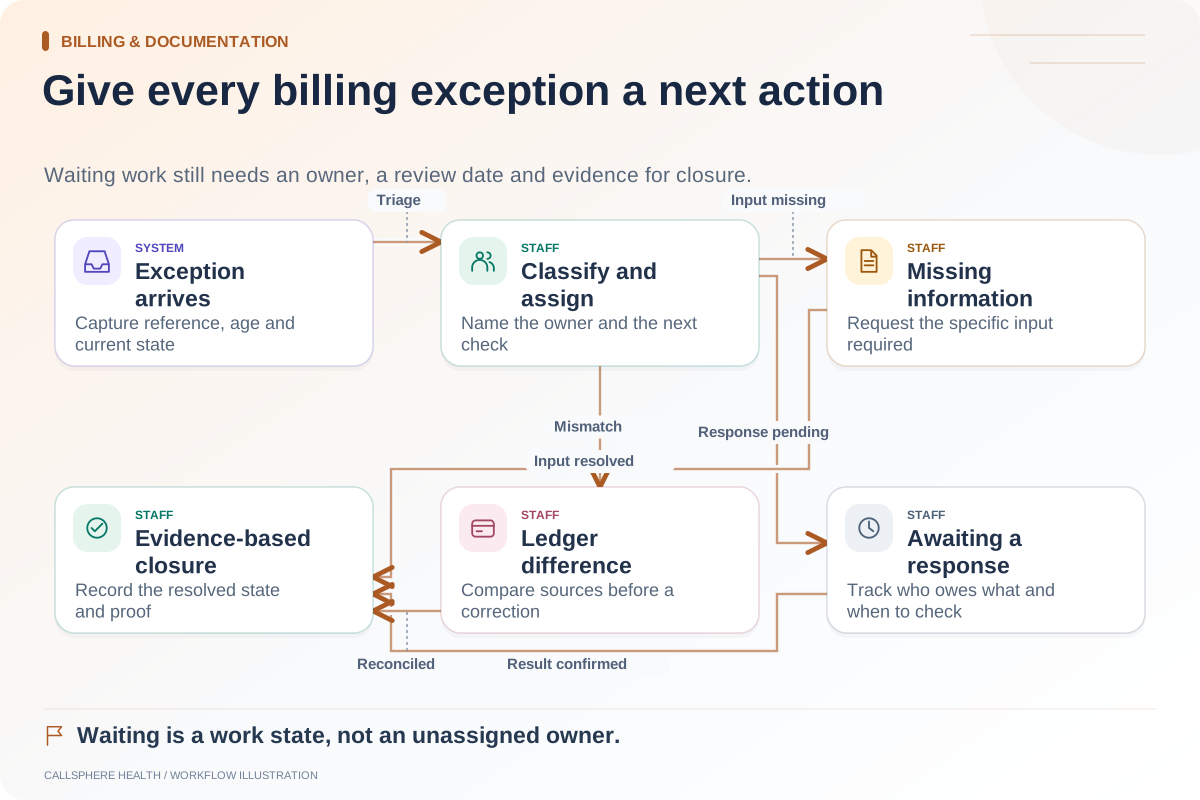
Decide who receives rejections, who answers vendor support requests and who owns an item when the issue crosses systems. A contract saying “billing support” is not enough if a missing payer connection leaves each party waiting for the other.
Keep exit planning concrete. Confirm how the practice retains records, open-work status and the history needed to continue operations if the service relationship ends.
Test work that does not finish immediately
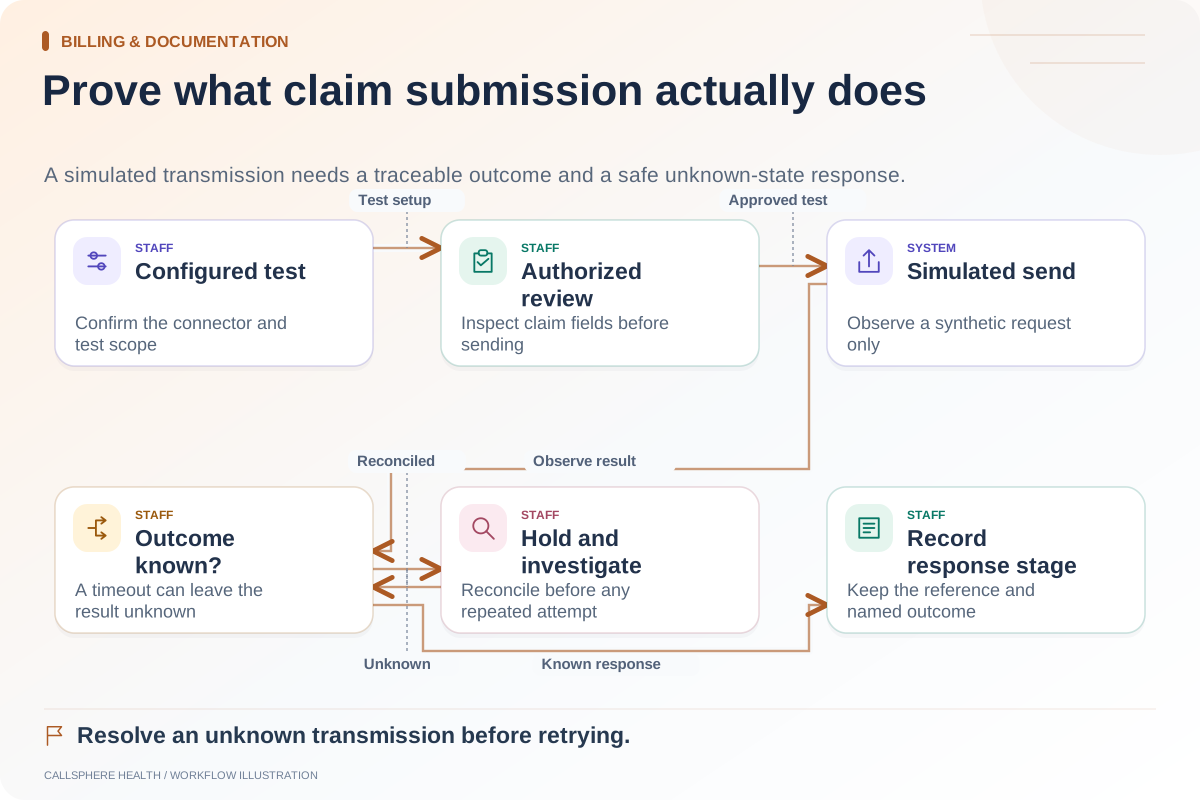
Use synthetic examples of missing information, a rejected submission and a payment requiring review. Ask the software vendor to show the available states. Ask the proposed service provider who would act, within what agreed process and how the practice could verify completion.
CMS distinguishes claim-status requests and responses. Receiving a status is one step; someone still needs to interpret the result and take an authorized action when required.
Where CallSphere fits
CallSphere’s platform provides billing and insurance workflows with configured integrations. Its capability boundaries do not promise autonomous claims management or an outsourced billing department. Staff review remains part of the workflow.
Bring your ownership matrix to a demo. Confirm what the application supports and separately identify who will do the work. That distinction prevents a software purchase from leaving an operational staffing gap unresolved.
Continue the workflow
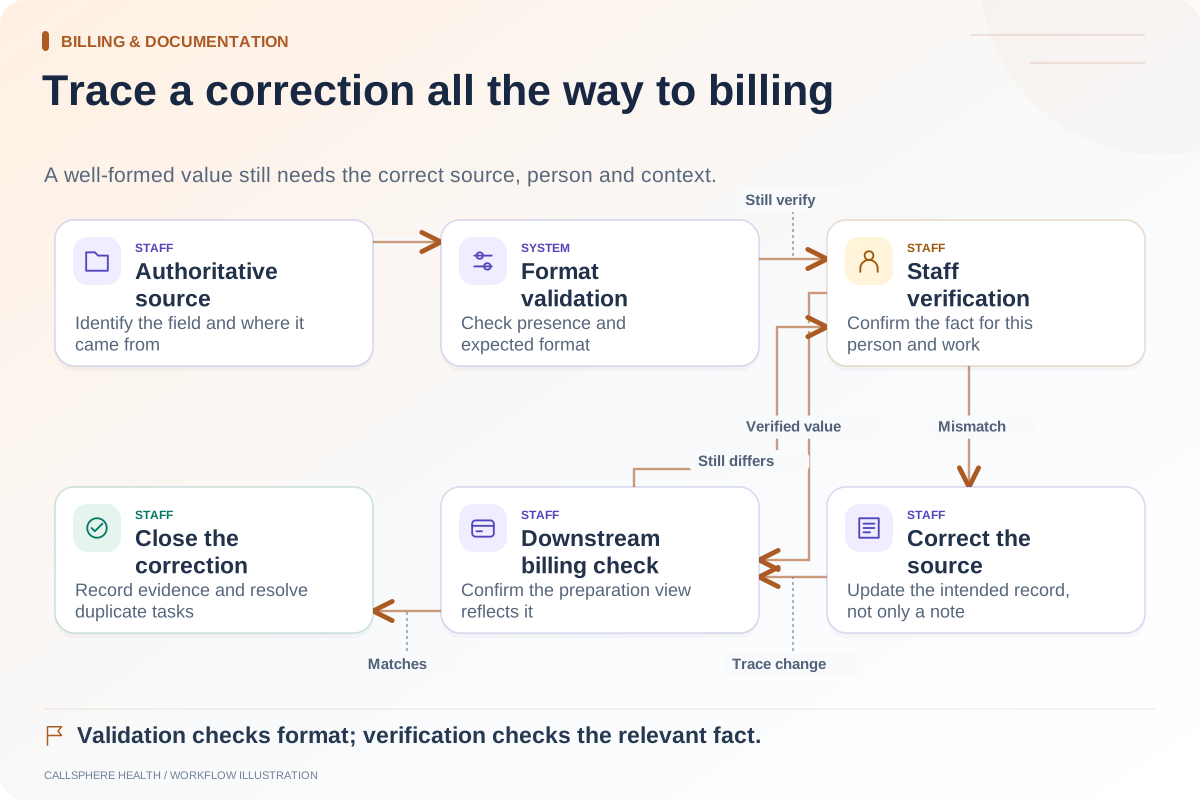
Explore billing & documentation: Check intake data before it reaches billing · What to verify before relying on an EHR's claim submission · Create an owner-based queue for billing exceptions.
Research reviewed September 9, 2026. Organizational authorship: CallSphere Health. Examples are hypothetical; this is operational guidance, not individualized clinical, legal or billing advice.