Check intake data before billing by identifying the authoritative field, its source, the reviewing role and the action needed when information is missing or contradictory. A completed form can still contain values that do not belong in the billing record as entered.
This is a quality-control handoff, not a coding guide. Clinical codes, payer rules and financial decisions require the appropriate qualified review. The worksheet helps staff deliver cleaner information to that review without making unsupported decisions automatically.
Define the source for each field
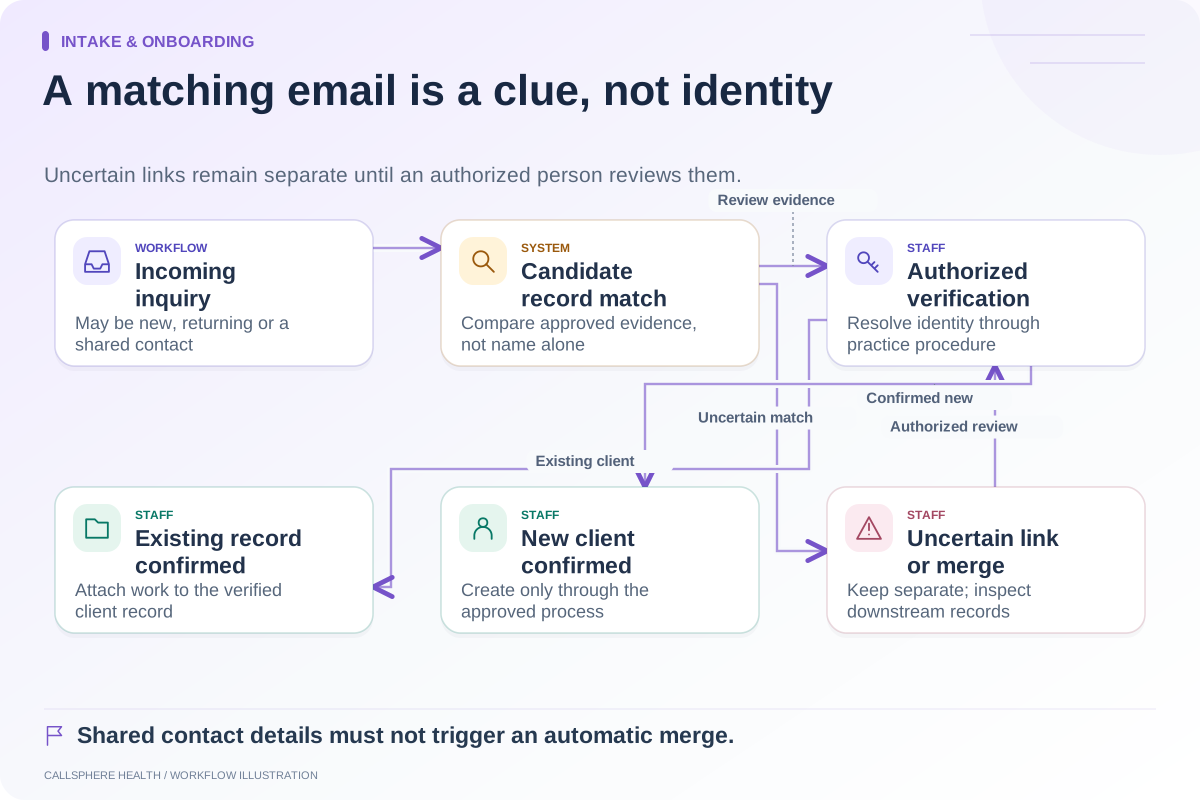
When the same value appears in a registration form, uploaded document and client profile, decide which record staff updates. A correction written only in a message may never reach the claim-preparation screen.
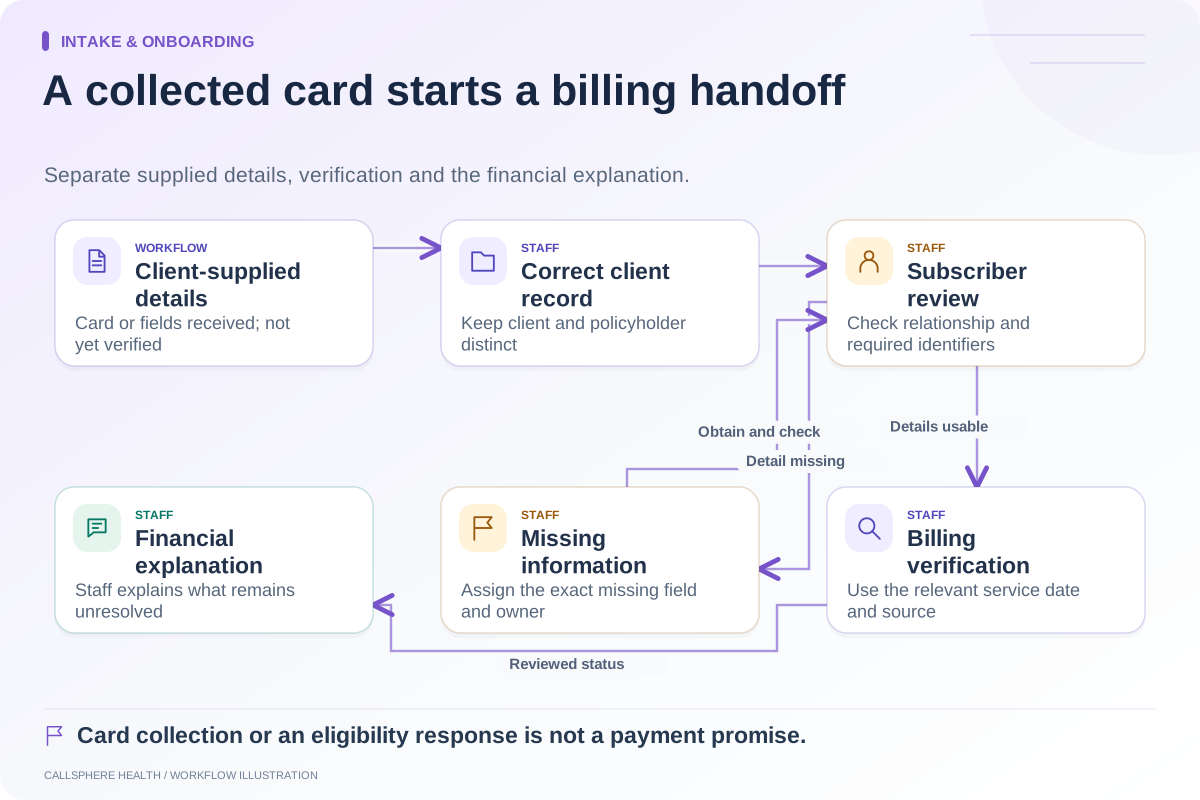
Record whether information was supplied by the client, imported or verified through a later process. Preserve uncertainty instead of replacing it with a plausible value. A blank policyholder relationship is an unresolved item, not an invitation for AI to infer one from a surname.
Use a field-verification worksheet
| Field group | Check before handoff | Responsible role | Unresolved action |
|---|---|---|---|
| Client identity | Correct record and verified identifiers | Authorized intake staff | Identity review |
| Contact information | Current permitted destination | Intake staff | Approved contact correction |
| Insurance details | Client and policyholder fields distinguished | Billing staff | Targeted information request |
| Provider information | Correct practitioner and relevant setup | Authorized operations or billing staff | Provider-setup review |
| Appointment facts | Service date and recorded visit context agree | Scheduler and clinician as appropriate | Resolve record discrepancy |
| Clinical source | Required documentation is available for authorized review | Clinician | Professional documentation task |
The table is a proposed handoff artifact. It does not specify every field required by a payer or authorize administrative staff to change clinical content.
A hypothetical mismatch
A client’s intake form contains a new address, while the billing profile still contains an older value. Staff confirms the intended correction and updates the authoritative record through the supported workflow. Billing then checks whether the relevant preparation screen reflects the change.
In the same record, the uploaded insurance document lists another policyholder. Staff does not resolve that difference by copying one name over the other. The billing owner obtains or reviews the required relationship information and records the result.
These two problems look like simple data entry but require different actions. A useful queue describes the exact mismatch so the next staff member does not repeat the investigation.
Separate validation from verification
Validation can establish that a field is present or follows an expected format. Verification asks whether the information is correct for the relevant person and transaction. A system can accept a well-formed but incorrect identifier.
CMS describes a health care claim transaction as a payment request with accompanying information. Preparing that request requires accurate source data; a successful local form save is not evidence of payer acceptance.
When evaluating an EHR, ask which checks are automatic, which use an external response and which remain a staff responsibility. Keep those categories visible in training materials.
Close the correction loop
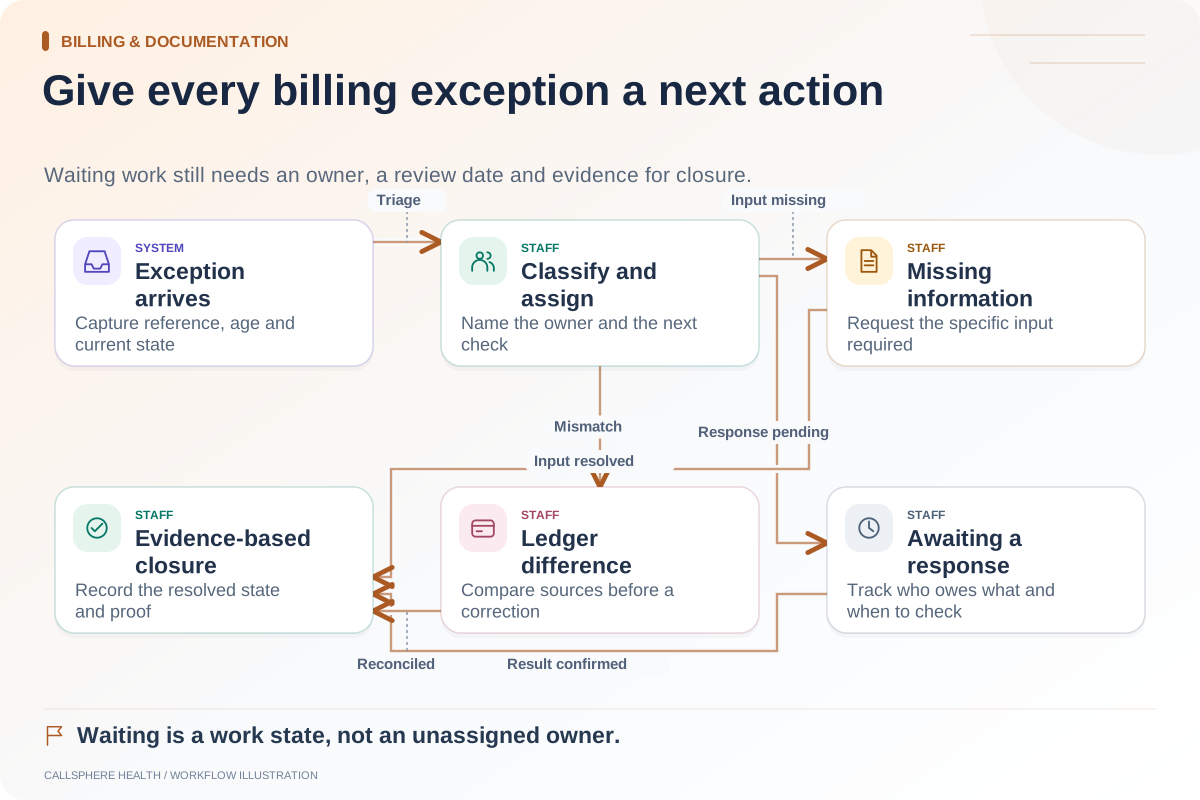
Each missing-item task should identify the field, current evidence, owner and next review date. When resolved, staff should confirm the downstream value rather than closing the task immediately after receiving an email.
Sample completed corrections. Did the new information reach the intended billing work? Did it alter historical records unexpectedly? Was a second task left open after the same issue was fixed elsewhere? These checks expose handoff problems that a simple missing-field report may miss.
Use synthetic examples during implementation and keep private data in approved systems. An evaluation worksheet can reference controlled records without duplicating their contents into public documents.
Verify the CallSphere workflow
The CallSphere platform connects intake, records and billing tools. Its capability overview preserves staff review and configuration requirements. Do not assume that an AI-assisted booking completes patient-record reconciliation or validates insurance data automatically.
Bring one corrected contact detail, one uncertain policyholder relationship and one incomplete provider setup to a demo. Ask to see the source, review task and final billing value. That evidence supports a realistic implementation plan and an accountable staff handoff.
Continue the workflow
Explore billing & documentation: Prevent duplicate records during patient intake · Hand insurance information from intake to the billing team · Create an owner-based queue for billing exceptions.
Research reviewed September 9, 2026. Organizational authorship: CallSphere Health. Examples are hypothetical; this is operational guidance, not individualized clinical, legal or billing advice.