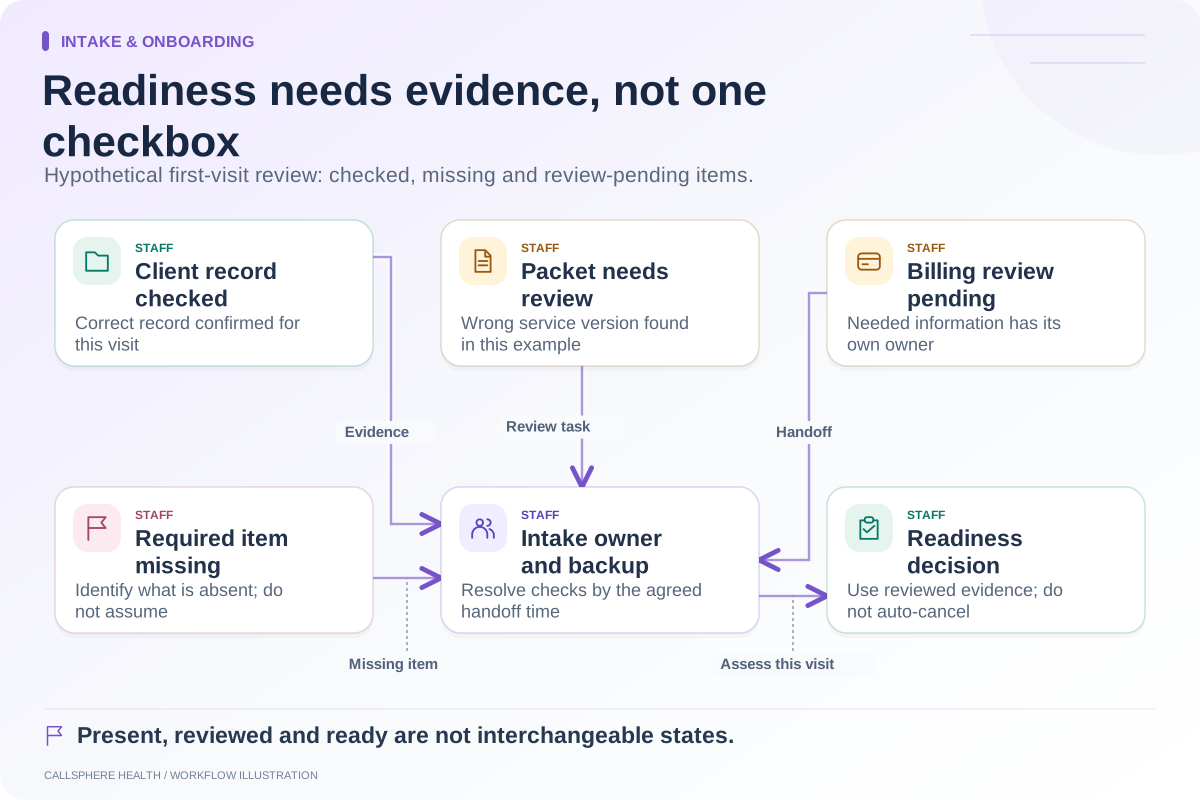
An insurance handoff is complete when billing staff receives usable information, knows what has been verified and can identify what remains unresolved. Uploading a card or filling a payer field is not a coverage determination. Keep collection, verification and financial explanation as separate steps.
For a therapy practice, the handoff often crosses intake staff, the client and the biller. A shared status can help, but only if everyone understands what that status proves and who takes the next action.
Separate collected from verified
Use labels such as “client supplied,” “staff checked” and “verification pending.” Avoid “insurance approved” for a record that only contains an image. The source and date matter because details can change between the inquiry and the visit.
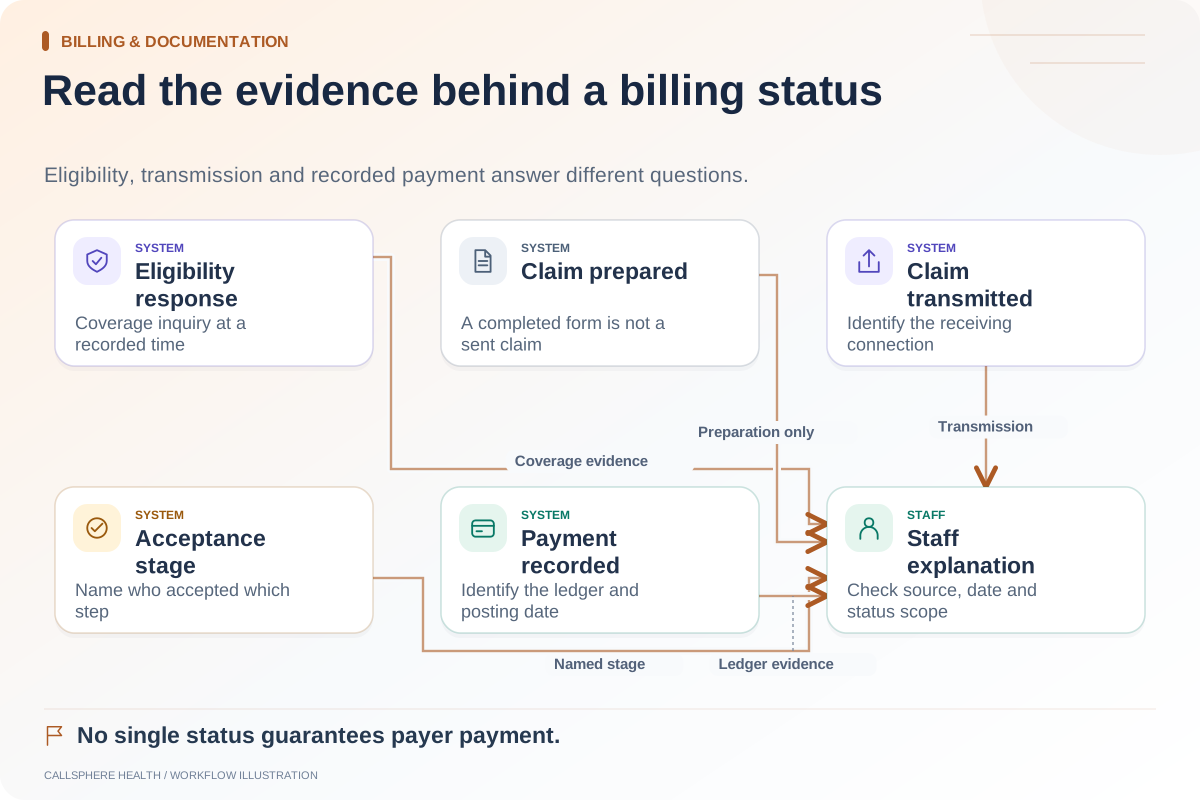
CMS describes its Medicare eligibility system as using eligibility requests and responses. That is a distinct transaction from collecting a card or submitting a claim. Other payer arrangements have their own requirements, which billing staff should confirm.
A proposed handoff sheet
| Item | Intake responsibility | Billing review |
|---|---|---|
| Client and record reference | Confirm correct record | Confirm billing work is attached to the same person |
| Policyholder relationship | Collect through approved fields | Review subscriber and dependent distinctions |
| Payer and member details | Capture the supplied information | Resolve ambiguity and required identifiers |
| Coverage period or reported change | Record the client’s statement | Check current information for the relevant service date |
| Supporting document | Store through an approved channel | Verify readability and relevant details |
| Missing information | Name the missing item | Assign next action and owner |
Use controlled records rather than a general spreadsheet containing complete insurance information. The table describes responsibilities, not a universal claims-data specification.
A hypothetical dependent-policy case
A client uploads a card listing a different policyholder. Intake staff records the supplied information and the reported relationship without copying the policyholder’s name into the client’s identity field. Billing staff checks the appropriate identifiers and completes the relevant verification process.
If information is missing, billing opens a targeted request: which field is needed, who will contact the client and when the item will be reviewed. The task remains open until the needed information is obtained or another authorized disposition is recorded.
The client receives an administrative explanation of what remains unresolved. Staff does not say “your visits are covered” merely because the system accepted the uploaded image or returned an eligibility response.
Keep corrections traceable
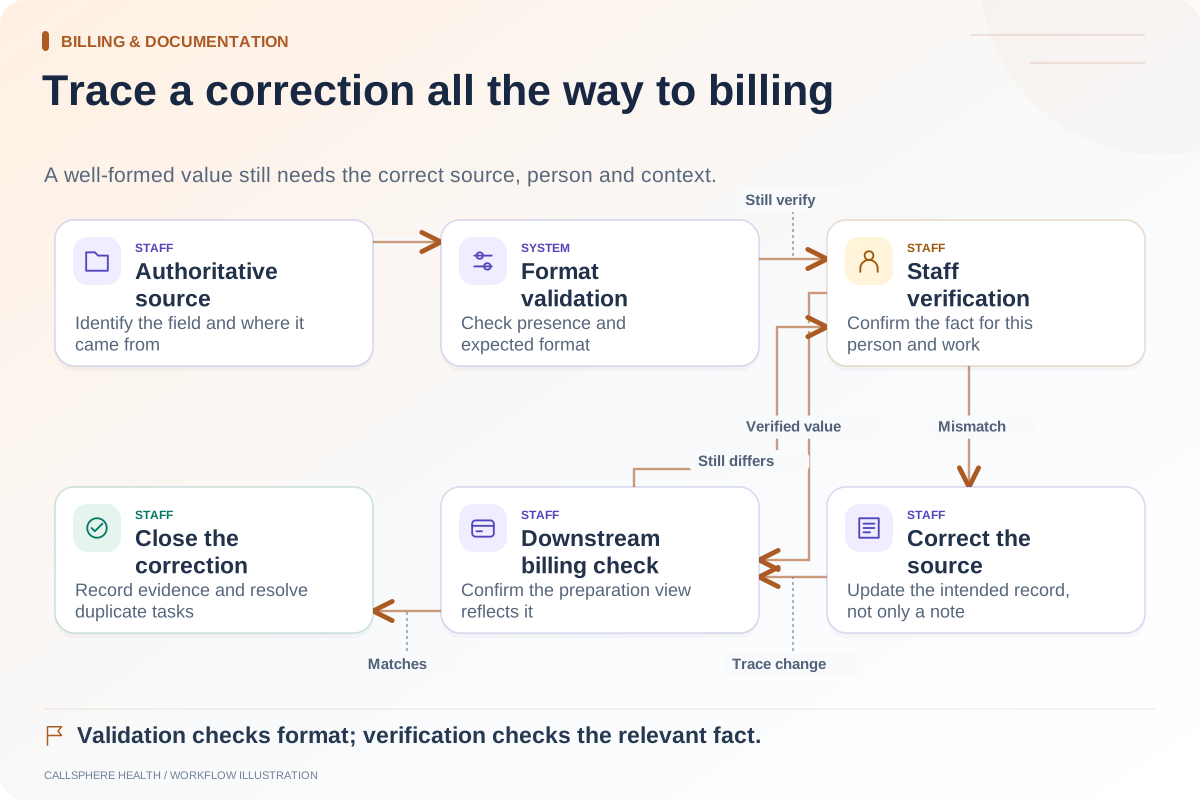
When a client reports a new policy, identify the relevant service dates and avoid silently overwriting details used for earlier billing work. Ask how the EHR records changes and how the billing team recognizes that verification may need to be repeated.
A correction should update the intended source field, not only a note that another person may miss. If the value exists in several modules, verify which is authoritative and where staff can see an unresolved mismatch.
Keep financial conversations with the right owner
An intake coordinator can explain the administrative process, but policy interpretation, coding and client-responsibility decisions need the appropriate billing and professional review. Provide an approved contact route when the question exceeds the coordinator’s role.
Do not turn an AI’s knowledge of the practice’s accepted insurance list into a personalized coverage answer. A public FAQ and an individual eligibility check serve different purposes. The distinction should appear in staff scripts and product demos.
Verify the connection in CallSphere Health
CallSphere’s platform supports insurance records and configured eligibility workflows. Its capability overview explains that a connected clearinghouse account and staff review are required for insurance transactions.
Bring a synthetic card, a dependent relationship and an incomplete policy record to a demo. Ask where each item lands, how billing sees the missing detail and what happens when the external connection is unavailable. A useful handoff remains understandable even when verification cannot finish immediately.
Continue the workflow
Explore intake & onboarding: An intake-readiness checklist for the first appointment · Check intake data before it reaches billing · Payment status, eligibility, and coverage are different checks.
Research reviewed September 9, 2026. Organizational authorship: CallSphere Health. Examples are hypothetical; this is operational guidance, not individualized clinical, legal or billing advice.