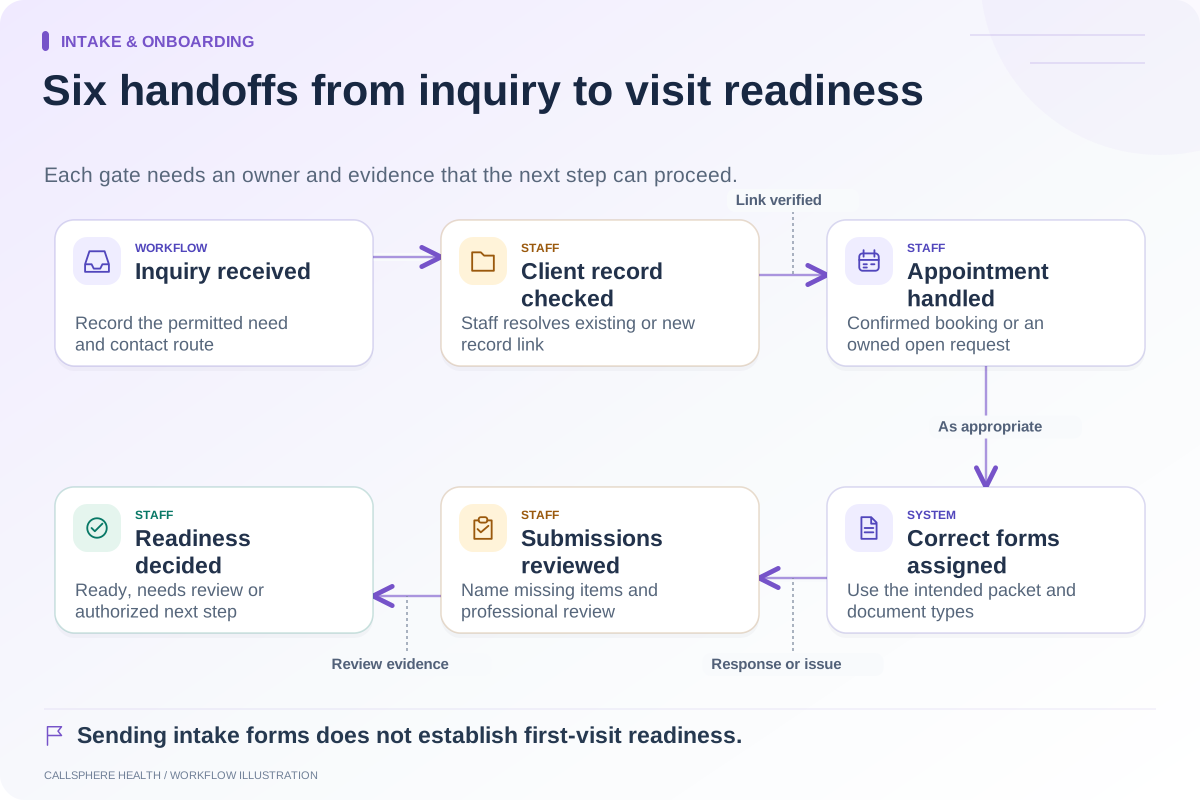
An intake is administratively ready when the required items for that appointment have been checked and unresolved issues have an authorized decision or next step. A stack of submitted forms is not enough. Readiness should be visible to the first-visit team without implying that clinical assessment has already occurred.
Create one checklist for the appointment context, then adapt it through practice review for different services and circumstances. Do not let an automatically generated green badge replace the decisions your staff or clinicians must make.
Use three states, not one checkbox
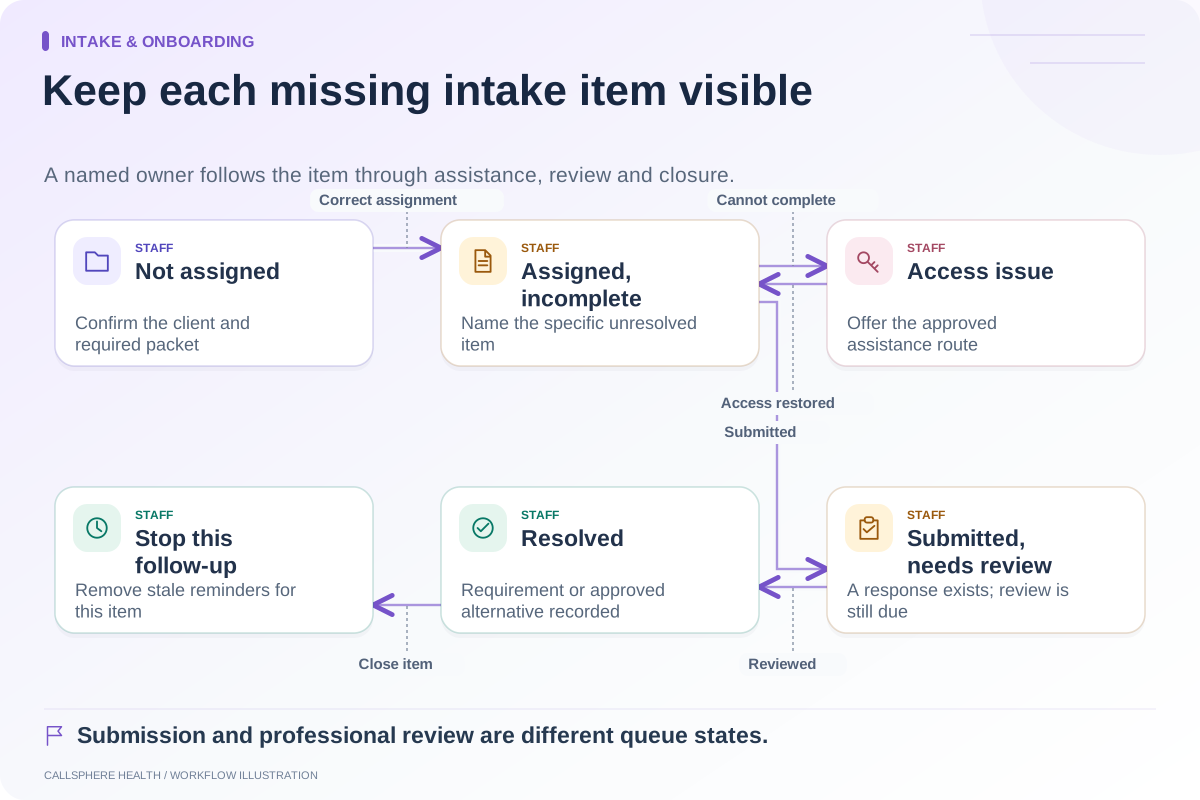
“Complete” means the item has the evidence your practice requires. “Missing” means the item is absent. “Needs review” means information is present but a responsible person must evaluate it. A fourth state, “not applicable,” can be useful when its reason is recorded.
| Check | Complete evidence | Who resolves a question |
|---|---|---|
| Client record | Correct record confirmed for this appointment | Authorized intake staff |
| Contact route | Current permitted contact method recorded | Intake or privacy-responsible staff |
| Appointment details | Time, modality, provider and location confirmed | Scheduling owner |
| Required packet | Appropriate forms and document versions assigned | Intake owner |
| Submitted paperwork | Required administrative items checked | Staff or clinician according to document purpose |
| Billing handoff | Needed information routed to billing | Billing owner |
| Access assistance | Any portal or form barrier has an agreed next step | Assigned support staff |
This is a proposed administrative checklist. Clinical suitability, consent sufficiency and decisions about proceeding with care require the appropriate professional process.
Make readiness appointment-specific
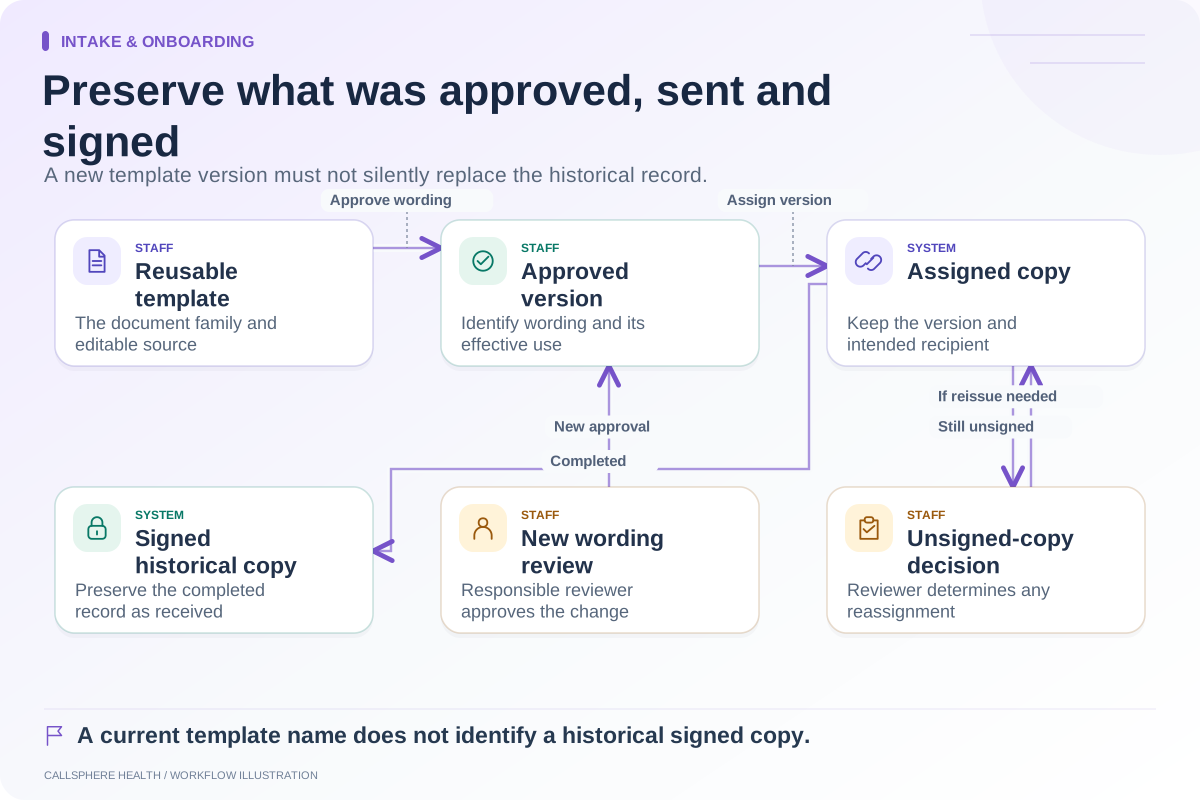
A client may have completed an intake packet months ago, while the upcoming appointment has a different service, provider or document requirement. Conversely, an existing valid document should not be treated as missing merely because it was completed for an earlier visit.
Ask how the system connects document versions and appointment requirements. SimplePractice’s intake guidance describes defaults and completed document handling. When evaluating another EHR, demonstrate its own behavior rather than assuming identical rules.
A hypothetical first-visit review
A new appointment is booked for Friday. The client has activated portal access and submitted the questionnaire. The consent document is present, but staff notices that the packet belongs to the wrong service. Readiness remains “needs review,” with the intake owner assigned to correct the packet through the approved process.
Billing information is also waiting for review. That does not mean insurance payment is assured or denied; it is a separate administrative task. The clinician sees the relevant appointment preparation state and follows the practice’s process for any unresolved clinical or consent issue.
The example prevents two mistakes: marking everything ready because forms exist and treating every open administrative item as an automatic cancellation rule.
Set a handoff time and a backup owner
Decide when the first-visit team reviews readiness and who covers the queue when the usual coordinator is absent. This is a staffing decision, not a universal number of hours before a visit. The workflow should surface last-minute changes without silently replacing the prior review.
A backup owner needs access to the relevant evidence and the authority to act. A notification sent to an absent employee is not a completed handoff. Check the team’s coverage process during holidays and when schedules change.
Audit the meaning of the badge
Select a small sample of “ready” appointments and ask staff to locate the evidence for each required item. Then inspect “needs review” records to confirm they have an owner. Track false-ready cases and unresolved items that were discovered only at arrival.
These are internal quality measures. Do not turn an improved checklist completion rate into a claimed clinical outcome or patient satisfaction result without separately measuring those outcomes.
Verify readiness in CallSphere
The CallSphere platform brings intake, scheduling and client records together, while its capability boundaries preserve staff confirmation after AI-assisted booking. Bring this checklist to a demonstration with a synthetic client and one deliberately incorrect form assignment.
Ask the demonstrator to show how the team sees the issue, who resolves it and whether the corrected state persists. A useful readiness workflow explains what remains to be done as clearly as what has already been completed.
Continue the workflow
Explore intake & onboarding: Map the therapy intake process from inquiry to first visit · Follow up on incomplete intake with a clear owner · Track consent form versions during patient onboarding.
Research reviewed September 9, 2026. Organizational authorship: CallSphere Health. Examples are hypothetical; this is operational guidance, not individualized clinical, legal or billing advice.