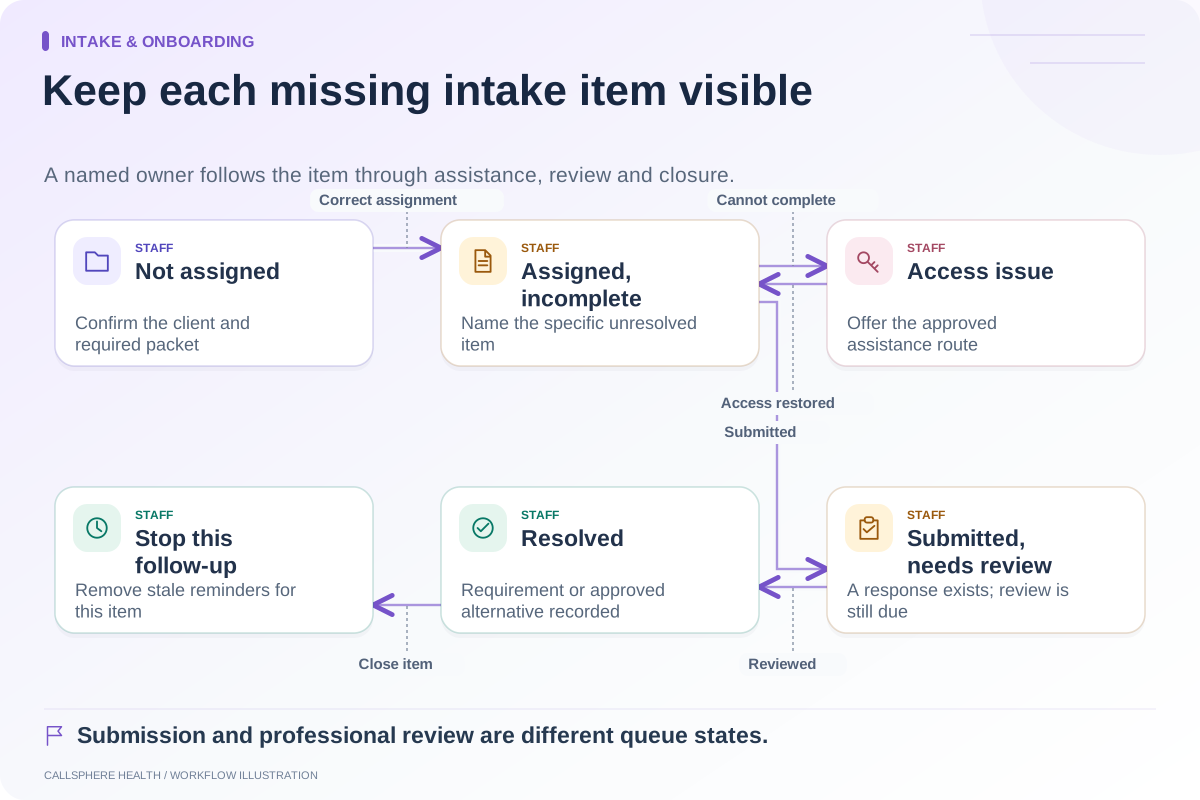
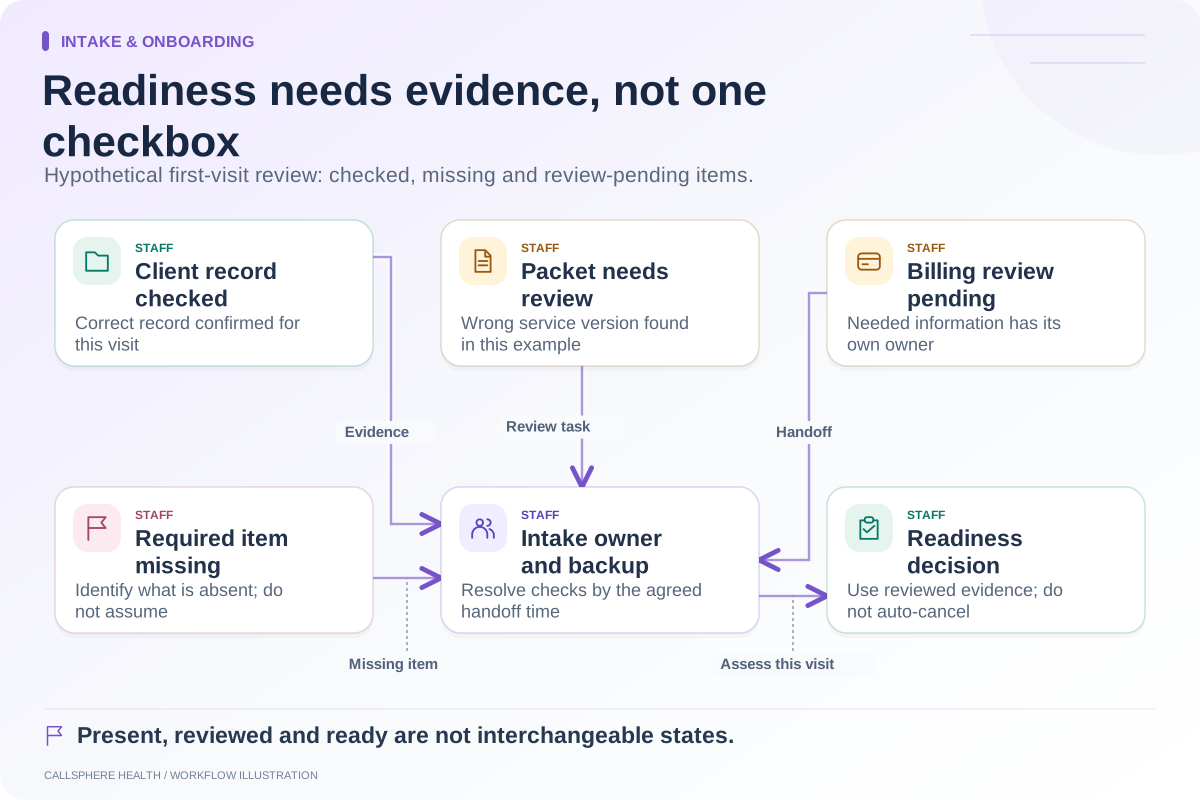
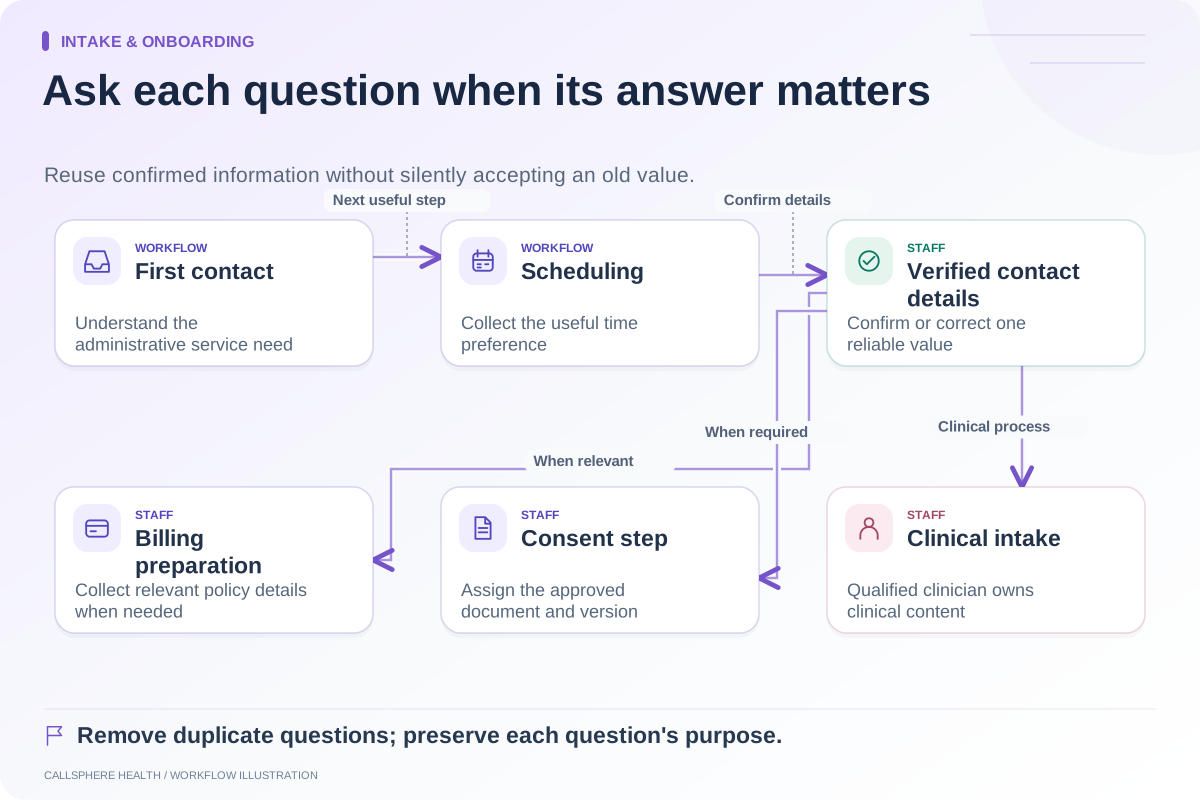
Map intake as a series of handoffs: inquiry received, administrative details confirmed, appointment handled, forms assigned, submissions reviewed and first-visit readiness decided. Assign an owner and completion evidence to each stage. “Intake sent” describes one step, not a ready client.
The map should follow the person through your practice rather than mirror software menus. A caller, a website visitor and a referred client may enter differently, but staff need to know when those paths converge and who resolves missing information.
Start with the entry point
List the channels the practice actually accepts: phone, website form, portal request or referral. For each, identify where the request is recorded and who checks it. Include office-hours coverage and the next staffed review period. Do not describe an unattended queue as continuously staffed simply because it accepts submissions.
First contact should establish the administrative next step. Clinical assessment belongs with qualified clinicians. Keep clinical screening outside this administrative workflow.
Build the map with these gates
| Stage | Entry evidence | Next owner | Exit evidence |
|---|---|---|---|
| Inquiry | Recorded request and permitted contact route | Intake coordinator | Service request understood administratively |
| Record review | Candidate client details | Authorized staff | Existing record selected or new record confirmed |
| Scheduling | Bookable request or review decision | Scheduler | Appointment accepted or unresolved request assigned |
| Forms | Correct client and required packet | Intake owner | Forms assigned through an approved channel |
| Review | Submission or missing-item alert | Designated staff or clinician | Required items checked and exceptions identified |
| Visit preparation | Reviewed administrative state | First-visit team | Ready, needs review or defined alternative action |
The table is a proposed management artifact, not a mandatory clinical protocol. Your practice decides the meaning of ready and the situations requiring clinician involvement.
A hypothetical path through the map
An adult asks through website chat about an initial consultation. The assistant provides approved service information and checks configured booking options. The booking succeeds, but the client used a different email from an older record. Staff reviews the possible duplicate before assigning the intake packet.
The client completes two forms and leaves a required field unresolved. The intake coordinator sees the missing item, contacts the client through the approved route and marks the item for review. A clinician handles any clinical interpretation. The appointment remains visible throughout; the missing form does not silently cancel it.
This example shows why a connected platform still needs ownership. The information can be available in one place while the decision about what it means remains unfinished.
Separate document types
Do not use one “paperwork complete” checkbox for everything. A questionnaire, a document to read and a document to sign serve different purposes. SimplePractice’s intake-form guidance makes this distinction in its document workflow. Use it as an evaluation question, not proof that another product behaves identically.
Create a packet list by service and circumstances. Record who approves changes and which version is sent. If the packet changes after a booking, decide how staff detects the mismatch without asking a client to repeat every completed form.
Test the handoff, not just each screen
A useful rehearsal starts with a synthetic inquiry and ends with a staff member reviewing the resulting record. Ask someone who did not configure the workflow to identify the next step at each gate. If they need an off-system explanation, record that as a training or design gap.
CallSphere’s platform includes scheduling, intake and records, with AI administrative tools. Its capability overview states that staff should confirm the client record and intake requirements after AI-assisted bookings. Demonstrate that exact handoff before describing intake as automatic.
Keep the finished map short enough to use during onboarding. Update it when your entry channels, forms, staffing or booking rules change. The map succeeds when an owner can locate an unfinished intake and explain what happens next.
Continue the workflow
Explore intake & onboarding: Shorten administrative intake without losing needed information · Follow up on incomplete intake with a clear owner · An intake-readiness checklist for the first appointment.
Research reviewed September 9, 2026. Organizational authorship: CallSphere Health. Examples are hypothetical; this is operational guidance, not individualized clinical, legal or billing advice.