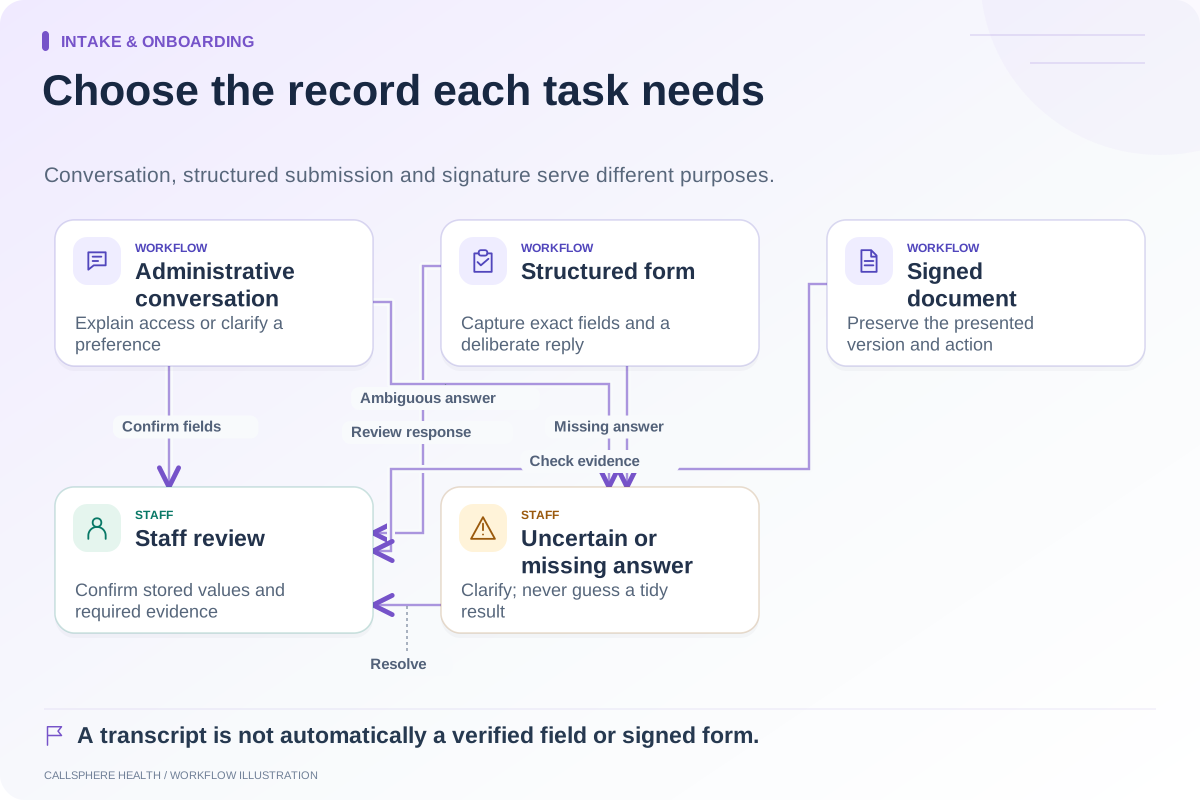
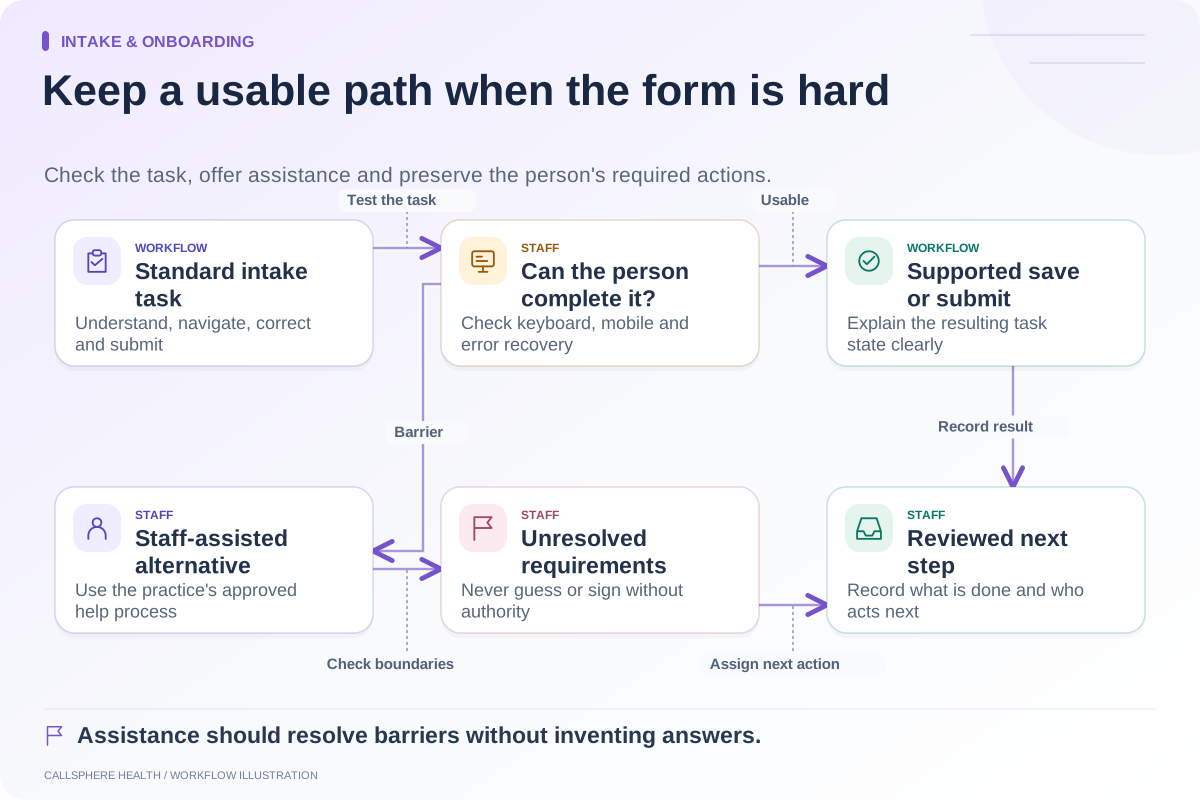
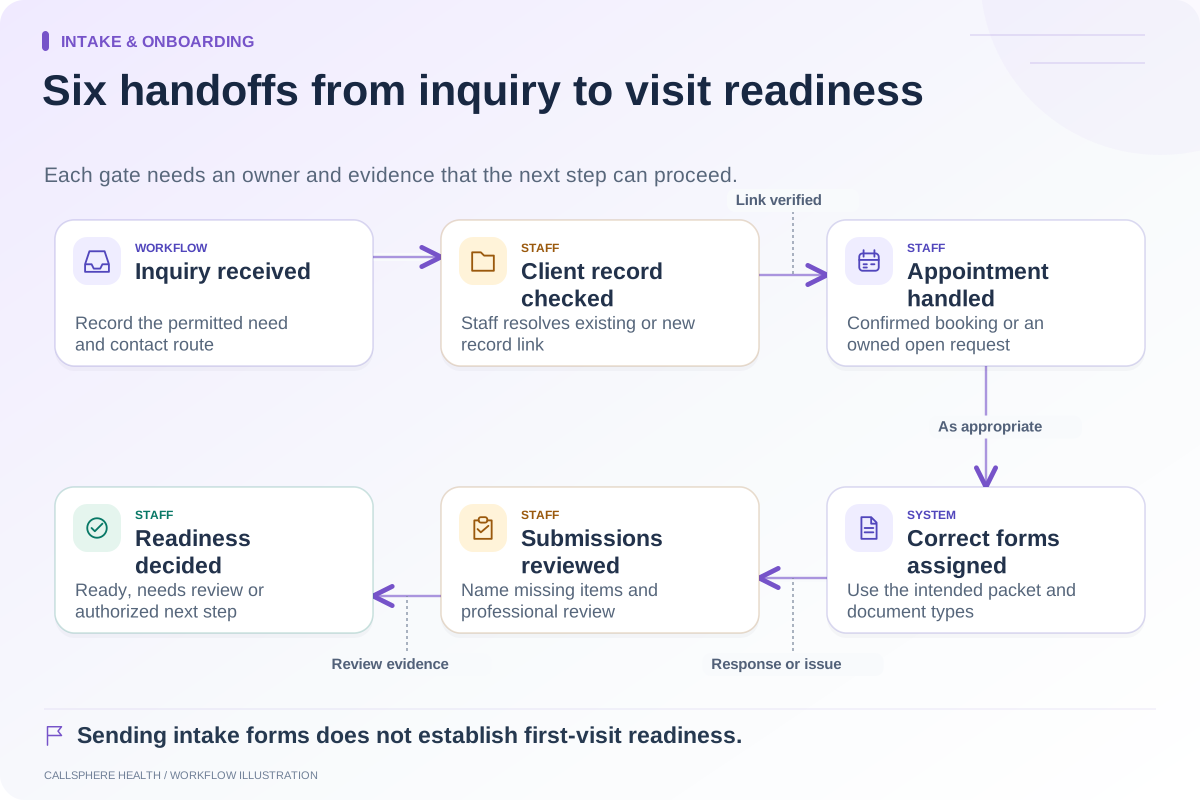
Shorten administrative intake by asking each question at the stage where its answer changes the next action. Remove duplicate collection and explain why an unfamiliar field is needed. Do not delete clinically or legally required content merely to make the form look faster; have the responsible professional review those requirements.
The useful target is less unnecessary effort, not a particular number of questions. A short first-contact form followed by the same questions in three later forms can feel longer than a well-organized packet that reuses verified information.
Inventory questions before editing
Put every field from phone scripts, website forms, portal onboarding and intake documents into one worksheet. Add its purpose, owner, source and destination. Include fields that staff enters on the client’s behalf; they are often invisible when only the portal is reviewed.
Ask what action changes when the answer changes. If no one can explain, the field needs review. An old preference question may remain after the associated workflow was retired. A required label can also survive when a field is no longer mandatory.
Use a question-timing matrix
| Information | Earliest useful stage | Review owner | Reuse question |
|---|---|---|---|
| Requested non-clinical service | First inquiry | Intake coordinator | Can the stated request be confirmed without asking again? |
| Preferred appointment time | Scheduling | Scheduler | Does the calendar receive the preference? |
| Contact details | Approved contact setup | Authorized staff | Is a verified value reused consistently? |
| Insurance details | Billing preparation when relevant | Billing staff | Are policyholder and client fields distinct? |
| Consent documents | Applicable onboarding step | Responsible practice reviewer | Is the correct version assigned? |
| Clinical history | Qualified clinical intake process | Clinician | Is collection occurring in the approved clinical workflow? |
The suggested timing is operational guidance. It is not a universal intake standard. Practices should adapt it to their services and governing requirements.
Distinguish reuse from silent acceptance
Prefilling a field can save typing, but a stored value may be old or incorrect. Show the information in a way the client can confirm or correct when appropriate. Keep responsibility for reviewing changes explicit, especially when a new value affects identity, contact permissions or billing.
Avoid asking someone to re-enter an address simply because two modules use different forms. Instead, test whether a correction updates the intended record and whether downstream staff can see that the value changed. Reducing duplicate questions without fixing the data handoff only moves work to the front desk.
A hypothetical packet review
A practice finds the same contact telephone field in the inquiry form, registration page and intake questionnaire. The team chooses one verified contact setup step and removes the redundant administrative copy from the questionnaire after review. A separate emergency-contact field remains because it serves a different purpose.
The team also finds a required insurance upload in its self-pay pathway. Billing staff determines which situations need that information and adjusts the pathway. No clinical questions are removed by an administrator acting alone. The result is a more deliberate process, not a promise of a particular completion-time reduction.
Improve the instructions as well as the length
The W3C’s forms tutorial emphasizes clear labels and instructions. Use plain names, explain format requirements before an error and keep related fields together. “Contact phone” is clearer when the practice explains whether it will be used for reminders or administrative callbacks.
Test the revised packet on a phone and with keyboard navigation. Count repeated fields and corrections, then ask a tester to explain the next step. Do not infer that someone who paused a form rejected your practice; they may need information they do not have nearby.
Confirm the product handoff
CallSphere’s intake and practice tools support digital forms and configured delivery. Review the capability limits, then ask the demo team to show one corrected contact field traveling through the intended workflow. Staff should confirm record linkage and required intake steps after an AI-assisted inquiry.
Keep a small change log: field removed, reason, reviewer and replacement source. That record helps the practice avoid reintroducing duplication when a new template or service is added.
Continue the workflow
Explore intake & onboarding: Map the therapy intake process from inquiry to first visit · Intake forms or conversational intake: how to choose · Make the intake process usable when a form is difficult.
Research reviewed September 9, 2026. Organizational authorship: CallSphere Health. Examples are hypothetical; this is operational guidance, not individualized clinical, legal or billing advice.