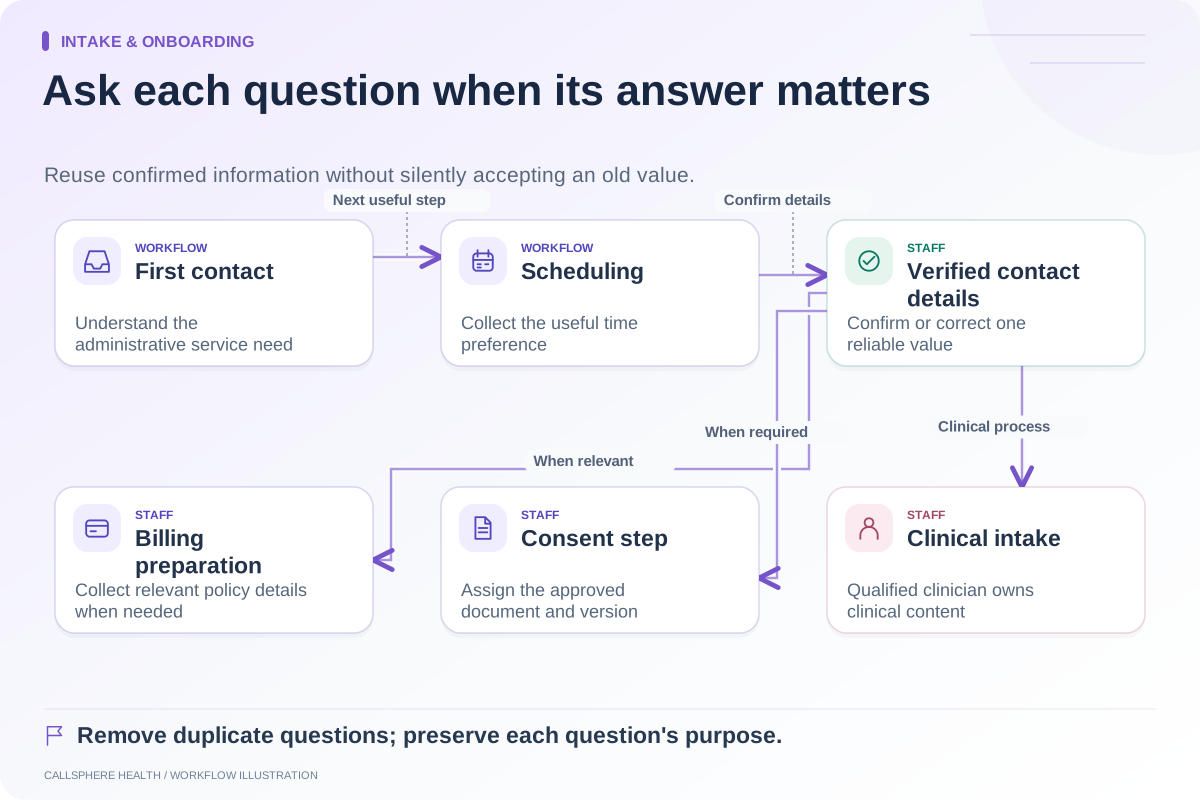
Use a form when information needs a consistent field, a deliberate review or a documented signature. Use an administrative conversation when a person needs help understanding the next step or expressing a simple preference. A hybrid process can work well, but it needs a clear handoff between conversation and verified intake.
“Conversational intake” is an ambiguous product label. It may mean a chatbot collecting contact details, a guided questionnaire or a clinical interview. A practice owner should ask which meaning is intended before comparing tools or promising clients what the experience provides.
Choose by the job to be done
| Job | Form may be useful when | Conversation may be useful when | Human boundary |
|---|---|---|---|
| Administrative preference | Choices need consistent fields | The person needs help finding the right administrative option | Staff confirms service fit |
| Contact information | Exact spelling and review matter | An adult needs assistance navigating the process | Verify the final stored value |
| Consent | A specific document must be presented and signed | Staff explains how to access the document | Qualified practice review determines requirements |
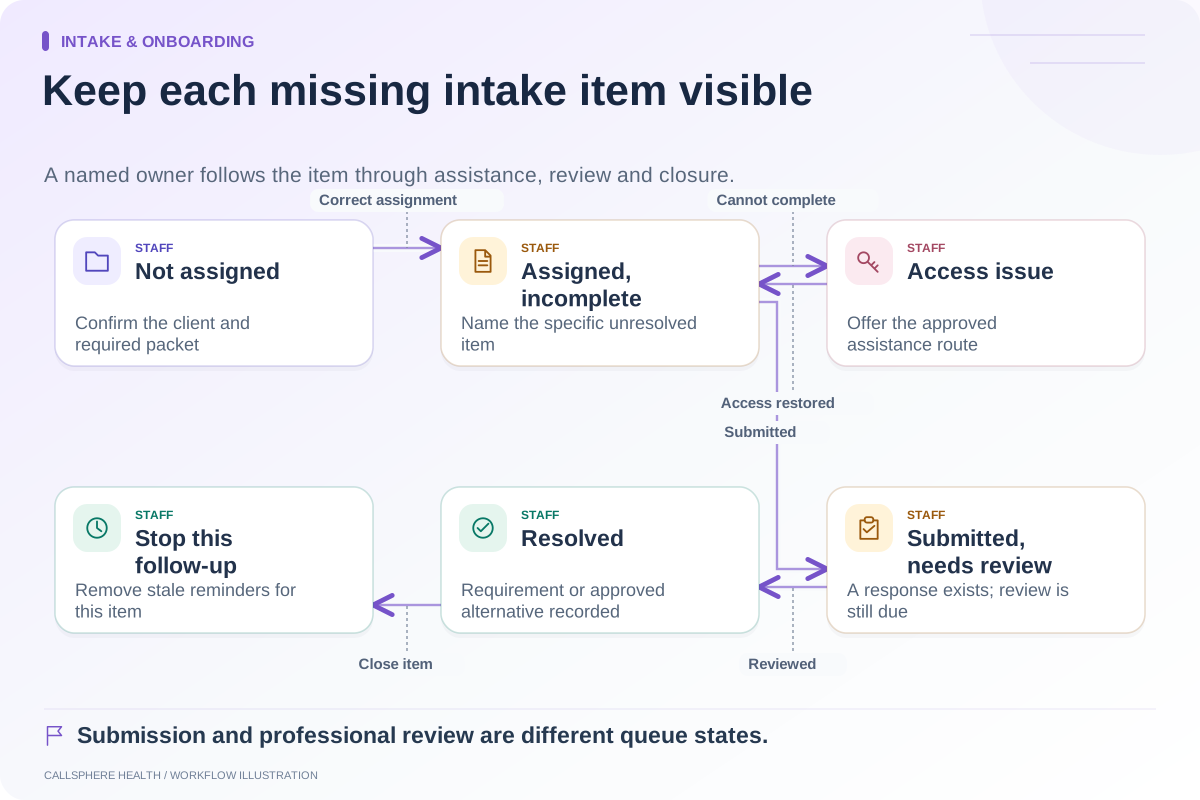
| Missing item | The exact unresolved field is visible | The person does not understand an instruction | Do not guess the answer |
| Clinical information | Approved clinical collection is established | A qualified clinician conducts the appropriate process | Administrative AI does not provide clinical assessment |
This table is a selection aid, not a claim that one format is more compliant or produces better outcomes. Evaluate the actual implementation and your practice’s responsibilities.
Understand the record produced
Ask what remains after the conversation ends. A transcript is evidence of a discussion; it is not automatically a verified field or signed form. A summary can omit uncertainty, and a label such as “intake complete” may hide missing documents.
For a structured form, inspect field validation, saved progress and the submitted version. A form can still be confusing or collect unnecessary information. SimplePractice’s document guidance distinguishes response collection from documents intended for reading or signing. Preserve those different purposes when designing your own workflow.
A hypothetical mixed workflow
An adult visitor asks whether the practice offers evening appointments. A website assistant answers from approved information and helps with configured booking. The visitor then receives the practice’s form process, where exact contact information and required documents are handled.
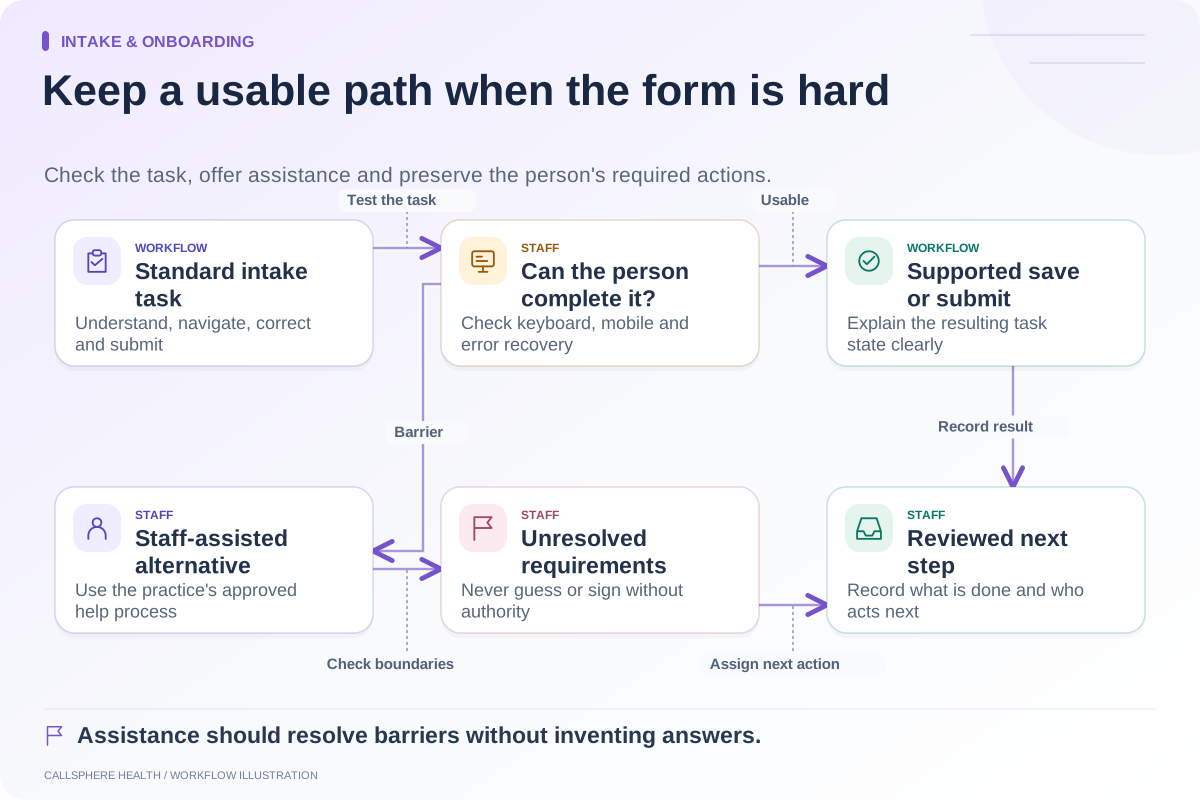
The assistant does not turn a statement about availability into a clinical suitability decision. Staff confirms the appointment’s service fit and checks the client record before relying on completed intake. If the person cannot use the form, a staff assistance process remains available.
The conversation has value because it removes uncertainty about access. The form has value because it produces a deliberate submission. Neither replaces the staff judgment required to connect the two accurately.
Test ambiguous answers
In a synthetic demonstration, provide an answer that does not fit a choice, change a contact detail midway and decline to answer an optional question. Watch whether the tool asks for clarification, records uncertainty or invents a tidy result.
Ask where a staff member sees the correction. If the transcript says one thing and the client record says another, identify which is authoritative and how the difference is resolved. Do not rely on a vendor’s smoothest conversation as evidence of these boundaries.
For forms, test a missing required item and a browser refresh. For conversation, test a request outside its allowed role. A useful system should provide a defined next step without pretending that unfinished work is complete.
Evaluate the combination in CallSphere Health
CallSphere supports administrative phone and website AI alongside the practice platform’s digital intake tools. It does not present patient-facing AI as clinical triage. The capabilities page explains that staff confirm record linkage and intake requirements after AI-assisted bookings.
Bring one straightforward request and one uncertain request to a demo. Ask to see the conversation, final booking, assigned forms and staff review point. Choose the collection format that produces a usable, accurate record for your team, with a clear alternative when the first path does not work.
Continue the workflow
Explore intake & onboarding: Shorten administrative intake without losing needed information · Follow up on incomplete intake with a clear owner · Make the intake process usable when a form is difficult.
Research reviewed September 9, 2026. Organizational authorship: CallSphere Health. Examples are hypothetical; this is operational guidance, not individualized clinical, legal or billing advice.