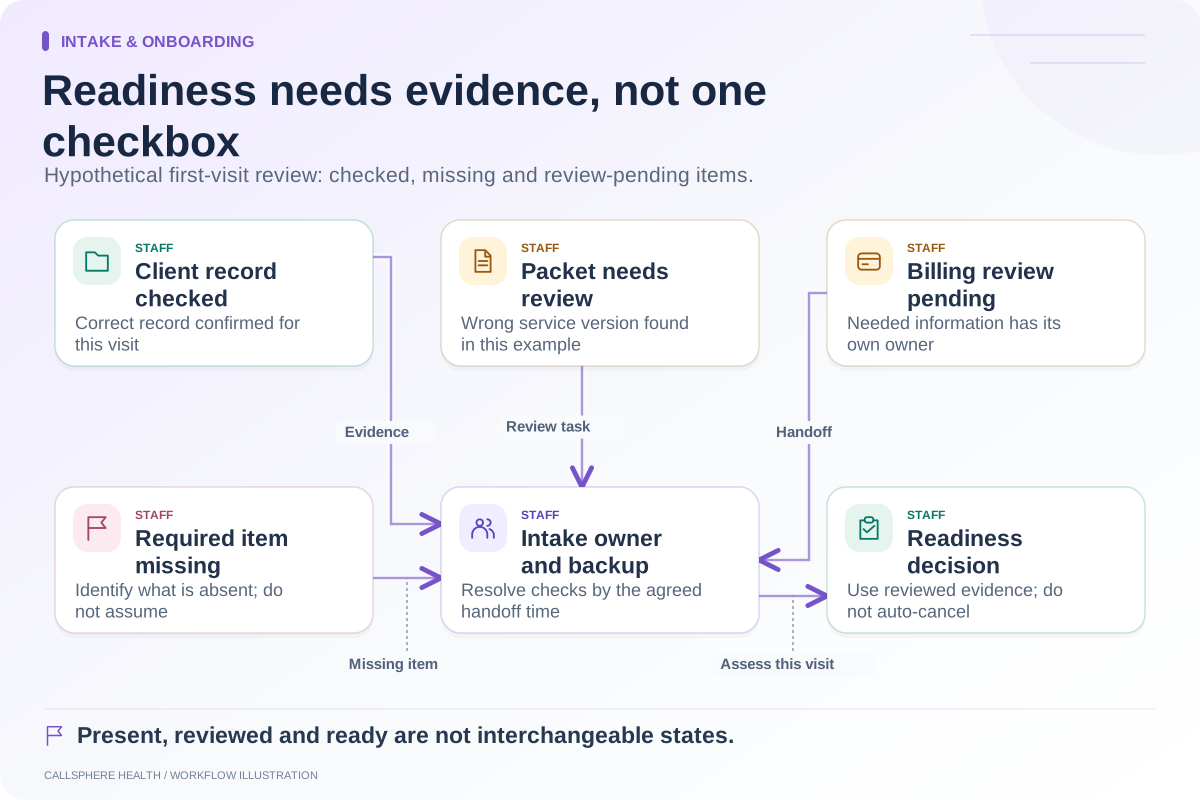
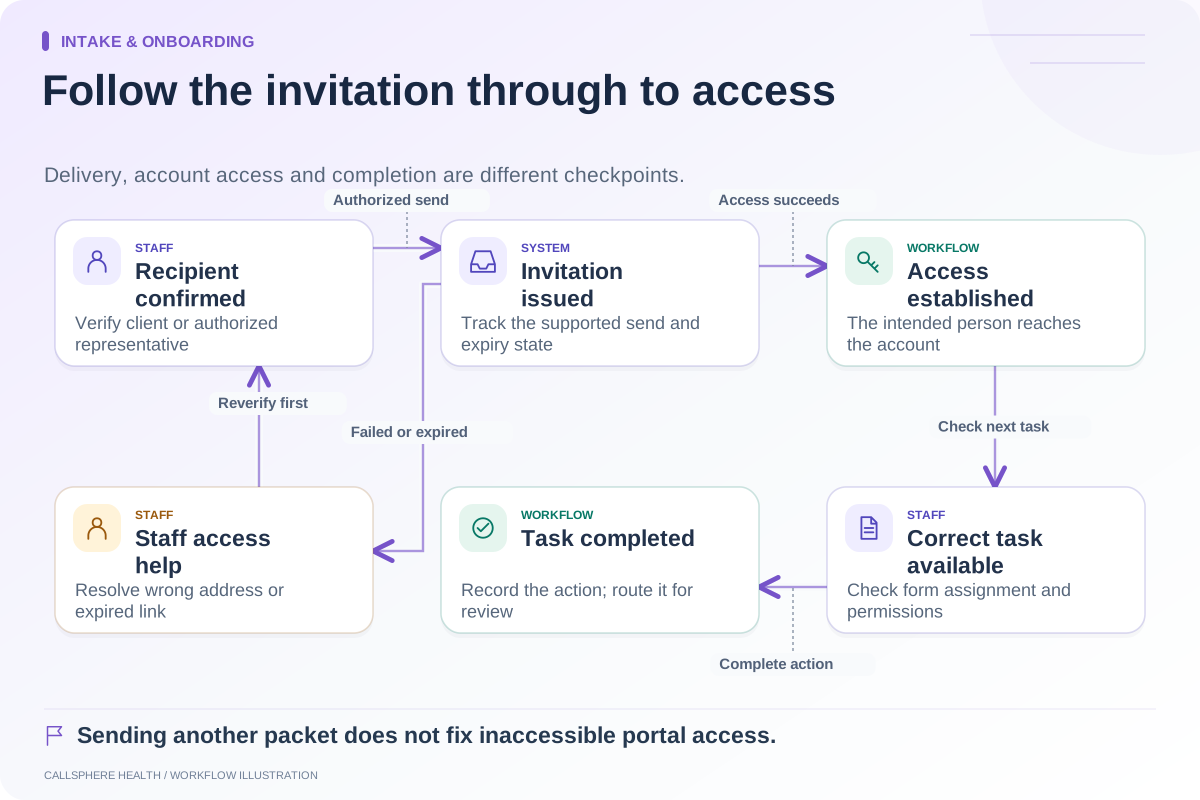
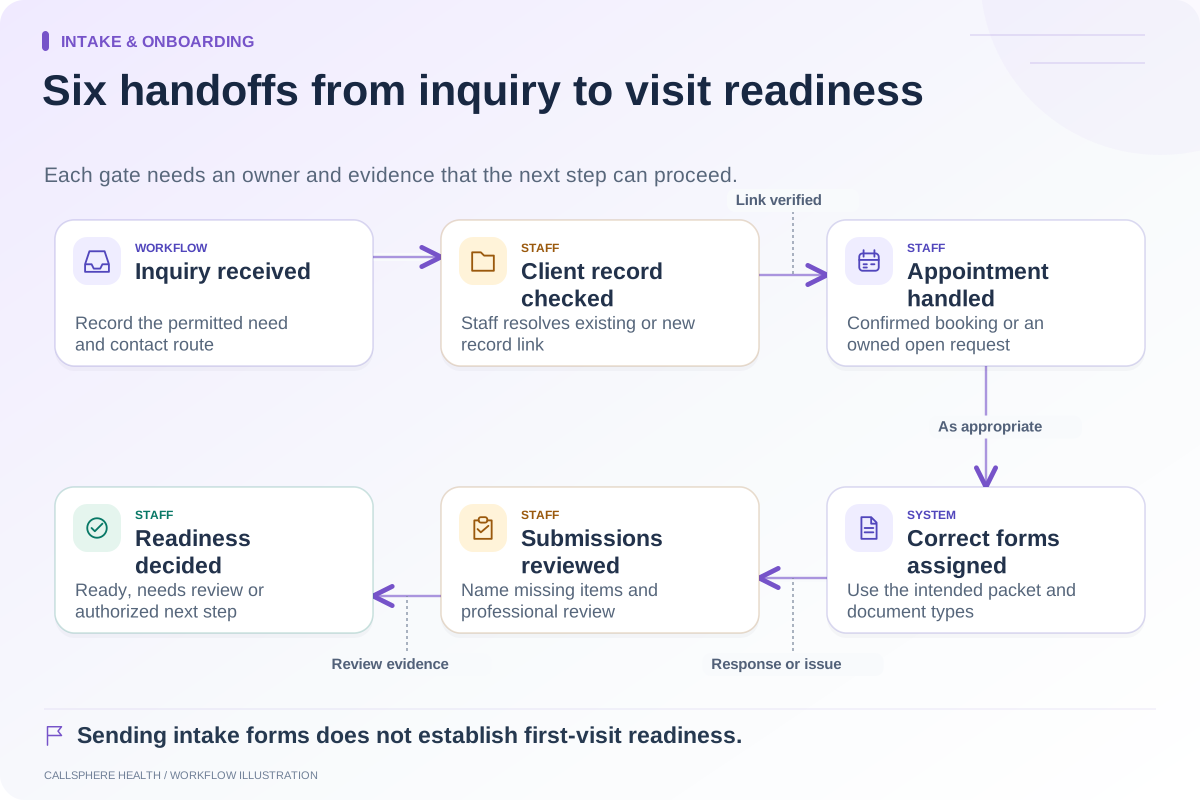
Follow up on incomplete intake by identifying the exact missing item, assigning one owner and giving the client a practical next step. Do not send the whole packet repeatedly or let a “delivered” message close the task. The work is complete when the item is resolved or the responsible person records another decision.
The aim is administrative readiness, not pressure. A missing form can reflect an access problem, a confusing instruction or information the person does not have. The process should help staff distinguish those causes without making assumptions about motivation or clinical status.
Make the queue item-specific
A useful row contains the appointment reference, required item, current state, owner, next review time and permitted contact route. Store sensitive content in the appropriate record; the queue should point to it rather than reproduce it broadly.
| State | Meaning | Next action |
|---|---|---|
| Not assigned | Required packet has not been issued | Confirm client and correct packet |
| Assigned, incomplete | Item exists but no completed submission | Check access and offer the next step |
| Submitted, needs review | Client has responded | Responsible staff or clinician reviews |
| Access issue | Client cannot reach or complete the form | Provide approved assistance |
| Resolved | Requirement satisfied or authorized alternative recorded | Close this item without hiding other open work |
Choose review intervals through practice policy. A fixed reminder cadence is not suitable for every situation, and an administrator should not independently decide that a visit must be canceled because a document is missing.
Two hypothetical reminder examples
For an approved communication channel, a first message could say: “Your practice paperwork has an item waiting for completion. Please use your usual portal access. Contact the office if you need help getting in.” This avoids naming a clinical questionnaire in an exposed notification.
After staff confirms an access problem, the next message could say: “Our team can help with the form process. Please contact the office through your usual contact method so we can agree on the next step.” Do not claim that a staff member is available immediately unless that coverage exists.
These are hypothetical scripts for practice review, not universal consent or legal wording. HHS communication guidance addresses privacy safeguards and confidential contact preferences. Apply the relevant requirements to the channel and circumstances.
Stop contradictory follow-up
When a client completes the item, check whether the pending reminder is canceled or revised. If staff manually resolves it, record the reason so another person does not restart the same sequence. A correction should not create a second invitation to an old version of the form.
Also check what happens after an appointment moves. The intake requirement may remain, while its review date changes. Linking the task only to the original date can leave it overdue even when the visit is now a week away.
Separate submission from professional review
A completed checkbox proves a submission event, not that the content has been reviewed or is sufficient. Administrative staff can confirm that required fields and documents are present. Clinical interpretation and decisions about care remain with the appropriate clinician.
If the client adds information that needs clinical attention, route it through the practice’s existing clinical process. An automated reminder service should not assess urgency or provide advice. Keep the handoff clear without spreading the underlying sensitive content into generic task notifications.
Demonstrate the unresolved path
CallSphere’s platform supports digital forms and configured delivery. Its capability boundaries distinguish that support from staff confirmation of the intake process. Ask for a synthetic demonstration where one form remains incomplete, a contact attempt fails and the appointment is rescheduled.
The evaluator should be able to name the current owner and next action from the record alone. Review open-item age and repeated contact attempts during the pilot. Those measures show whether the process is helping the team; a high count of messages sent does not.
Continue the workflow
Explore intake & onboarding: Map the therapy intake process from inquiry to first visit · An intake-readiness checklist for the first appointment · Make patient portal invitations easier to complete.
Research reviewed September 9, 2026. Organizational authorship: CallSphere Health. Examples are hypothetical; this is operational guidance, not individualized clinical, legal or billing advice.