Track consent documents with distinct template versions, assignment records and completed copies. When wording changes, preserve what a person actually received and signed, then have the responsible practice reviewer decide whether a new document is needed. Editing a template should not silently rewrite the historical record.
This is a document-control workflow, not a determination of what consent your practice legally requires. Content, timing and signatory authority need review by the appropriate clinical and legal professionals.
Keep four objects separate
A template is the reusable source. A version identifies the approved wording at a particular point. An assignment records which version was sent to which authorized recipient. A completed copy records the resulting action and associated evidence.
If the software displays only a current template name, ask how staff retrieves the prior wording. Two documents called “Consent form” may have different content. The name alone is not enough to establish which one applies.
Use a version register
| Field | Purpose | Example using synthetic data |
|---|---|---|
| Document family | Groups related versions | General service consent |
| Version identifier | Distinguishes approved wording | Practice version 2026-09 |
| Approval owner | Identifies who reviewed the content | Designated practice reviewer |
| Effective use date | Controls new assignments | Date set by the practice |
| Replaced version | Preserves history | Practice version 2026-03 |
| Reassignment rule | Explains who needs a new copy | Determined through professional review |
| Retirement check | Prevents old defaults from sending | Booking packet and manual-send list checked |
The example identifiers are not legal requirements. Use a format staff can recognize and the system can preserve reliably.
A hypothetical update
A practice revises one administrative paragraph in its consent packet. The approved new version is added, tested with a synthetic client and placed in the appropriate packet. Existing signed copies remain available as historical records.
The reviewer decides how the change affects previously assigned but unsigned documents and completed documents. Staff records that decision rather than automatically sending the whole packet to everyone. A client with an appointment tomorrow should not receive two conflicting versions because the default changed during a reminder cycle.
The important output is traceability: which wording was active, who approved it and which copy the client saw. A “latest document” label does not answer those questions by itself.
Test the assignment boundary
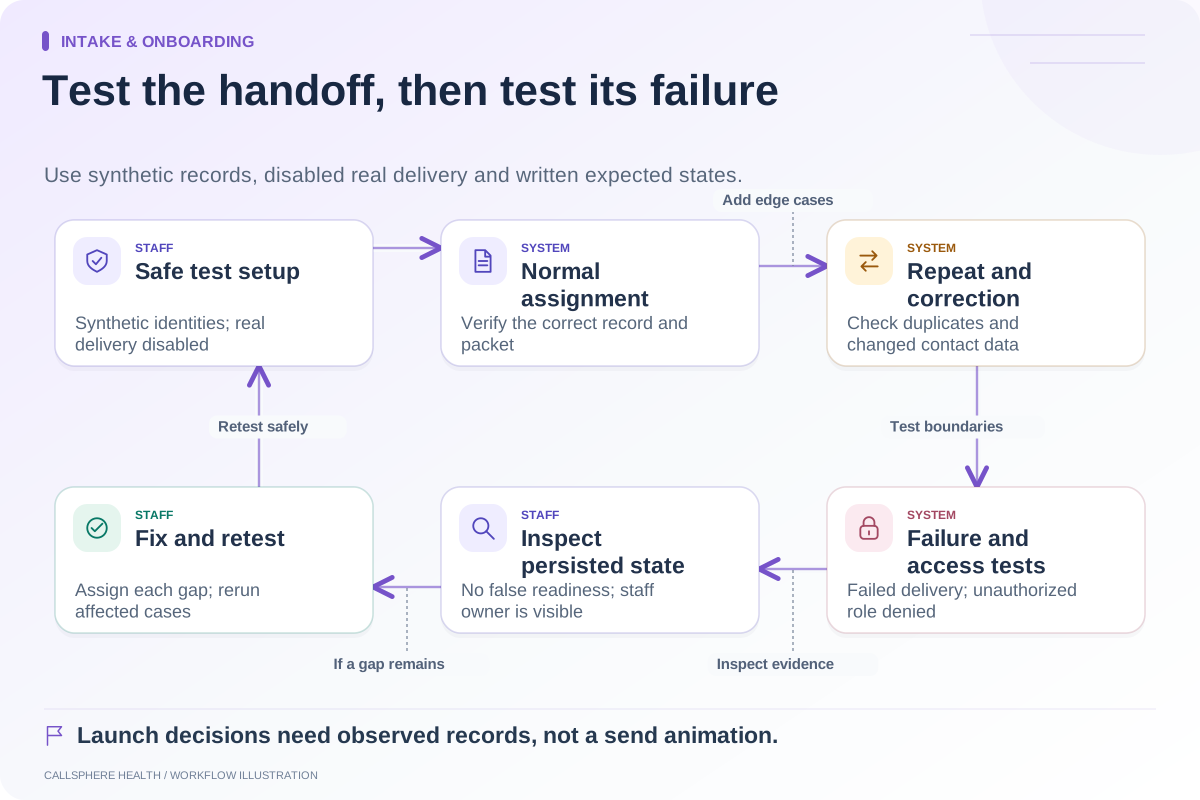
Preview a new assignment, an old unsigned assignment and a completed historical record. Update the template in the test environment and inspect all three again. The expected behavior should be documented before the practice relies on it.
Also inspect packet defaults. SimplePractice’s intake-form documentation describes defaults as preselected documents. This illustrates why changing a library item and changing the packet selection are separate questions to verify in an EHR.
Check manual sending and automation independently. An old form can remain accessible through one path even after it disappears from another. Staff should know how to choose the approved version intentionally.
Preserve correction history
If a document was assigned to the wrong person or contains incorrect details, use the product’s supported correction process. Do not overwrite a completed record to make the mistake disappear. Ask how the original, correction and reviewer action remain visible to authorized staff.
Define who can edit templates, approve new wording and send documents. Those permissions need not belong to the same person. A routine front-desk task should not accidentally change the practice’s consent language.
Review the workflow in CallSphere
The CallSphere platform supports digital forms, consent and document workflows. The exact handling of versions, reassignment and historic copies should be shown for your intended use. Review capabilities and limits before treating any automation as a complete consent process.
Bring one synthetic old version and one proposed revision to a demo. Ask to see the approved source, assigned copy and completed record separately. The result should help your staff explain the history without relying on memory or a filename alone.
Continue the workflow
Explore intake & onboarding: An intake-readiness checklist for the first appointment · Set up guardian and contact information carefully at intake · Test an intake automation before launch.
Research reviewed September 9, 2026. Organizational authorship: CallSphere Health. Examples are hypothetical; this is operational guidance, not individualized clinical, legal or billing advice.