Keep your existing EHR and evaluate a separate AI receptionist when the EHR serves the practice well and the main gap is handling inquiries. Evaluate an integrated replacement when repeated handoffs, disconnected calendars, or staff re-entry are a broader problem. Neither architecture automatically produces a complete workflow. The decision depends on the verified connection and the work your team must still perform.
Begin with one ordinary inquiry and trace it into your current system. Write down each place a person copies information, confirms status, or checks another screen. That diagram will be more useful than a list of integration logos.
Start with what already works
Replacing an EHR changes more than call handling. Staff may need to learn new chart workflows, billing processes, portal invitations, role settings, and export procedures. If those areas are reliable today, give them credit in the decision.
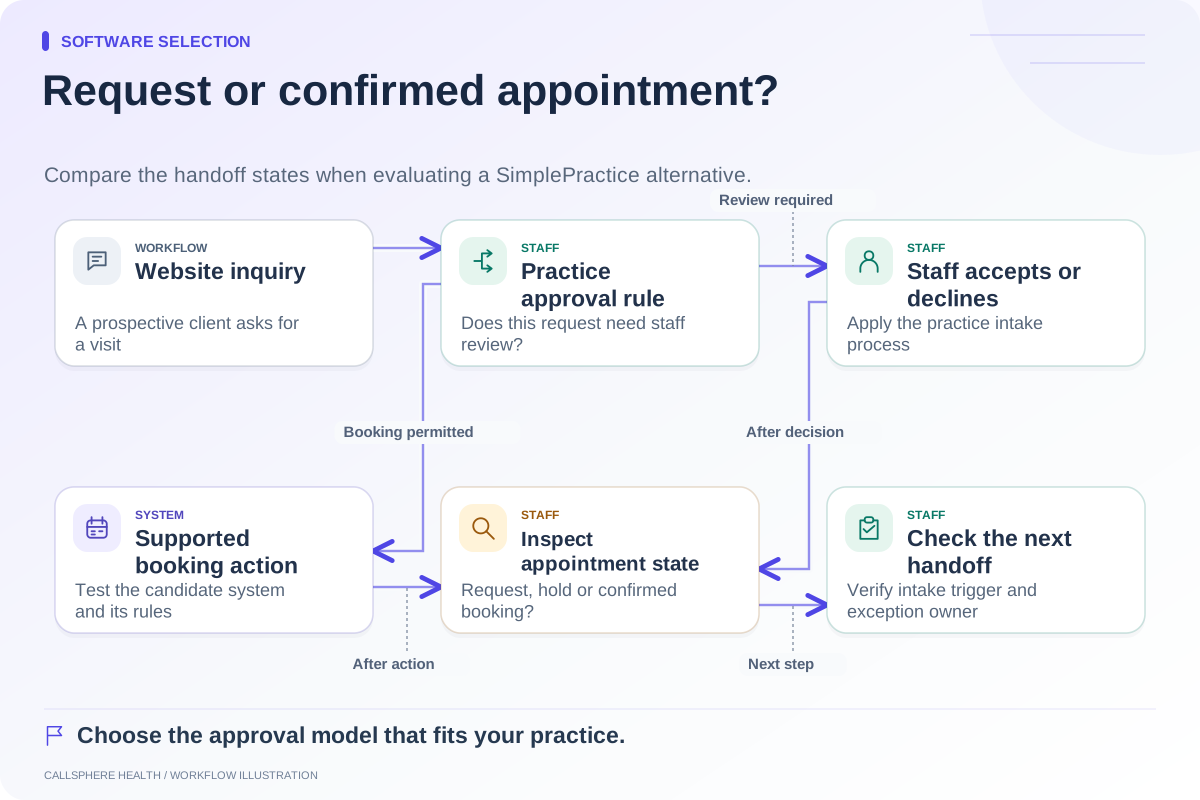
A separate receptionist may be enough if it takes a useful message and your staff have a manageable callback process. It may need deeper integration if the goal is to create appointments without re-entry. Be explicit about the goal: answering routine questions, capturing inquiries, and completing bookings are three different deliverables.
| Your situation | Reasonable next evaluation |
|---|---|
| EHR works; unanswered calls are the main issue | Test an answering or receptionist layer and the staff queue |
| Calendar data cannot be read or changed reliably | Investigate the supported connection before purchasing automation |
| Staff repeatedly re-enter inquiries, intake, and appointments | Compare integrated platforms using the whole sequence |
| Documentation or billing cannot tolerate a near-term switch | Consider a limited pilot with the existing system |
| A vendor cannot demonstrate failed-write handling | Leave booking automation unresolved regardless of architecture |
These are decision prompts, not endorsements of a particular vendor.
Make an integration prove its verbs
“Integrates with your EHR” can describe very different connections. Ask whether it reads availability, writes an appointment, changes an existing appointment, creates a patient record, attaches a conversation, or merely sends an email to staff. Document each verb separately.
Then ask who authorizes access and how changes are tracked. If the source EHR does not expose the required connection, the new vendor must explain its actual supported method. For example, SimplePractice's current feature guide states that a public-facing API is not available. That does not establish that no workflow can connect, but it makes unsupported API assumptions inappropriate. SimplePractice feature guide, reviewed September 9, 2026.
A hypothetical comparison
Cedar Example Counseling has a working EHR and one administrator. A receptionist pilot answers routine opening-hour questions and records callback requests. The administrator spends less effort gathering basic facts, but still approves appointment requests. If that arrangement meets the practice's needs, a full migration may be unnecessary.
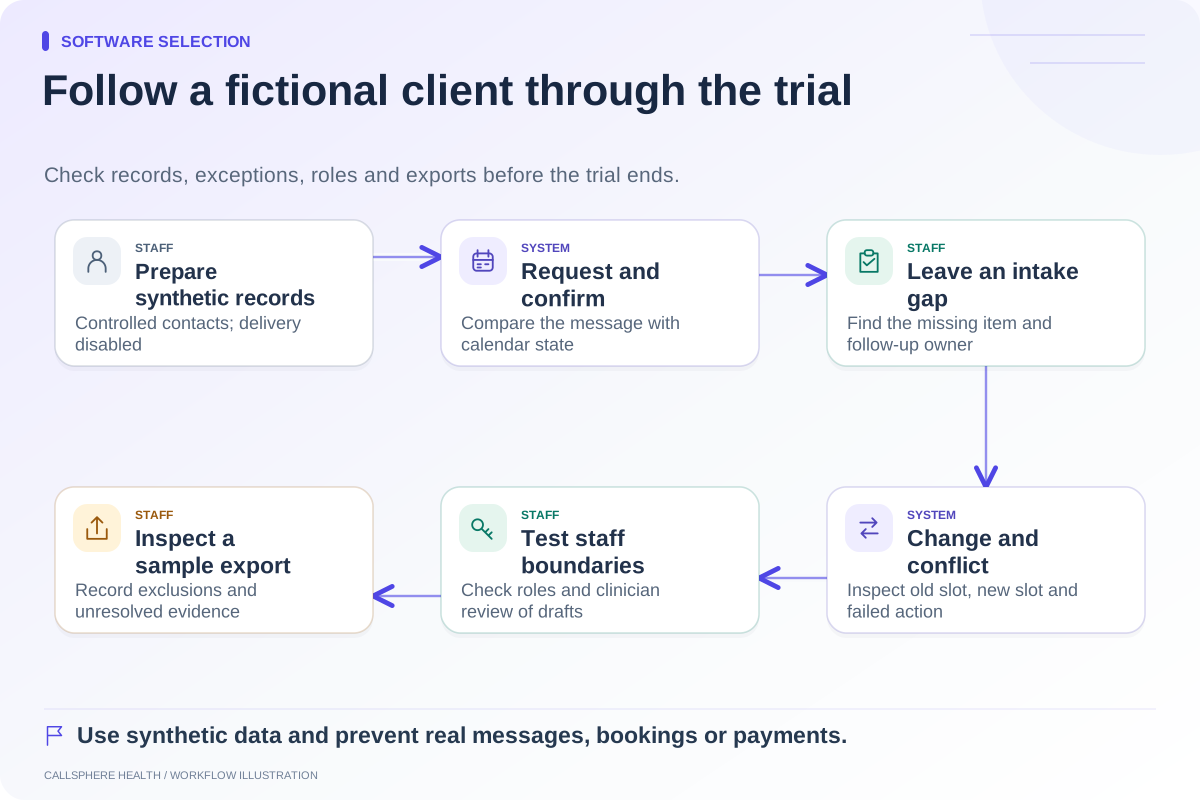
Now change the scenario: staff must copy every caller's details into a second calendar, resend intake from another screen, and reconcile duplicate appointments. The practice should test whether a supported integration resolves those steps or whether an integrated platform offers a clearer process. It should not count removed work until the steps have actually disappeared in a controlled test.
Check the failure boundary
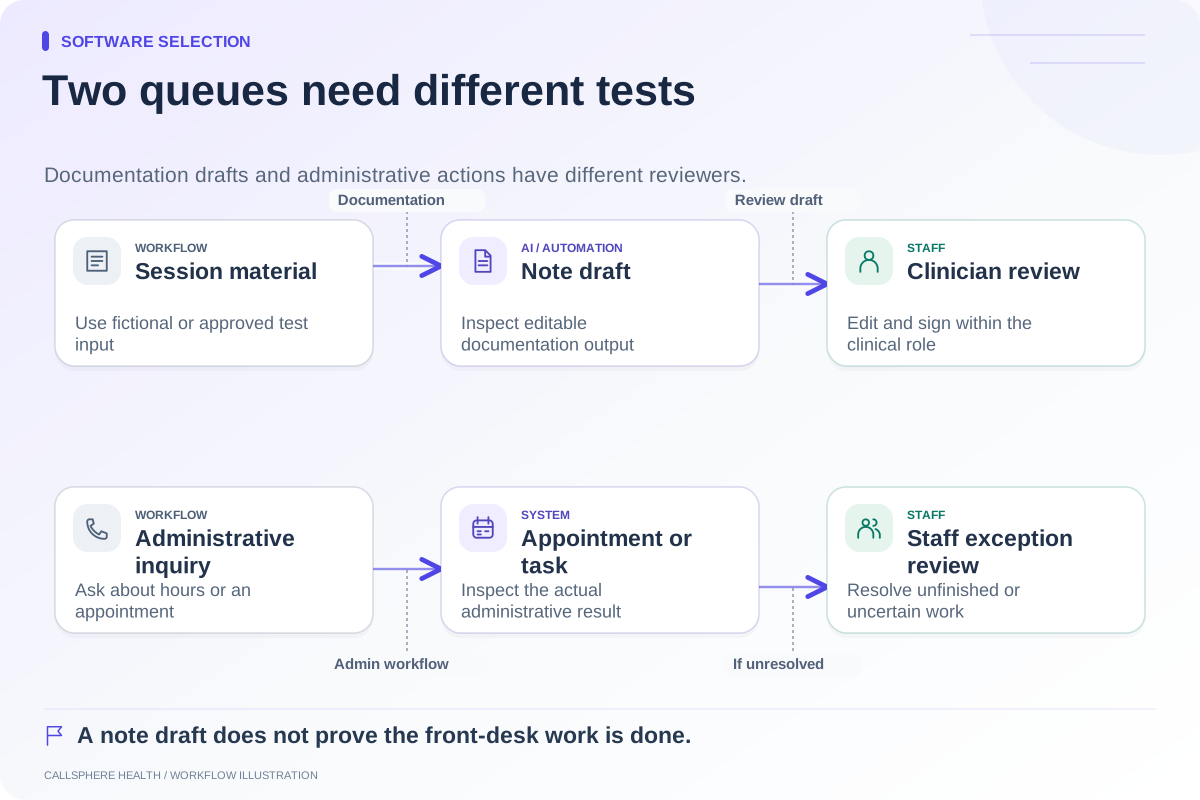
A separate layer introduces a handoff between systems. An integrated product can also contain separate services and different booking paths. In either case, test a taken slot, a service timeout, and an incomplete inquiry. The user-facing message should agree with the recorded outcome, and an unresolved task should have an owner.
CallSphere Health's AI front desk can check configured availability and perform supported appointment actions. Its booking settings and connected services determine what can complete. A callback request is not a warm transfer, and automated intake completion after an AI call remains a workflow to verify. See the AI receptionist overview and capability limits.
Include the transition work in the decision
Use the ASTP/ONC EHR playbook to frame implementation responsibilities and migration questions. Compare staff training, export/import validation, old-system access, and fallback procedures alongside subscription costs. No universal savings estimate can replace that assessment.
Choose the architecture that gives your practice an understandable, testable operating process. Your final worksheet should name the source calendar, record destination, staff exception owner, and cost of every required service. The comparison hub provides a starting point for evaluating vendors against that worksheet.
Browse more guides to software selection.