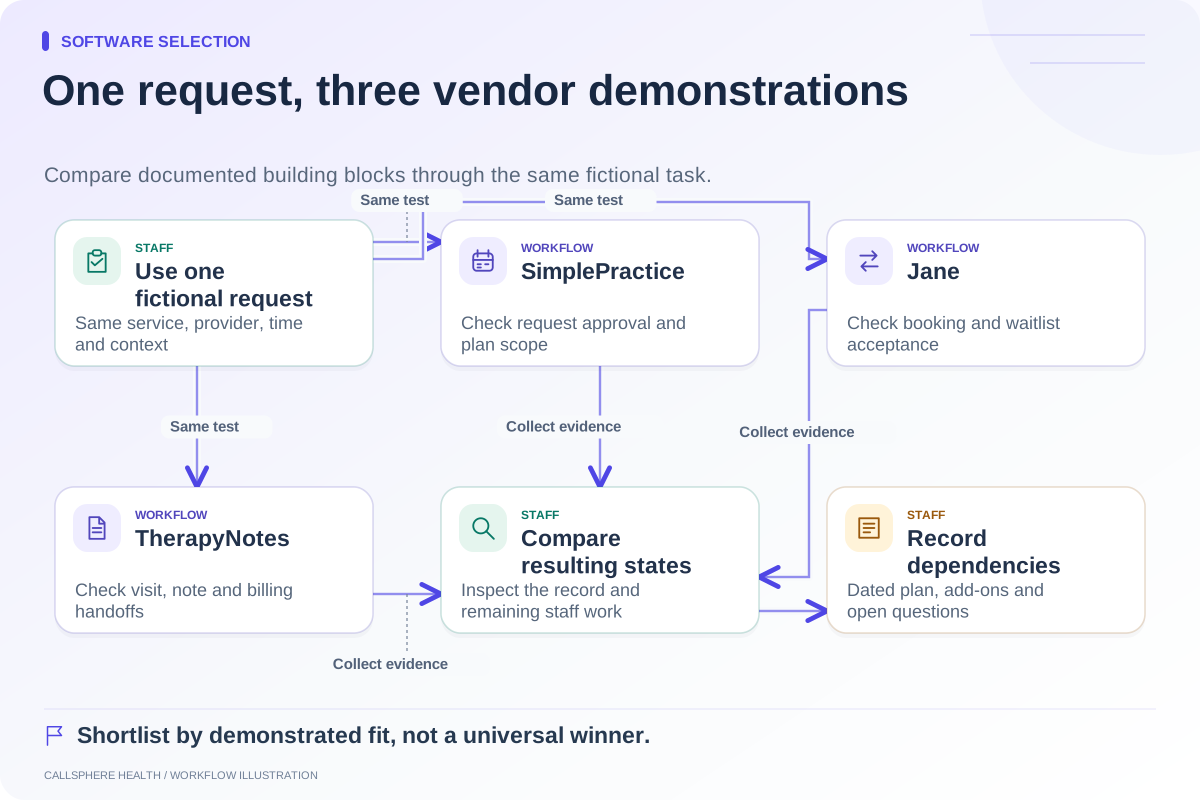
A useful mental health EHR demo scorecard measures whether your staff can complete the work that matters to your practice. Give each vendor the same fictional scenario, observe the resulting records, and record what remains for a person to do. A polished tour is helpful, but it does not establish that your scheduling, intake, and billing handoffs work together.
Start with your three most expensive operational problems in terms of staff attention. These might be unanswered inquiries, incomplete intake, or reconciling appointment changes. Use your own observations; do not borrow another practice's savings claim as your baseline.
Build a scorecard before the meeting
Use a small set of tasks with different weights. The following weights are a hypothetical starting point, not industry benchmarks. Change them before demonstrations so the scoring does not drift toward whichever product you saw last.
| Task | Example weight | Evidence to observe |
|---|---|---|
| Inquiry to appointment | 25 | Actual appointment state, provider, time zone, confirmation |
| Intake readiness | 20 | Assigned forms, delivery status, missing-item owner |
| Appointment change | 15 | Old slot released, new slot reserved, messages consistent |
| Staff follow-up | 15 | Assigned person, callback detail, unresolved status |
| Documentation and billing handoff | 15 | Review responsibility and resulting administrative task |
| Access and export | 10 | Role restriction and usable sample export |
Score a demonstrated pass as 2 and a partial result as 1. Use 0 for a demonstrated failure. Mark an untested requirement U and leave it unresolved; a missing demonstration is different from a product being unable to perform the task. An unresolved mandatory requirement prevents a final selection even if the numerical score is high.
Give vendors a realistic fictional request
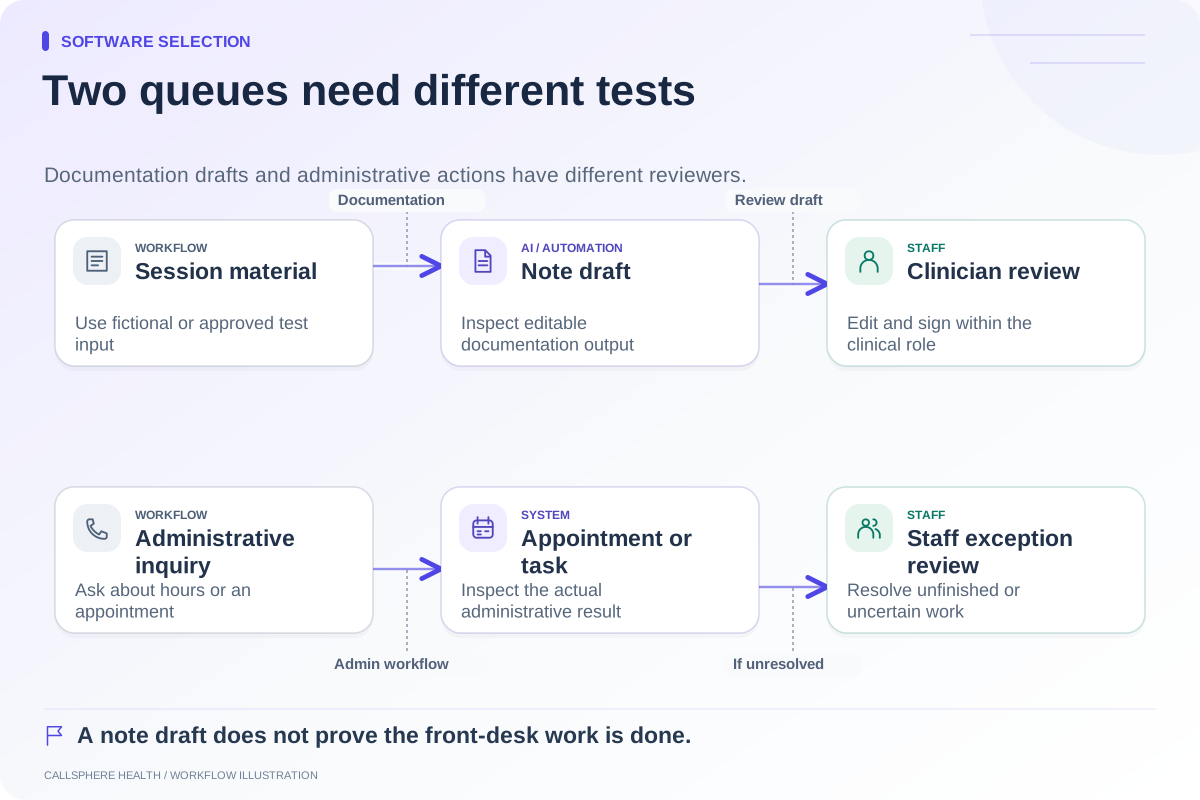
A hypothetical caller, Jordan Test, wants a first appointment after 4 p.m. on a Tuesday. The caller has not yet supplied the information the practice needs to confirm clinician fit. Ask the demonstrator to show what the software can answer, what appointment it can offer, and what needs staff review.
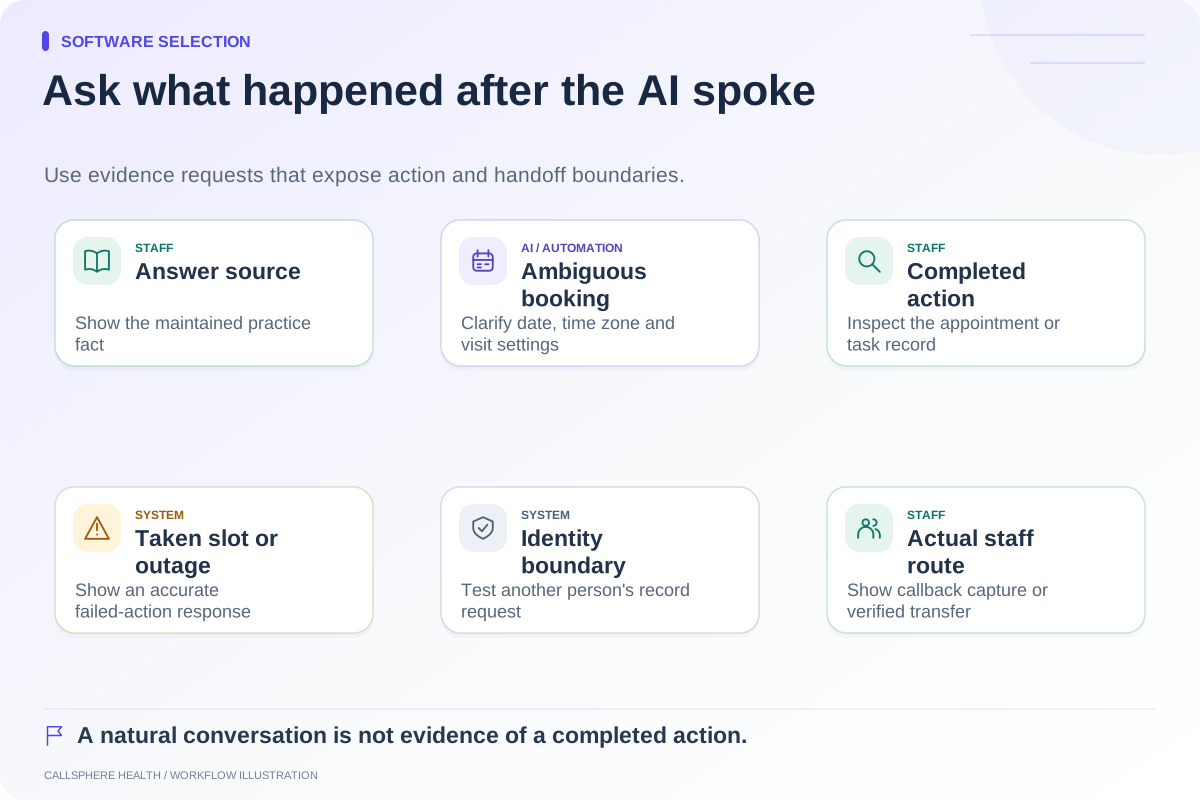
Then ask to change that appointment. Watch whether the original event remains, whether the calendar shows the right provider, and whether the patient-facing confirmation accurately describes the new state. Inspect the task or record behind the screen. A message saying “you are booked” is not proof that the appointment exists.
Keep clinical evaluation out of the exercise. The test is whether administrative information and ownership move correctly, not whether software selects treatment or decides the caller's needs.
Test the exception that would interrupt your day
Choose one failure case your staff understands. Examples include a slot being taken during booking, an invitation going to an invalid test address, or a callback request arriving while its usual owner is away. Ask who notices, who acts, and what the client is told.
Record four observations: the triggering event, the visible system state, the assigned staff role, and the next required action. If a vendor needs another plan or integration, capture that dependency beside the score. Do not convert a promised future demonstration into a pass.
The ASTP/ONC EHR playbook includes resources for selection, implementation, and team responsibilities. It is a useful supporting reference for building the evaluation process; the scorecard above is an original operational example. Sources were reviewed September 9, 2026.
Apply the same standard to CallSphere Health
CallSphere Health's AI front desk can answer routine practice questions, check configured booking availability, perform supported appointment actions, and record callback requests. That does not establish automatic clinician matching, a warm telephone transfer, or completed intake after every AI booking. Ask for those boundaries to be demonstrated using your proposed configuration.
Assign the practice owner to purchasing priorities, a scheduler to calendar checks, a clinician to documentation review, and a billing lead to billing handoffs. One enthusiastic evaluator should not speak for every role. Use fictional details in a controlled demonstration with external messaging, payment, and booking effects disabled.
After the meeting, compare unresolved items before totals. A vendor may be a better fit because it satisfies your mandatory workflow with fewer new responsibilities, even if another has more features. Use the comparison hub to organize the shortlist and the capability overview to prepare a focused CallSphere Health demonstration.
Browse more guides to software selection.