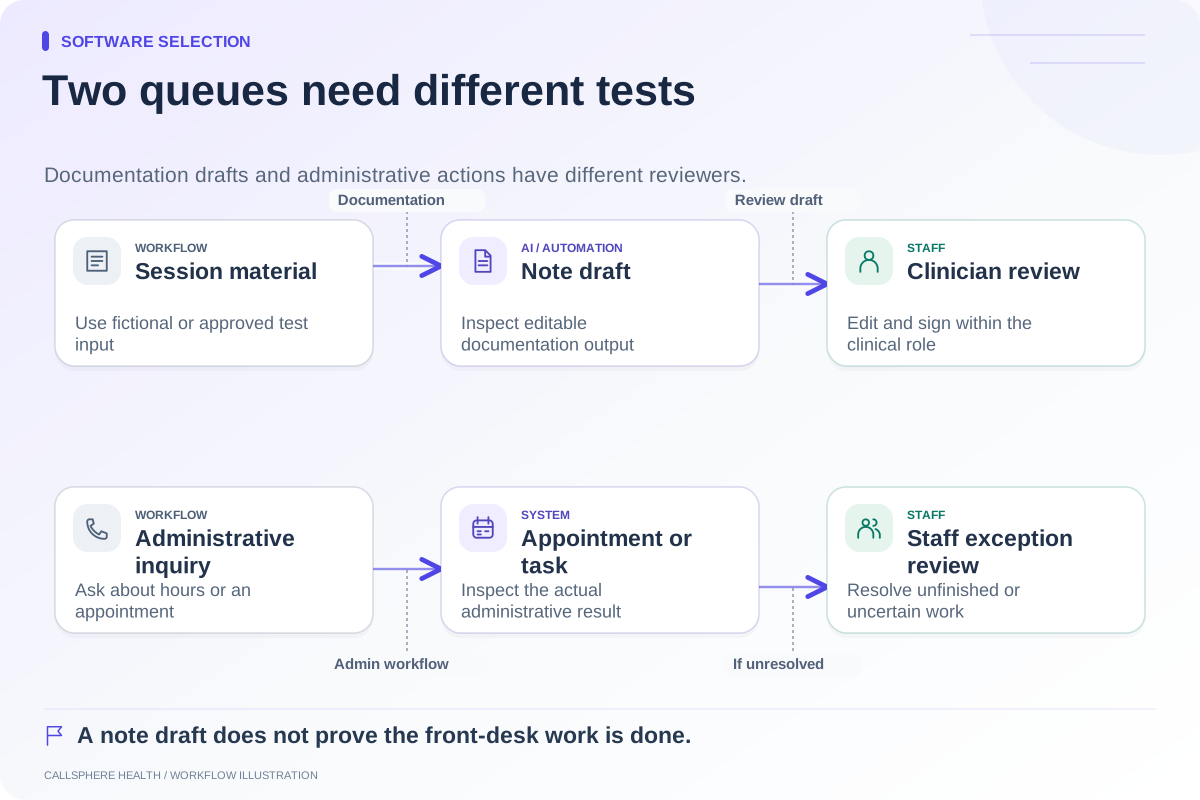
The best AI receptionist demo questions reveal what happens after the system speaks. Ask the vendor to show its source for an answer, the appointment or task it creates, and the staff workflow when it cannot finish. Treat “answered,” “captured,” “requested,” and “completed” as different outcomes. A natural-sounding conversation does not prove that administrative work is done.
Prepare the questions with your scheduler. Choose requests that occur in your practice, then rewrite them using fictional people and test contact details. Ask the vendor to keep external calls, messages, bookings, and payments disabled during the exercise.
Ask where a routine answer comes from
Start with a straightforward question such as office hours or how a new client requests a consultation. Ask the demonstrator to identify the approved source and show how staff update it. Then ask something intentionally missing from that source.
A useful answer to missing information should preserve uncertainty and offer an appropriate next step. It should not invent a clinician's availability, coverage decision, or policy. Ask how staff discover an incorrect answer and correct the underlying information rather than fixing a single transcript.
Turn the demo into a sequence of evidence requests
| Your question | What the vendor should show |
|---|---|
| “What is the source of this answer?” | A maintained practice fact or approved policy |
| “Is this time available now?” | The configured calendar result and relevant booking rules |
| “Did it actually book?” | The resulting appointment with correct details |
| “What if the time was taken?” | A failed-action state and accurate caller response |
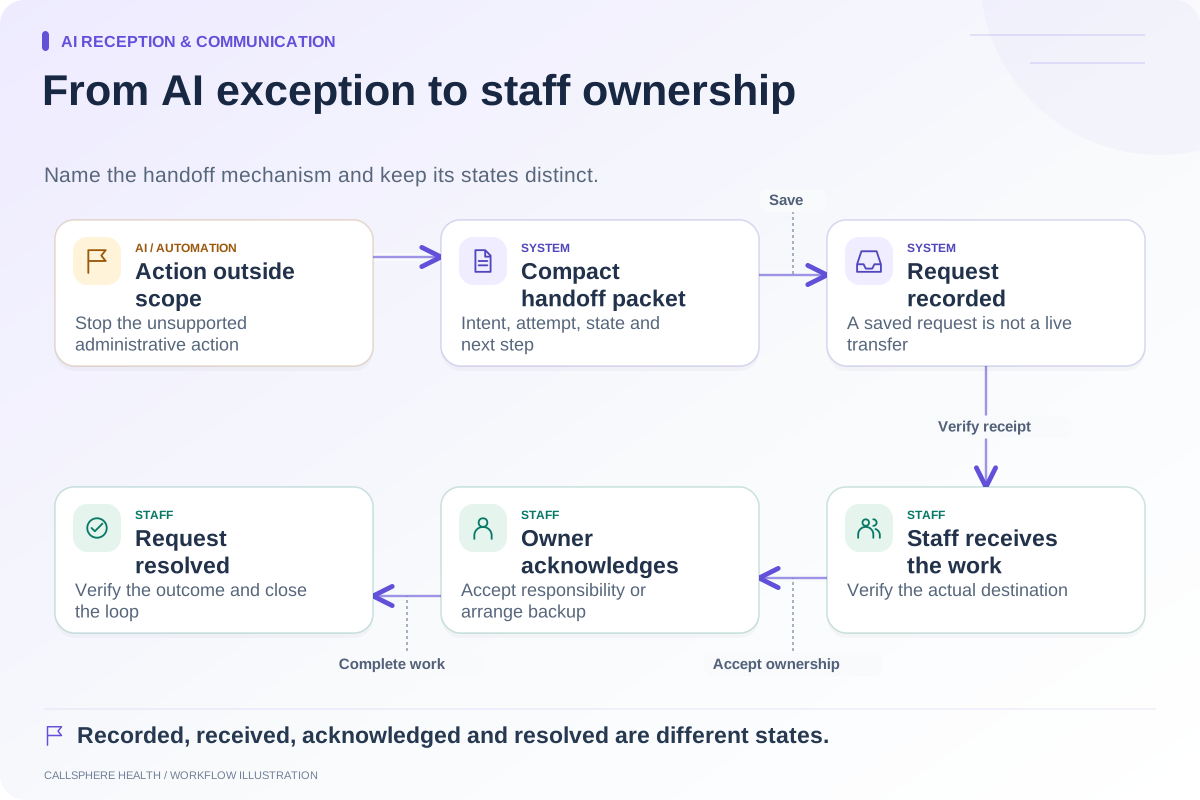
| “Who receives this callback?” | A visible request, staff responsibility, and next step |
| “What information can an unknown caller hear?” | Identity and information-access boundaries |
| “What happens if the service is unavailable?” | A fallback route without false confirmation |
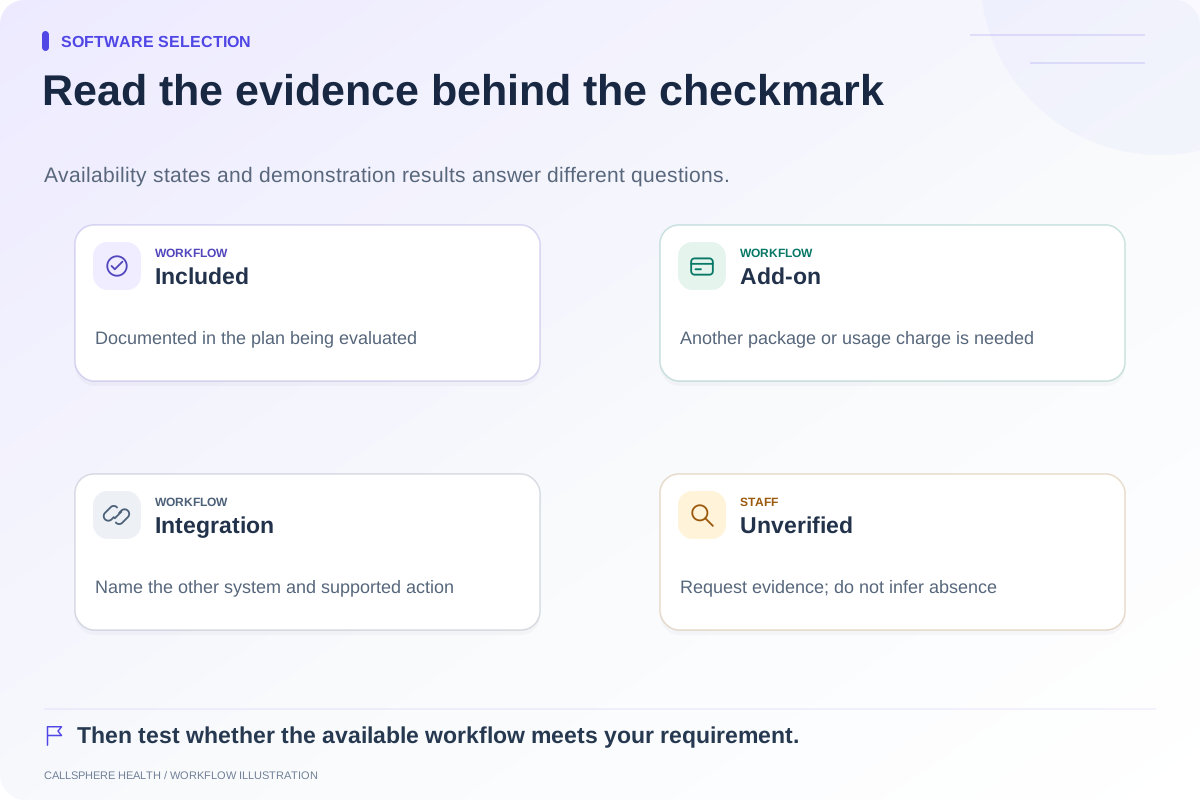
Do not require the same interface from every vendor. Require clear evidence of the same outcome. A staff-managed queue can be suitable if the practice has agreed to own it.
Use one deliberately ambiguous request
In a hypothetical demonstration, Morgan Test asks, “Can I come in next Thursday after work?” The request lacks an exact time and may lack a visit type or provider. Observe which administrative details the system clarifies and which decisions remain with staff.
Ask the vendor to show the final time zone, date, duration, and provider setting. If the practice needs a clinical fit assessment, the system should not silently turn the request into a clinical judgment. Ask how that review requirement is communicated to the caller.
Then change the request: Morgan asks about a relative's existing appointment. This tests whether the vendor recognizes that a conversation is not sufficient authorization to disclose or modify someone else's information. Do not use real account details for this scenario.
Inspect the handoff rather than accepting the phrase
A “handoff” can be a saved callback request, an email, a task, contact information, or a live transfer. Ask which one occurred and inspect its result. Also ask what happens when the usual staff member is absent.
CallSphere Health records supported callback/handoff requests and can provide configured staff contact information. Current product evidence does not establish a live warm transfer. Its optional front desk also supports routine practice answers and configured appointment actions. Use the capability overview to turn those claims into test cases rather than assuming stronger behavior.
Include privacy and clinical boundaries
Ask which services receive practice information and what contractual materials are available for review. HHS's current business-associate guidance includes relevant AI chatbot services handling protected health information. The operational lesson is to examine the actual data flow and agreements with qualified reviewers, not accept a generic assurance. Source reviewed September 9, 2026.
Ask a clinical question during the synthetic test. Administrative AI should not diagnose, advise on treatment, or replace clinical triage. For CallSphere Health, those activities are outside the front-desk role; staff handle the appropriate follow-up.
Finish by writing down every unverified item, the evidence needed, and who will obtain it. Compare vendors using the EHR demo scorecard and AI receptionist overview. Purchase the demonstrated workflow, not the broadest promise.
Browse more guides to software selection.