An EHR cutover checklist should tell staff which system to use, which final checks must pass and who can stop the launch. It is a working runbook for the changeover, not a general list of software features.
Prepare it before launch day and rehearse it with synthetic data. The team should not discover during cutover that two people assumed the other was monitoring the old appointment inbox.
Set the authority for each workflow
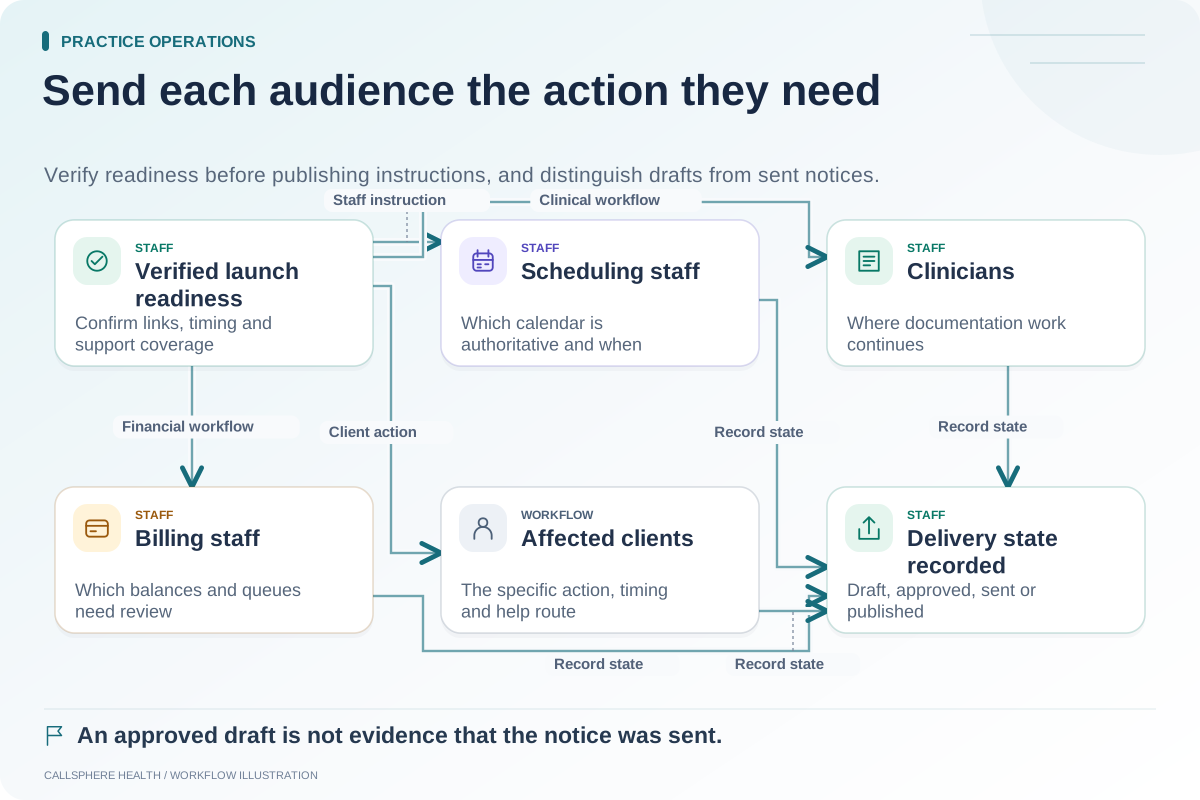
State the exact point when the new system becomes authoritative for scheduling, documentation, intake and billing. These may change at different times if the practice adopts a phased transition. Avoid a vague instruction that “the new EHR is live” while some essential workflows still depend on the old system.
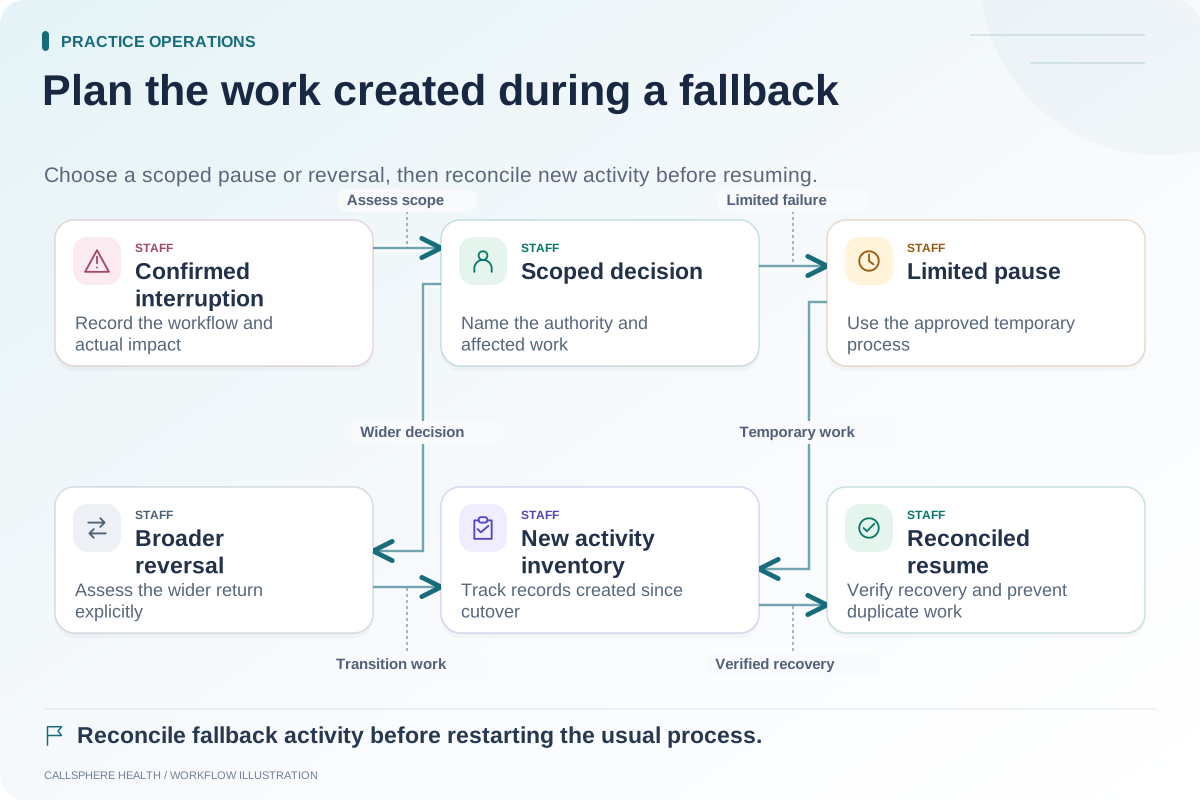
Identify any old portal, booking link or message queue that remains active. Give it an owner and an end condition. Keep a visible rule for changes received during the final transfer window so they can be reconciled rather than lost between systems.
Use a runbook staff can execute
| Step | Owner | Required evidence |
|---|---|---|
| Confirm readiness | Practice owner | Reconciliation findings and unresolved issue decisions |
| Close the initial transfer window | Migration coordinator | Snapshot time and change log |
| Apply final permitted changes | Assigned workstream lead | Checked final update batch |
| Test role access | Each role representative | Essential task completed in the intended role |
| Check future schedule | Scheduling lead | Selected dates, locations and recurring occurrences match |
| Confirm contact routes | Operations lead | Old and new channels have clear ownership |
| Announce go/no-go | Designated decision-maker | Written decision and time |
| Begin monitored work | Team leads | Exception log and support contact ready |
The sequence is a proposed practice runbook. Its exact timing and scope should reflect the vendor-supported migration process and the practice's approved policies.
Define reasons to postpone in advance
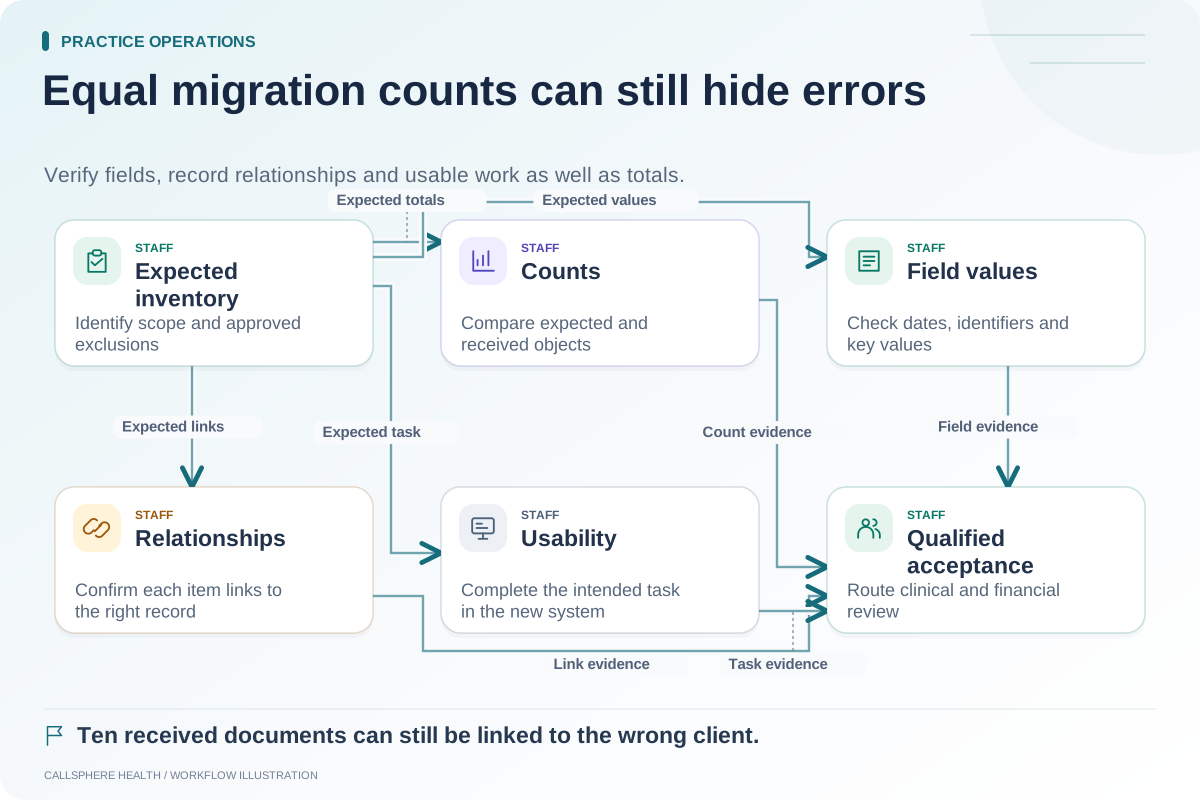
Examples of stop conditions include an unexplained record association mismatch, missing future appointments, staff unable to perform essential authorized tasks, or an unresolved data transfer failure. Define which issues can be worked around and who can approve the workaround.
Do not force a launch merely because a vendor has finished copying files. A complete transfer action and a usable practice workflow are separate outcomes. The owner needs evidence from the people who will rely on the system.
Rehearse a launch-day interruption
Hypothetical example: A practice's synthetic cutover rehearsal shows that a scheduler can see appointments but cannot change the location of an eligible future visit. The role test fails. The team checks whether this is an intended permission, a setup issue or an unsupported action, then either resolves it or records an approved alternate process.
The test should end with a clear result. “Support is looking at it” leaves the decision open; it should not be rewritten as a passed readiness check.
Keep public communications separate from technical work
Prepare the staff instructions and any necessary client-facing notice before changing links. Explain what recipients need to do, when the change applies and where to ask an administrative question. Avoid including patient data in broad announcements or testing real message delivery as part of a rehearsal.
The ASTP/ONC EHR playbook is background reading for implementation planning; reviewed September 9, 2026. The runbook here is an original operational checklist.
Finish the day with a state review
Record what is working, which exceptions remain open and who monitors them next. Preserve access to the agreed fallback process. A successful login screen is not enough to declare the change stable.
When evaluating CallSphere's platform, ask to demonstrate the synthetic tasks in your runbook and confirm configuration boundaries. Pair this guide with the migration reconciliation worksheet, fallback plan and change communication plan in the operations library.