A software-change notice should tell each audience what changes, when it changes and what action they need to take. Staff need workflow instructions and exception routes. Clients need clear administrative guidance. Sending everyone the same technical announcement usually leaves both groups with unanswered questions.
Prepare the communication plan before switching portals, booking links or phone workflows. This article offers hypothetical message planning; it does not instruct the practice to send real communications without its approved process.
Separate the audiences by the action required
| Audience | What they need to know | Owner |
|---|---|---|
| Scheduling staff | Authoritative calendar and handling of late changes | Scheduling lead |
| Clinicians | Access, documentation workflow and support route | Clinical lead |
| Billing staff | Opening balances, exceptions and payment workflow | Billing lead |
| Existing clients affected by a portal change | Approved access instructions and administrative help | Operations lead |
| New inquiries | Current booking or contact route | Front-desk owner |
| Referring organizations, if affected | Current administrative referral process | Referral coordinator |
Only contact an audience when the change is relevant. A software update that does not affect client actions may not require a broad client announcement.
Coordinate the timing with launch readiness
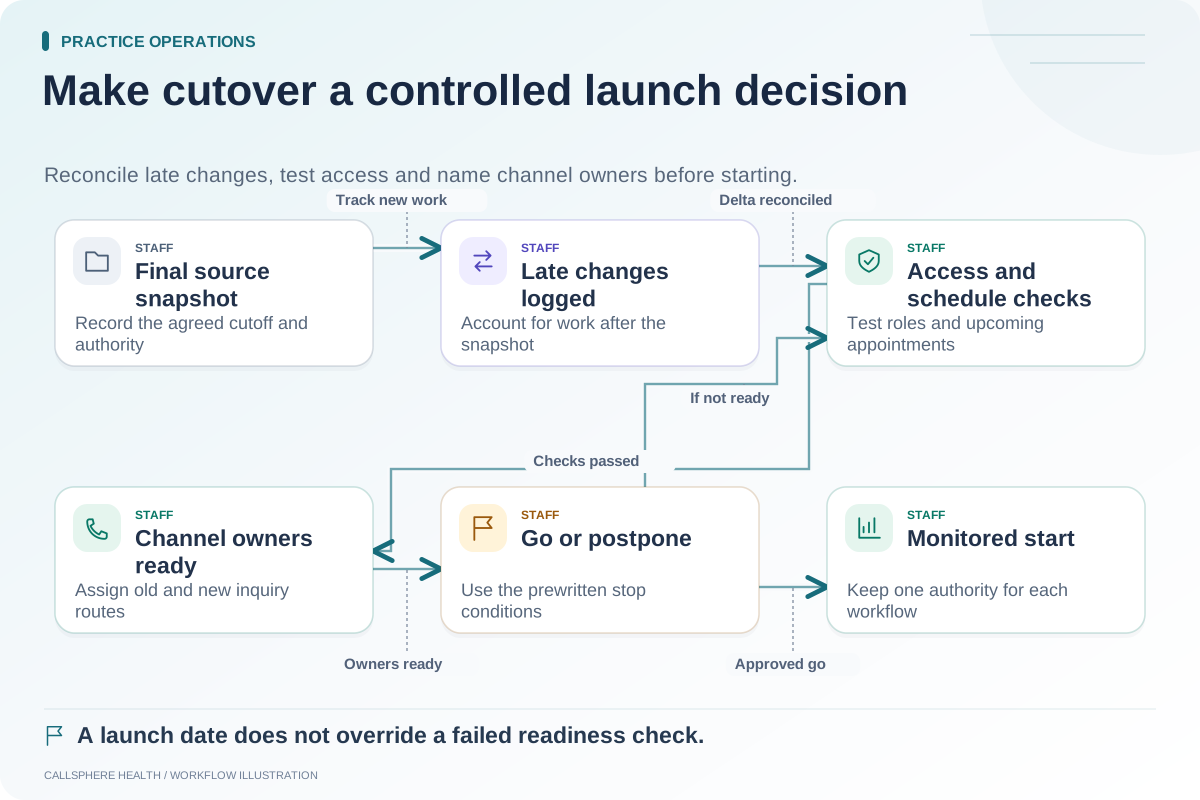
Draft notices early, but tie sending or publication to verified readiness. A portal invitation issued before account setup is ready can generate confusion. A booking link changed before the new schedule is checked can direct people into an incomplete workflow.
Use a release checklist with “drafted,” “approved,” “ready to send” and “sent or published” states. Assign someone to verify that the final link and administrative contact route are correct. A draft's existence is not evidence that a notice was delivered.
Write an action-focused sample notice
Hypothetical client notice: “Our practice is updating its appointment portal on [approved date]. If this affects your account, we will provide the approved sign-in instructions through our usual communication process. Your practice team can help with administrative access questions at [verified contact route]. Please continue using the current instructions until we confirm the change.”
The placeholders are part of this labeled example, not live instructions. Replace them with verified practice information before using the notice. Do not imply that the example is suitable for every legal or communication requirement.
Prepare a separate staff instruction
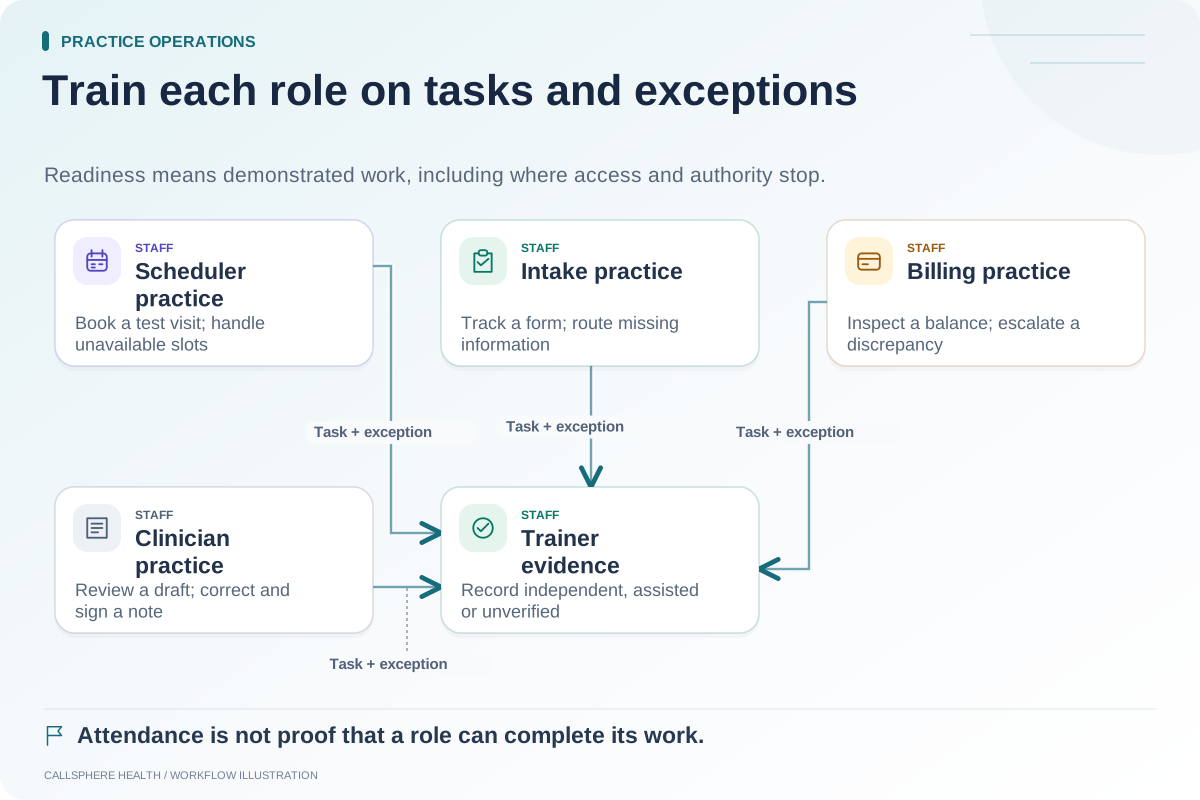
A staff message should name the authoritative system, the exact start time, the owner of unresolved old-system work and the fallback procedure. Include a link to the current internal SOP, not a long chain of outdated screenshots.
Hypothetical staff instruction: The scheduling lead tells staff to enter new changes in the designated calendar after the approved cutover, record any late source-system changes in the transition log and escalate unexplained mismatches. That gives staff an action and an owner rather than merely announcing that the software is “live.”
Test links without triggering real activity
Use synthetic accounts to inspect the intended destinations. Verify that a public information link is public and that private portal material remains protected. Do not submit real bookings or send patient messages as part of link testing.
For implementation background, review the ASTP/ONC EHR playbook, checked September 9, 2026. The audience and timing plan here is an original operational framework.
Monitor questions after the notice
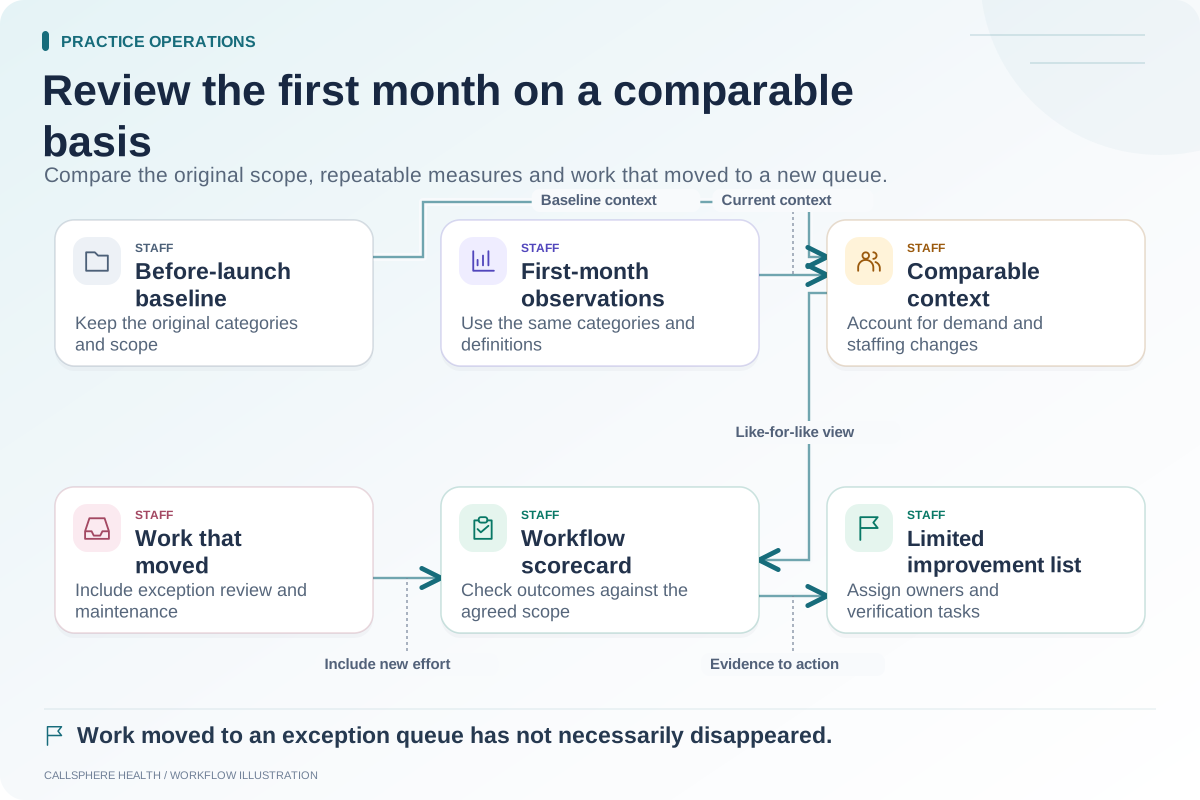
Assign an owner to review incoming administrative questions and identify confusing wording. If a link changes or instructions are incorrect, use the practice's approved correction process. Record the updated version so staff know which notice is current.
When adopting CallSphere Health, confirm portal, communication and booking configuration through the capabilities overview and a synthetic demonstration. Coordinate this plan with the cutover checklist, staff training matrix and 30-day review. More guidance is in practice operations and migration.