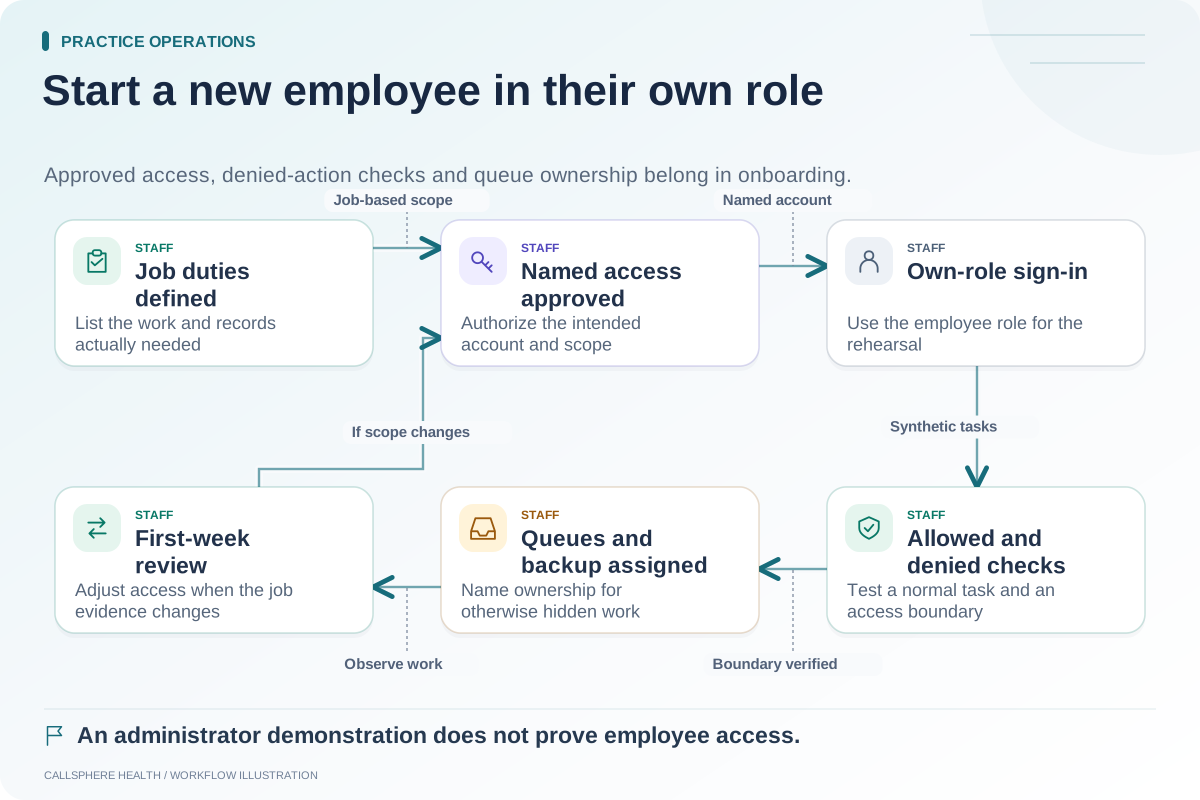
Train staff by the work they are responsible for and the permissions they should have. A scheduler, biller, clinician and owner do not need the same demonstration, and attending a product tour does not show that any of them can complete an unfamiliar task safely.
A useful training plan combines one normal workflow, one exception and one access-boundary check for each role. Use synthetic records and disabled provider effects so practice exercises do not send real reminders, book real clients or change financial accounts.
Build a task matrix before scheduling training
| Role | Normal task | Exception exercise | Boundary check |
|---|---|---|---|
| Scheduler | Find an eligible slot and record a test booking | Requested time is unavailable | Cannot access work outside assigned scope |
| Intake coordinator | Locate a test intake assignment | Delivery or completion is unresolved | Uses the approved information channel |
| Biller | Explain the state of a synthetic invoice | Payment lacks an association | Financial changes require the intended authority |
| Clinician | Review an assigned synthetic draft | Draft needs correction | Signing is separate from generation |
| Owner or manager | Find unresolved operational work | Assigned employee is absent | Visibility matches the intended role |
Adapt the tasks to the functions the practice has purchased and configured. The matrix is a proposed training artifact, not a claim that every action is available in every plan.
Teach the reason behind each status
Staff often learn where to click before learning what a status means. Explain the difference between an appointment request and a confirmed booking, a prepared message and a delivered message, a draft note and a signed note, and a payment request and a settled payment.
Ask trainees to state the current status in plain language after each exercise. If two people describe the same screen differently, resolve the terminology before launching the workflow. Consistent language makes handoffs and support requests easier to understand.
Use an exception to reveal understanding
Hypothetical example: A trainee completes a synthetic appointment request while a trainer observes. The requested time is deliberately unavailable. The trainee should identify the unresolved state and use the approved alternate process, rather than force a booking or tell the imaginary caller that it succeeded.
Record the action taken and the evidence shown on screen. An exception exercise is not a trick; it rehearses the moment when a confident but incorrect response would be most costly to the team.
Give every role a short reference sheet
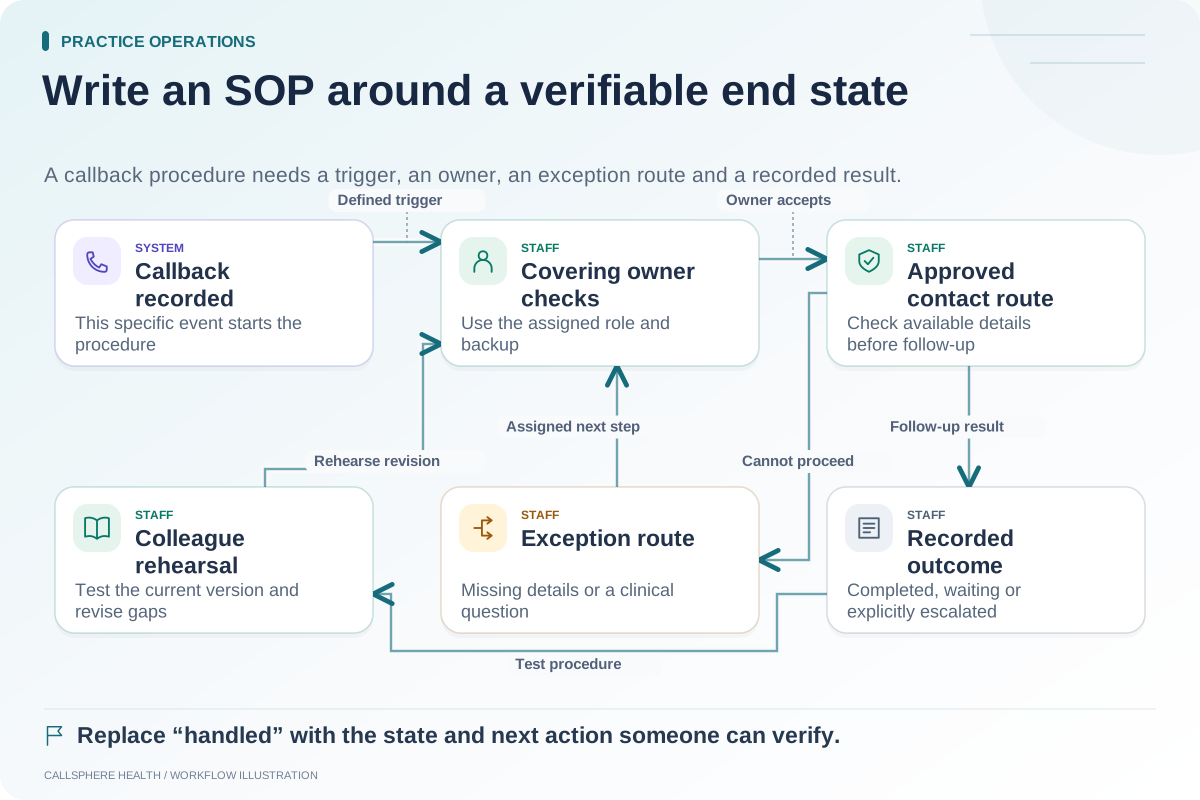
Include the task trigger, required checks, successful end state, common failure state and escalation contact. Keep the sheet close to the workflow and assign someone to maintain it after software changes. Avoid screenshots containing patient information or credentials.
A long manual may remain useful for reference, but staff need a concise answer to “What do I do when this step fails?” Link the reference sheet to the approved standard operating procedure.
Measure readiness through demonstrated tasks
Mark each task as completed independently, completed with help or not yet demonstrated. Those states show where more practice is needed without turning attendance into a false readiness metric. Set the final acceptance criteria with the responsible practice lead.
For background on implementation and workflow preparation, see the ASTP/ONC EHR playbook, reviewed September 9, 2026. This role matrix is a proposed training method.
Revisit training after configuration changes
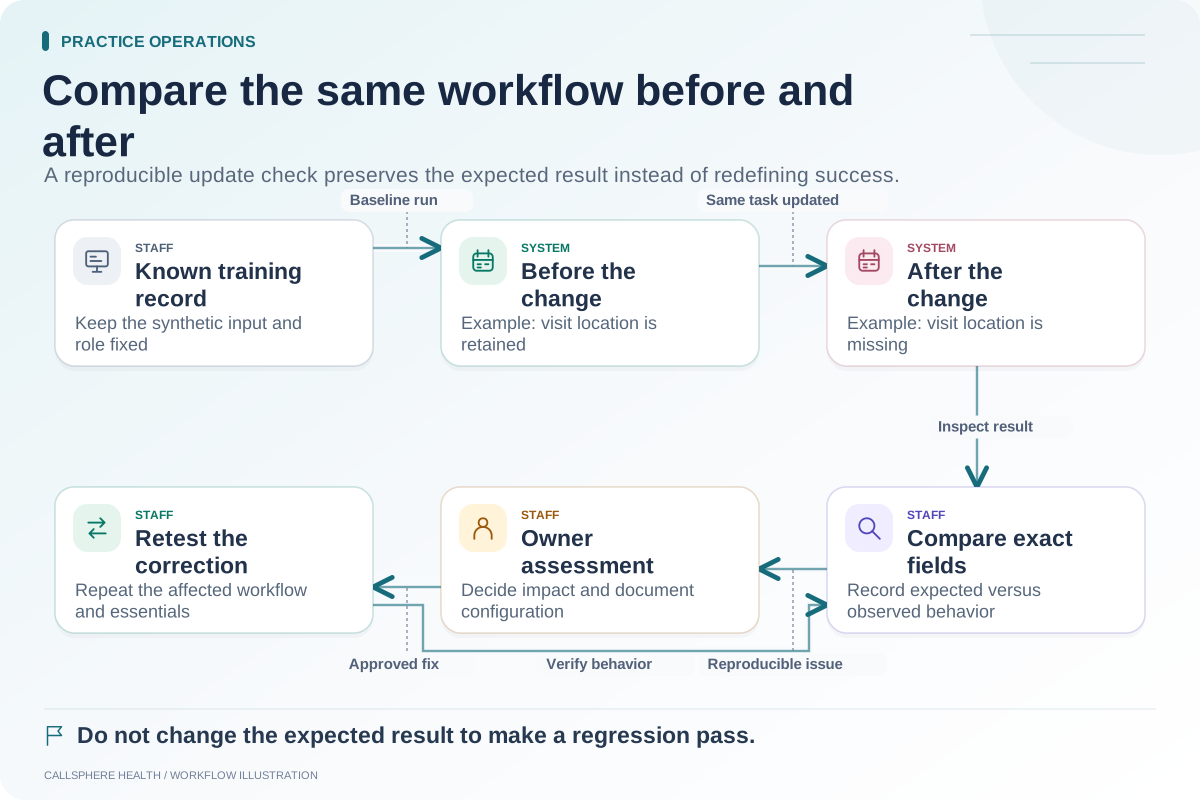
A new communication setting or permission can change how a familiar task behaves. Repeat the affected exercises after a release or policy change. CallSphere's capabilities overview describes configured workflows and staff responsibilities; use it to plan a task-based platform demonstration.
Pair this guide with employee access onboarding and post-update regression checks. Browse practice operations and migration for the surrounding launch process.