After a practice-software update, repeat the important tasks that the change could affect and a small set of essential workflows. A healthy homepage or successful deployment does not prove that scheduling, permissions, intake and billing still behave as intended.
Use a synthetic regression suite: a repeatable set of training scenarios with known inputs and expected results. Keep provider effects disabled so the checks do not create real calls, messages, client bookings or payments.
Start from the change, then protect the essentials
Read the release information and identify the affected settings, roles and workflows. If a booking rule changes, test the relevant appointment types and availability boundaries. If navigation changes, check that staff can still reach their work and that private pages remain protected.
Add a short stable set of essential checks that the practice can repeat after any material update. Do not expand the suite endlessly; a smaller, maintained set is more useful than a long checklist staff stop running.
Define the synthetic regression suite
| Scenario | Expected evidence |
|---|---|
| Authorized sign-in | Intended role reaches its permitted work |
| Unauthorized access | Restricted action is denied |
| Eligible appointment | Correct provider, date, time and location are retained |
| Unavailable time | Booking is not falsely reported as complete |
| Intake assignment | Current state and owner are visible |
| Draft documentation | Review and signing remain separate |
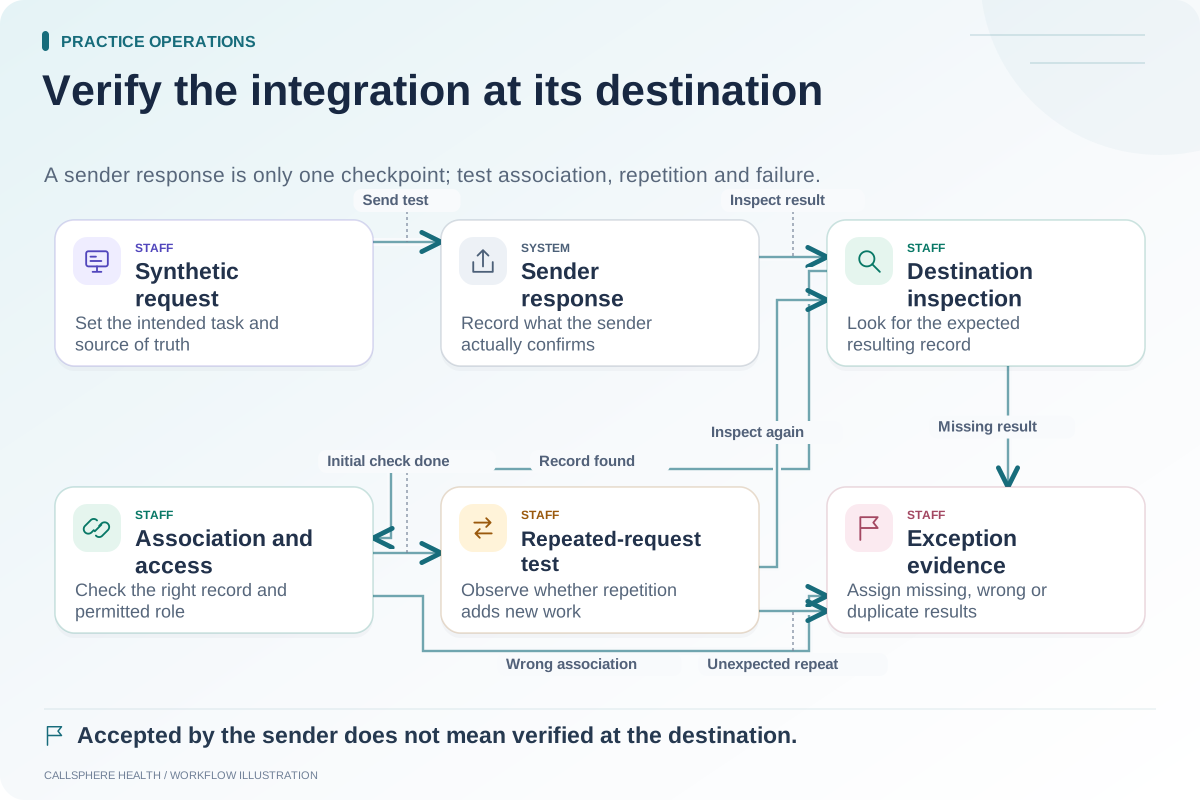
| Billing test item | Record association and status are explainable |
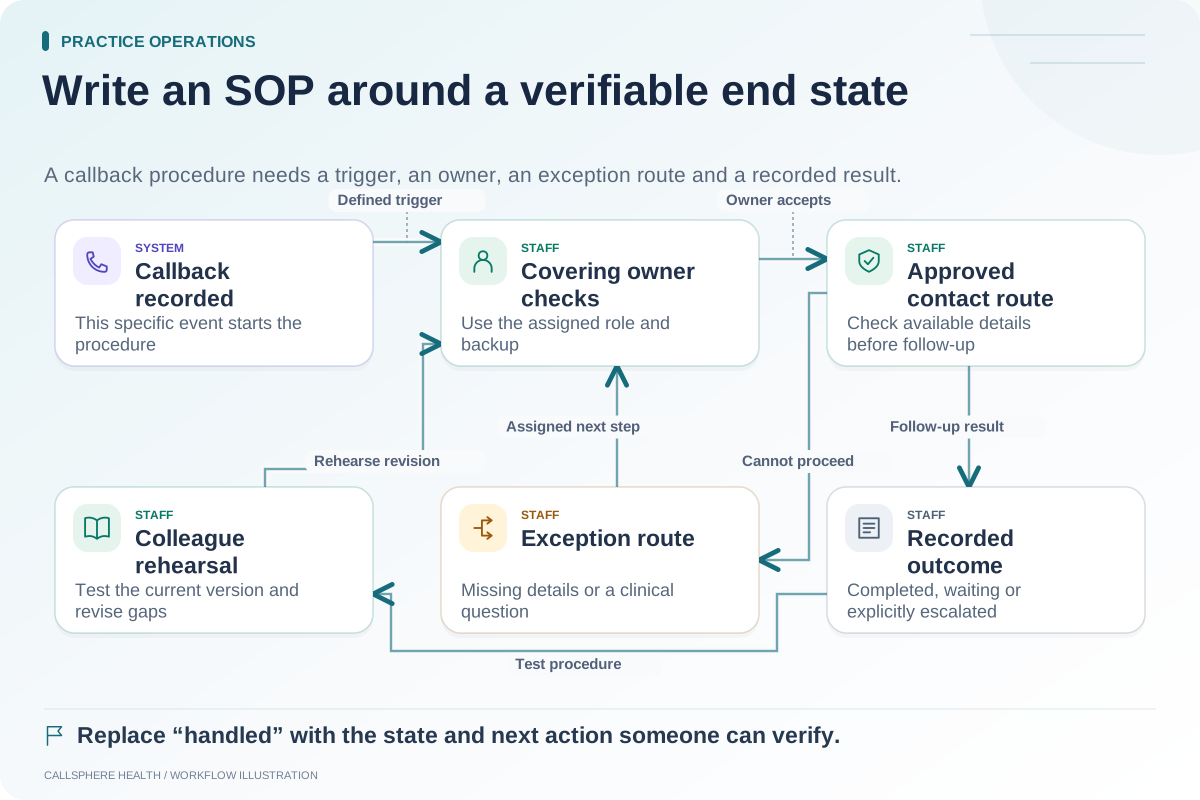
| Administrative handoff | Request is captured with an actionable staff route |
The table describes proposed checks. Confirm which scenarios the selected product and test environment support.
Record an exact before-and-after result
Use a stable synthetic reference and record the application version or release date, configuration, steps and observed state. If a result changes, determine whether the change was intended. An updated label may require an SOP change, while a lost appointment field may indicate a regression.
Hypothetical example: Before an update, a training appointment retains its configured location after rescheduling. After the update, the same exercise clears the location. The reviewer records the synthetic appointment reference, steps and expected location, then reports the mismatch. A second test confirms whether it repeats.
Do not resolve the report by merely changing the expected result to match the new behavior. The responsible owner should determine whether that behavior is correct.
Keep configuration changes visible
A software update and a settings change may happen close together. Record both so the team does not blame the wrong cause. If a reminder channel was disabled intentionally, an unsent reminder is not necessarily a software failure. The test should compare behavior with the intended current configuration.
CallSphere's capabilities overview identifies service and configuration dependencies. Use those boundaries when deciding which platform workflows belong in the practice's acceptance checks.
Escalate with reproducible evidence
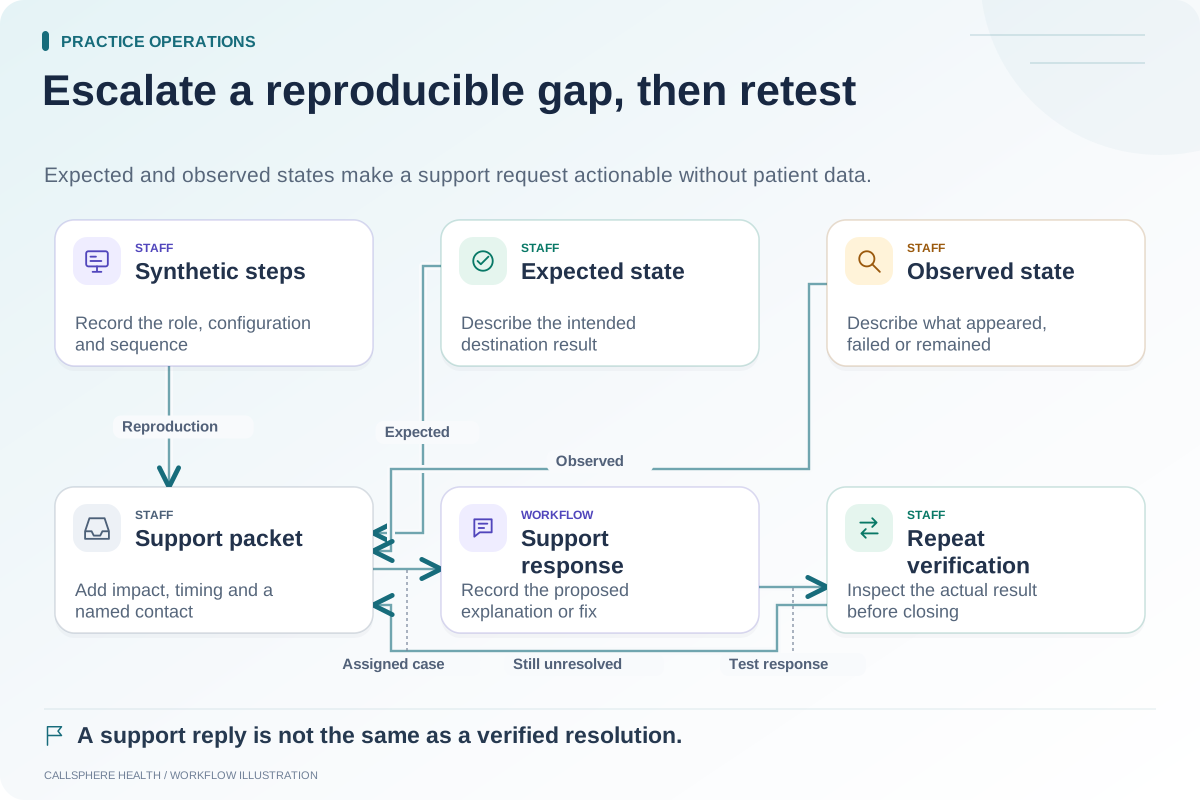
For a failed check, include the synthetic steps, expected state, actual state, time and affected role. Avoid credentials, patient information and unredacted production logs. Assign an owner to track the issue and define the evidence needed to close it.
Background resources for EHR evaluation are available in the ASTP/ONC EHR playbook, reviewed September 9, 2026. This suite is an original practical proposal, not a guarantee of exhaustive testing.
Repeat only what the fix requires
After a correction, rerun the failed scenario and any dependent checks. Record the passing evidence and remaining limitations. A local test, a deployed release and verified production behavior are distinct milestones; the practice should know which has been completed.
Use the integration test matrix, support escalation template and workflow SOP. More guides are in practice operations and migration.