A useful EHR support request explains what the practice tried to do, what it expected and what actually happened. A short synthetic reproduction with the affected role and configuration often gives support a clearer starting point than “the system is broken.”
Keep patient information, credentials and payment details out of ordinary support messages. Use the vendor's approved process if an authorized investigation requires sensitive material. This template is designed for administrative workflow problems that can be reproduced safely.
Use a support request template
| Field | What to include |
|---|---|
| Summary | One specific task and its failure |
| Environment | Product environment, relevant release and browser if applicable |
| Role and configuration | Intended permissions and relevant enabled settings |
| Synthetic reference | Training record or test request identifier |
| Steps | Smallest sequence that reproduces the issue |
| Expected result | Observable state the workflow should reach |
| Actual result | What the interface and destination record show |
| Impact | Which work is blocked and any approved workaround |
| Timing | When it occurred and whether it repeats |
| Owner | Practice contact responsible for follow-up |
Attach only the evidence necessary to explain the problem. A screenshot should be reviewed for sensitive information before sharing.
Describe the difference between a request and a result
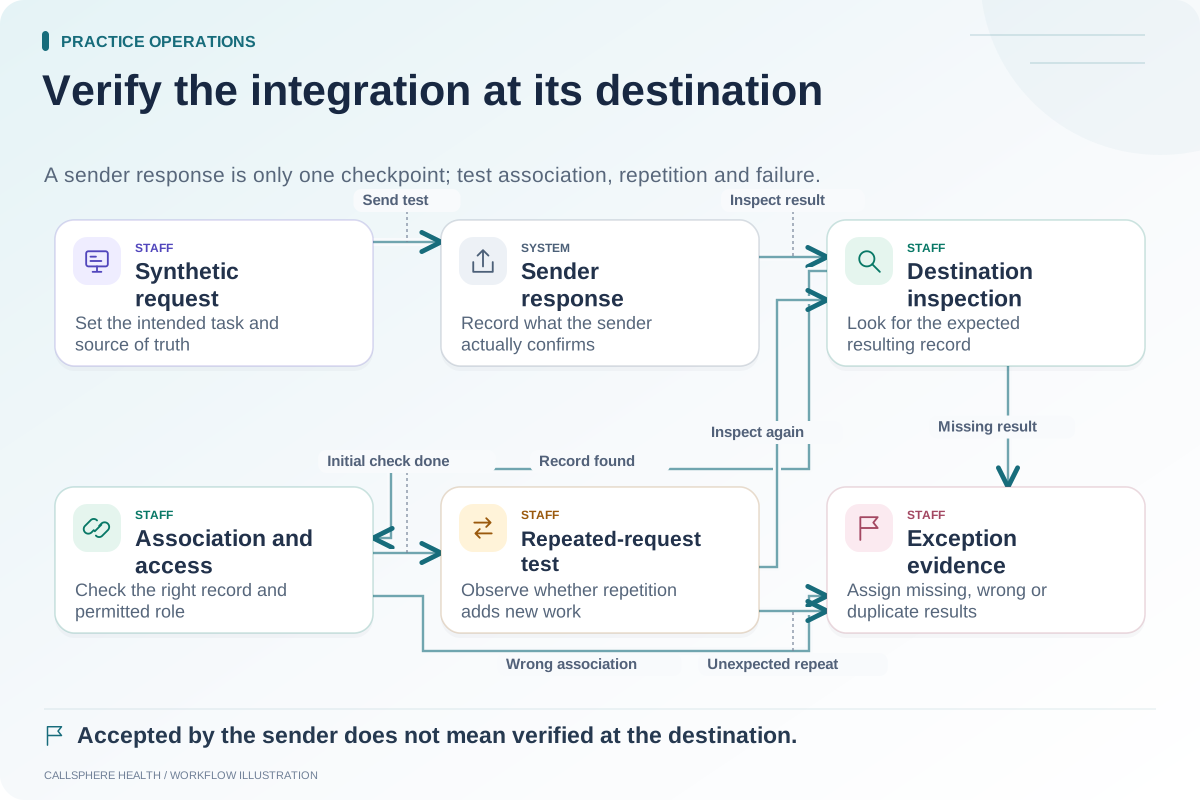
A common support ambiguity is whether a task was requested, accepted for processing or completed. Be precise. “The request returned success, but the destination appointment is missing” is more informative than “booking failed.” It identifies two different observations for support to reconcile.
For communication workflows, distinguish a prepared message, an attempted send, a provider response and verified delivery where available. Do not assume that every system exposes all of these states; record the evidence it actually provides.
Write a concrete synthetic example
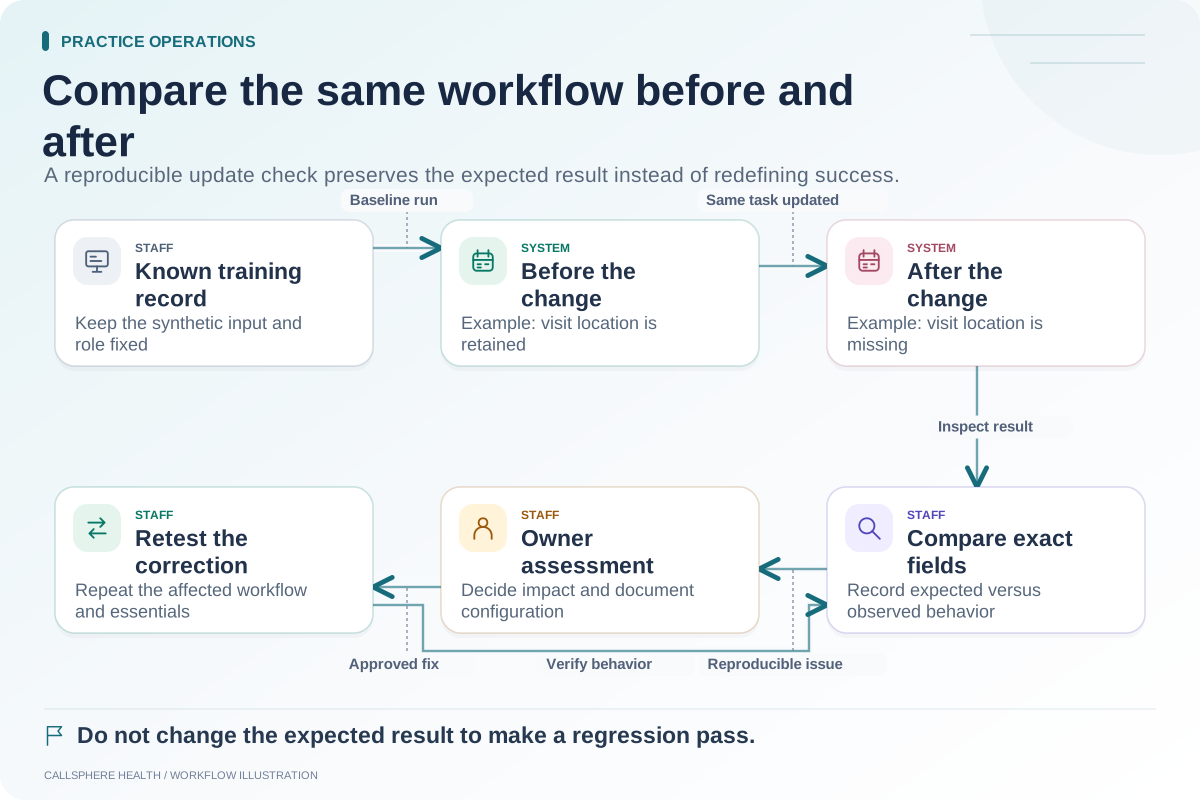
Hypothetical support report: “In the training environment, the scheduler role reschedules appointment TEST-104 from Tuesday to Thursday. The date changes, but the previously selected location becomes blank. Expected: the location remains selected unless the workflow requires a new choice. Actual: the saved appointment has no location. Reproduced twice with synthetic data after the stated release.”
The report contains no real client identity. It gives support an action, a reference, an expected state and a repeatable mismatch. If the current product is designed to require a new location, support can explain that behavior and the practice can review its instructions.
Separate impact from urgency language
Explain which work cannot proceed, how many synthetic or internally counted cases are affected and whether a safe approved workaround exists. Avoid invented severity labels or claims of patient harm that have not been established. The practice should use its own escalation policies for urgent clinical or security concerns.
If several unrelated issues exist, create separate reports or clearly separated sections. Combining a billing question, a login problem and a feature request into one vague ticket makes ownership harder to follow.
Close the loop with a verification task
When support provides a correction or explanation, repeat the synthetic steps. Record whether the expected state is now reached, whether a configuration change was required and whether the SOP needs updating. “Support replied” is not the same as “the workflow is verified.”
For implementation and evaluation background, see the ASTP/ONC EHR playbook, reviewed September 9, 2026. This request template is an original practice-operations tool.
CallSphere's capabilities and limits can help distinguish a supported workflow from a planned or unverified request. Bring the same level of detail to a platform demo before purchase, especially for integrations and staff handoffs.
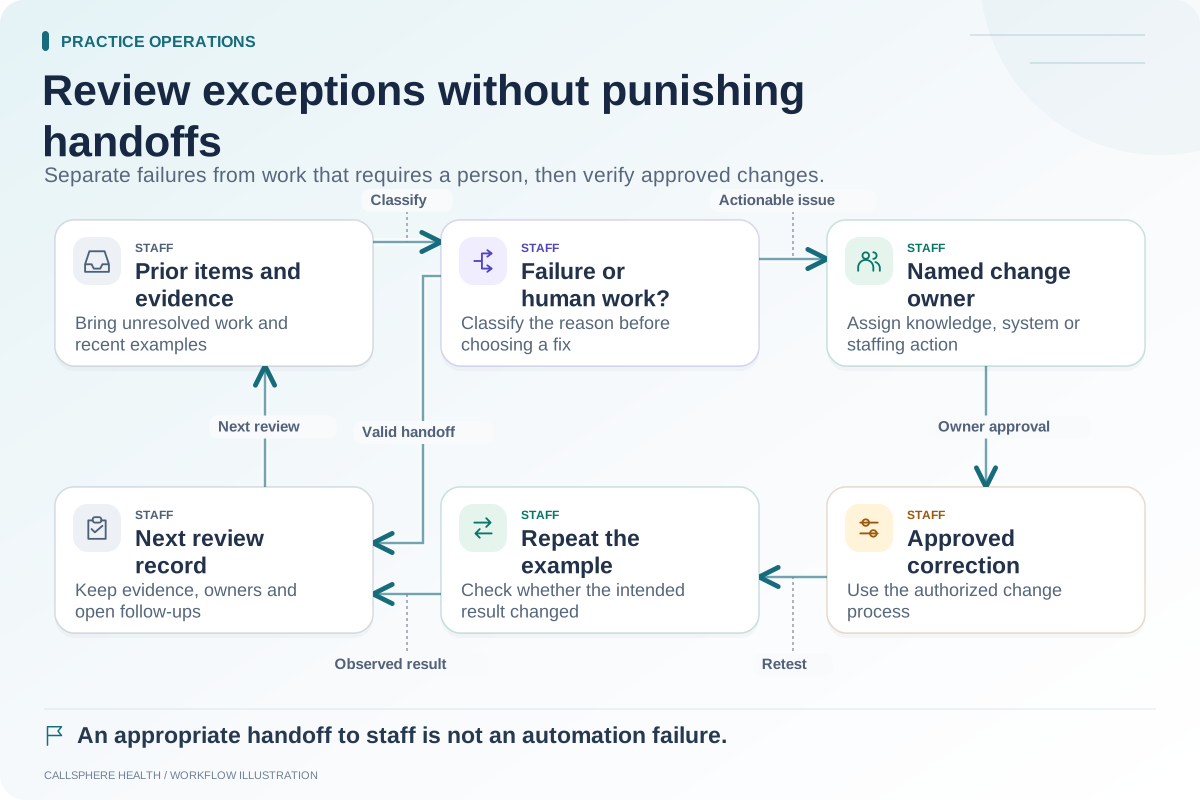
Use the integration test matrix, post-update checks and weekly exception review to maintain evidence across the issue lifecycle. More guides are in practice operations and migration.