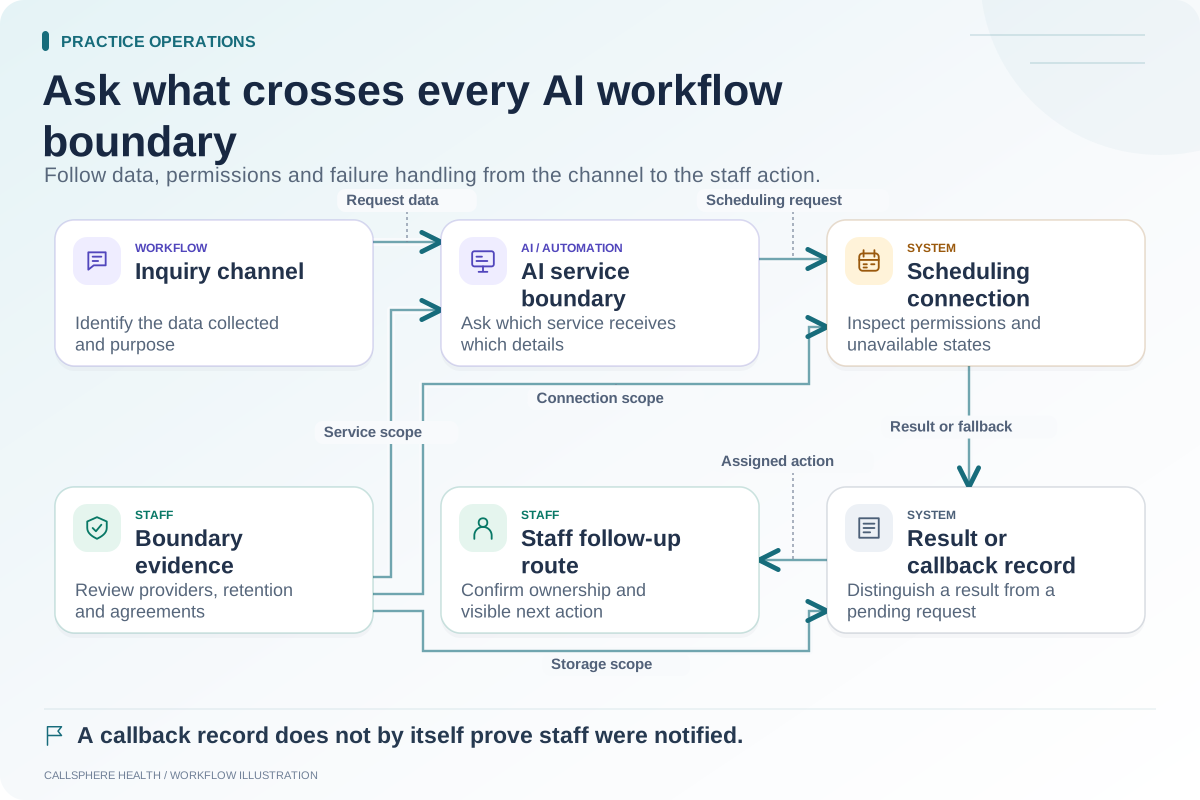
A successful connection test shows that two systems can communicate in some way. It does not prove that the intended practice task reaches the correct destination once, with the right permissions and an understandable result when something fails.
Test the workflow beyond the connection badge. Use synthetic data and disable real calls, messages, bookings and payments. The aim is to observe state changes without affecting clients or external accounts.
Define the task and the source of truth
Write the starting event, the intended destination and the successful end state. For example, a synthetic administrative request might result in a task visible to a designated staff role. Identify which system owns the current task status and which merely displays a copy.
Confirm which fields and actions the integration supports. “Calendar integration” might mean displaying availability, creating an appointment, updating an existing one or importing a snapshot. Those are separate capabilities and require different tests.
Use a matrix that includes imperfect conditions
| Scenario | What to observe | Passing evidence |
|---|---|---|
| Normal request | Destination state and record association | Intended task appears correctly |
| Repeated request | Duplicate prevention or clear duplicate handling | Staff can identify one intended outcome |
| Missing required input | Validation and next action | Incomplete work is not reported as complete |
| Unavailable destination | Error and staff follow-up | Failure is visible and owned |
| Wrong permission | Access behavior | Unauthorized action is denied |
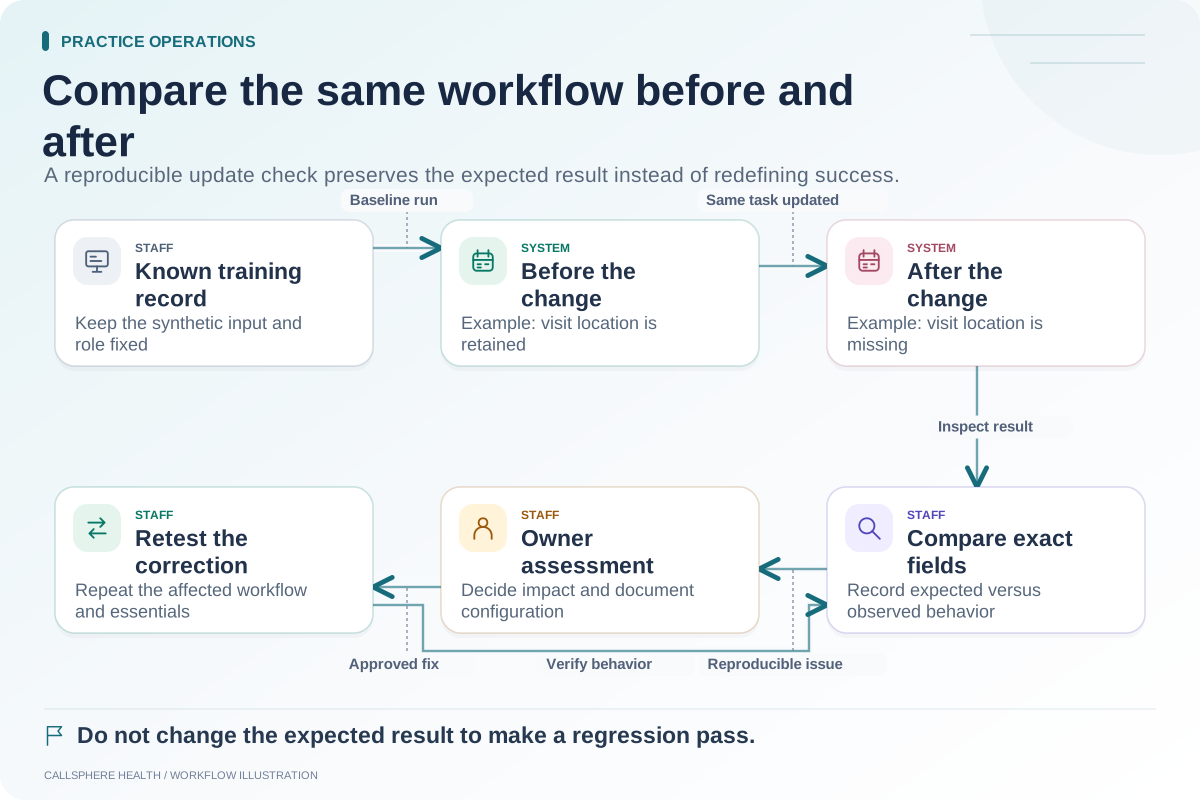
| Changed source data | Update behavior | Destination reflects the documented rule |
| Delayed response | Pending and final states | Staff can distinguish waiting from success |
This matrix is an original evaluation tool. It does not claim every product has identical retry, deduplication or synchronization behavior.
Inspect the destination, not only the sender
Hypothetical example: A synthetic website inquiry produces a “request accepted” response. The reviewer opens the intended staff view and finds no corresponding task. The test remains incomplete even though the sending screen displays a green status.
The team asks whether the response means queued, delivered or completed. If the request is still processing, they wait within the documented test procedure and inspect the final state. If no destination record appears, the issue needs evidence and an owner rather than a broader success claim.
Test repetition deliberately
A person may click twice, a connection may time out or a service may retry. Ask the vendor how the workflow recognizes a repeated request. In a safe test environment, repeat the same synthetic request and observe the result.
Do not assume a feature called “sync” prevents duplicates. Record the actual behavior, including cases where staff must resolve a duplicate or where a second request is intentionally treated as a new action.
Keep test evidence useful and limited
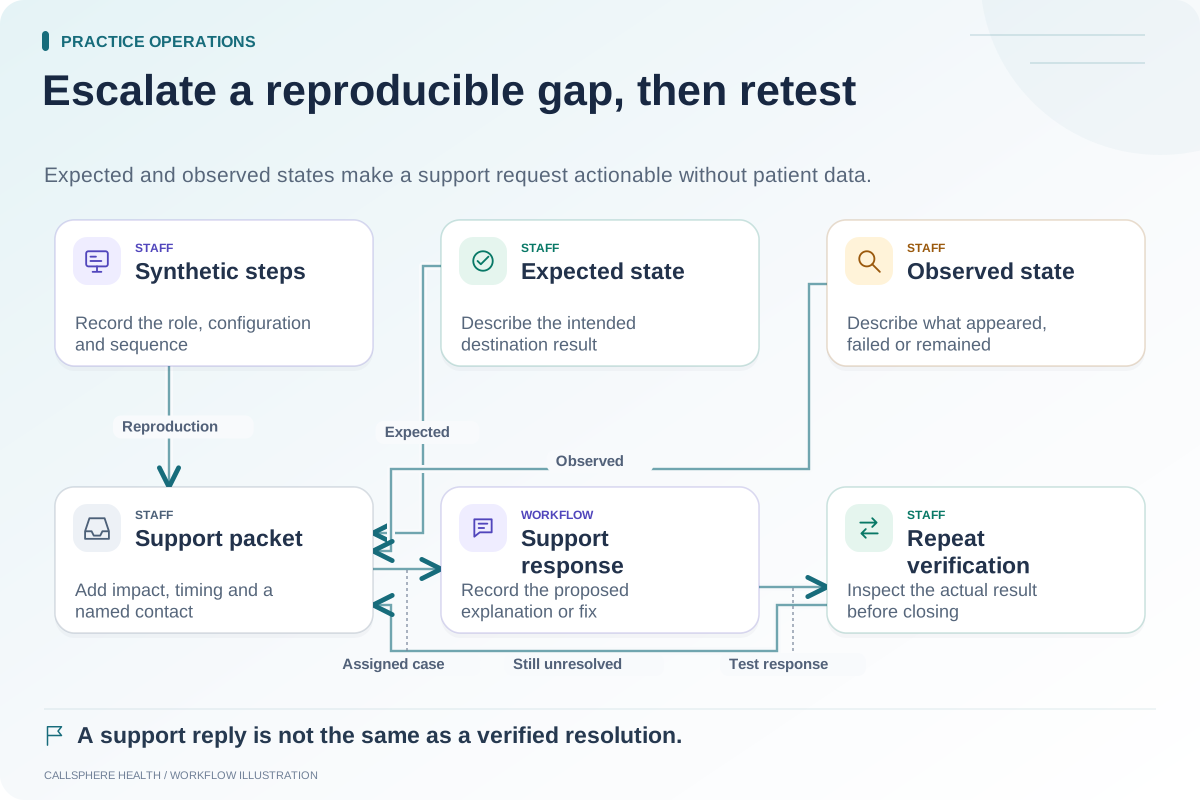
Record the environment, timestamp, synthetic reference, steps, expected state and observed state. Redact credentials and avoid copying sensitive payloads into general support channels. A concise state log is often more useful than an unexplained screenshot of a success badge.
For background on evaluating EHR systems, see the ASTP/ONC EHR playbook, reviewed September 9, 2026. The test cases here are proposed practice checks.
Apply the result to the purchasing decision
CallSphere's capabilities overview describes configured scheduling, communication and insurance dependencies. Confirm the specific integration and tenant setup before relying on it. This guide does not establish compatibility with an unspecified third-party EHR or guarantee provider delivery.
Classify each tested action as passed, partial, failed or unverified. Decide whether a documented limitation is acceptable for the practice, needs a staff workaround or prevents adoption. A successful normal case should not erase an unresolved failure case.
Use the AI data-flow worksheet, support escalation template and post-update regression guide. More implementation resources are in practice operations and migration.