Thirty days after an EHR launch, review whether the practice can perform its essential workflows reliably and whether unresolved problems have clear owners. Compare actual observations with the pre-launch baseline, while accounting for changes in staffing, demand and configuration.
A successful launch review does not require every metric to improve. It requires an honest account of what works, what remains difficult and which changes should happen next.
Review the original promises and scope
Bring the agreed implementation plan, supported migration scope, role-training results and open-issue log. Separate features that were included in the launch from planned work. A promised future integration should not appear in a report as a delivered capability.
Ask each workstream lead to identify one reliable task and one unresolved issue. This grounds the discussion in observable behavior rather than broad impressions such as “the system feels faster.”
Use a compact post-launch scorecard
| Area | Evidence to inspect | Decision to make |
|---|---|---|
| Access and roles | Intended users can perform authorized tasks | Correct permissions or training gaps |
| Scheduling | Changes, recurrence and locations work as agreed | Resolve remaining calendar exceptions |
| Intake | Assignments and unresolved delivery states are visible | Improve ownership or configuration |
| Documentation | Draft, review and signing states are understood | Address workflow or report issues |
| Billing | Opening position and exceptions are explainable | Assign reconciliation actions |
| Administrative AI | Completed tasks and staff handoffs are separated | Keep, narrow or expand pilot scope |
| Support | Open issues have reproducible evidence | Escalate unresolved dependencies |
This scorecard is a proposed practice tool. It is not a vendor certification or a substitute for clinical, financial or security review.
Compare like-for-like measures
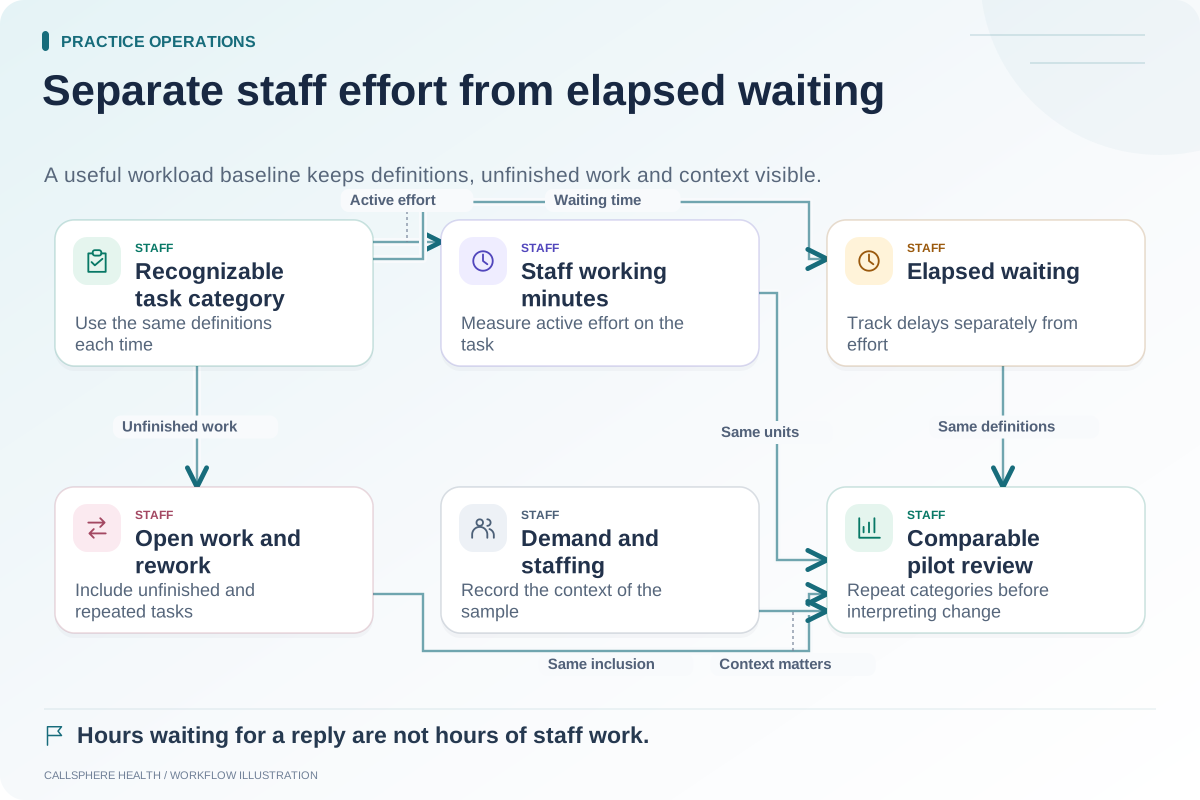
If the baseline counted routine inquiries during staffed hours, use the same definition in the follow-up period. If the team now includes after-hours inquiries, report that separately. Display raw counts beside percentages and explain missing observations.
Hypothetical example: A practice compares two five-day samples. The second contains fewer appointment-change requests because one clinician was away. Lower staff time in that category cannot be attributed entirely to the EHR. The owner records the difference and chooses another comparable period before making a staffing decision.
Avoid treating a captured request as a completed task. A callback record may be useful, but the review should still show whether staff completed the follow-up.
Listen for work that moved rather than disappeared
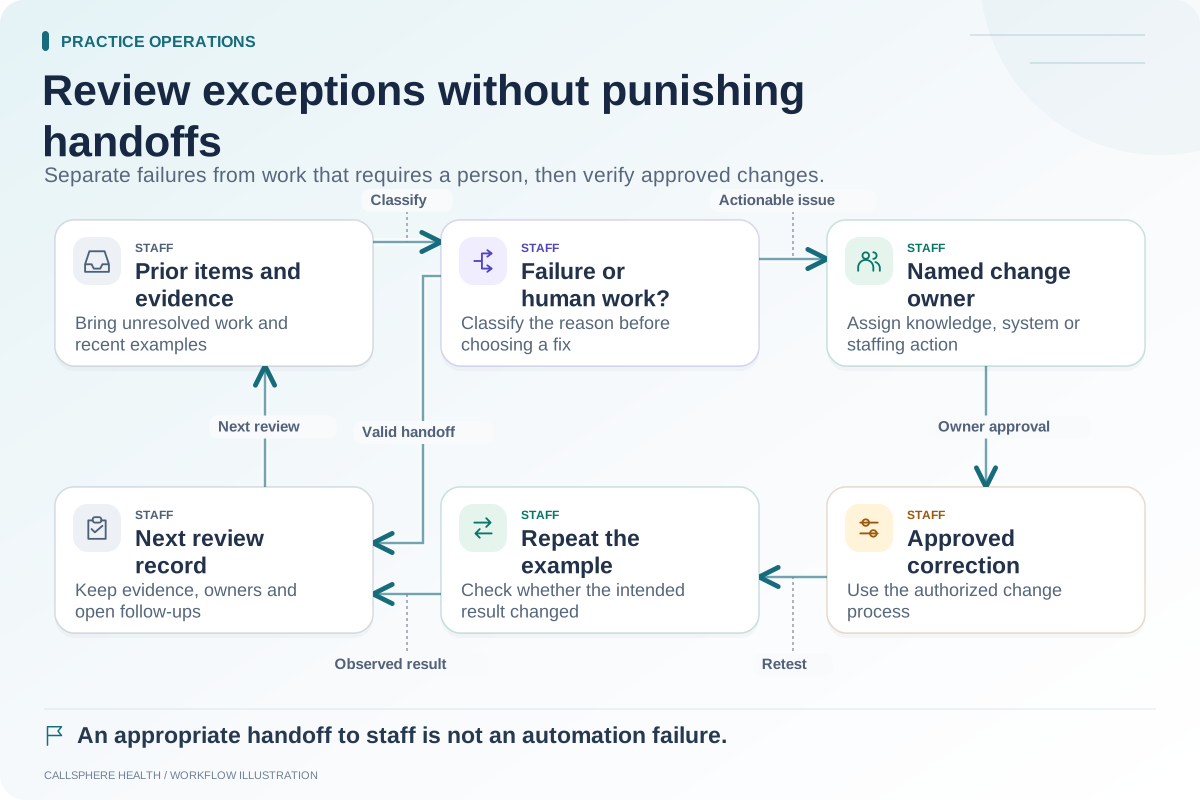
Automation may reduce one kind of task while creating another, such as reviewing exceptions or maintaining practice information. Ask staff where their effort shifted. That change may be worthwhile, but it should be counted honestly.
Identify workarounds that have become routine. If employees repeatedly use a spreadsheet because a configured report does not answer their question, determine whether the issue is training, settings, missing capability or an acceptable operational choice.
Choose a limited improvement list
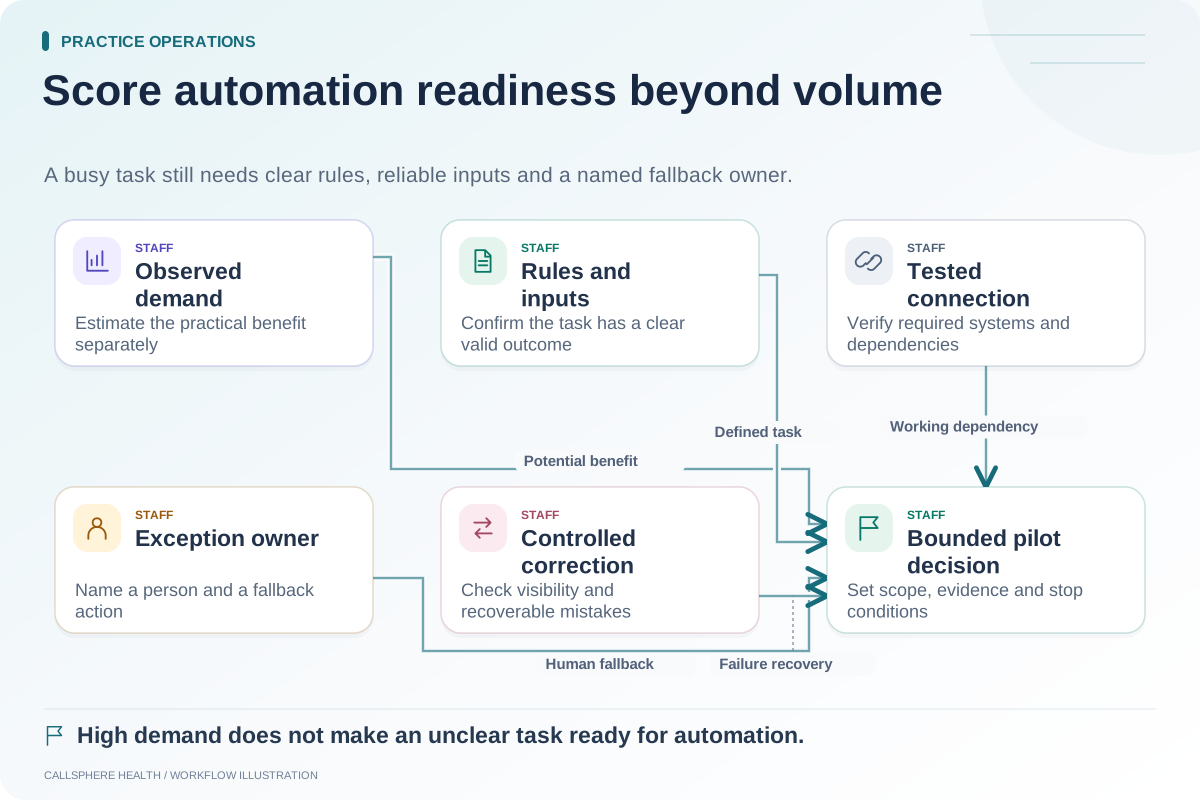
Assign each selected action an owner, a success condition and a review date. Resolve recurring high-impact exceptions before enabling more automation. An expansion decision should be based on demonstrated workflow readiness, not pressure to use every available feature.
For background on EHR optimization, consult the ASTP/ONC EHR playbook, reviewed September 9, 2026. The scorecard and comparison example here are original proposed practice methods.
CallSphere's platform and capabilities overview can help frame a configuration review. This article reports no customer performance results or guaranteed outcomes.
Use the administrative baseline method, weekly exception review and automation priority matrix. More guides are in practice operations and migration.