Measure the administrative work before choosing what to automate. A short, consistently recorded baseline can show which tasks consume attention, which interruptions create rework and which problems need a policy change rather than another tool.
The method below is a proposed five-day study for practice operations. Five days is a practical starting window, not a statistically representative benchmark. Choose a period that reflects ordinary work and note holidays, staff absence or unusual demand.
Define categories staff can recognize
Use categories tied to tasks rather than broad departments. “Phones” may include answering an office-hours question, moving an appointment, handling a clinical contact request and correcting an outdated number. Those tasks have different automation boundaries.
A useful initial set includes routine information requests, booking changes, intake coordination, billing questions, internal handoffs and correction or rework. Add an “unclear” category so employees do not force unfamiliar work into a misleading label.
Keep the capture sheet small
| Field | Example entry |
|---|---|
| Task category | Intake coordination |
| Start and finish or duration | Six minutes |
| Interruption count | One |
| Result | Completed, waiting or handed off |
| Rework reason | Missing administrative input |
| Next owner | Intake lead |
| Context note | Task category or workflow issue only; no patient narrative |
The sheet should describe work patterns without collecting unnecessary personal or clinical information. Use the practice's approved storage and access rules. Do not ask staff to record entire conversations merely to estimate workload.
Count unfinished work as well as completed work
A task that remains open still consumes time. Record the time already spent and its unresolved state, then avoid counting that same duration again when it resumes. Decide whether waiting time belongs in a separate elapsed-time measure.
Staff time and elapsed time answer different questions. A callback may require three minutes of work but remain unresolved for several hours. Combining those values into a single “time saved” calculation would obscure the actual problem.
Interpret a small sample carefully
Hypothetical example: A practice logs 40 routine inquiries over five days. Twenty require only approved office information, ten involve scheduling, six need billing staff and four remain unclear. The owner sees that a single “automate all calls” proposal would cover several distinct workflows.
The team reviews the unclear entries and discovers that two involve outdated information on the website. Correcting that information may prevent confusion without automating the entire conversation. The numbers are illustrative, not customer results or an industry distribution.
Turn observations into testable requirements
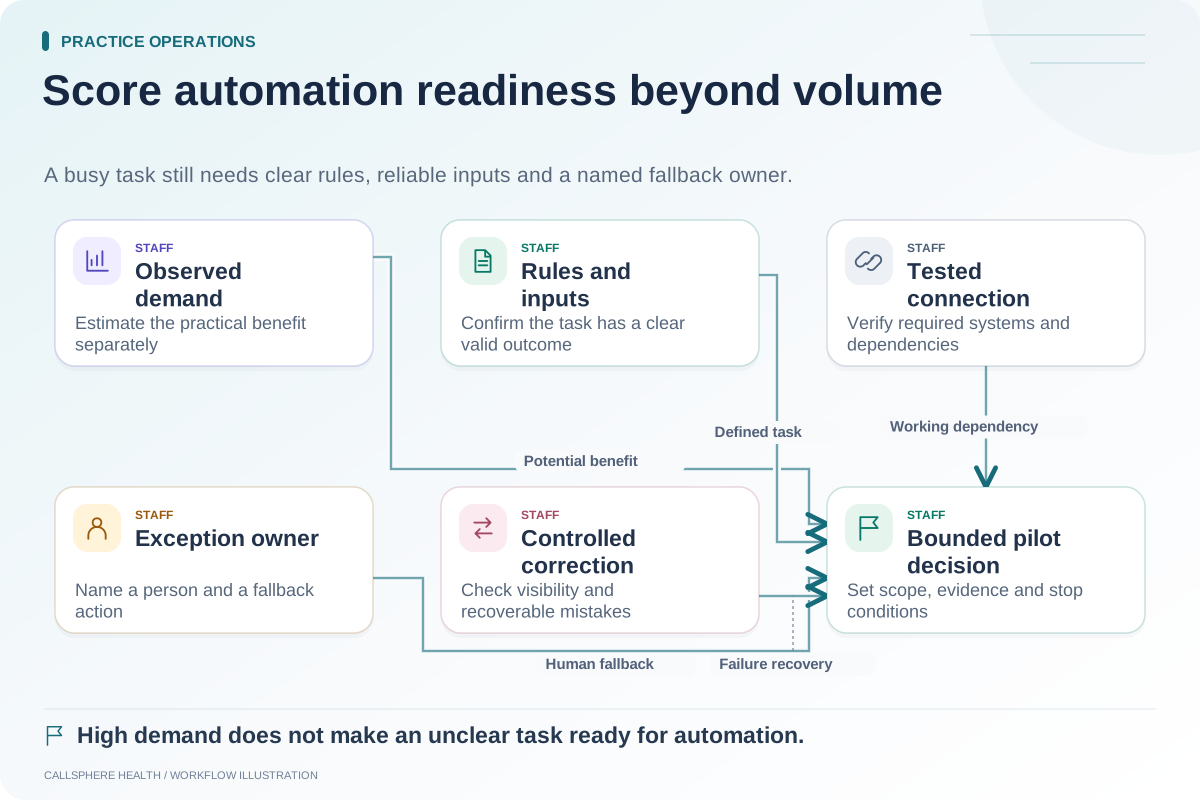
For each frequent task, write the desired end state and the exception route. A requirement might be “Answer approved parking questions and record a callback request when the information is unavailable.” Another might be “Check configured availability, but leave unresolved provider-fit questions to staff.”
CallSphere's AI receptionist supports configured administrative workflows. Use the capabilities overview to match those functions to the measured tasks rather than assuming every minute of administrative work can disappear.
For implementation background, consult the ASTP/ONC EHR playbook, reviewed September 9, 2026. The time-study method here is an original proposal.
Repeat the same definitions after a pilot
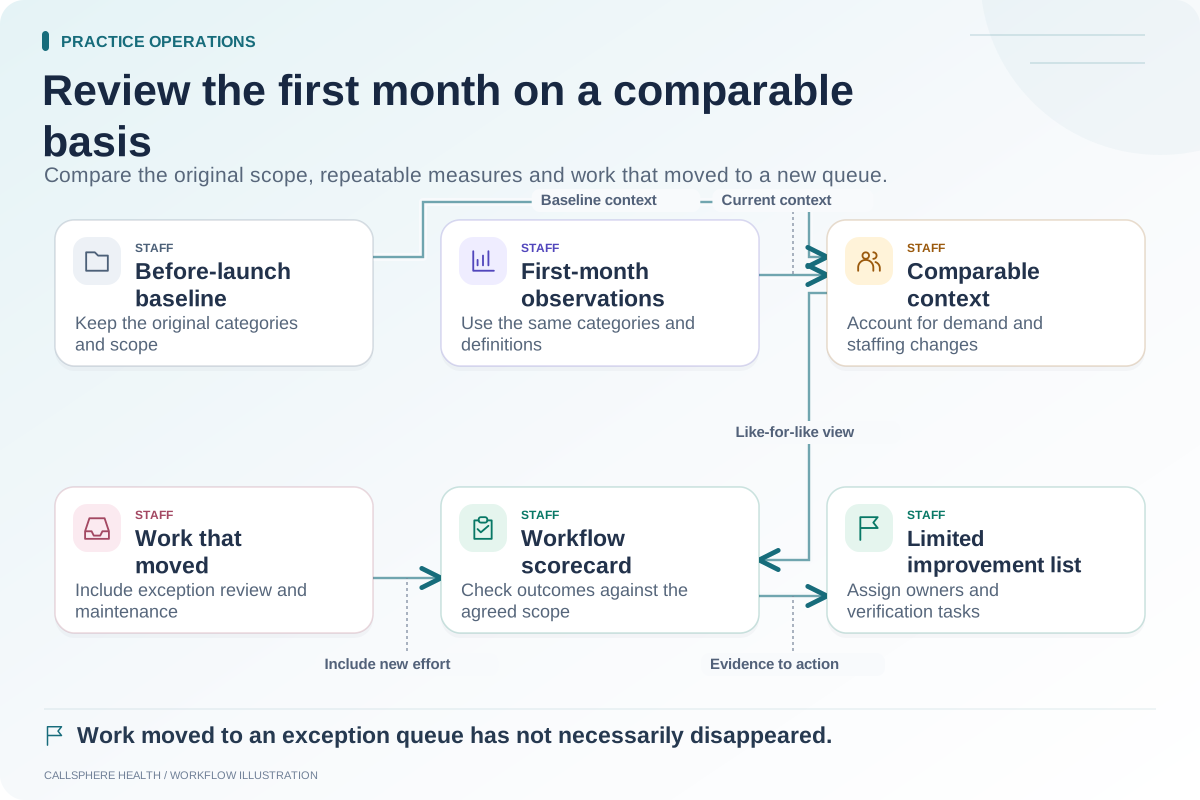
Compare a later period using the same categories, task boundaries and inclusion rules. Record changes in demand and staffing. Report raw counts beside rates and separate completed work from requests merely captured for follow-up.
A lower workload in a small sample does not prove that software caused the change. Explain the limits and look for repeated patterns before making staffing or purchasing decisions.
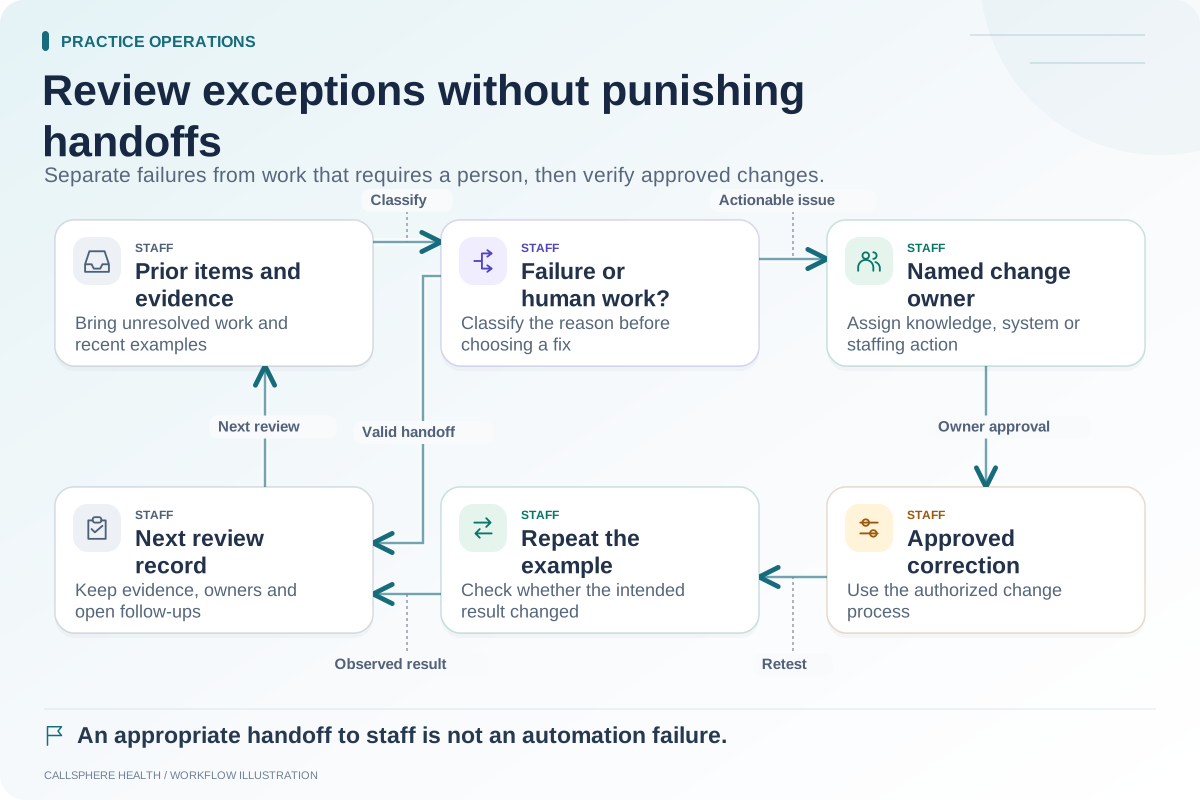
Use the automation priority matrix, weekly exception review and 30-day launch review to turn the baseline into a measured plan. Browse practice operations and migration for related tools.