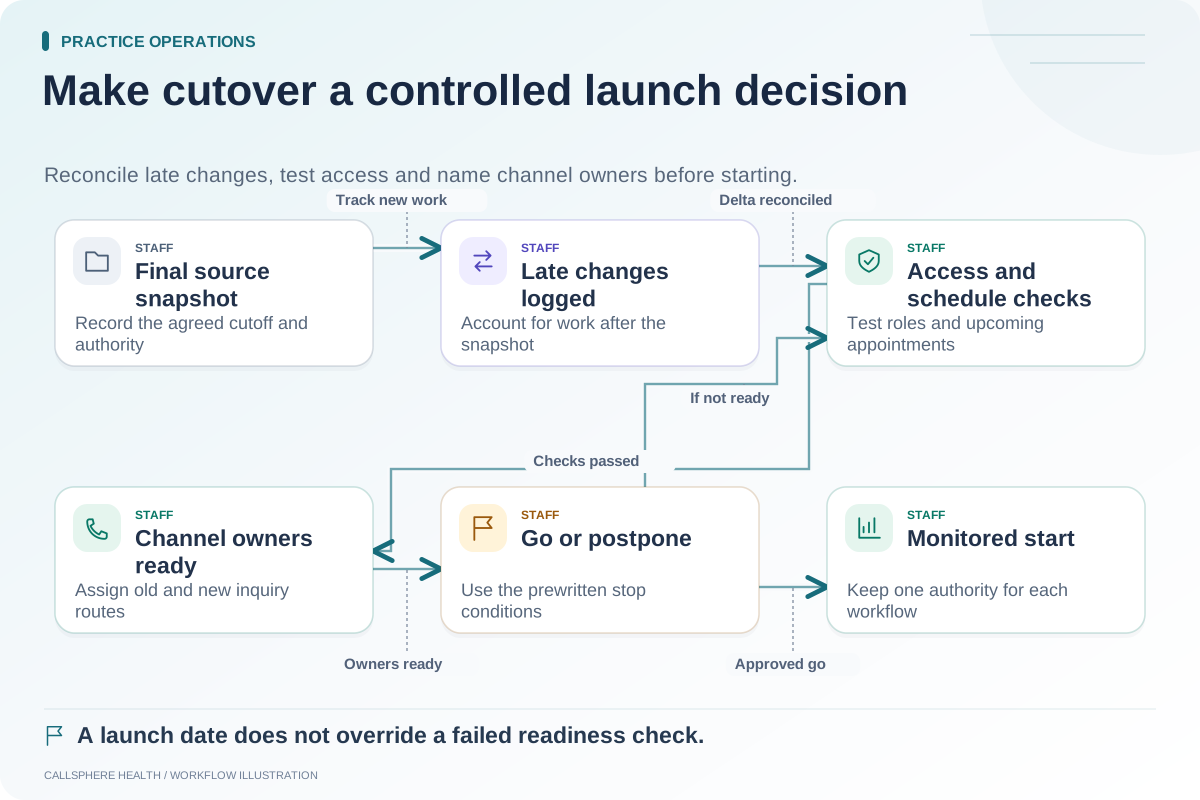
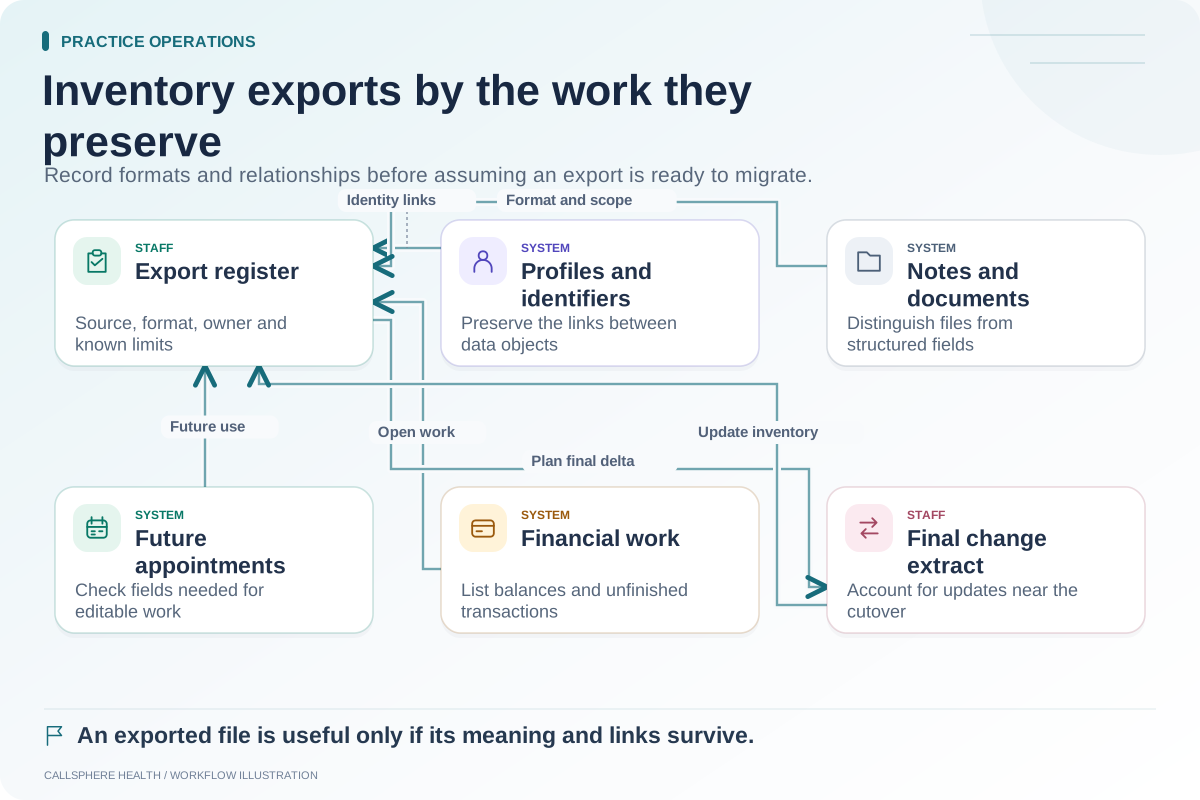
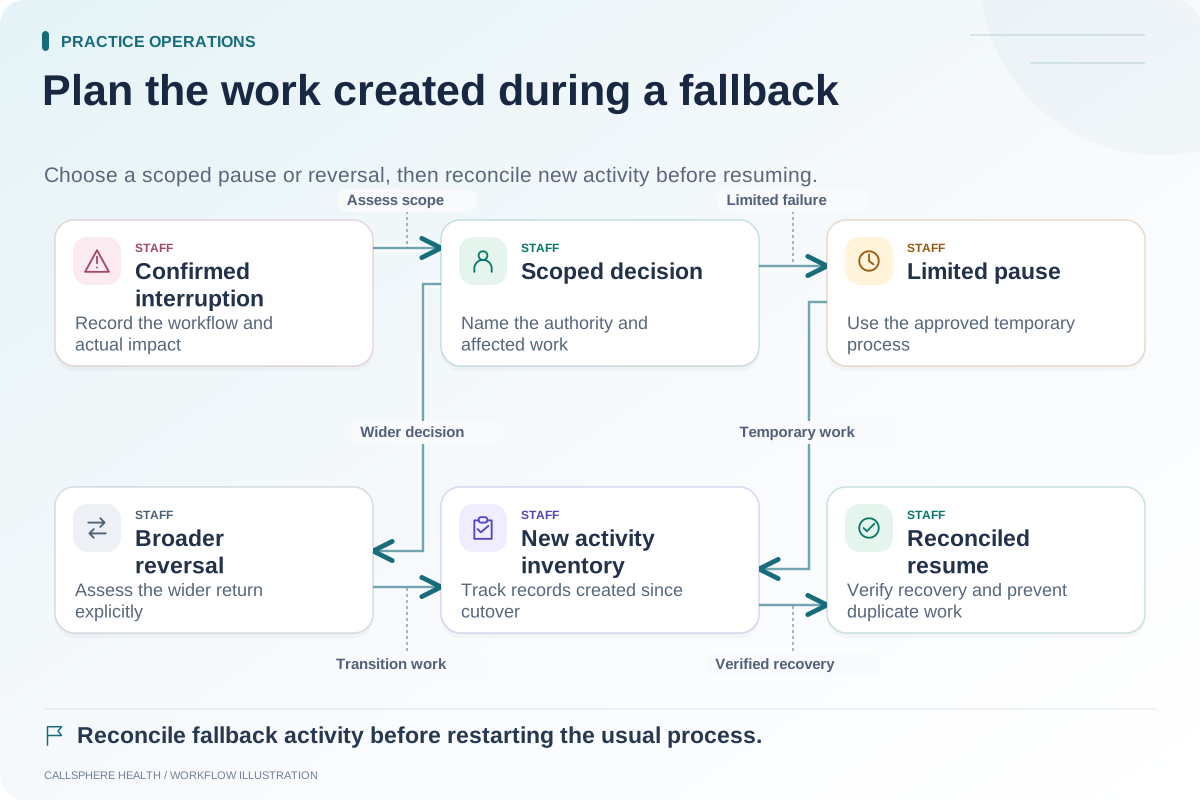
Reconcile an EHR migration by comparing what was expected with what arrived, then explaining the differences. Matching total counts is useful, but it does not prove that each document, appointment or balance belongs to the correct record or retains the intended meaning.
Use an agreed reconciliation plan before staff begin ordinary work in the destination system. This guide proposes a worksheet for that review; it does not guarantee that any particular migration is complete.
Establish an expected inventory
Start from the signed-off export inventory. Record the snapshot time, included record types, exclusions and known source issues. If the practice intentionally excludes old cancelled appointments, the destination count should be compared with that scoped expectation, not the entire source database.
Give each exported batch a recognizable reference. Keep the original files unchanged in the approved storage location and record which import used them. Otherwise, the team may compare a revised import against the wrong source snapshot.
Check four different kinds of fidelity
| Check | Question | Example evidence |
|---|---|---|
| Count | Did the expected number of items arrive? | Source, excluded and imported counts |
| Field | Did the relevant values retain meaning? | Synthetic date, status and contact preference checks |
| Relationship | Is each item linked to the right parent record? | Document-to-client and appointment-to-provider checks |
| Usability | Can the intended staff role use the result? | Readable document and editable future appointment |
Record pass, mismatch, expected exclusion or unverified for every test. “Unverified” is not a successful result. The goal is an explainable outcome, not a spreadsheet with every cell colored green.
Investigate equal counts with incorrect relationships
Hypothetical example: A training transfer contains ten synthetic attachments in the source and ten in the destination. One file is linked to the wrong training client. A count-only check passes, but the relationship check fails.
The team records the affected batch and mapping rule, pauses reliance on those attachments and asks the responsible migration contact to correct the issue. After correction, the reviewer repeats the relevant association checks and retains the evidence. A second matching count alone would not resolve the original failure.
Choose samples that challenge the transfer
A useful sample includes ordinary records and known difficult cases: a changed appointment, an attachment with multiple pages, a long name, a missing optional field, a provider who changed location and a balance with an adjustment. Use synthetic cases for preliminary testing. For an authorized production reconciliation, access should follow the practice's approved process and role boundaries.
Do not extrapolate a perfect sample into a claim that every record is correct. Document the sampling method, the remaining uncertainty and any full-population checks the vendors can provide. High-impact unresolved mismatches should have a clear go/no-go decision.
Give financial and clinical checks their own reviewers
A migration specialist may confirm that a field transferred but cannot decide every question about clinical usability or accounting meaning. Assign the relevant clinician or billing lead to approve their workstream. The practice owner consolidates the findings and confirms whether unresolved items permit launch.
For general background, the ASTP/ONC EHR replacement resources discuss migration planning; reviewed September 9, 2026. The four-part worksheet here is a proposed operational artifact.
Retain the result after launch
Save the accepted scope, test evidence, unresolved issue log and approval date. New questions often arise when staff use less common records. The record of what was transferred helps support distinguish an omitted source field from a later application problem.
When evaluating CallSphere Health, request supported import formats and a reconciliation demonstration; see capabilities and limits for product boundaries. Pair this worksheet with the cutover checklist and fallback plan in the migration library.