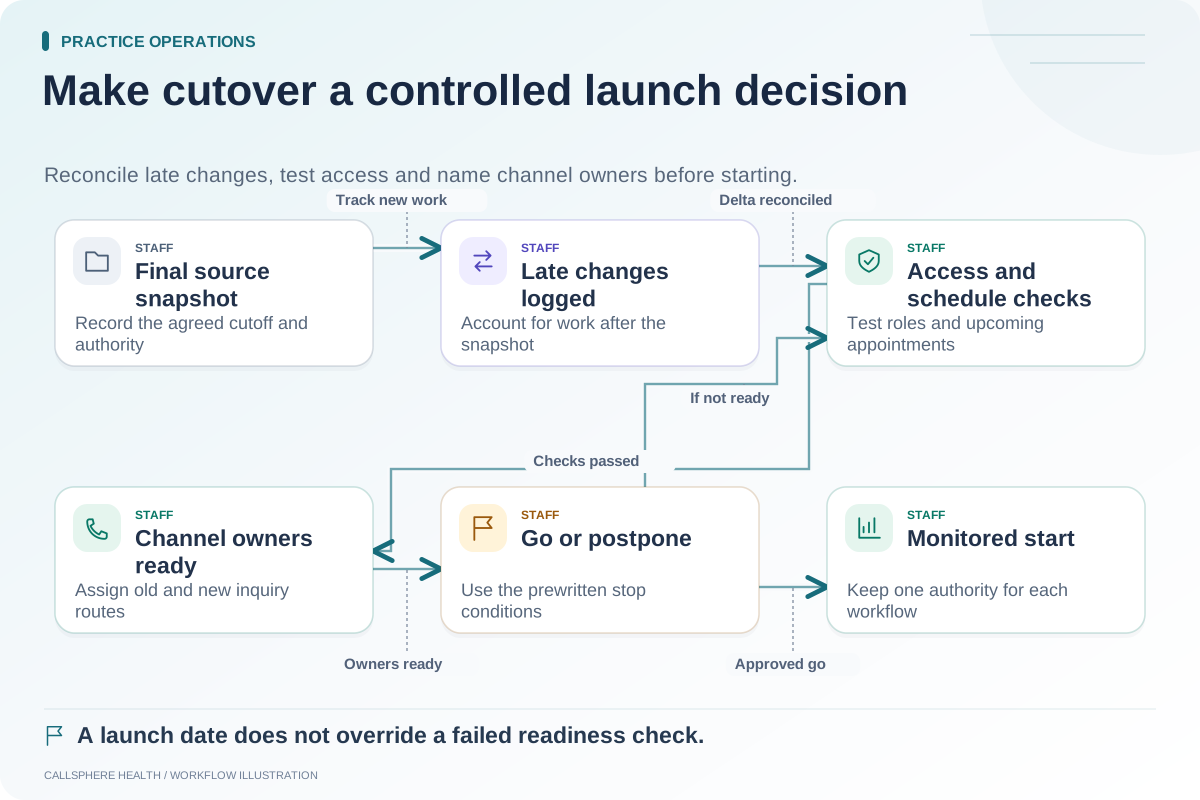
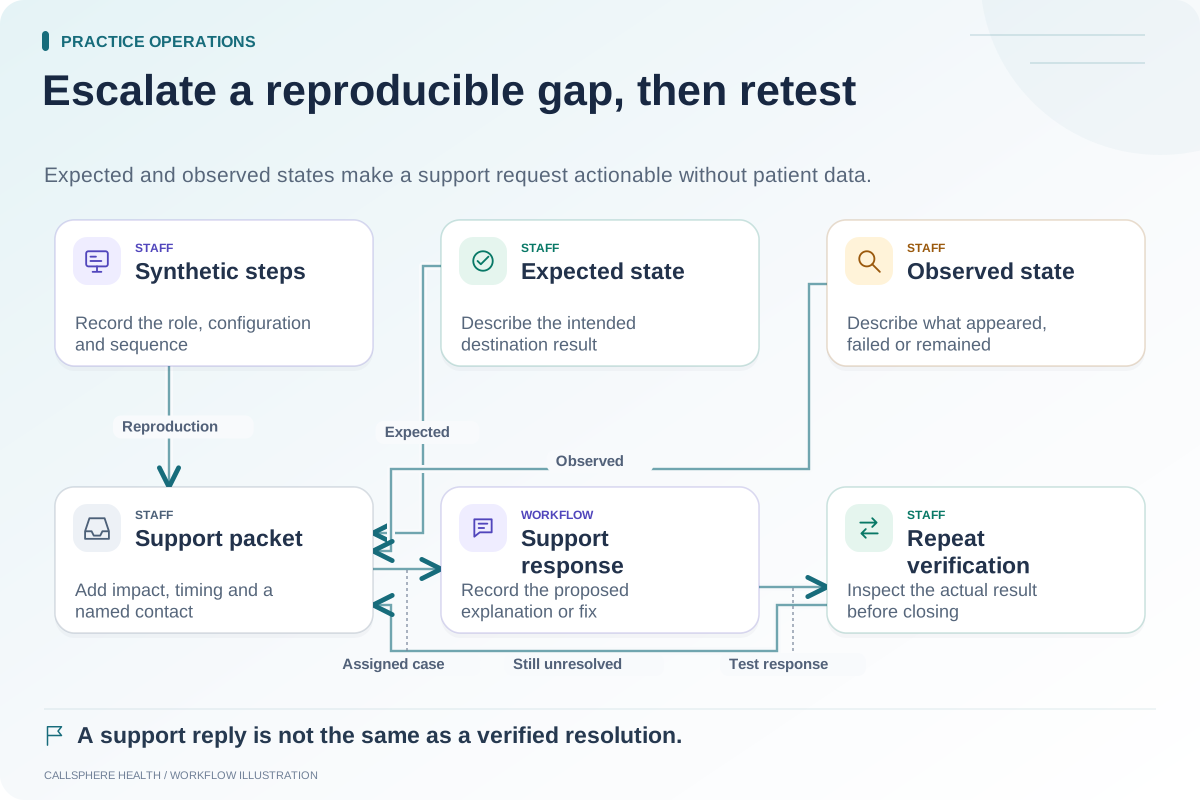
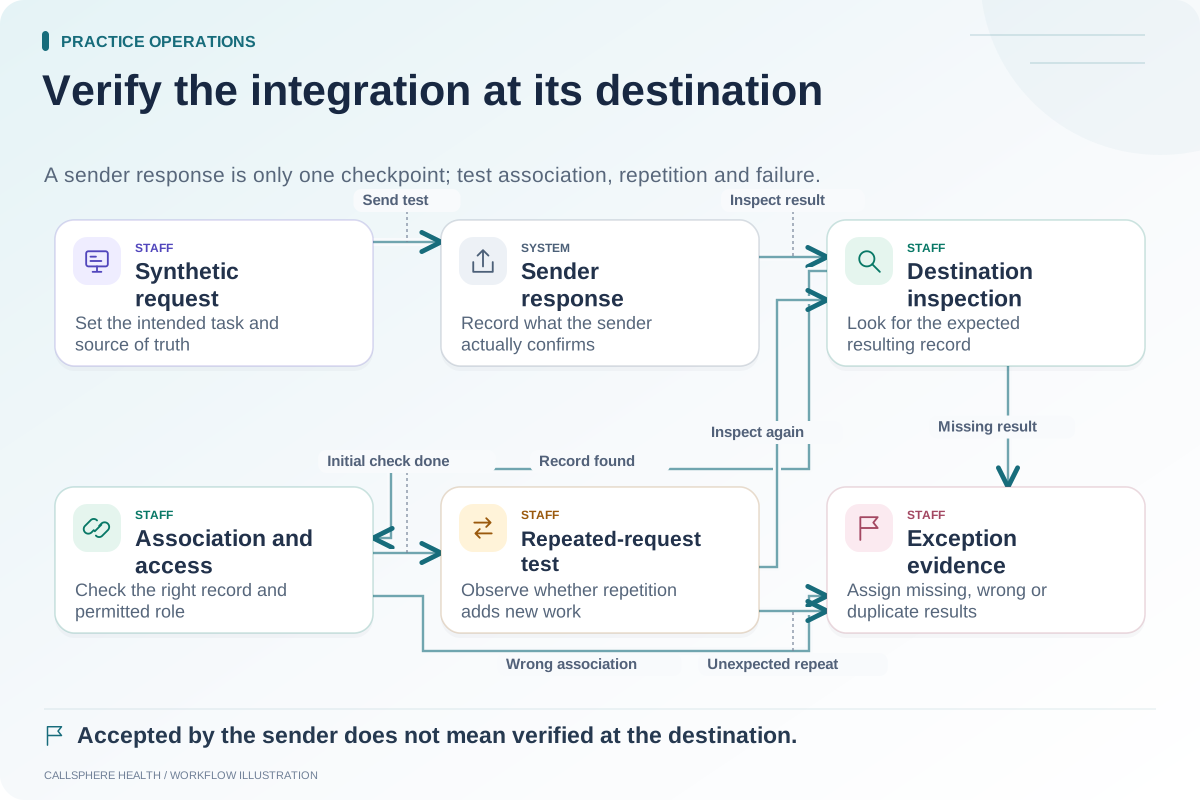
A migration fallback plan needs more than an old login. It must explain when the practice will pause a new workflow, who makes the decision and how any work entered after cutover will be reconciled. Otherwise, returning to an earlier system can create two incomplete versions of the practice's activity.
Treat fallback as an agreed operational procedure. The plan should reflect what both vendors actually support and the practice's access, contractual and record-handling requirements.
Distinguish a pause from a full reversal
Not every problem requires reversing the entire migration. A failed reminder channel may call for a temporary staff process while records and scheduling remain in the new system. An unexplained record association problem may require a broader pause. Define responses by affected workflow and impact.
Avoid promising that the practice can “roll back instantly.” Data entered in the destination after launch may need review and transfer. The old system may have changed access or subscription status. Verify those conditions before relying on it.
Write a decision log template
| Field | What to capture |
|---|---|
| Trigger | Specific observed failure and affected workflow |
| Time | When the problem began and when it was confirmed |
| Scope | Which users, record types or channels are affected |
| Immediate action | Pause, narrow scope or continue with an approved workaround |
| Decision owner | Person authorized to approve the response |
| Data since cutover | Where new activity has been recorded |
| Reconciliation owner | Person who will account for that activity |
| Resume condition | Evidence required before normal work restarts |
This template is an original planning aid. It does not instruct staff to delete, overwrite or move records without authorization.
Rehearse a limited fallback
Hypothetical example: A practice's training migration works for appointments and records, but its synthetic intake delivery test fails. The owner pauses automated intake delivery and assigns the approved manual intake process to a named staff member. Staff record which training assignments were handled manually.
When the delivery issue is fixed, the team checks those assignments before restarting automation so the same forms are not sent twice. The fallback is scoped to intake, and the log explains what happened while it was active.
Account for new activity explicitly
If a broader reversal becomes necessary, inventory activity created after cutover: appointment changes, documents, contact updates, payment records and messages. Decide which system remains authoritative for each item and who verifies any transfer. A successful database restore does not automatically explain actions taken through external services.
Use synthetic exercises to test the process before launch. For any real incident, the practice should follow its established incident and continuity procedures, with the appropriate technical and privacy staff involved.
For background on EHR transition planning, see the ASTP/ONC EHR playbook, reviewed September 9, 2026. The trigger log above is a proposed workflow, not a guaranteed vendor feature.
Confirm the support boundary in writing
Ask each vendor which restoration or export actions it performs, which require the practice to act and what information support needs. Record available support hours and escalation channels from the actual agreement. Do not assume an advertised support option covers a specific cutover incident.
For CallSphere, review product capabilities and limits and discuss the exact migration scope. This article does not establish universal rollback or import support for the platform.
Define the condition for ending fallback
The original failure should have a tested resolution, affected activity should be reconciled and staff should receive one consistent instruction about the authoritative workflow. Retain the incident record for later improvement. Ending the workaround without closing its reconciliation tasks simply moves the uncertainty elsewhere.
Use this plan alongside the cutover runbook, integration test matrix and support escalation template. Additional guides are in practice operations and migration.