Plan an EHR migration around the work the practice must continue performing: finding records, keeping appointments accurate, completing intake and following up on balances. A transfer date becomes useful only after the team has established what will move, how it will be checked and who can authorize the change.
The plan below is a proposed framework for U.S. mental and behavioral health practices. It does not imply that CallSphere offers a fully automated migration from every source system. Confirm the specific export, import and support scope before committing to a replacement.
Name the people who can resolve decisions
Assign an owner who can settle priorities and approve launch. Identify a clinical representative for record usability, a scheduling lead for future appointments, a billing lead for open financial work and a technical or vendor contact for transfer issues. In a solo practice, one person may fill several roles, but the responsibilities still need to be written down.
Give each workstream a specific deliverable. “Review the migration” is too broad. “Confirm the next four weeks of recurring appointments using the agreed sample” is a task someone can complete and another person can assess.
Use gates instead of a promised universal timeline
| Gate | Evidence required | Decision |
|---|---|---|
| Scope agreed | Export inventory and exclusions | Is the proposed transfer sufficient? |
| Rehearsal ready | Synthetic examples and import instructions | Can a safe test begin? |
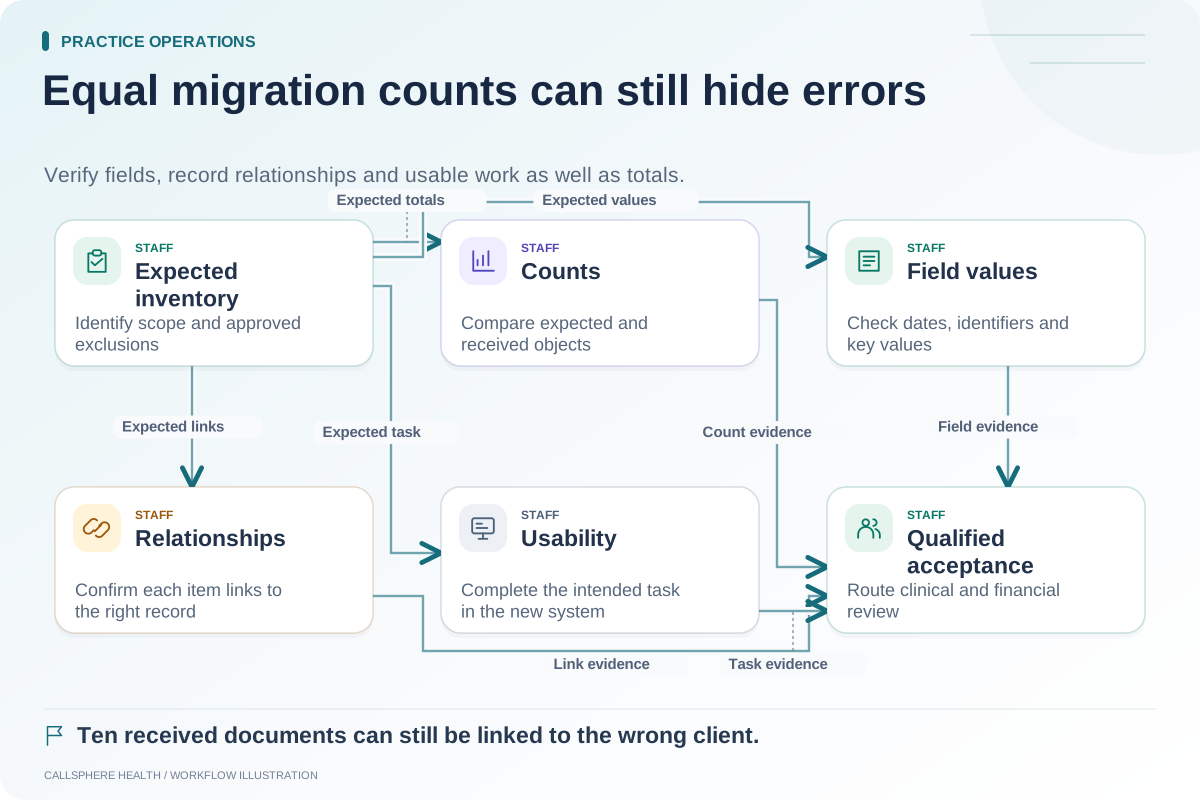
| Transfer checked | Counts, selected fields and document checks | Are differences understood? |
| Staff ready | Role-specific task demonstrations | Can people perform essential work? |
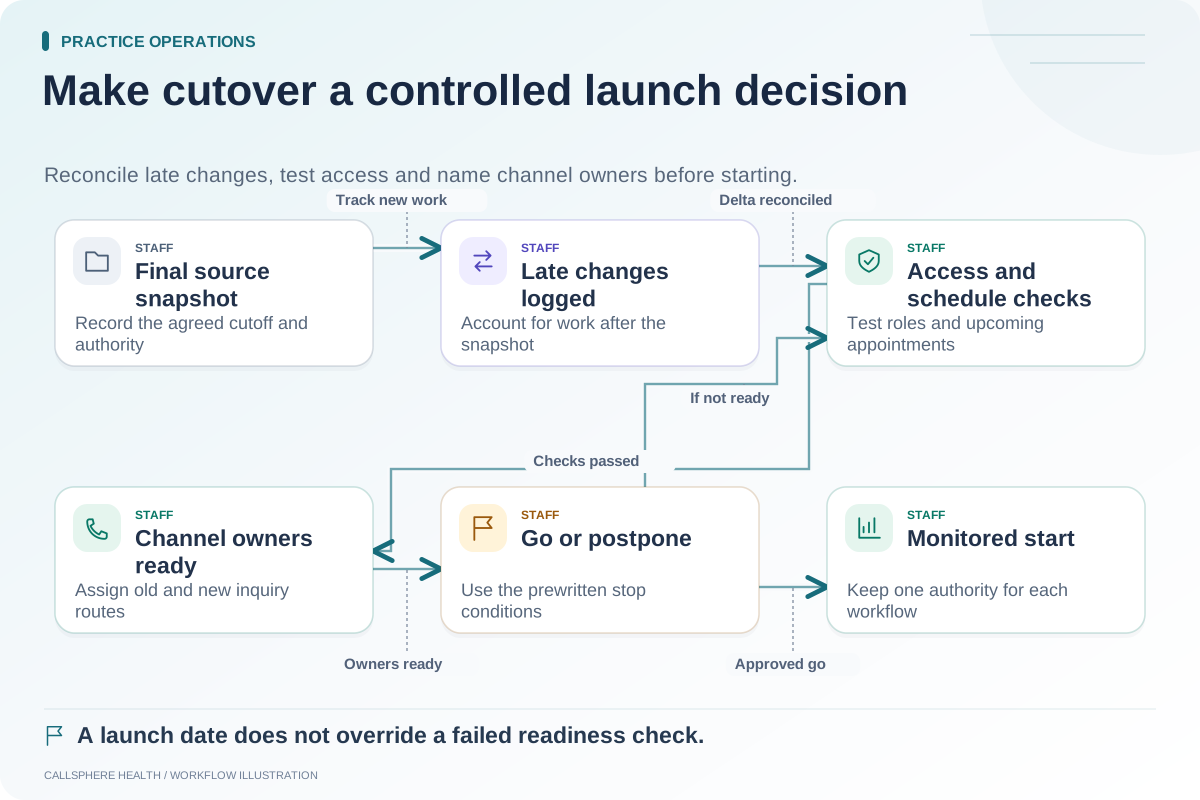
| Launch approved | Open-issue review and fallback plan | Go, narrow scope or postpone |
| Post-launch stable | Exceptions reviewed and ownership retained | Continue monitoring or intervene |
Do not select a calendar date solely because a subscription renewal is approaching. A commercial deadline may influence planning, but it does not replace verification that the new workflow is usable.
Rehearse with a small, representative set
Hypothetical example: A five-clinician practice first rehearses a future appointment, a recurring series, a document attachment, a client balance and an intake assignment using synthetic data. The attachment opens, but the recurring series loses one future occurrence. The scheduling lead records the difference and the team delays the full appointment transfer until the issue is explained.
That rehearsal is useful precisely because it exposes a mismatch before staff rely on the new calendar. A small successful test does not prove every historical record will transfer correctly; it identifies the next set of checks.
Keep migration scope separate from product breadth
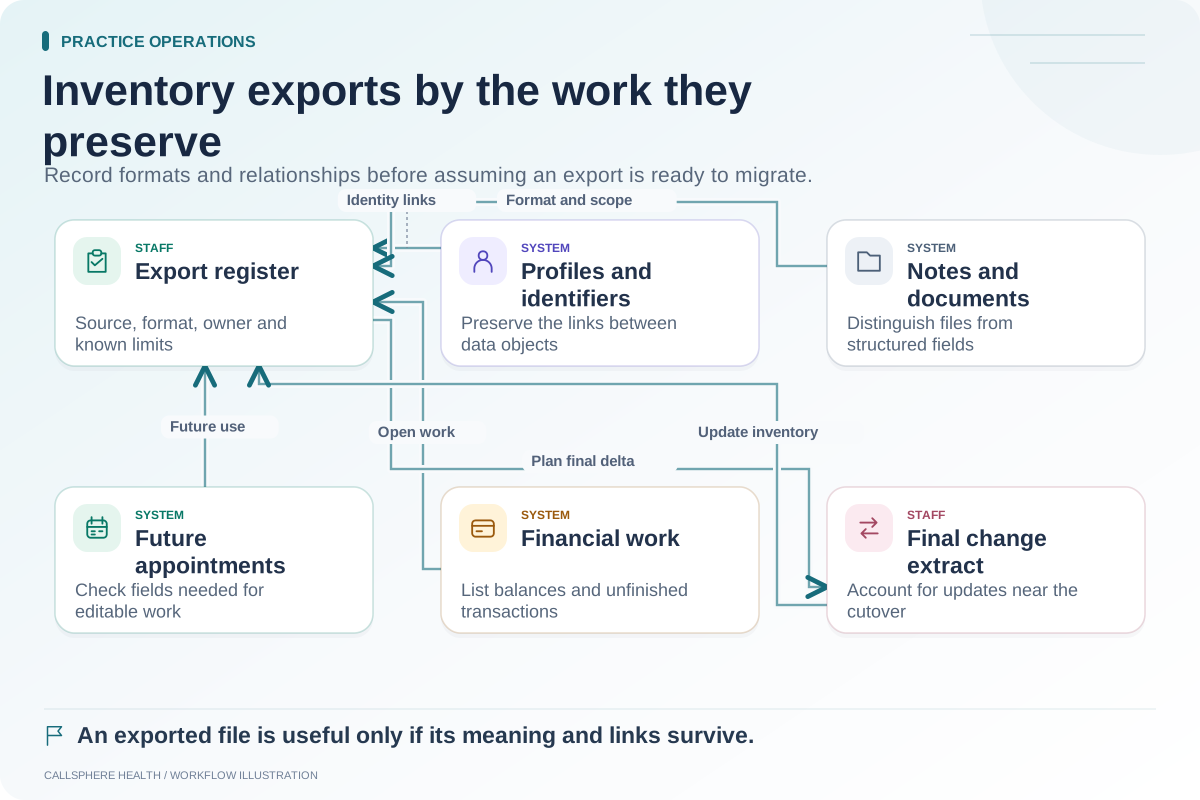
An EHR may support notes, appointments and billing while its import process supports only some fields from another vendor. Ask for a written list of data types, source formats, required cleanup, excluded history, cost and support responsibilities. Specify whether documents remain searchable, linked to the correct record or available only in an archive.
For background reading, the ASTP/ONC EHR playbook includes migration resources; reviewed September 9, 2026. This article's gate model is an original planning aid.
Protect the practice during the transition
Decide which system is authoritative for each workflow during rehearsal and cutover. If both calendars remain editable, staff need explicit rules for where new changes belong. If an old messaging portal remains active temporarily, assign someone to monitor it. Record the point at which a final change export is needed.
Keep source data and access available under the practice's approved retention and contractual arrangements. Do not assume that cancelling a subscription preserves every document, message and audit detail. Resolve those terms with the relevant vendor and advisors.
Bring the plan into a product discussion
CallSphere's platform combines practice workflows, and its capability boundaries distinguish configured automation from staff work. Ask a demo coordinator to map your migration inventory to a supported process before making a purchasing decision.
Start with the export inventory, then define reconciliation checks and a cutover checklist. These tasks belong in the practice operations and migration library.