A security demonstration should show specific controls and identify the questions that need documents or configuration evidence. A badge, a general assurance or a successful login cannot establish the security of every workflow your practice will enable.
Use synthetic accounts and records for demonstrations. Have the appropriate privacy, security and legal reviewers assess the resulting evidence for the actual practice configuration. This checklist does not certify a vendor or determine HIPAA compliance.
Separate demonstration evidence from written assurance
Some controls can be observed in a safe demonstration, such as whether a scheduler can open an unauthorized settings page. Other questions require current documentation, agreements or technical evidence, such as provider responsibilities and the scope of a backup process.
Record which kind of evidence supports each answer. “Shown in demo,” “documented,” “configuration dependent” and “not verified” are useful distinct states. Do not turn a sales statement into a tested result.
Use a security evaluation checklist
| Topic | Demonstration or evidence request | Boundary |
|---|---|---|
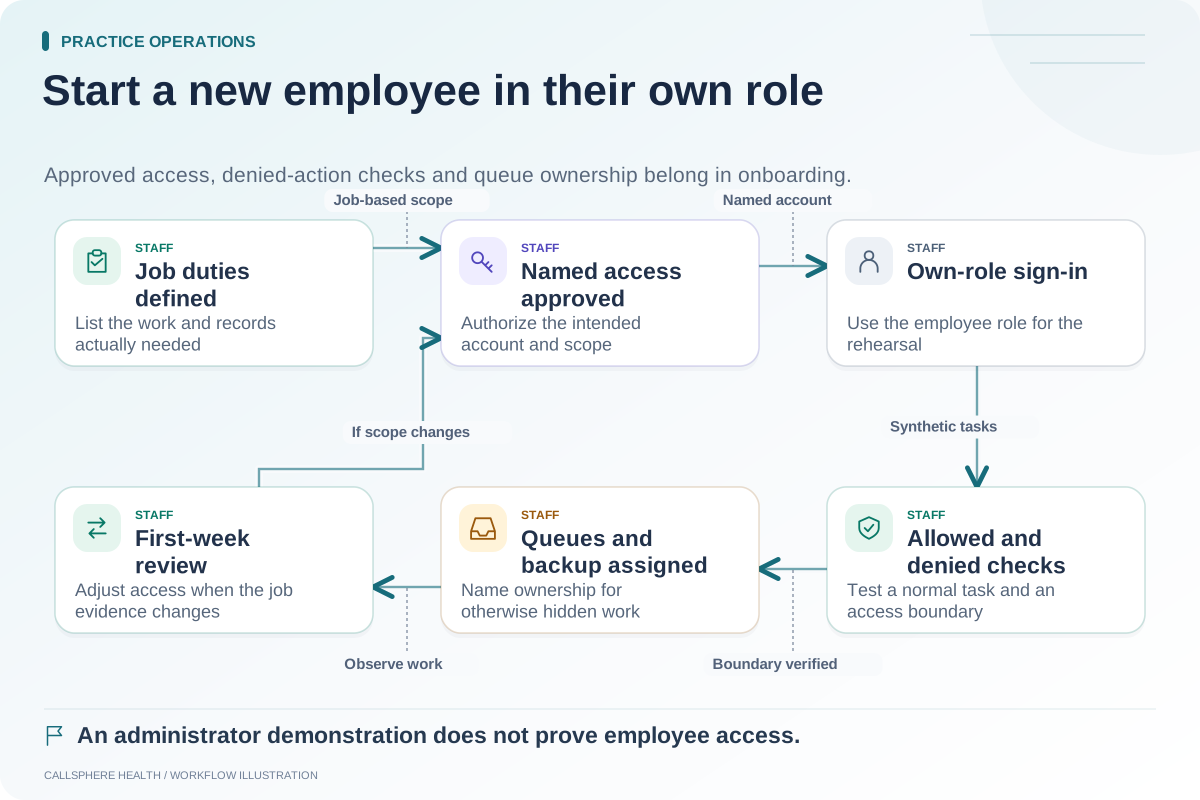
| Roles | Show permitted and denied synthetic tasks | Test the actual intended role |
| Tenant scope | Explain how access is limited to the practice | Avoid exposing another tenant's information |
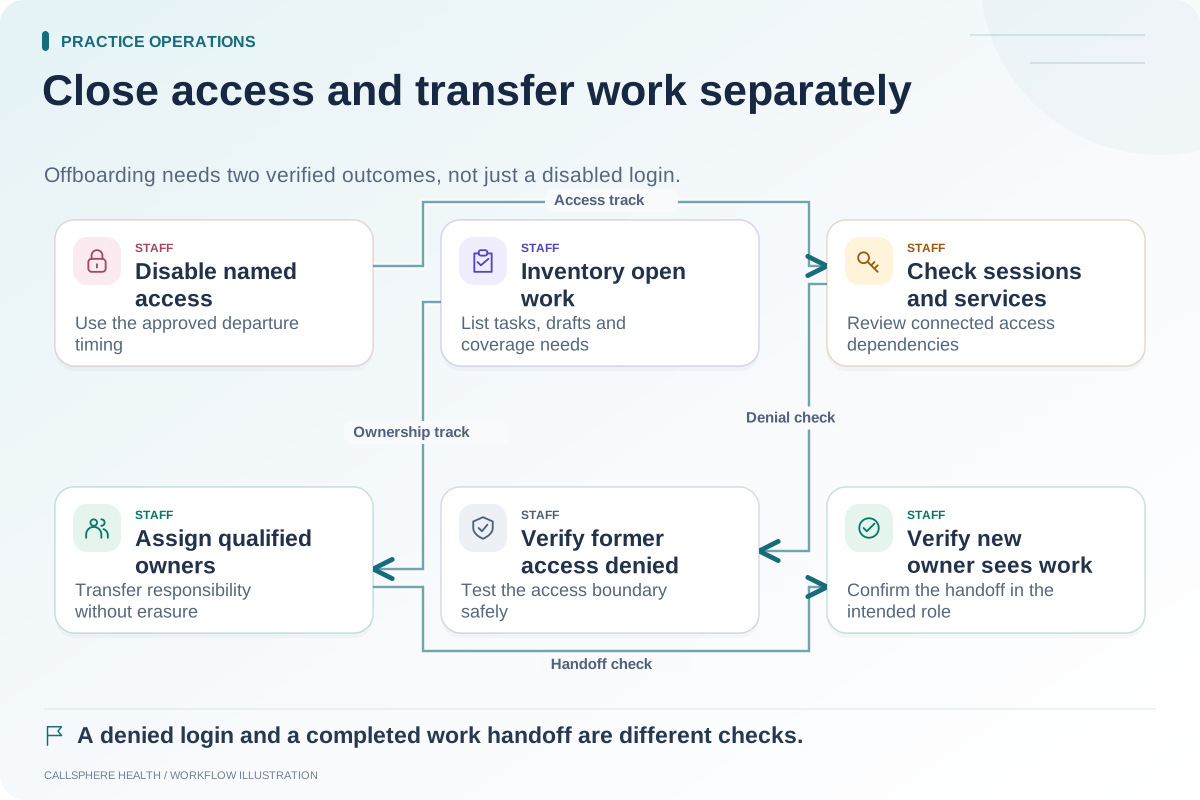
| Sessions | Show sign-out and account-change behavior | Do not assume immediate session revocation |
| Activity records | Show the relevant audit event and access | Confirm scope rather than promising every event |
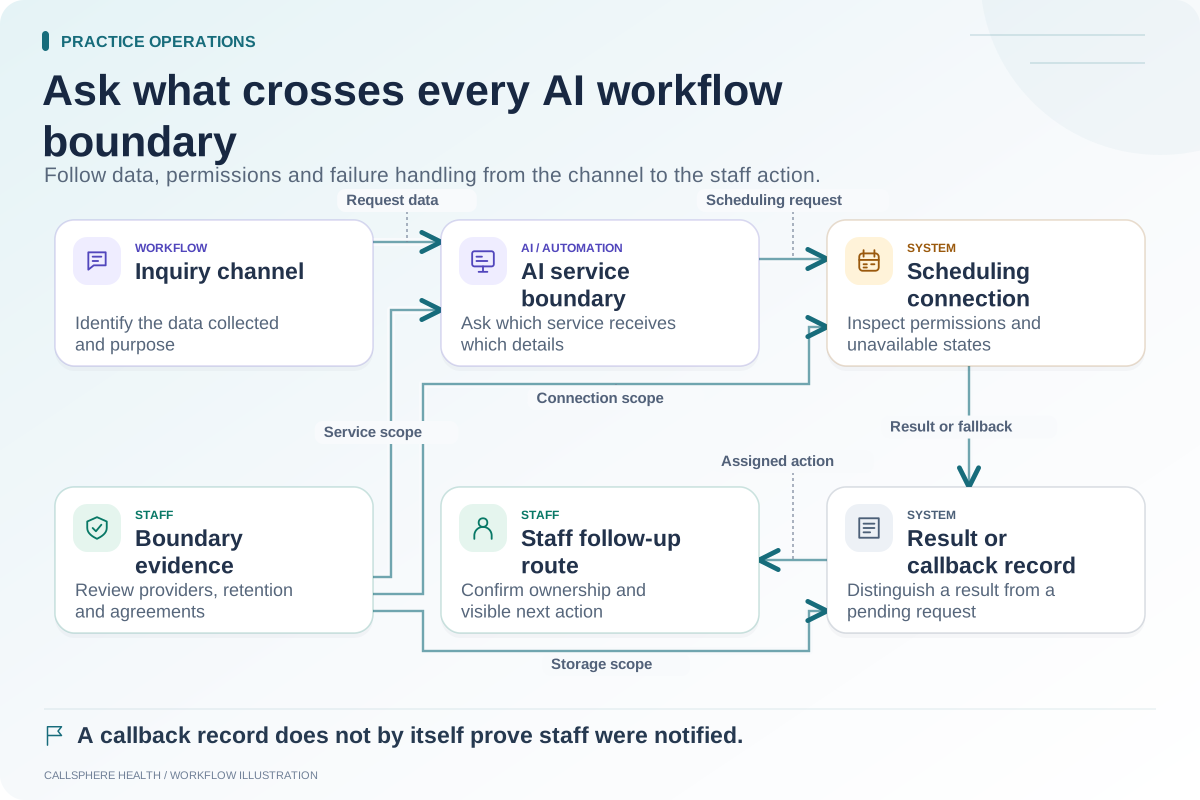
| AI providers | Identify enabled service boundaries | Review the actual configuration |
| Agreements | Provide applicable terms for review | Product code is not an executed agreement |
| Continuity | Explain backup, restoration and support scope | Require current evidence for guarantees |
Use the table to organize questions, not to pressure a vendor into an unsupported yes/no answer.
Test one access boundary carefully
Hypothetical example: A scheduler training account attempts to open a synthetic clinical workflow that its approved role should not access. The reviewer checks both the visible interface and the resulting access behavior in the supported test environment. A hidden menu item alone is not sufficient evidence that the underlying action is protected.
The test should remain within the vendor-authorized environment and use synthetic data. It is not an instruction to probe production accounts or access another practice's records.
Ask what an audit record actually captures
A product may record selected actions without retaining every view, every provider event or an immutable record of all activity. Ask which events are captured, who can inspect them, how long they are available and what happens when a supporting service is unavailable.
The answer may be configuration dependent. Record the available scope and unresolved gaps rather than replacing them with “complete audit trail.” That wording can lead a buyer to infer more evidence than the product provides.
Review applicable agreements alongside the data flow
For authoritative background, consult HHS cloud computing guidance and HHS Security Rule guidance, checked September 9, 2026. The practice's advisors should assess the actual services and terms.
CallSphere implements role-based access, tenant scoping and audit controls. Its security review page and capability boundaries explain what to evaluate without claiming a certification or a universal security guarantee.
End with a concrete evidence list
For every unanswered question, name the requested document or demonstration and the owner of the follow-up. A vendor may be a reasonable fit while some evidence remains pending, but the buying decision should state that uncertainty explicitly.
Connect this checklist to the AI data-flow map, employee access onboarding and offboarding process. Related guides are in practice operations and migration.