Group therapy scheduling requires more than placing several names in one calendar event. A practice needs to manage session capacity, participant-level attendance, appropriate communications and the relationship between the shared session and individual records. Group-practice software for multiple clinicians does not, by itself, establish support for a therapy session with multiple clients.
Define the exact service you mean before comparing products. A family appointment, a closed therapy group and an open class can require different registration, billing and privacy arrangements. The practice's clinicians and administrators should determine those requirements; scheduling software should implement them faithfully.
Build a group-session acceptance checklist
Use this proposed worksheet for the actual group model you offer.
| Area | Demonstration to request |
|---|---|
| Capacity | What happens when the last place is taken? |
| Enrollment | Can staff control participant eligibility? |
| Attendance | Can one person be absent without canceling everyone? |
| Communications | What does each participant see? |
| Records | How are individual client records handled? |
| Billing | Which person or account receives each charge? |
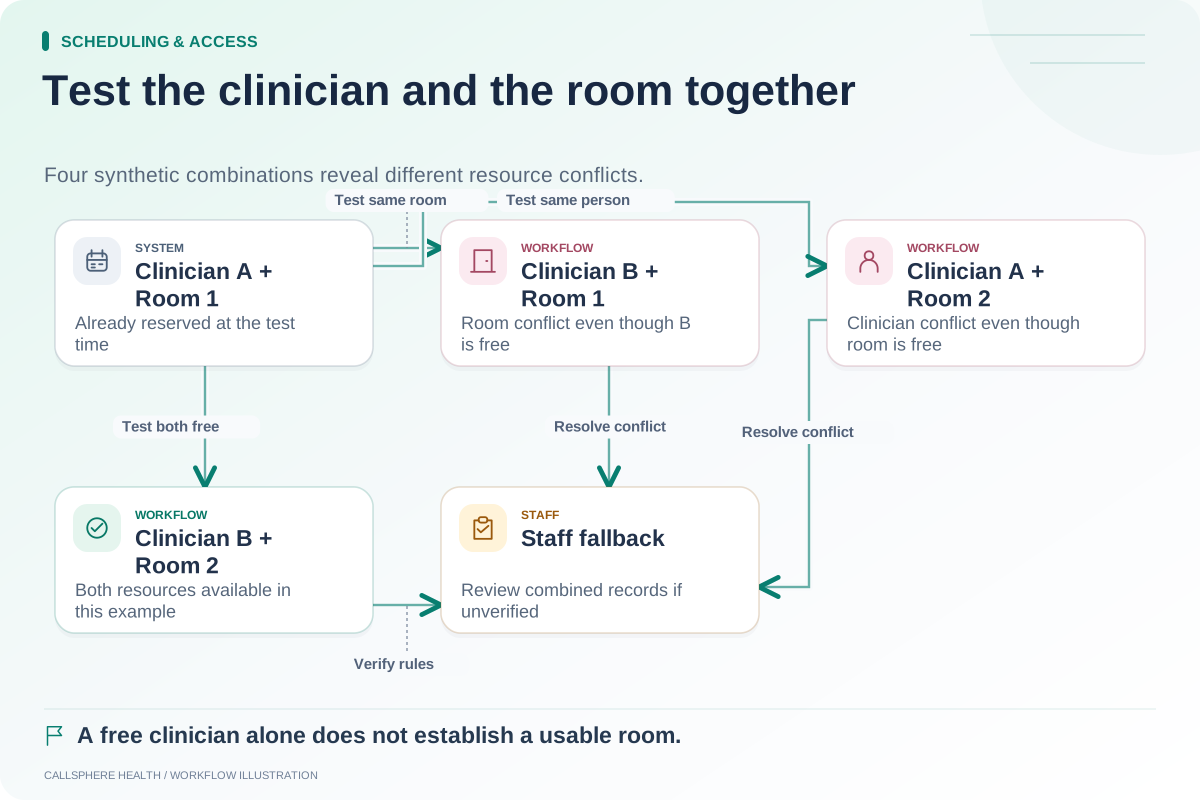
| Resources | Are facilitator and room constraints checked? |
| Remote session | Is multi-participant telehealth explicitly supported? |
Do not accept a generic “group support” answer. Ask the vendor to show each relevant result using synthetic participants.
A current product distinction worth checking
Jane's group appointment guide distinguishes classes from group appointments and describes different billing arrangements. The distinction shows why a familiar feature name may refer to a different service model than your practice intends.
Read the vendor's current documentation and ask about the exact plan, participant model and remote-session option. A product may be a better fit for one group arrangement than another without being universally better or worse.
A hypothetical six-person session
A fictional counseling center operates a six-person group with staff-approved enrollment. The administrator creates a synthetic session, adds six invented participants and attempts a seventh enrollment. The expected result follows the approved capacity rule rather than silently expanding the group.
Next, one participant cancels. Staff check that the session remains active for the other five and that only the intended participant's attendance or reservation changes. They also inspect whether any notification exposes the names or contact details of other participants.
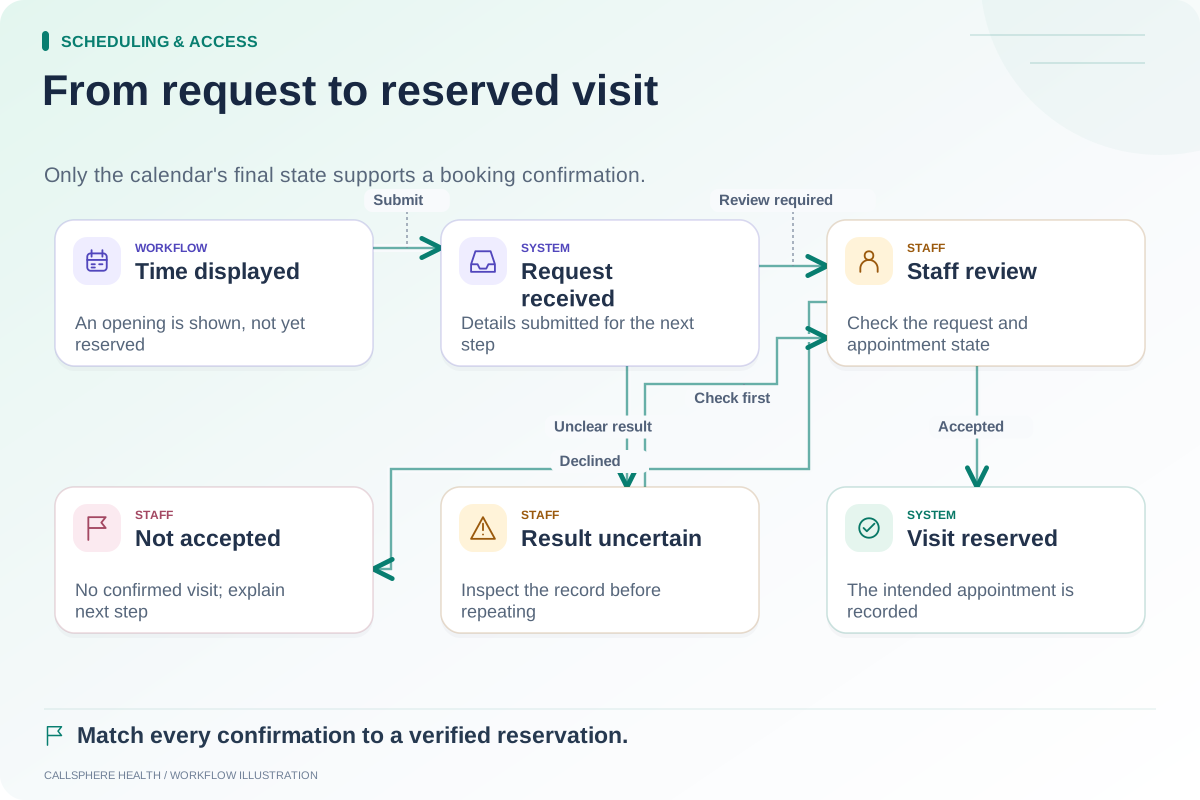
Finally, the facilitator changes the session time. The practice checks each participant's resulting status and communication route rather than treating one group-level “sent” indicator as proof that everyone received and accepted the change.
Keep the shared event and individual record distinct
An appointment can be shared while clinical records remain subject to individual access and documentation rules. Do not assume that a note copied between records is automatically appropriate for every participant. Clinicians retain responsibility for documentation and signing.
Likewise, one participant's account question should not be handled through a message visible to the group. During evaluation, inspect portal permissions, notification recipients and staff roles. Use invented people and disabled delivery so the demonstration does not expose real identities.
If the group needs a particular room or facilitator combination, use the room-and-provider test as well. Capacity alone does not ensure that the physical or staffing resources exist.
Verify group telehealth independently
One-to-one video capability does not prove that a product supports a multi-participant session with the required controls. Ask about the exact product feature, participant limits, access process and any separate add-on. Do not create a makeshift group workflow by sharing an individual patient's private session link unless the product and practice procedures explicitly support the intended use.
CallSphere Health's public platform describes individual telehealth and group-practice operations. Those statements should not be interpreted as verification of every group-session or group-video workflow. Review capabilities and require a specific demonstration for the service model you plan to run.
Test responses after the group message
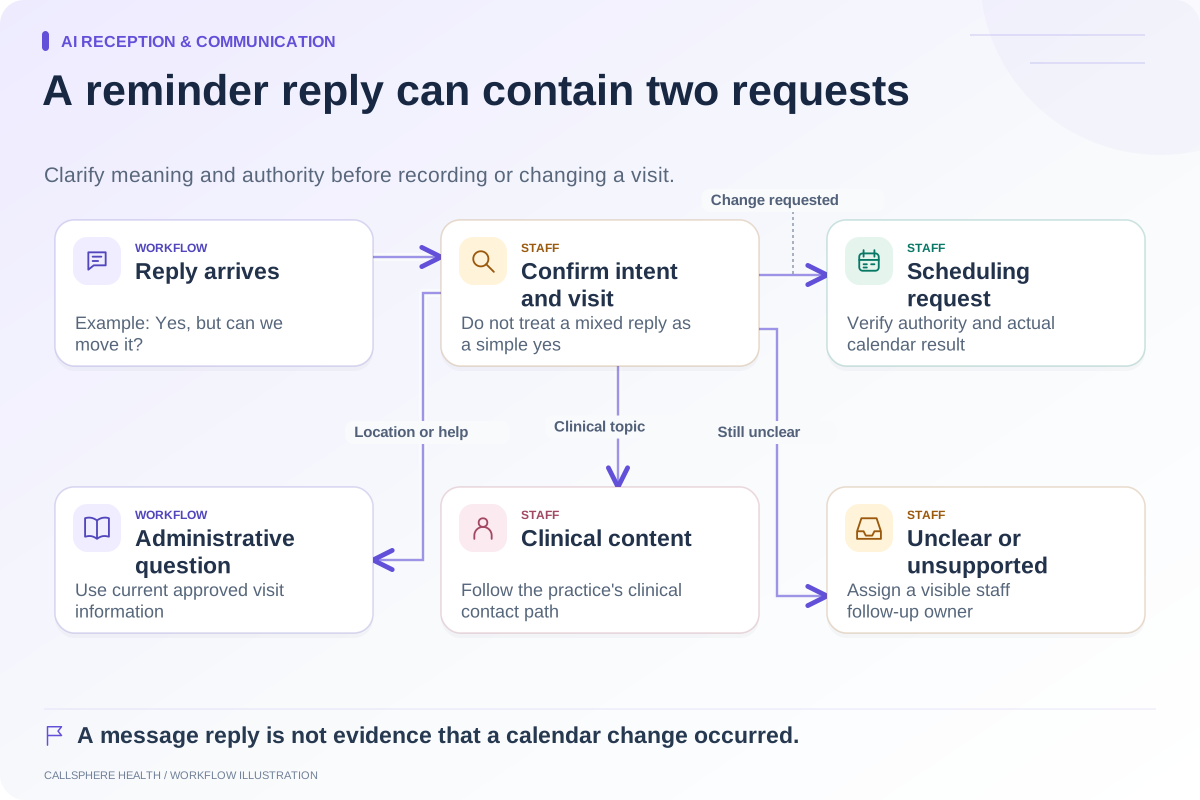
A participant may reply with a cancellation, a question or a request involving only their own attendance. Route those responses individually through an authorized process. The appointment reminder reply guide helps distinguish the administrative intents.
Bring the completed group checklist to a demo and record unverified requirements explicitly. More scheduling and access worksheets are available in Scheduling and access.
Sources and product scope checked September 9, 2026.