Before opening a second therapy office, define how inquiries, appointments, intake, staff coverage, and location information work across both sites. Test the process before publishing the new location's booking options. A shared system helps only when staff can tell which site owns the work and the client receives the correct instructions.
This restored guide was substantially revised September 9, 2026, while preserving its July 14, 2026 publication date and URL. It replaces unsupported staffing-cost and growth claims with an operational opening checklist. Licensing, legal, clinical, and facility requirements need their own qualified review.
Separate shared rules from site-specific facts
Some instructions may be common to the practice, such as how a callback request is assigned. Others must remain specific to a site: address, arrival instructions, office hours, available services, room capacity, and clinician schedule.
Create an owner for each fact and a change process. Staff should not have to infer which version is current from an old email or copied website paragraph. If a clinician works at both sites, their location-specific availability needs deliberate review.
| Item | Shared or site-specific? | Opening evidence |
|---|---|---|
| Inquiry ownership | Usually a practice decision | Primary and backup reviewer identified |
| Location details | Site-specific | Website, messages, and staff instructions agree |
| Clinician availability | Depends on schedule | Correct site and time in a synthetic booking |
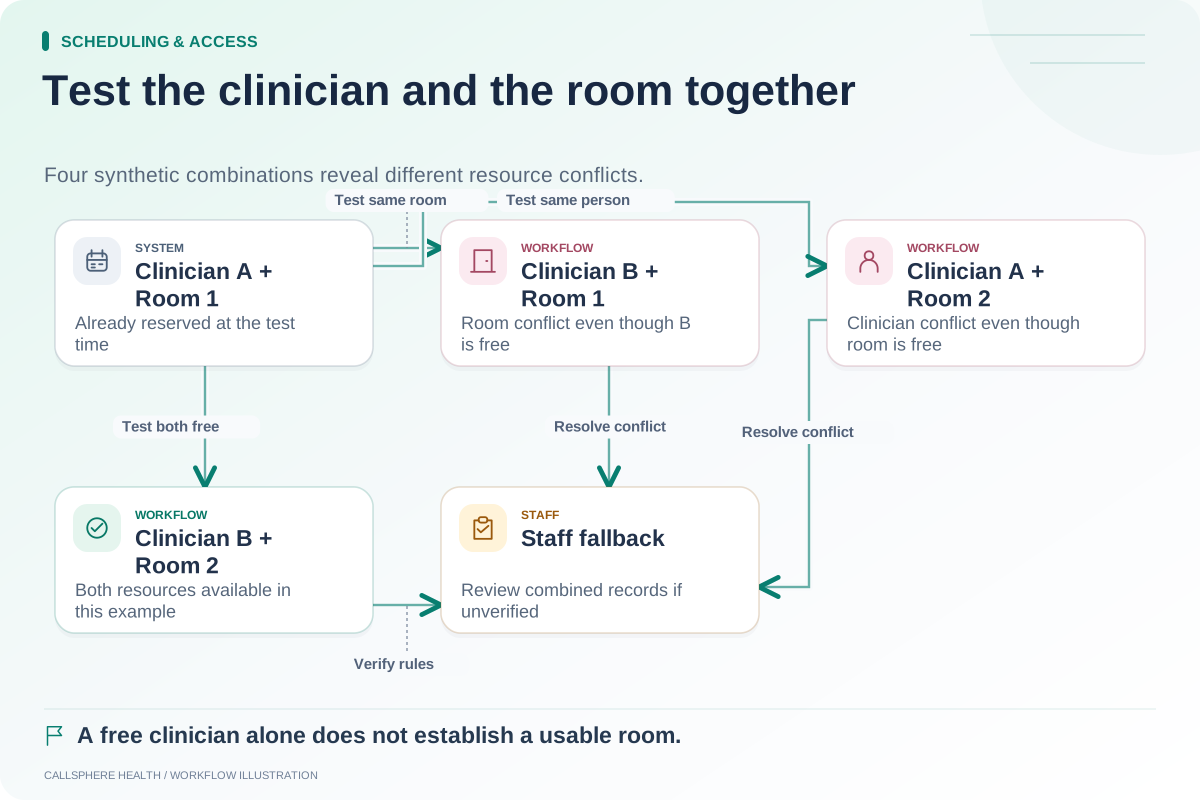
| Room/resource use | Site-specific if applicable | Conflict rules demonstrated |
| Intake expectations | Shared with documented exceptions | Correct tasks/forms assigned |
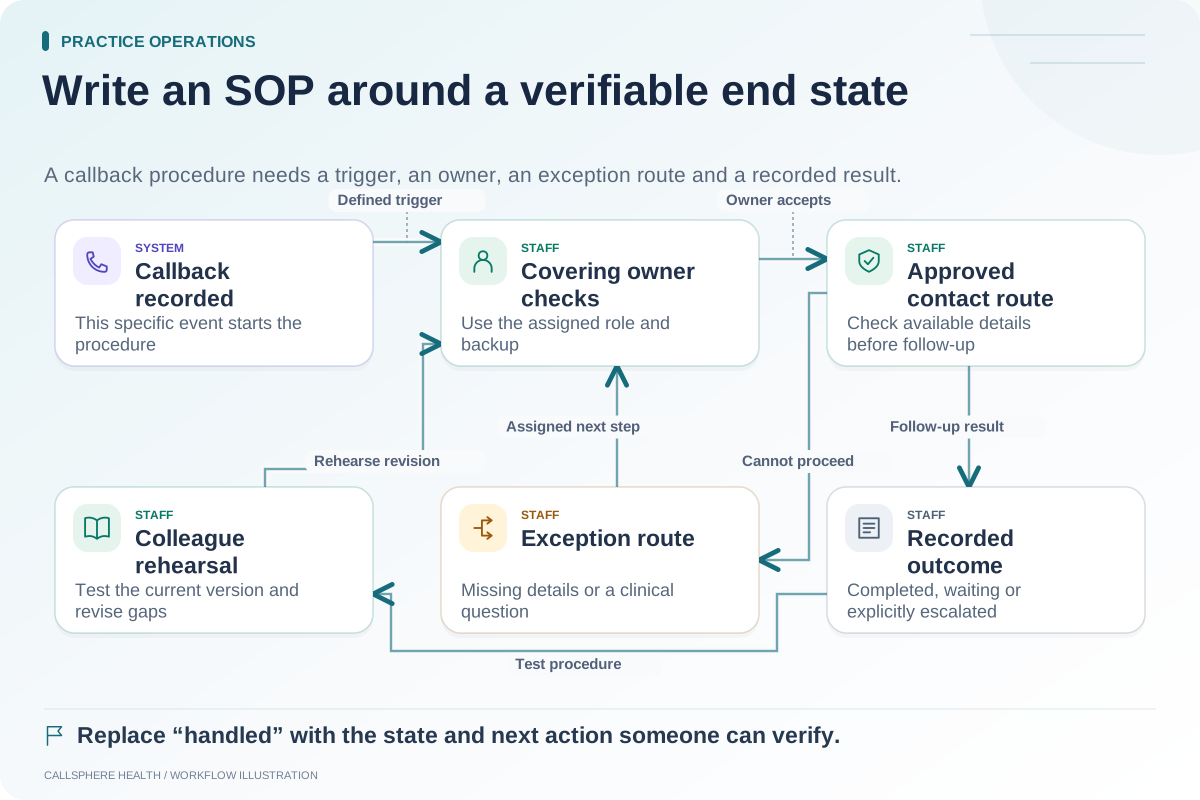
| Unresolved requests | Shared process with named owner | Staff can find and act on the item |
This is a planning model, not a statement that every software package automatically supports these functions.
Test a booking from the other front desk
In a hypothetical practice, a scheduler at the original office receives an inquiry for the new site. The scheduler should be able to identify the intended location, review permitted availability, and explain whether the visit is requested or confirmed.
Inspect the resulting appointment and the client-facing instructions. The calendar might be correct while the confirmation still points to the original address. Test reminders and rescheduling messages too, using previews or controlled destinations.
If the process requires staff to switch systems or manually review a resource conflict, document that step. Hidden manual work becomes harder to manage when the team is split between buildings.
Give cross-site requests a single owner
A caller may contact one office about an appointment at the other. Define whether the first staff member resolves the request or transfers responsibility. Preserve the request's current state and next action so both offices do not act on it independently.
Use one shared status vocabulary and a visible reassignment process. Plan absence coverage for each location and for the central functions. “The other office handles that” is not enough unless staff can see who has accepted the work.
Check role access without broadening it casually
Some staff may need cross-site scheduling access while others work only with one site. Have the practice review the appropriate roles and test them with fictional records. Do not use shared accounts as a shortcut to opening-day readiness.
The ASTP/ONC EHR playbook provides useful implementation and change-management resources for assigning these responsibilities. Source reviewed September 9, 2026.
Verify AI against location-specific information
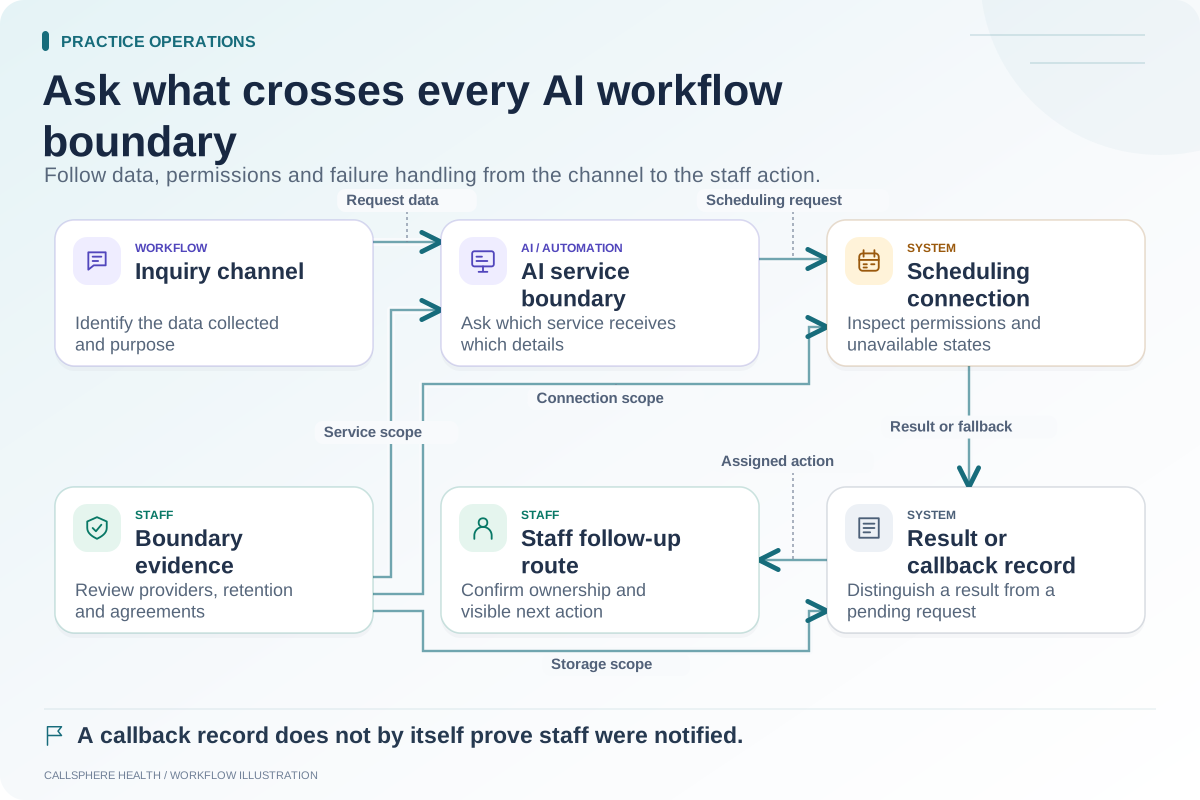
CallSphere Health's AI front desk can answer approved practice questions and check configured availability. That does not establish automatic best-location or clinician matching across every criterion. Staff must confirm the intended setup and keep site information accurate.
Ask for a synthetic inquiry that changes from one location to another. Inspect what the assistant says, what calendar action occurs, and what remains for staff. A callback request is not a verified warm transfer between offices. Review the capability overview before relying on stronger behavior.
Use a small opening gate
Before making the new site bookable, verify the location facts, staff roles, visit types, room rules where applicable, intake sequence, confirmations, and exception queue. Have one staff member from each site complete the same fictional journey and compare the results.
After opening, review confused-location inquiries and unresolved handoffs with actual records and appropriate access. Do not attribute a change in volume or revenue to the new workflow without evidence.
The room-and-provider scheduling guide helps with resource questions, and the workflow SOP template helps document shared work. Use a focused capability demonstration to resolve any software dependency before the new office relies on it.
Browse more practice guides.