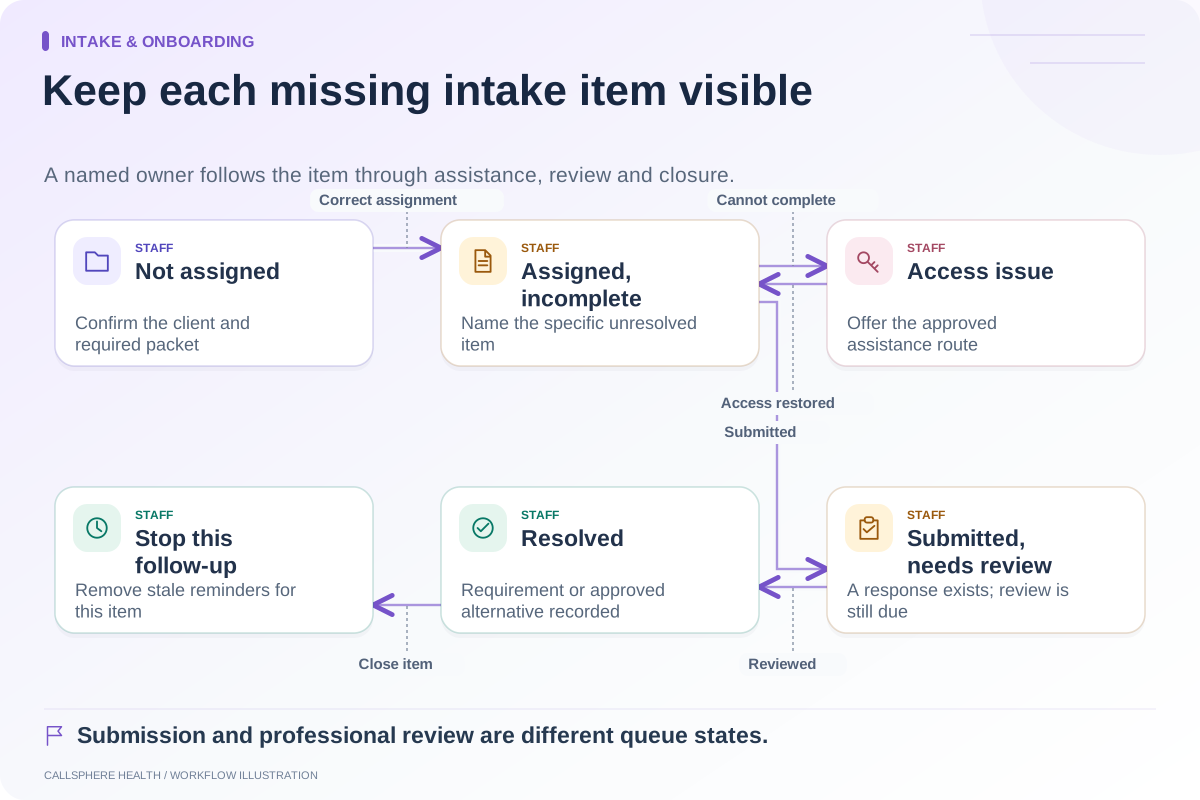
Find intake abandonment by locating the last completed administrative step and investigating what happened next. An unfinished packet does not establish that a prospective client lost interest. The person may be waiting for information, unable to access the portal or using a staff-assisted path outside the form.
Start with operational states and a small review sample. Avoid adding intrusive tracking to private intake pages simply to produce a more detailed funnel. The measurement plan needs its own privacy and security review.
Define a usable funnel
| Stage | Evidence to count | What the count does not prove |
|---|---|---|
| Packet assigned | Correct client received an assignment | Message delivered or read |
| Access established | Approved account-access event | Every document was opened |
| Submission started | A supported saved-progress state, if available | Intention to abandon if no submission follows |
| Submitted | Required submission recorded | Professional review completed |
| Reviewed | Responsible person checked the item | Appointment attended or care outcome improved |
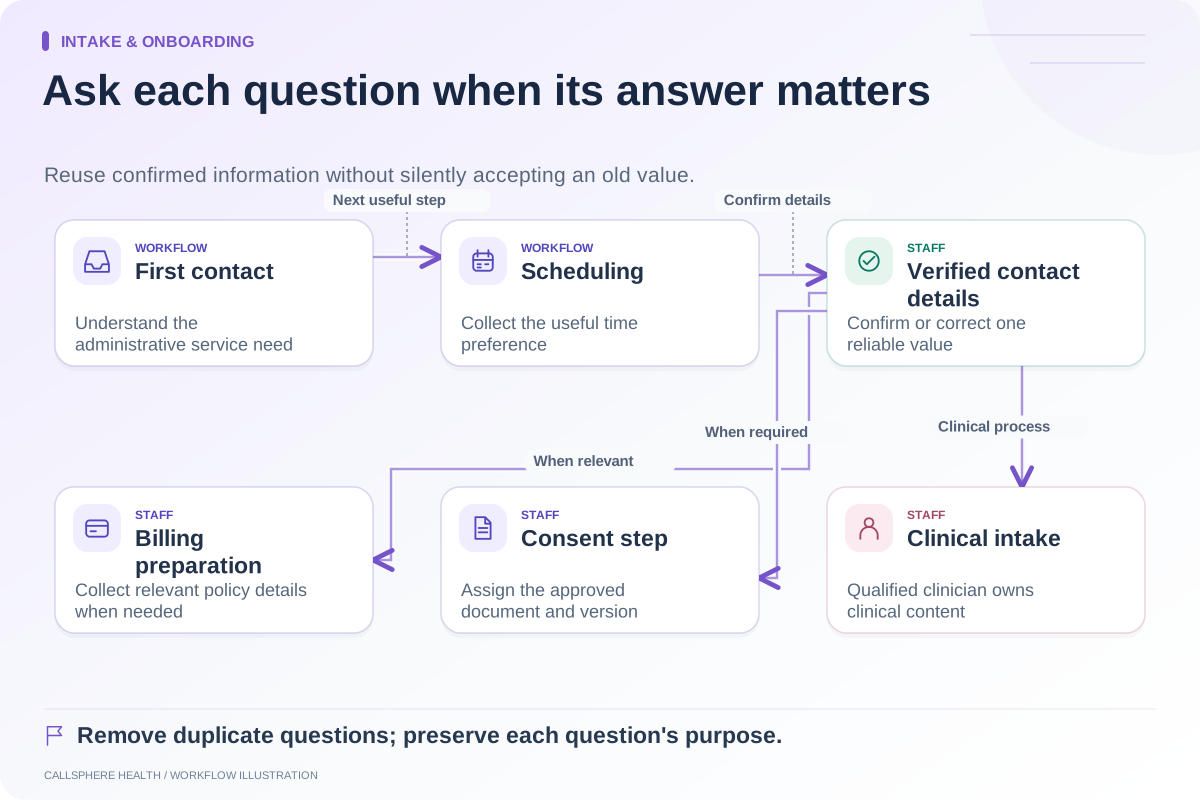
Do not invent a start event if your system does not expose one reliably. In that case, use the stages you can verify and state the missing visibility. A simple honest funnel is more useful than precise-looking numbers derived from assumptions.
Use a hypothetical review sample
Suppose a practice reviews 20 synthetic intake assignments. Twelve have completed submissions, three have portal-access issues, two are waiting on information and three have no known next state. Report those counts rather than calling all eight unfinished packets “abandoned.”
For the unknown cases, define an appropriate staff review step. If the person has requested no further contact, that preference affects follow-up. If the appointment was canceled, the remaining form may no longer be relevant. The status should explain the context instead of triggering more reminders indefinitely.
The numbers are illustrative. They are not a CallSphere conversion result or a benchmark for therapy practices.
Look for a repeated obstacle
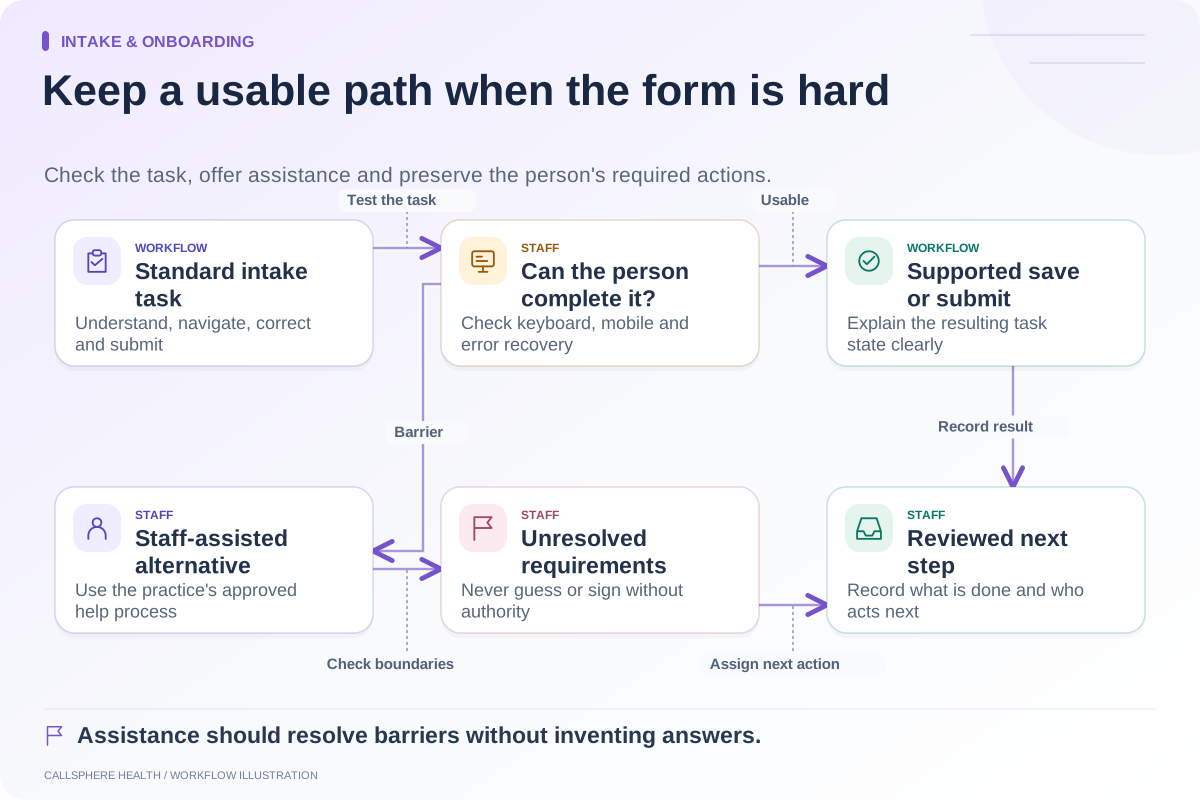
Review the form version, device context where appropriately available, access-help requests and the last action staff can verify. Common questions worth testing include whether a required field is unclear, an upload is difficult or the person needs information from someone else.
Have a tester complete the packet with synthetic information on a phone. Observe the task without collecting real client answers. If the tester cannot explain an instruction, improve that instruction before adding another notification.
The W3C’s forms tutorial addresses simple, clearly labeled forms. Use accessibility review alongside operational evidence; this article’s funnel is an original evaluation worksheet, not a claim about a universal abandonment rate.
Keep analytics away from sensitive content
Intake answers, document names and client identifiers should not casually become analytics event labels. Even a URL can carry sensitive context. HHS provides guidance on online tracking technologies; review applicable circumstances and data flows with the responsible team before implementation.
Where access is limited, aggregate staff-recorded failure categories may be sufficient. Do not copy private support conversations into a general marketing report. Separate the public website’s demo funnel from the practice’s patient intake process.
Compare the same population over time
Use the same service, packet definition and follow-up window when comparing before and after. If the revised process sends fewer forms or includes more existing clients, explain that change. Otherwise, a better completion rate may reflect a different mix of assignments.
Track assistance workload as well as submissions. An improvement that shifts substantial re-entry work to staff needs to be visible in the result. Measure the outcome the practice actually values rather than optimizing a single chart.
Ask CallSphere to show the evidence
CallSphere’s platform supports intake and staff communication workflows; its capability overview leaves record and readiness confirmation with staff. Ask which states the configured system exposes and how unresolved work is reviewed.
A useful demo includes an inaccessible invitation, a partly completed packet and a resolved staff-assistance case. Build your measurement around evidence the team can retrieve consistently.
Continue the workflow
Explore intake & onboarding: Shorten administrative intake without losing needed information · Follow up on incomplete intake with a clear owner · Make the intake process usable when a form is difficult.
Research reviewed September 9, 2026. Organizational authorship: CallSphere Health. Examples are hypothetical; this is operational guidance, not individualized clinical, legal or billing advice.