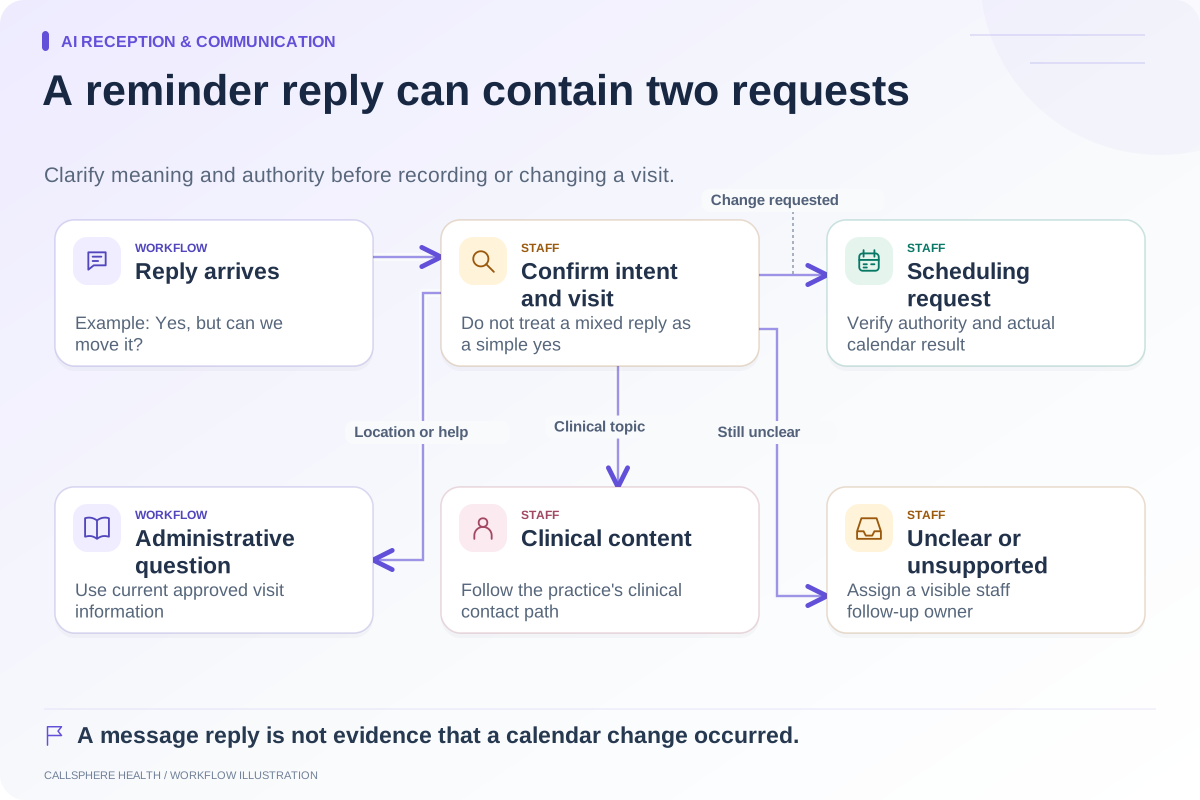
Rescheduling should leave one intended appointment at the agreed replacement time and an unambiguous history of what happened to the original. To verify that outcome, inspect both sides of the change. A new calendar entry alone does not prove that the old visit was canceled or moved, and a successful-looking chat response does not prove either action occurred.
This matters whenever a request crosses systems or channels. A person may call after using a website form, or staff may retry an action after a timeout. The workflow needs to recognize uncertainty without creating an extra reservation.
Define the intended final state
Before changing anything, identify the existing appointment, the requested replacement, the person's authority and whether the change affects one visit or a series. Make the intended outcome explicit: the replacement is active, the original is no longer active as an additional visit, and the related instructions reflect the new arrangement.
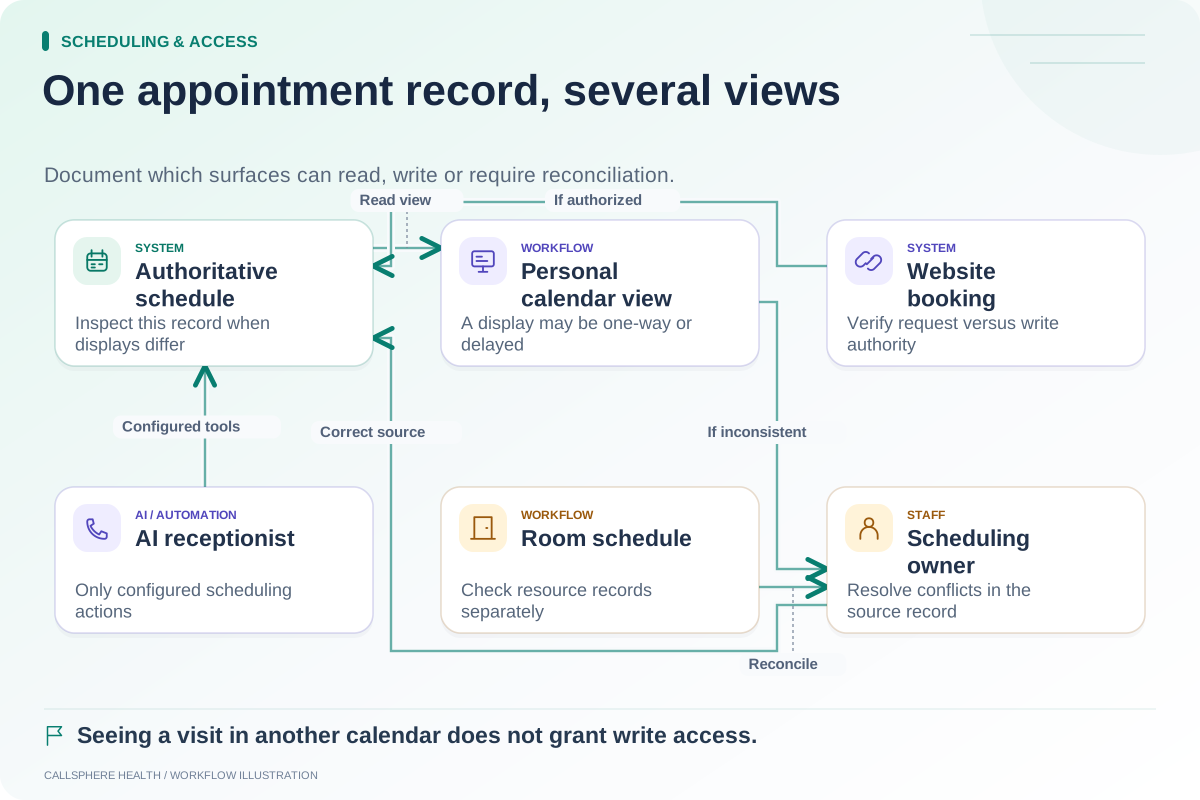
The authoritative schedule is the place to verify this outcome. A personal calendar copy can be useful for viewing, but its role must be understood. The calendar authority map explains how to document that boundary.
Use a before-and-after checklist
| Checkpoint | What staff or the test should verify |
|---|---|
| Before | Correct existing appointment and client authority |
| Replacement choice | Provider, date, duration, format and location |
| Availability | Replacement still bookable at action time |
| After | One intended active appointment remains |
| Original record | Clear moved or canceled state as designed |
| Notifications | Messages describe the final appointment |
| Repeated request | No duplicate action or unrelated change |
| Failure | Uncertainty recorded and assigned for reconciliation |
These checks describe a desired operational outcome, not a claim that every product implements the same internal transaction or retry controls.
A hypothetical interrupted change
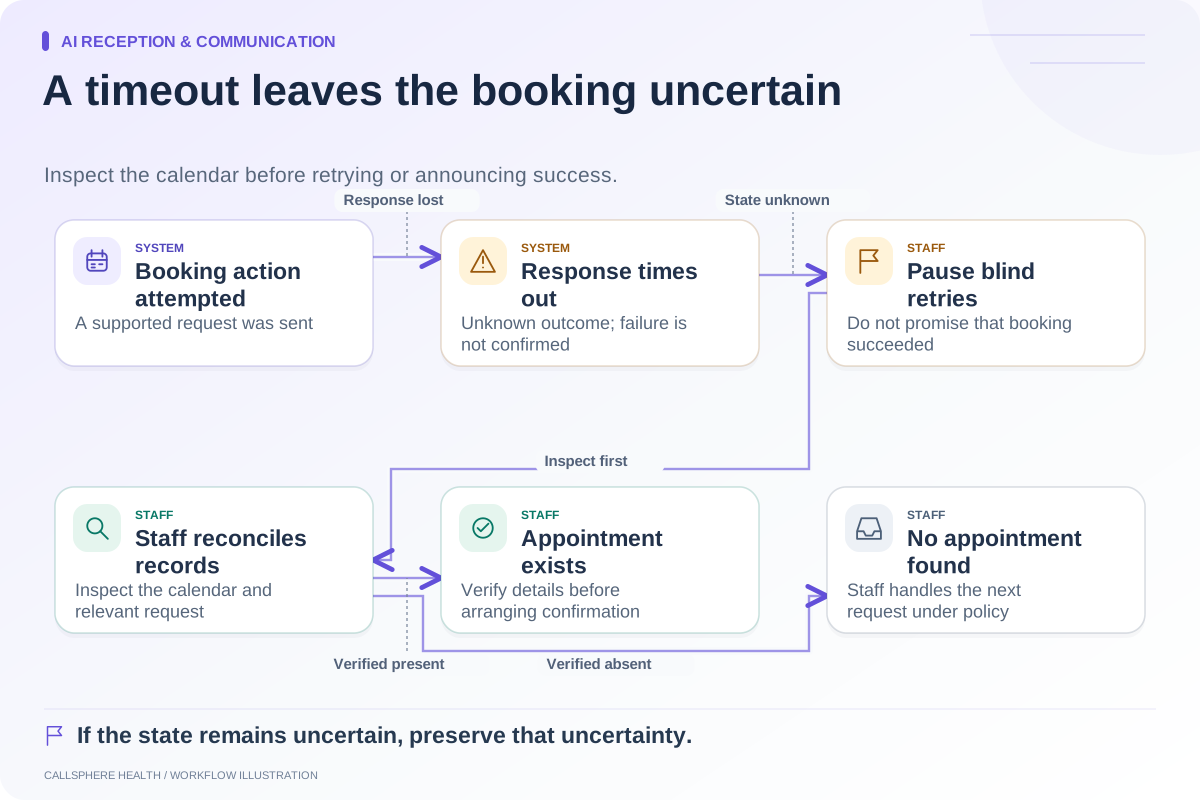
An invented patient requests moving a Thursday visit to Friday. The AI receptionist initiates the configured action, but the connection drops before a result arrives. Staff should not tell the patient that Friday is confirmed, nor should they immediately repeat the action without checking the schedule.
An authorized employee finds one of three possibilities: Thursday remains unchanged, Friday replaced Thursday, or both dates appear active. Each requires a different response. The employee resolves the state through the approved process and then communicates the actual appointment.
If the state cannot be established, the request remains pending with an owner. A repeated apology is not a substitute for someone checking the record.
Ask how the vendor handles repeated input
Test a double-click, a repeated chat instruction and a second request from another channel using synthetic data. Ask whether the system recognizes the same request, displays the latest appointment or requires staff intervention. Do not accept “the integration is real time” as an answer to what happens after an uncertain write.
For a related current vendor example, Jane's cancellation policy guide describes how patient cancellation and rescheduling depend on configured permissions and timing. The lesson for evaluation is to inspect the exact supported pathway rather than assume all appointment changes behave identically.
Verify communication after the record changes
The confirmation should identify the new date, time zone, provider and format where appropriate. Check whether an old reminder remains queued or an external calendar view still displays the original. Staff need a procedure for correcting those secondary surfaces without creating another appointment in the source system.
A pending request should not receive the wording of a completed move. If the practice requires approval, say so until the actual change is verified. The outage fallback matrix helps determine what to say while a dependency is unavailable.
Choose a demonstration that includes failure
CallSphere Health's configured AI tools can help verified adults with their own rescheduling, subject to authorization and service results. Its platform and capabilities describe the supported administrative scope. Do not infer that every provider, appointment type or integration path has been demonstrated in your proposed setup.
Ask for a synthetic reschedule with a repeated request and an interrupted response, then inspect both appointments. That evidence is more useful than a smooth conversation alone. Browse Scheduling and access for complementary checks before enabling the workflow.
Sources and product scope checked September 9, 2026.