Measure scheduling automation by completed, correct workflows and the staff work still required. A conversation, appointment request, confirmed booking and attended visit are different events. Counting all four as “appointments automated” makes the result impossible to evaluate.
An owner needs a small set of definitions before comparing tools or reviewing a pilot. The worksheet below focuses on administrative performance. It does not claim that automation improves attendance, revenue or clinical outcomes without measured evidence.
Define the stages before counting them
A request begins when an identifiable scheduling need enters an approved workflow. A confirmed booking exists only after the scheduling system accepts it. An exception remains open until the appropriate staff member resolves it. Attendance belongs to a later process and should not be used as a substitute for booking correctness.
This distinction is also useful when comparing products. SimplePractice’s website appointment-request widget supports requests that staff review. A request-based workflow should not be scored as failed direct booking when that is its intended design.
| Metric | Definition | Common counting error |
|---|---|---|
| Eligible requests | Requests within the pilot’s service and booking scope | Including inquiries the AI was never allowed to book |
| Confirmed bookings | Unique accepted appointments linked to eligible requests | Counting conversation promises or duplicate attempts |
| Correct bookings | Confirmed bookings that pass a defined audit | Assuming successful submission proves correct provider or time |
| Staff touches | Human actions needed to reach the final outcome | Ignoring correction work after the conversation |
| Unresolved exceptions | Open requests requiring a next action | Removing them when a callback message is recorded |
| Time to resolution | Elapsed time from request to final administrative outcome | Measuring only AI response speed |
Use a hypothetical pilot calculation
Imagine a synthetic evaluation with 40 scheduling requests. Ten are outside the permitted scope. Of the 30 eligible requests, 21 become confirmed appointments, five become staff-resolved bookings and four remain open. The direct-booking completion rate is 21 divided by 30, or 70%. The overall confirmed-booking rate at that checkpoint is 26 divided by 30, about 87%.
Those are illustrative calculations, not CallSphere results. Keep both measures because they answer different questions. If two direct bookings later require correction, report that separately. Do not erase the original error by counting the correction as a new success.
A small sample produces unstable percentages. Show counts alongside rates and retain the date range. An owner should be able to see that a change from 70% to 75% could represent only a few requests, not an established trend.
Track time without hiding waiting
Capture request time, first system response, booking acceptance and final staff resolution. Separate time waiting for the client from time waiting for staff or a service. An after-hours answer may be immediate while its unresolved callback waits until the office opens.
For staff touches, decide what counts: identity correction, clinician reassignment, duplicate cleanup, outbound clarification and intake reconciliation are examples. Use the same definition before and after implementation. Otherwise, an apparent reduction can simply reflect work moving into a category you stopped measuring.
Make failure categories useful
Recommended categories include unavailable slots, unsupported service, identity verification, integration unavailable, duplicate record concern and staff review needed. “AI failed” is too broad to direct improvement. Some exceptions show the system appropriately respecting its permitted scope.
Review correctness with authorized staff using the minimum information necessary. Keep public analytics limited to marketing activity. Private scheduling performance belongs in the practice’s controlled reporting process, not a third-party page tracker.
Evaluate the connected workflow
CallSphere’s capabilities page distinguishes configured AI booking from staff review and dependent services. Use that boundary to define eligible requests. In a platform demo, ask to inspect the accepted appointment, the exception owner and any follow-up work using synthetic examples.
Choose the pilot’s success criteria in advance. A practice might prioritize fewer correction touches over a higher direct-booking rate. The best metric is the one tied to the workload you actually need to improve and can measure consistently.
Continue the workflow
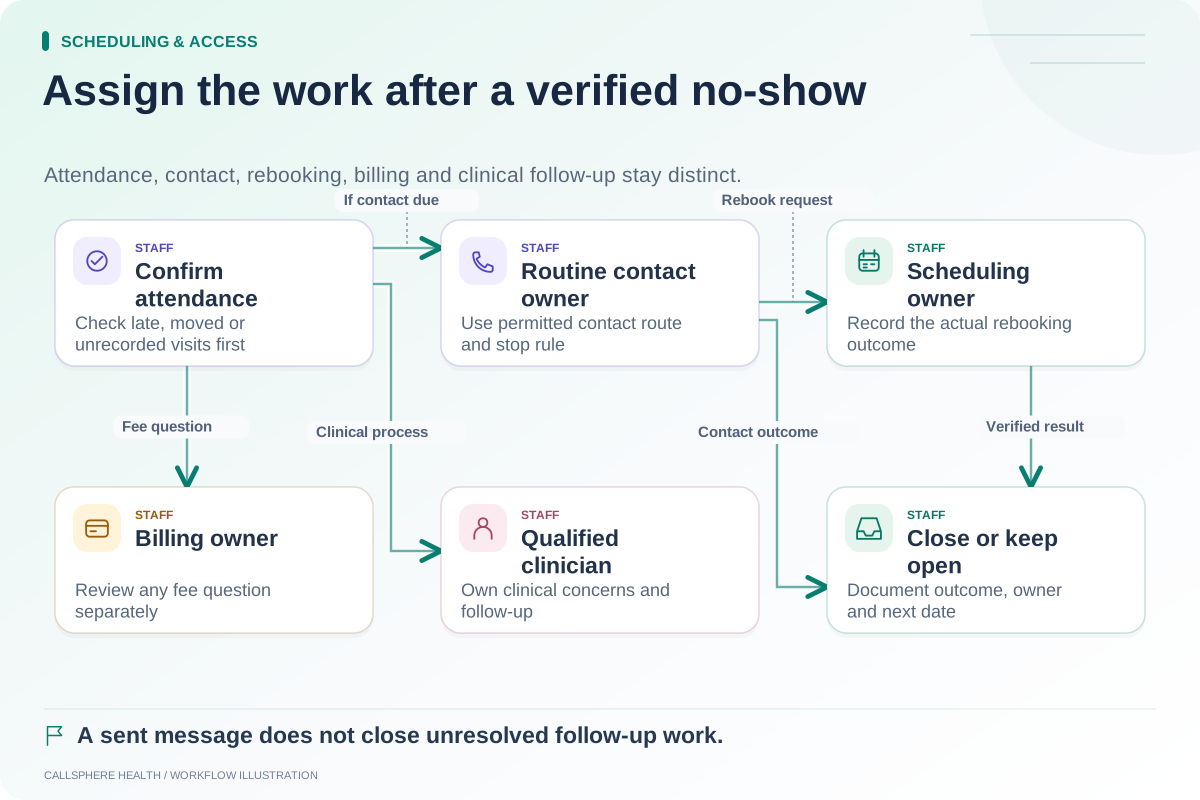
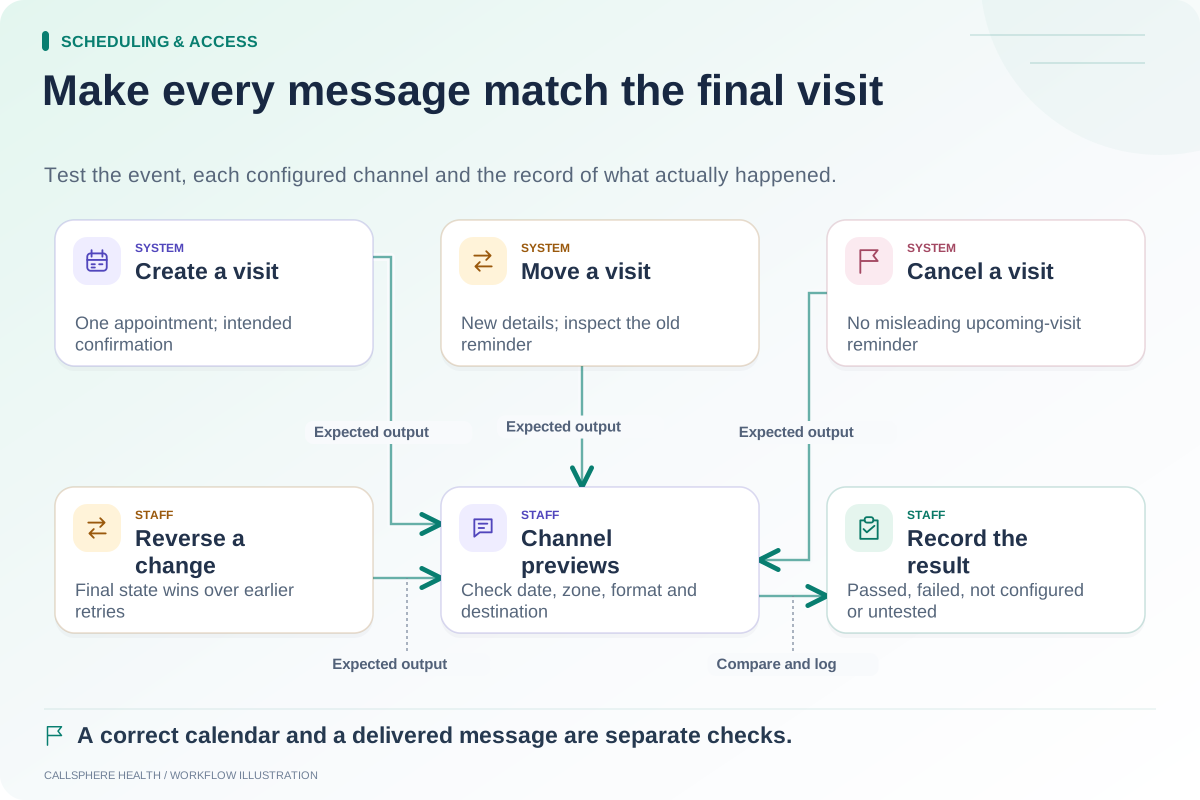
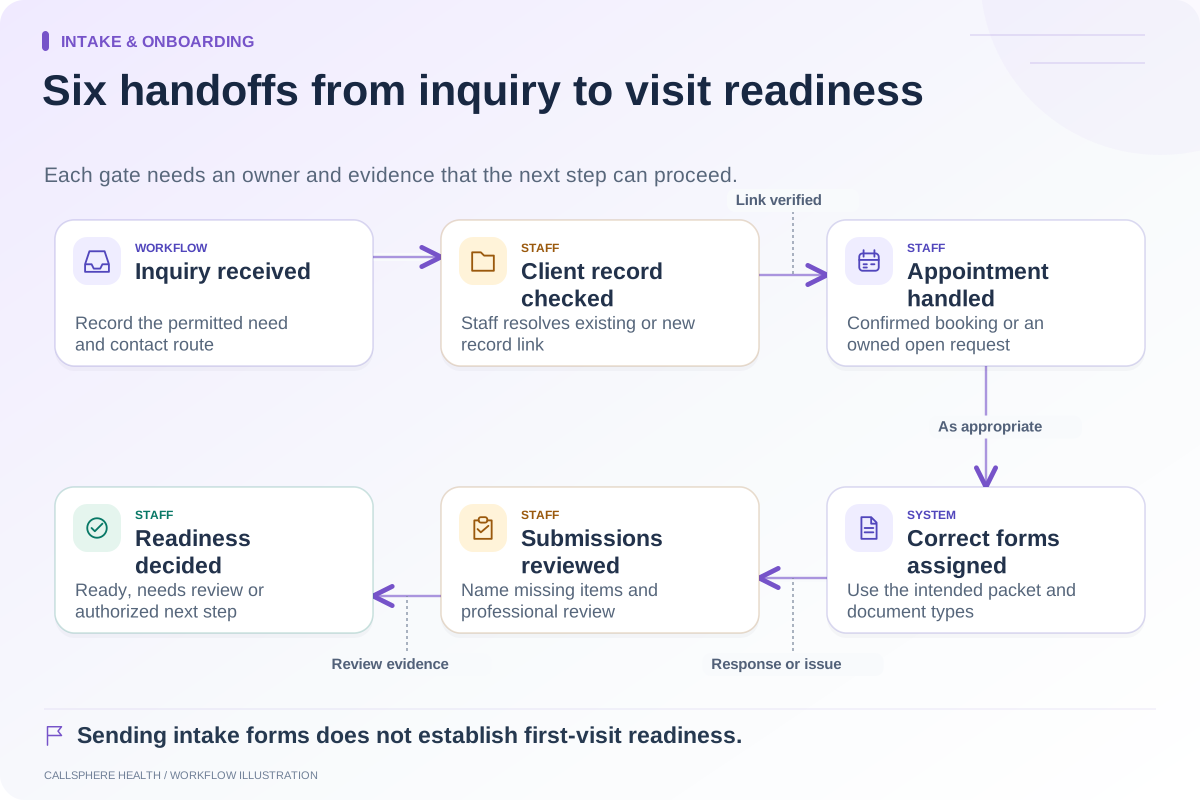
Explore scheduling & access: Build an administrative follow-up process after a no-show · Check every notification after a schedule change · Map the therapy intake process from inquiry to first visit.
Research reviewed September 9, 2026. Organizational authorship: CallSphere Health. Examples are hypothetical; this is operational guidance, not individualized clinical, legal or billing advice.