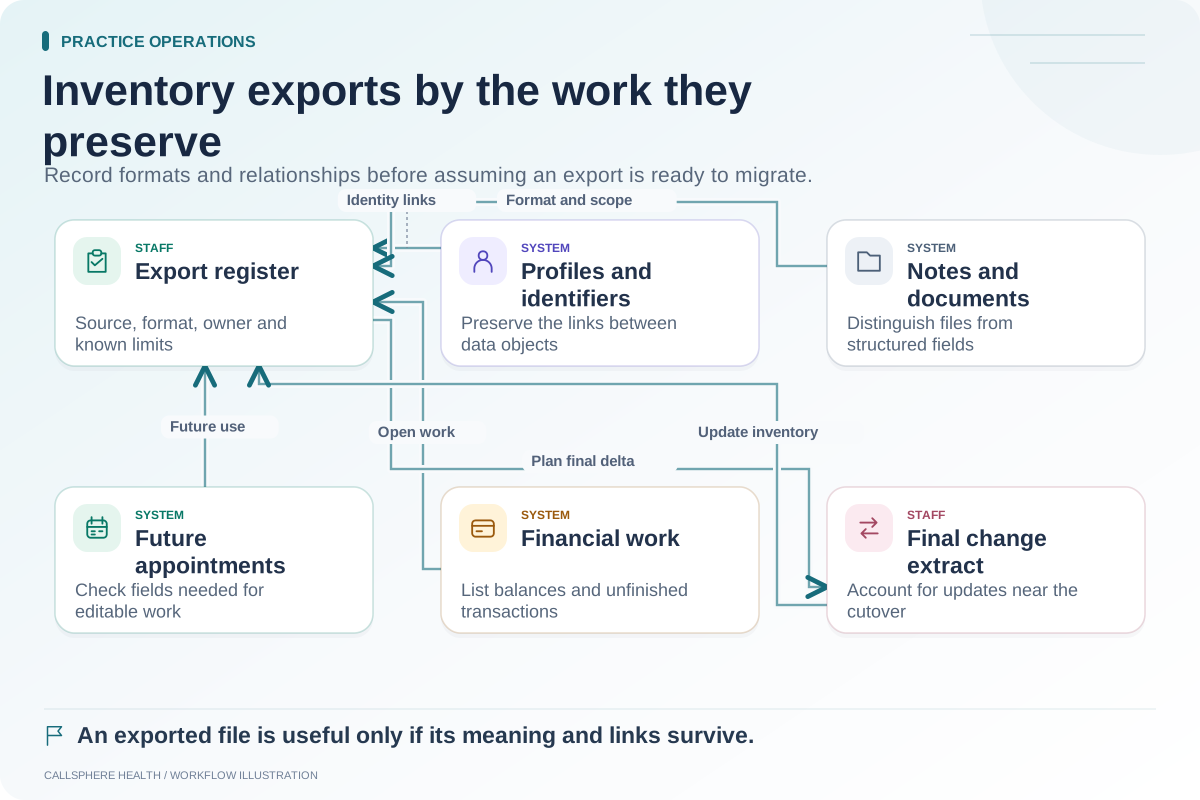
Importing a PDF makes a document available to read. Migrating structured data can make individual fields available to workflows such as scheduling, search or reporting. One does not automatically provide the other, so a practice should specify how each transferred item needs to be used.
A PDF archive may be appropriate for some historical material. The problem is treating a document transfer as proof that all the old system's operational behavior has moved with it.
Start with the future use of the information
Ask what staff need to do with each item after launch. If a clinician needs to open a historical document, a correctly linked, readable file may satisfy the planned use. If the scheduling team needs to change a future appointment, an image of the old calendar will not provide an editable appointment.
Similarly, a balance printed in a report is not necessarily an opening balance in the new billing workflow. The practice needs to understand whether information is present as a reference, an editable field or an actionable record.
Use a data-type decision table
| Item | Reference-only use | Operational use | Test |
|---|---|---|---|
| Historical note | Read an archived document | Search or organize supported fields | Locate and open it under the correct client |
| Future appointment | View a calendar export | Reschedule an appointment | Change a synthetic appointment and inspect its state |
| Contact preference | Read an old profile PDF | Use the current approved communication route | Verify the preference in the destination workflow |
| Outstanding balance | View a financial snapshot | Apply a payment or adjustment | Reconcile a synthetic opening balance |
| Intake response | Open a completed form | Use supported response fields | Confirm which fields are available and who can view them |
The “operational use” column is a requirement to test, not a claim that every vendor supports that conversion.
Examine a document that appears to import correctly
Hypothetical example: A practice imports a synthetic PDF into a training client record. The file opens, but it appears under an unhelpful generic filename and no encounter date is visible. The clinician can read it, yet finding the right document among many files would be difficult.
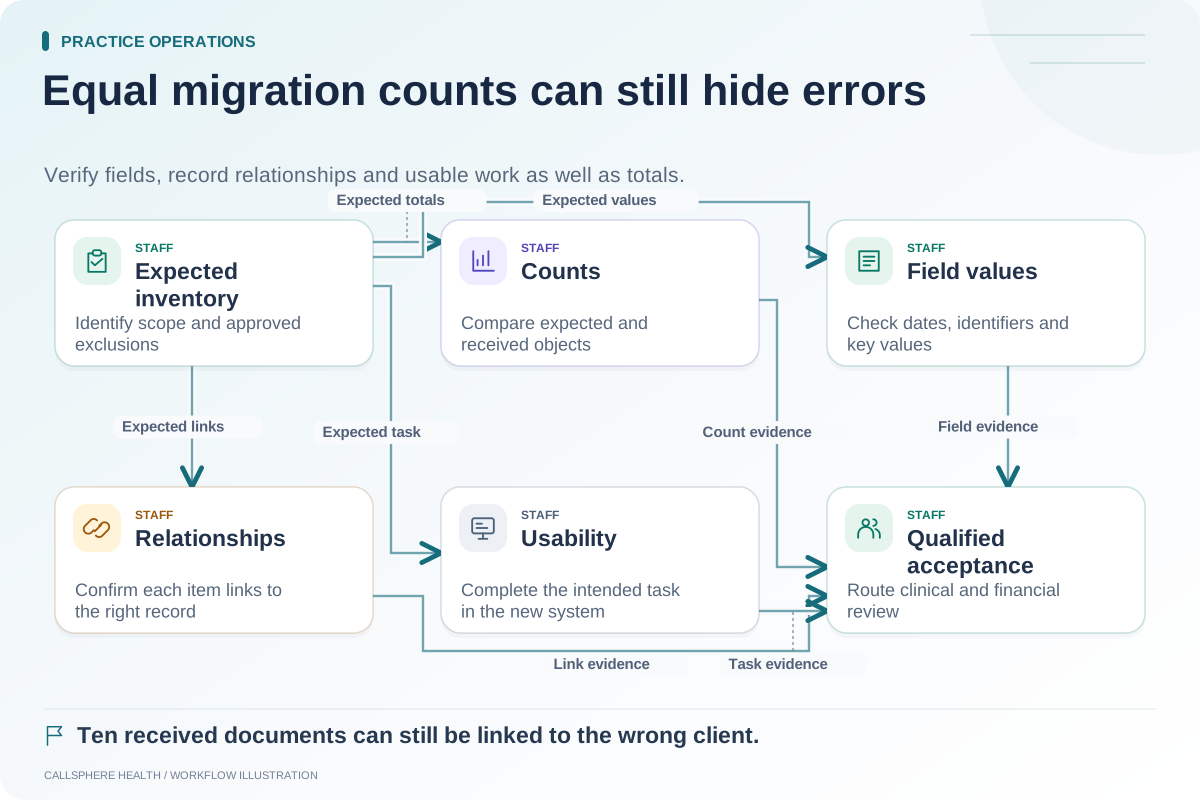
The acceptance check should therefore include more than “opens successfully.” Test the record association, document date, category or filename, page order and readability. If the new system cannot retain a field, decide how staff will locate the information and document that limitation.
For historical paper-to-EHR planning background, see the 2016 chart migration and scanning checklist hosted by ASTP/ONC, accessed September 9, 2026. Its age and paper-record focus mean it is not a current product import specification. The table in this guide is an original way to record the practice's required uses.
Watch for conversions that imply new meaning
Moving text into a structured field may require mapping. A source status such as “pending” could refer to an appointment request, an unpaid invoice or an incomplete note. The receiving system's status may mean something else. Ask the vendors to explain how values are translated rather than approving a mapping based on matching words.
Keep original export evidence under the practice's approved controls. If a conversion is questioned later, the team needs to identify the source value and the rule used to transform it.
Estimate the work that stays with people
Manual review, document categorization, duplicate resolution and correction of incomplete source fields may remain necessary. Name the person responsible and establish a process for exceptions. Do not promise staff that migration removes cleanup work before testing a representative set.
CallSphere combines record and practice workflows, but that does not prove a universal import from other EHRs. Ask for an explicit supported-data list, then test it using the capability boundaries as context.
Use the export inventory to define scope and the reconciliation worksheet to check the result. More implementation guidance is available in practice operations and migration.