Test a teletherapy appointment as one actual moment displayed correctly for the practice and the client. Record a full date and a named time zone, then verify the booking page, staff calendar and confirmation against that same appointment. A bare “3 p.m.” is incomplete when people are in different zones or a recurring series crosses a clock change.
This is an administrative scheduling test. It does not establish that a clinician may provide care to someone in another location. The practice must resolve licensure, clinical and service-location requirements through its appropriate professional process.
Distinguish the appointment from its display
One appointment can have different local clock displays without being two different appointments. The scheduling system should preserve the intended moment and explain the relevant zone to the person viewing it. For a recurring series, the intended rule may instead be the same local practice time each week, which needs careful testing across changes in offset.
Use named zones in your test notes, such as America/New_York and America/Los_Angeles, rather than relying on a fixed abbreviation for every date. The official U.S. time service provides a reference for U.S. zone displays and identifies places that do not observe daylight saving time.
Build a cross-zone acceptance matrix
The following worksheet is a proposed software test plan using synthetic appointments.
| Case | What to compare |
|---|---|
| Practice and client in the same zone | Booking time, calendar and confirmation |
| Client in a different U.S. zone | Both local displays refer to the same appointment |
| Device zone changed after booking | Existing visit remains the same moment |
| Series spans a clock change | Intended local recurrence is preserved |
| Appointment near midnight | Correct calendar date in each view |
| User enters an ambiguous time | System or staff requests clarification |
| Reminder includes a time | Wording includes a clear zone |
Record the exact dates chosen. A successful test in September is not evidence about a transition date later in the year.
A hypothetical New York and California visit
A fictional practice creates an appointment for October 6, 2026 at 3 p.m. in America/New_York. For this hypothetical case, the expected America/Los_Angeles display is noon on the same date. Staff compare the appointment detail, the client booking view and the proposed confirmation, with real delivery disabled.
Next, the tester changes the device's zone and reloads the existing appointment. The displayed local time may change, but the stored appointment should not silently move. The test then checks that the staff calendar still refers to the original intended moment.
If two screens disagree, staff investigate the source and display rules before sending another confirmation. Creating a replacement appointment to fix a display misunderstanding can introduce a duplicate.
Test recurring appointments separately
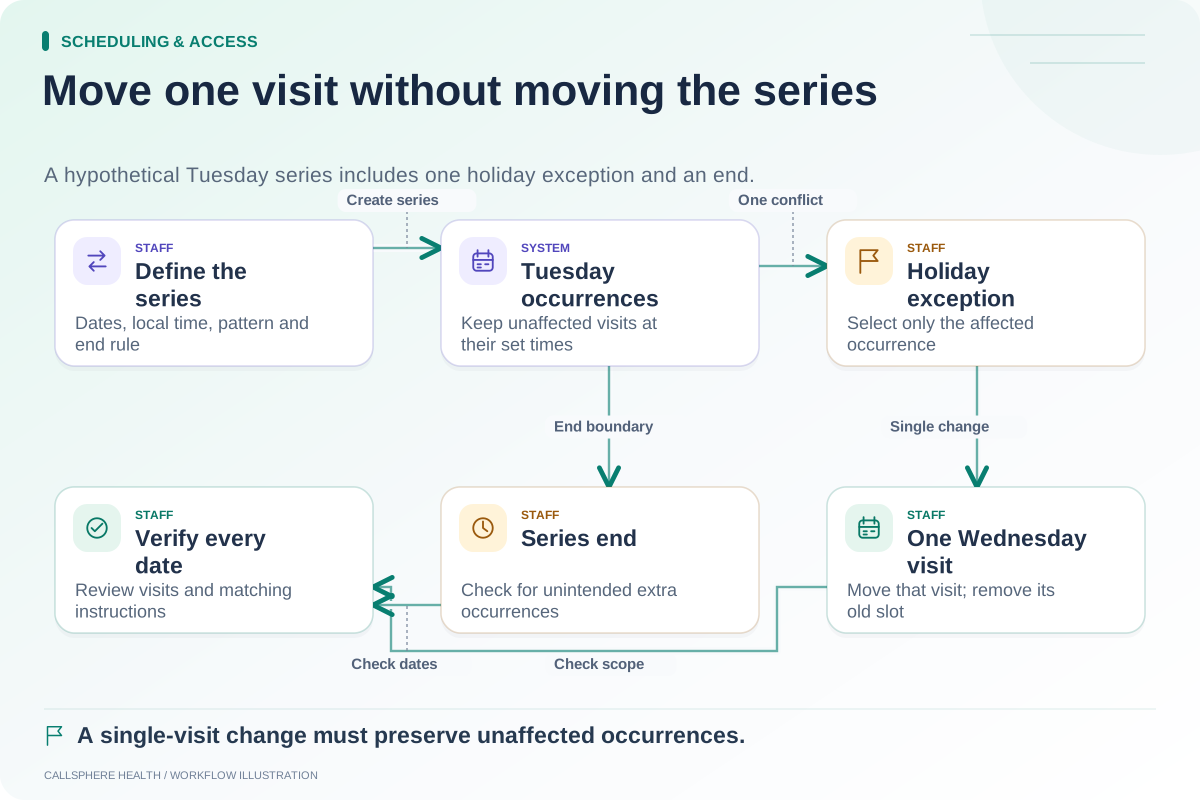
A weekly appointment needs a clear recurrence rule. Does “Tuesday at 3 p.m.” mean the practice's local time each week or the same fixed offset throughout the series? Ask the vendor to demonstrate the intended behavior on relevant dates rather than assuming how it stores time internally.
Use the recurring appointment checklist to inspect individual occurrences before and after a clock change. For clients in places with different clock-change practices, the difference between local displays may change even when the practice's appointment time remains stable.
Avoid scheduling test cases at an ambiguous or nonexistent local time without an explicit expected result. The software should reject or clarify such input rather than silently choose a meaning the user did not intend.
Include cutoffs and reminders
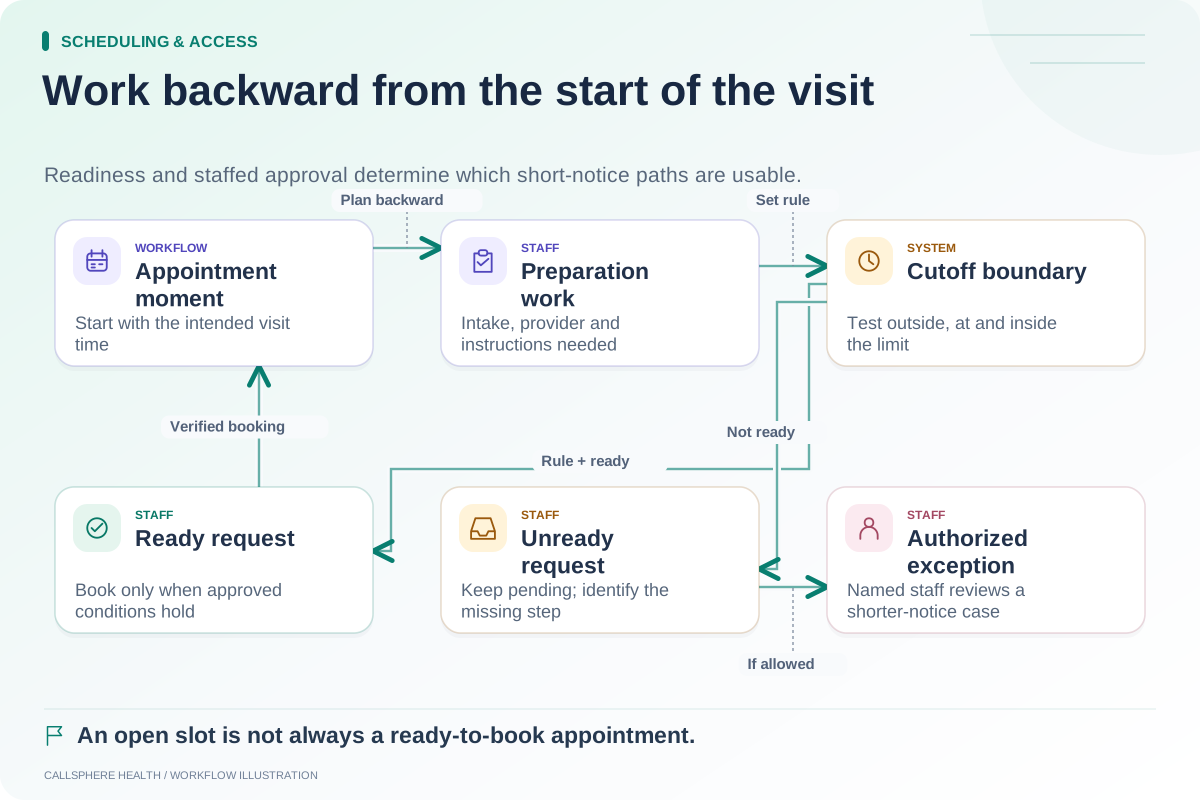
A booking cutoff should be evaluated against the intended appointment moment. Test whether a client device in another zone changes which short-notice slots are available. The same-day cutoff guide adds the operational preparation check.
Review date wording in messages as well as clock time. “Tomorrow” can be misleading when a message is read later or the recipient is across a date boundary. Full dates and clear zones are easier for staff to verify.
CallSphere Health's platform includes scheduling with time-zone validation paths, but each public and AI booking route should be tested in the practice's configuration. Review capabilities and request a synthetic cross-zone demonstration before enabling the workflow.
More acceptance worksheets appear in Scheduling and access.
Sources and product scope checked September 9, 2026.